
- Why AutoDS ?
- Integrations
- Suppliers
-
Resources
- Shopify Dropshipping Guide — Learn How to Dropship on Shopify
- How To Start A Dropshipping Business With No Money In 2026
- 100+ Best Dropshipping Products To Sell In 2026
- Amazon Dropshipping: How To Dropship On Amazon in 2026
- Boost Your Business With The 24 Best Dropshipping Niches In 2026!
- How To Start Dropshipping On eBay In 2026 For Beginners
- AliExpress Dropshipping: How To Dropship With AliExpress In 2026
- Fast Dropshipping Suppliers: Top 14 For Quick Products Delivery
- What is Dropshipping and How Does it Work?
- How to use AI for Dropshipping See all dropshipping guides
Guides
- AI Store Builder
- Pricing


- Why AutoDS ?
- Integrations
- Suppliers
-
Resources
-
 Dropshipping knowledge hub

-

-
-
-
-
-
-
- Shopify Dropshipping Guide — Learn How to Dropship on Shopify
- How To Start A Dropshipping Business With No Money In 2026
- 100+ Best Dropshipping Products To Sell In 2026
- Amazon Dropshipping: How To Dropship On Amazon in 2026
- Boost Your Business With The 24 Best Dropshipping Niches In 2026!
- How To Start Dropshipping On eBay In 2026 For Beginners
- AliExpress Dropshipping: How To Dropship With AliExpress In 2026
- Fast Dropshipping Suppliers: Top 14 For Quick Products Delivery
- What is Dropshipping and How Does it Work?
- How to use AI for Dropshipping See all dropshipping guides
Dropshipping ResourcesToolsGuides
-
- AI Store Builder
- Pricing


to sign in to AutoDS
remember. Signing in is fast,
simple and secure.

eBay fee calculator
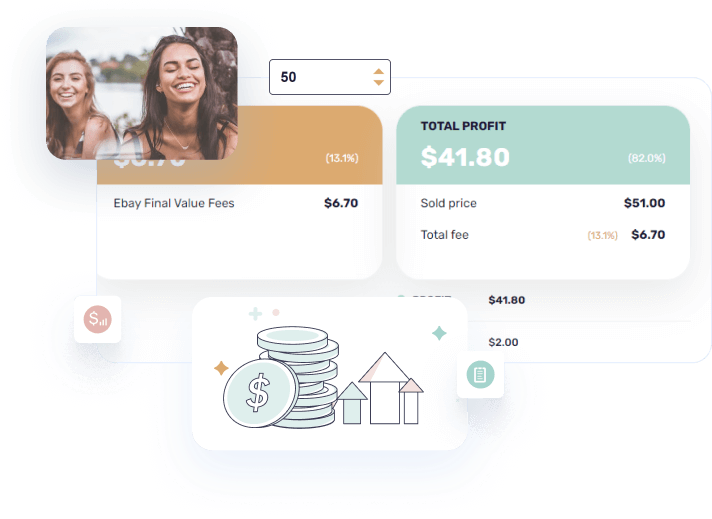
Our eBay Fees Calculator will help you calculate your eBay profits accurately, so you'll know exactly how much you're spending and profiting from your eBay business.
Check out our other free selling tools
 eBay Fees
  eBay Insertion Fee
  eBay Title
Category
 What category does your product belong to? Pick ‘Other Categories’ if you don’t find a match.
Payment Processor
Select either eBay’s Managed Payments or PayPal.
PAYPAL TRANSACTION FEE
Ebay account options
Please choose the description that represents your account the best.
Profit Breakdown
Using our AutoDS fee calculator for eBay
You have two main ways to use our eBay fee calculator:
1. Take the product you are selling, copy its eBay Item ID or the full item link and paste to the Item ID field. Then, our eBay fee calculator takes the product’s price directly from eBay, calculating any fees and profits associated with the product. To ensure the most accurate results possible, please pick the relevant information from the fee calculator’s filters. This includes giving accurate information about store subscription, top rated plus, etc.
2. Get results instantly by filling out the product’s selling price, shipping costs, product costs, etc. Include any other properties such as store subscription or top rated seller status.
Frequently asked questions
Trending eCommerce knowledge



 About Us
Pricing
Help Center
Status
Feedback
Careers - we're hiring
Legal
AI store builder
AI Video Ad Generator
TikTok Shop Analytics
About Us
Pricing
Help Center
Status
Feedback
Careers - we're hiring
Legal
AI store builder
AI Video Ad Generator
TikTok Shop Analytics

 Rating 4.7
 1,700+ reviews