Your Shopify store is live, your products are listed, and you’re ready for customers. But when you search Google for what you’re selling, your store is nowhere to be found.
That’s where the best Shopify SEO apps come in. They help you tackle the stuff that’s easy to overlook, like oversized product images, missing alt text, generic supplier descriptions, and technical issues that can make your store harder to find.
You don’t need deep technical knowledge or a long list of apps to begin. Some tools even have free plans, while others automate repetitive tasks as your catalog grows.
In this guide, I’ll compare the best options for dropshippers, including tools for image optimization, bulk content updates, and visibility in AI-powered search. I’ll also show you how to choose a tool without paying for features you won’t use.
Start with free SEO tools. Avada SEO, Tapita, and SEOLab offer useful features for new Shopify stores.
Choose apps based on your needs. TinySEO helps with images and speed, while Sherpas, Booster, and SearchPie focus on metadata and automation.
Optimize supplier listings. AutoDS helps you import product images and improve titles and descriptions with AI-powered tools.
Treat AI search features as experiments. Structured data and accurate product information matter more than unproven llms.txt benefits.
Keep your SEO app stack small. One or two complementary apps are usually enough for a new dropshipping store.
SEO apps don’t guarantee rankings. Strong product content, technical SEO, and regular performance checks still matter.
The Best Shopify SEO Apps
Not every SEO app solves the same problem. Some focus on speeding up product pages, others help you optimize hundreds of listings, and newer tools offer features designed for AI-powered search.
Here’s a quick comparison:
| App | Best for | Free plan | Starting paid price | Rating (Nov. 2026) |
|---|---|---|---|---|
| TinySEO (formerly TinyIMG) | Image compression, alt text, page speed | Yes, 50 image optimizations/month | $14/month | 5.0/5 |
| Avada SEO | Image optimization, site audits, basic SEO | Yes, 100 images, 20 audits, 100 AI credits | $34.95/month | 4.9/5 |
| Tapita SEO | Speed, images, technical SEO | Yes, 30 image compressions/day and alt text for 50 products | $9.99/month* | 5.0/5 |
| AutoDS | Product importing, image editing, AI product descriptions | No permanent free plan | Varies by subscription | 4.6/5 |
| Smart SEO AI & Image Optimizer (Sherpas Smart SEO) | Bulk metadata, alt text, AI content | Yes, 50 images, 20 AI generations, 20-page audit | $14.99/month | 5.0/5 |
| Booster SEO | Automated metadata and SEO monitoring | Yes, 50 images/week, audits and alt text tools | $39/month | 4.8/5 |
| SearchPie | Bulk metadata, schema and SEO fixes | Yes, templates, basic schema and audits | $39/month | 4.9/5 |
| SEOLab | SEO audits, AI tools, AI-search experimentation | Yes, 300 app credits and 30 AI credits | $14/month | 5.0/5 |
Prices are in USD, based on monthly billing. Free plans have usage or feature restrictions. Tapita charges an additional $5/month on Shopify Grow, $30/month on Advanced, and $60/month on Shopify Plus. Additional credits or usage may also cost extra.
Use the table to shortlist apps based on the task you need help with; I’ll break down their strengths and limits below.
Do You Need A Shopify SEO App At All?
Not necessarily. Shopify already handles several SEO basics, including automatic sitemaps, SSL certificates, canonical tags, and editable titles, meta descriptions, and image alt text. Plus, Shopify Magic can help you generate product descriptions with AI.
So, when is an SEO app worth it? Usually, when manual optimization becomes too time-consuming. If you’re importing hundreds of products with generic supplier descriptions, oversized images, or missing metadata, an app can help you fix those issues faster.
An app can handle repetitive fixes, but search visibility still depends on whether your pages answer what shoppers are looking for.
Before installing an SEO app, check these basics:
- Connect Google Search Console.
- Submit your Shopify sitemap (yourstore.com/sitemap.xml).
- Improve generic supplier titles and descriptions.
- Add descriptive image alt text.
Best Shopify SEO Apps For Page Speed And Images
Supplier images aren’t always ready for your Shopify store. Some are unnecessarily large, others have filenames like IMG_2938, and plenty come without useful alt text. These small issues can add up, especially when you’re importing dozens of products at once.
These apps can help tidy up image files and spot speed issues.
TinySEO (Formerly TinyIMG)
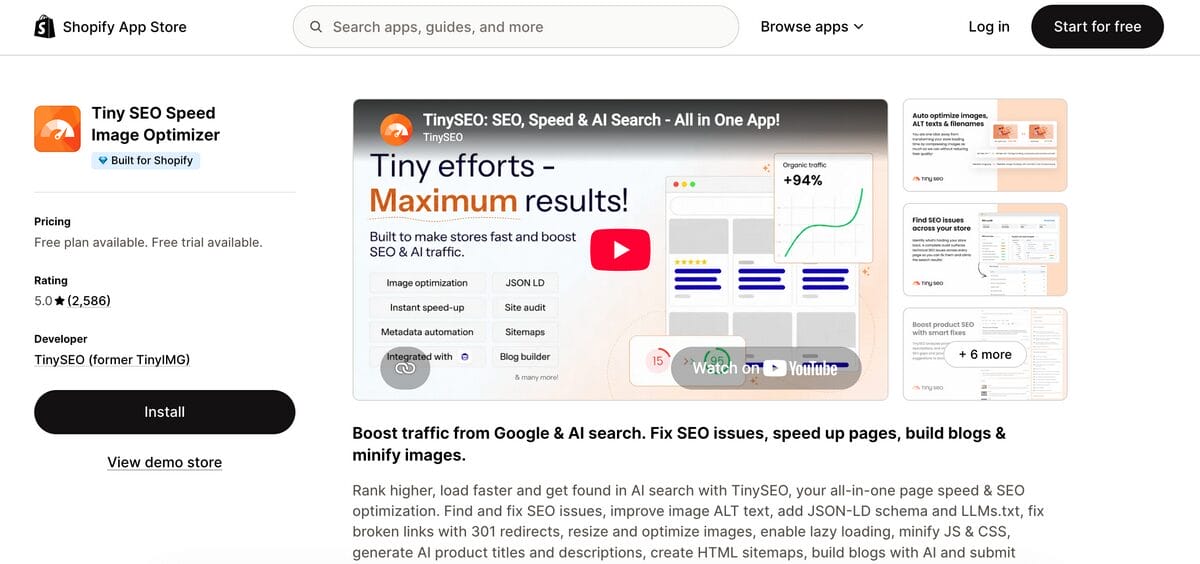
Best for: Image optimization, page speed, and technical SEO.
Free plan: 50 image optimizations per month.
Starting price: $14/month (Beginner plan).
Shopify App Store rating: 5.0/5 (November 2026).
TinySEO helps you compress images, optimize filenames and alt text, and improve page speed without editing every product manually. It also includes SEO audits, lazy loading, and JSON-LD structured data.
For growing dropshipping stores, the Beginner plan covers 1,500 image optimizations per month, with additional images costing $0.02 each. The $23/month Advanced plan adds broken-link detection, redirects, IndexNow, AI-generated metadata, and llms.txt editing.
My take: A solid choice if you have lots of supplier images to optimize and want additional technical SEO tools as your store grows.
Avada AI SEO Image Optimizer (Free Plan)
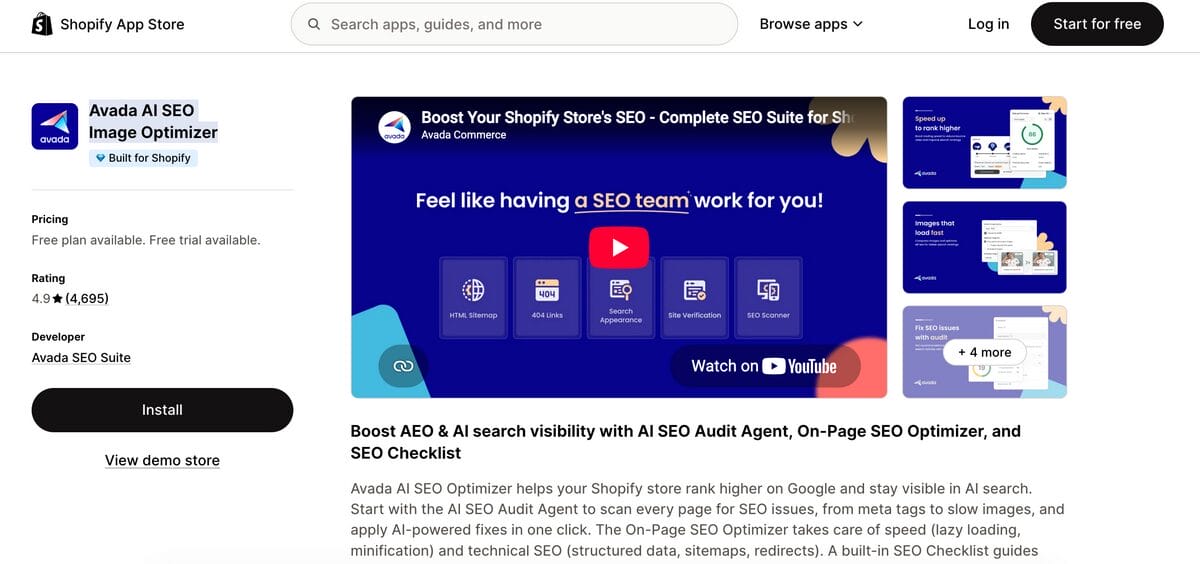
Best for: Beginners who want basic SEO audits and image optimization.
Free plan: 100 image optimizations, 20 on-page audits, and 100 AI credits.
Starting price: $34.95/month (Pro plan).
Shopify App Store rating: 4.9/5 (November 2026).
Avada SEO combines image compression, alt text optimization, metadata tools, and SEO audits in one app. Its free plan also includes basic speed optimization and structured data features.
It’s particularly useful for new dropshippers who want to identify SEO issues before investing in paid software. The Pro plan adds unlimited image optimization, advanced speed tools, and broken-link management.
My take: Start with the free plan if you’re still figuring out what your Shopify store needs.
Tapita SEO
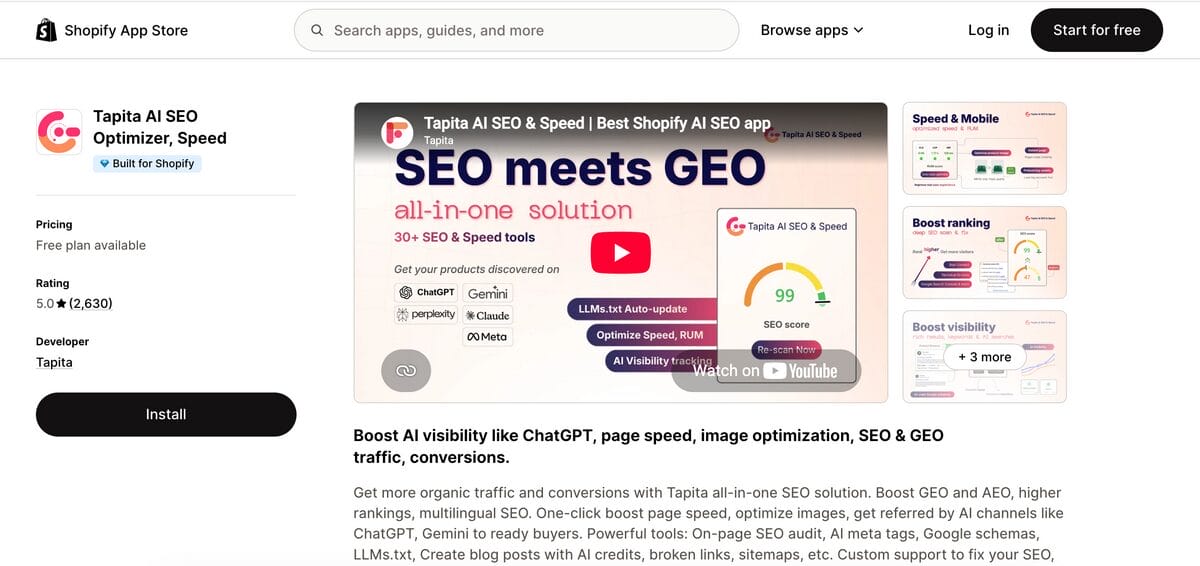
Best for: Image compression, page speed, and affordable technical SEO.
Free plan: 30 image compressions per day and alt text optimization for 50 products.
Starting price: $9.99/month (Business plan), plus applicable Shopify-plan surcharges.
Shopify App Store rating: 5.0/5 (November 2026).
Tapita offers image optimization, metadata editing, SEO audits, and structured data tools. Its free plan is useful for stores that regularly import new product images, while the Business plan adds more image capacity, broken-link detection, redirects, and advanced speed features.
Keep in mind that Tapita charges an additional $5/month on Shopify Grow, $30 on Advanced, and $60 on Plus.
My take: Worth trying for its free image allowance, but check the total subscription cost before upgrading.
AutoDS Product Image Importer
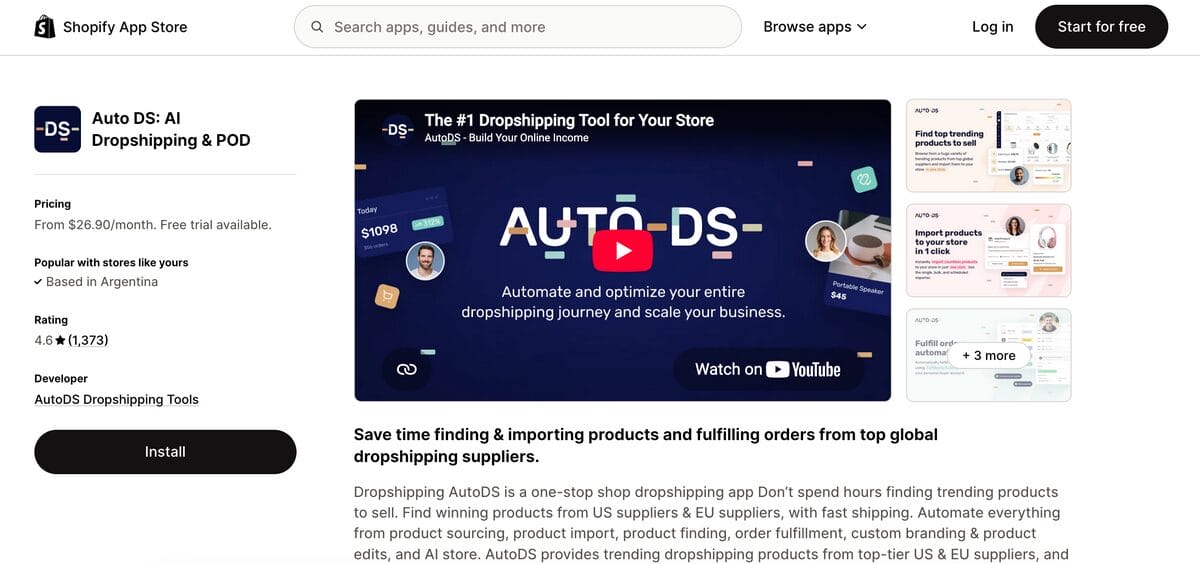
Best for: Importing supplier products and preparing images before publishing.
Free plan: No permanent free plan.
Starting price: Depends on your AutoDS subscription.
Shopify App Store rating: 4.6 (inside the AutoDS all-in-one dropshipping app).
The AutoDS Shopify app lets you import supplier images alongside product details and edit them using its built-in image editor. You can resize, crop, rotate, and customize images without switching between different tools.
For dropshippers importing products from multiple suppliers, this makes product preparation easier. However, AutoDS isn’t a dedicated technical SEO app, so you should still review image sizes and alt text and use specialized tools when needed.
My take: If you’re already using AutoDS, take advantage of its image editing features before paying for another app with overlapping functionality.
Best Shopify SEO Apps For Bulk Titles And Descriptions
A supplier title like “2026 New Fashion Women Casual Bag High Quality” tells shoppers surprisingly little about the bag.
Editing ten listings by hand is manageable. Editing hundreds of similar titles and descriptions… not so much, and that’s where bulk tools earn their keep.
The options below handle bulk metadata updates, and some can draft product copy with AI.
Smart SEO AI & Image Optimizer (Formerly Sherpas)
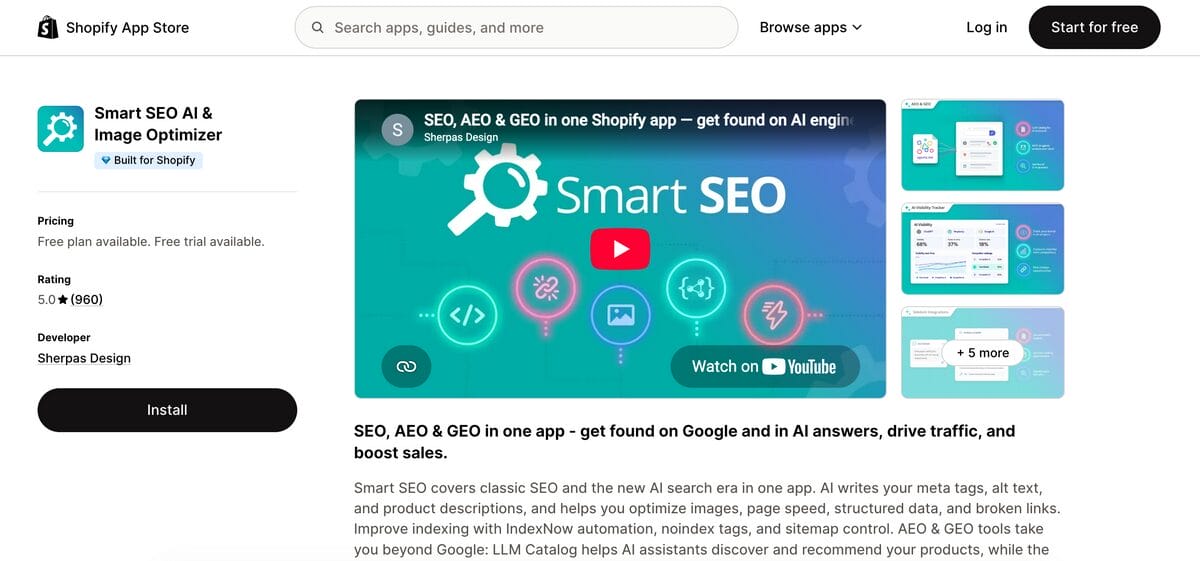
Best for: Bulk metadata optimization, structured data, and SEO automation.
Free plan: 50 image optimizations, 20 AI generations, 100 broken-link checks, and audits for 20 pages.
Starting price: $14.99/month (Pro plan).
Shopify App Store rating: 5.0/5 (November 2026).
Smart SEO helps you generate meta tags, optimize image alt text, and manage structured data across your Shopify store. The Pro plan includes bulk metadata optimization, while AI-powered bulk generation requires the $24.99/month Business plan.
It also offers AI-generated product descriptions and AI-search features. The latter are covered separately below.
My take: A good all-in-one option for stores that need bulk SEO updates without managing several separate tools.
Booster SEO
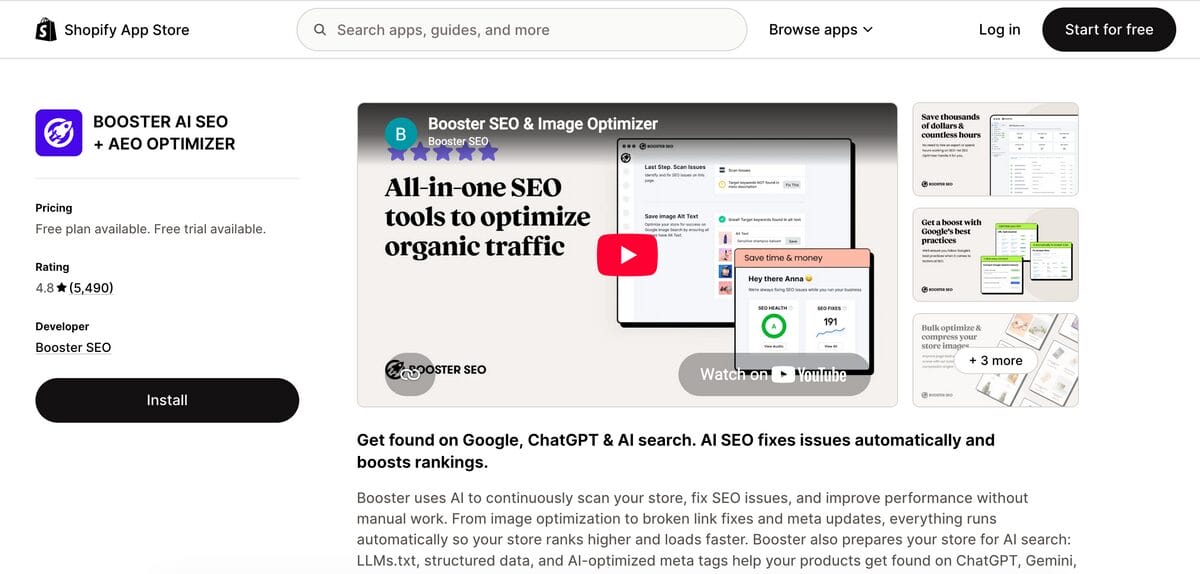
Best for: Automated metadata updates and ongoing SEO monitoring.
Free plan: Alt text optimization, metadata templates, broken-link reports, and weekly synchronization of up to 50 images.
Starting price: $39/month (Pro plan).
Shopify App Store rating: 4.8/5 (November 2026).
Booster SEO helps you automate meta titles, descriptions, SEO fixes, and broken-link monitoring. Its Pro plan also includes structured data, while image compression and additional advanced tools require the $69/month Premium plan.
For dropshippers adding products regularly, metadata templates help maintain consistency across listings. However, automated titles still need reviewing to avoid generic or inaccurate descriptions.
My take: Better suited to established stores that need recurring automation. Beginners may find enough functionality in a free alternative.
SearchPie
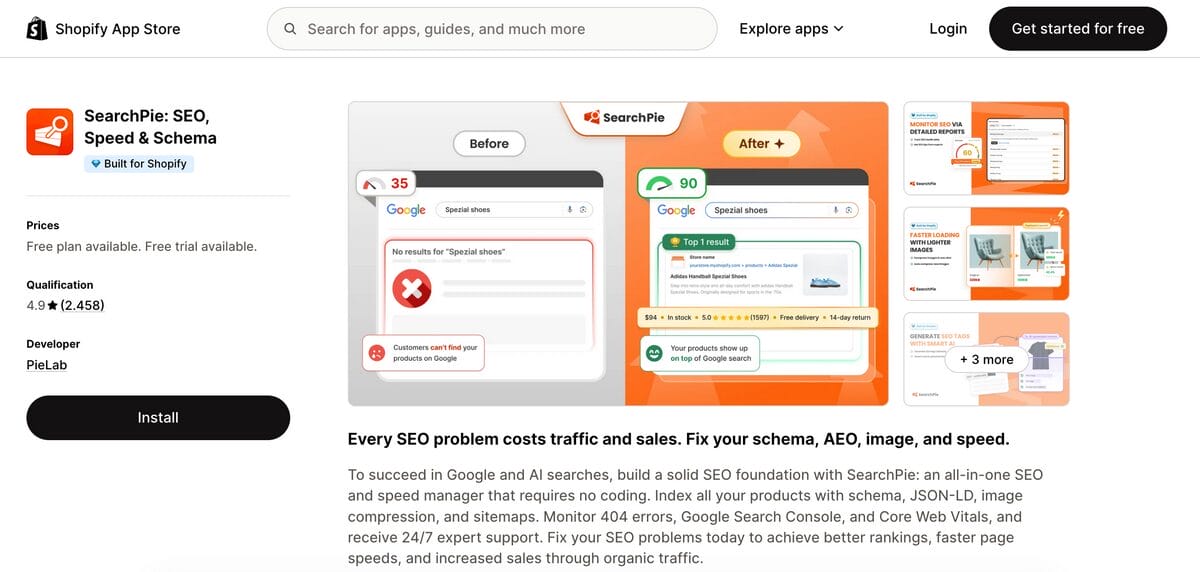
Best for: Bulk metadata editing, technical SEO, and AI-assisted optimization.
Free plan: Metadata templates, basic structured data, image compression, SEO monitoring, and limited AI tools.
Starting price: $39/month (Premium plan).
Shopify App Store rating: 4.9/5 (November 2026).
SearchPie combines bulk SEO metadata tools, structured data, and technical SEO monitoring. Its free plan covers basic optimization, while Premium adds automatic SEO tags, AI-generated product descriptions, and more advanced technical fixes.
It’s useful for dropshippers managing different product categories who want consistent metadata without manually editing every listing. SearchPie also includes llms.txt tools, which I’ll discuss in the AI search section.
My take: A versatile option if you want metadata automation and technical SEO in one app. Test the free plan before upgrading.
💡 Pro Tip: Focus AI rewrites on your best products, highlighting details like materials, dimensions, and benefits. Specific, accurate descriptions beat generic AI copy.
AutoDS AI Product Description Generator
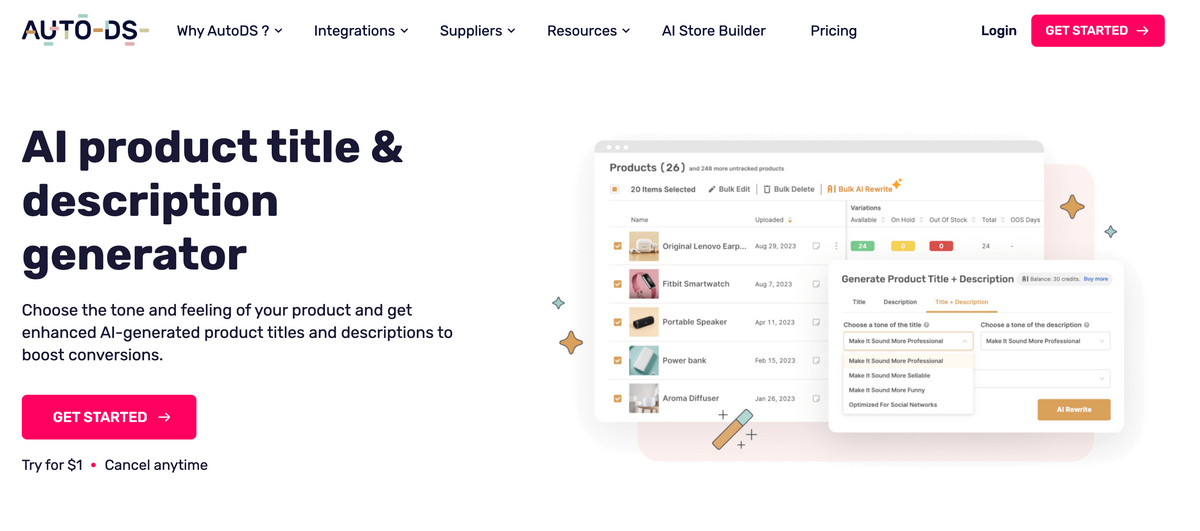
Best for: Improving imported supplier titles and descriptions.
Free plan: No permanent free plan.
Starting price: Depends on your AutoDS subscription, with additional AI credit costs.
Shopify App Store rating: 4.6 (inside the AutoDS all-in-one dropshipping app).
AutoDS AI Rewrite helps you turn generic supplier titles and descriptions into clearer, more engaging product copy. It supports bulk rewriting and can automatically rewrite new products imported from selected suppliers.
For dropshippers building large catalogs, this saves time while keeping product preparation within AutoDS. However, AI Rewrite focuses on product content rather than SEO metadata, and generated descriptions should always be reviewed for accuracy.
My take: A useful addition if you’re already managing your products through AutoDS, especially when importing multiple listings with repetitive supplier descriptions.
Skip generic supplier copy. AutoDS helps you rewrite product titles and descriptions in bulk, saving time as your store grows. Get started with AutoDS.
Best Shopify SEO Apps For AI Search
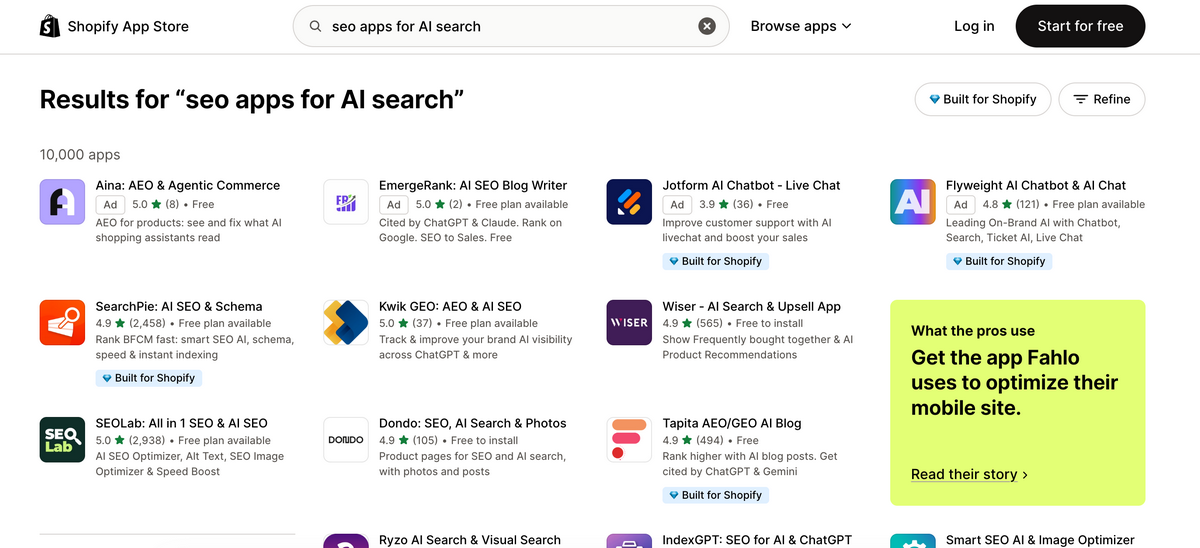
Shoppers are increasingly using ChatGPT, Gemini, and other AI tools to discover products. And some Shopify SEO apps now offer features designed for AI-powered search, not just Google.
Here’s what the main options include:
- Sherpas Smart SEO: LLM Catalog, structured data, and MCP integration for AI-related workflows.
- TinySEO: JSON-LD structured data and llms.txt editing on its Advanced plan.
- SearchPie: llms.txt generation, structured data, and AI-assisted SEO tools.
- Avada SEO: Structured data, metadata optimization, and other technical SEO features.
Does LLMs.txt Actually Help With AI Search?
An llms.txt file provides a simplified overview of your website’s content for AI systems. However, there’s no proven ranking benefit from using one.
Google has confirmed that it doesn’t use llms.txt for Search or its AI features. As of November 2026, no major AI search provider has publicly confirmed using it as a ranking signal. You can read more in Google’s AI search optimization guide.
If you’re curious, Avada AEO SEO Optimizer LLMs is a separate, free Shopify app that automatically generates and updates these files. It’s worth testing, but I wouldn’t make it an SEO priority.
Shopify Already Supports AI Shopping
Shopify also offers Agentic Storefronts, which can make eligible stores’ products available through AI shopping experiences in ChatGPT, Microsoft Copilot, Google AI Mode, and Gemini.
You don’t need a separate SEO app for these native integrations. Go to Shopify Admin > Sales channels > Agentic to check which channels are available to your store. Eligibility and availability vary by channel.
For dropshippers, accurate product descriptions, prices, availability, and structured data are a better starting point than experimental AI-search tools.
🔍 Research Tip: Search for products similar to yours in AI shopping tools. Check what details appear in the results and compare them with your own listings to identify missing information.
Best Free Shopify SEO Apps To Start With
You don’t have to pay for SEO software the moment you launch your Shopify store. Several apps offer free plans that are genuinely useful for getting started.
I’d narrow the options down to these:
- Avada SEO: A good all-round starter, with 100 image optimizations, 20 on-page audits, and 100 AI credits.
- Tapita SEO: Great for image-heavy catalogs, with 30 image compressions per day and alt text optimization for 50 products.
- SEOLab: Includes SEO audits, bulk metadata editing, and image optimization, with 300 app credits and 30 AI credits.
- SearchPie: Offers free metadata templates, basic structured data, image compression, and SEO monitoring.
My recommendation? Start with one general-purpose app, fix your most obvious issues, and upgrade only when the free limits genuinely get in your way.
How To Pick The Right App For Your Problem
First, identify the issue you want to fix.
Use the table below to match that issue with the right kind of tool.
| Your problem | Type of app you need | Example | What to try first |
|---|---|---|---|
| Slow-loading product pages | Image and speed optimizer | TinySEO, Tapita | Test your pages, check large images, and try compression |
| Generic supplier descriptions | AI product content tool | AutoDS AI Rewrite | Rewrite your 10 most important product listings |
| Missing or repetitive SEO titles | Bulk metadata optimizer | Sherpas Smart SEO, SearchPie | Create a template, then customize important pages |
| Product images without alt text | Image SEO optimizer | Avada SEO, TinySEO | Add descriptive alt text to your main product images |
| Missing or incorrect product schema | Structured data SEO app | Sherpas Smart SEO, SearchPie | Check your theme's existing schema before adding more |
| Want better AI search visibility | Technical SEO and AI-search tools | SearchPie, Avada AEO Optimizer | Check Shopify Agentic Storefronts and test free tools |
If you use AutoDS for product preparation, look for an SEO app that covers what AutoDS doesn’t, such as technical audits or structured data.
Start with the issues affecting your product pages before testing AI-search extras.
Don’t Stack Shopify SEO Apps
More SEO apps don’t necessarily mean better rankings. Installing too many can create overlapping features, unnecessary costs, and even performance issues if multiple tools add scripts or modify the same elements.
For a new dropshipping store, one or two apps usually cover the essentials.
Here are three simple combinations I’d recommend:
- Free starter ($0/month): Avada SEO Free + Shopify’s built-in SEO tools. Perfect for beginners who need basic audits, image optimization, and metadata editing.
- Growing store ($14/month): TinySEO Beginner + Shopify’s built-in tools. A good fit if you’re managing more product images and need additional technical SEO features.
- AI search experiment ($14/month): TinySEO Beginner + Avada AEO SEO Optimizer LLMs (free). Covers image and technical SEO while letting you test AI-focused features without increasing your monthly subscription.
Prices are in USD as of November 2026. Free plans have usage limits, and additional image optimizations may cost extra.
If you’re already using AutoDS, take advantage of its product image editor and AI Rewrite tools before adding another app for similar tasks.
💰 Financial Tip: Before installing a new SEO app, check whether your existing tools already cover the same features. Pay for what you’re missing, not for functions you already have.
Add another app only when it solves a problem your current setup can’t handle.
A Simple 7-Day SEO Plan For A New Dropshipping Store
Here’s a manageable first-week plan. Start with your most important products and work through one task each day.
Day 1: Connect Google Search Console
Open Google Search Console, add your Shopify domain, and verify ownership. Make sure your store is publicly accessible, not password-protected.
Your goal: Verify your store, monitor its visibility in Google Search, and spot indexing issues.
Day 2: Submit Your Shopify Sitemap
In Search Console, go to Indexing > Sitemaps, enter sitemap.xml, and click Submit.
Shopify generates and updates this file automatically, so you don’t need an extra app.
Day 3: Optimize Your Top 10 Products
Choose 10 priority products. Before rewriting their titles, search Google for phrases shoppers would use, like “collapsible water bottle for hiking” instead of just “water bottle.” Check whether the results match your product, then use the most relevant phrase naturally in the title and description. Include accurate specifications and useful benefits.
In Shopify, open each product and edit its Search engine listing to update the SEO title and meta description.
If you’re importing products regularly, AutoDS can help you rewrite titles and descriptions with AI, including bulk updates. Just review the results before publishing.
Day 4: Add Image Alt Text
Open your product images in Shopify and add short descriptions of what’s visible.
For example, instead of “Water bottle,” use “Blue collapsible silicone water bottle.” Focus on clarity rather than repeating keywords.
Day 5: Check Your Store’s Speed
Test your homepage and a few product pages with Google PageSpeed Insights.
If large images are slowing things down, compress or resize them. Only install a speed optimization app if you identify a problem that Shopify’s built-in tools aren’t already handling.
Day 6: Check Your Product Schema
Run an important product URL through Google’s Rich Results Test.
Check whether Google detects your product’s price and availability correctly, and fix any reported Product or Offer structured data errors. Your Shopify theme may already provide valid schema, so only add another app if there’s something to fix.
Day 7: Review And Plan Your Next Steps
In Search Console, use URL Inspection to check whether Google has indexed your priority product pages. If a page isn’t indexed, review the reported status before requesting indexing. Next, improve your main collection pages and add helpful links to related products. List any remaining issues, such as weak titles or missing alt text.
Set a reminder to review your performance in 30 days, focusing on search impressions, clicks, and indexing. SEO results take time, especially for a new store.
For more guidance on preparing your catalog, check this guide to adding dropshipping products to Shopify.
After seven days, you’ll have a clear list of fixes completed and what to tackle next.
Frequently Asked Questions
Do I need a separate SEO app if I’m on Shopify?
No. Shopify already includes essential SEO features like automatic sitemaps, SSL certificates, canonical tags, and editable meta descriptions. You can optimize a small store manually without installing anything else. An SEO app becomes useful when you need to automate repetitive tasks, manage a large product catalog, or identify technical issues more efficiently.
What’s the best free SEO app for a new Shopify store?
Avada SEO is a good starting point because its free plan combines image optimization, SEO audits, and basic metadata tools. Tapita SEO is another option if image compression is your priority, while SEOLab offers free credits for testing different SEO features. The best choice depends on what your store needs, so start with one app rather than installing several.
Can an SEO app help my products show up in AI search results, not just Google?
Potentially. SEO apps can help improve structured data, product descriptions, and other information that AI search systems may use. Some also generate llms.txt files, although there’s no proven visibility benefit from these files. Shopify offers native AI shopping integrations for eligible stores, too. No SEO app can guarantee that ChatGPT, Gemini, or another assistant will recommend your products.
How many SEO apps should a Shopify store realistically run at once?
For most new Shopify stores, one or two SEO apps should be enough. You might use one for image optimization and another for metadata or technical SEO. A third app can make sense if it solves a separate problem. Avoid installing multiple tools that modify the same SEO elements, since overlapping functions can create conflicts and unnecessary costs.
Will an SEO app actually fix low rankings, or does it just handle technical basics?
An SEO app can identify and fix technical problems that affect search visibility, such as missing metadata, broken links, or poorly optimized images. However, improving rankings also requires relevant keywords, useful content, good site navigation, and a competitive product offering. Fixing technical issues removes potential obstacles, but it doesn’t guarantee higher positions in search results.
What’s the difference between an SEO app and just writing good product descriptions myself?
Writing your own descriptions gives you more control over accuracy, tone, keywords, and product benefits. SEO apps help automate tasks like generating metadata, finding missing fields, and updating large numbers of listings. They can save time, but they can’t replace your understanding of what customers need. The best approach combines useful, original descriptions with automation where it genuinely helps.
Conclusion
The right Shopify SEO app should solve a problem you’ve actually found in your store.
Start with a free tool if it covers your needs. As your catalog grows, pay for automation only when the time savings justify it.
For dropshippers, product content is a good place to start. AutoDS lets you import listings, prepare images, and use AI tools to improve supplier titles and descriptions before publishing. If you’re ready to simplify that workflow, get started with AutoDS and focus your SEO efforts on creating a store shoppers can actually find.
Keep checking Search Console and improving the pages customers are most likely to search for.
For your next round of improvements, here are three useful guides:
- The Best Shopify SEO Apps
- Do You Need A Shopify SEO App At All?
- Best Apps For Page Speed And Images
- Best Apps For Bulk Titles And Descriptions
- Best Shopify SEO Apps For AI Search
- Best Free Shopify SEO Apps To Start With
- How To Pick The Right App For Your Problem
- Don’t Stack Shopify SEO Apps
- A Simple 7-Day SEO Plan For A New Store
- FAQ
- Conclusion