


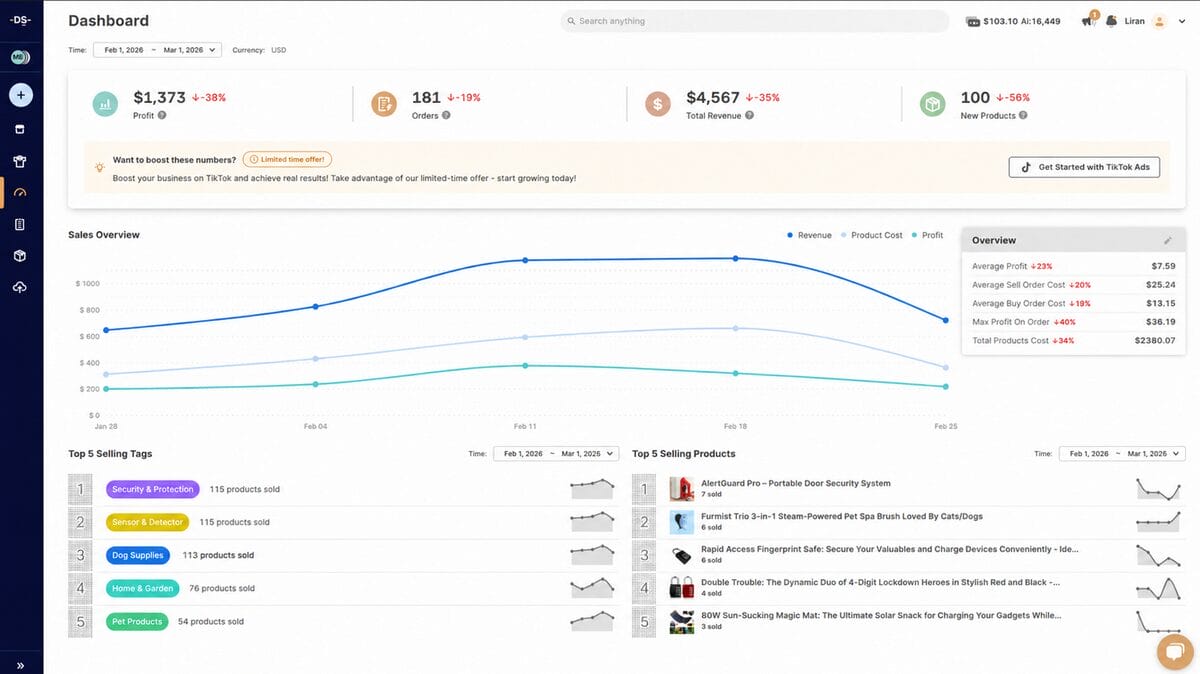
Most dropshippers spend way too long agonizing over analytics tools before they’ve made a single sale. Here’s the truth: you probably need fewer than you think. Platforms like AutoDS already come with built-in profit dashboards and automation baked in, so you’re not starting from zero.
This guide breaks down which e-commerce analytic tools are actually worth your time and money, so you can stop second-guessing and start tracking what matters.
AutoDS combines dropshipping automation with built-in profit analytics and multi-store dashboards, reducing the number of tools beginners need.
Google Analytics 4 (GA4) is a widely used free option for tracking traffic sources and conversion events on any ecommerce store.
Triple Whale is built for DTC (direct-to-consumer) brands running paid ads that need detailed ROAS tracking. ROAS stands for Return On Ad Spend.
Most new dropshippers only need two tools to start: an all-in-one platform like AutoDS for operations and GA4 for traffic data.
The right tool depends on your stage. Beginners should prioritize simplicity and low cost; sellers spending on ads need attribution tracking.
How I Chose These Ecommerce Analytics Tools
Every tool on this list was evaluated from the perspective of someone launching their first dropshipping business. I focused on four criteria: ease of setup for beginners, availability of a free tier or affordable entry point, direct relevance to e-commerce and dropshipping workflows, and integration with popular selling platforms like Shopify. That last point matters more than ever, considering Statista projects global retail e-commerce sales will surpass $8 trillion by 2027, making efficient operations and accurate analytics increasingly important for online sellers.
The list includes a mix of all-in-one platforms, traffic analytics, ad attribution tools, and UX analytics, so you can see which category of tool fits your current needs. Not every dropshipper needs all six. Most people will start with one or two and expand later.
Overview of AutoDS: Built-In Analytics & Full Automation
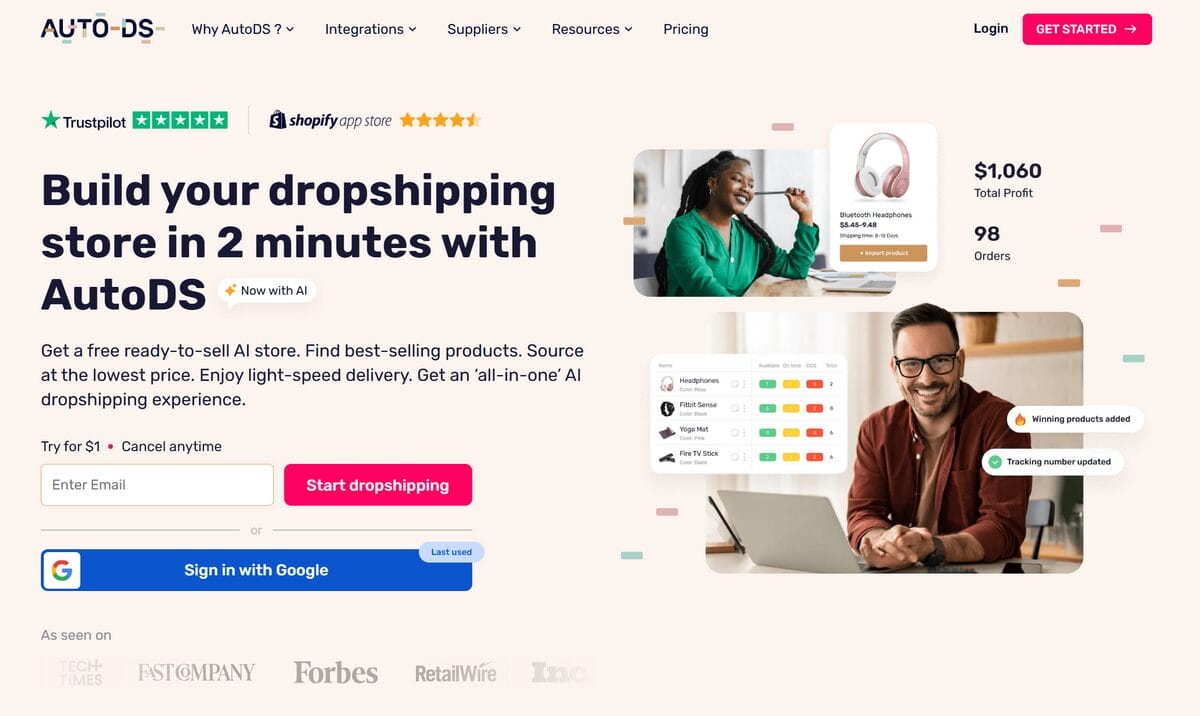
AutoDS stands apart from every other tool: It is a complete dropshipping operating system that includes profit tracking as part of a much larger automation suite.
Think of it this way: instead of checking one tool for your numbers and another to actually run your store, AutoDS puts everything in one place.
Key Features of AutoDS
AutoDS is built to handle the full dropshipping workflow, not just the analytics side. Here is what you get access to:
- Multi-store performance dashboard — Track revenue, costs, and profit across every connected store in a single view.
- Automated price and stock monitoring — Your listings update automatically when supplier prices change. So if your AliExpress supplier raises a price overnight, your margins stay protected without you lifting a finger.
- AI-powered product research marketplace — Browse millions of products across 25+ suppliers, including AliExpress, Amazon, and Temu.
- Fulfilled by AutoDS — Order processing runs automatically, so you do not need to place orders with suppliers manually.
- 8 selling channels — Connect to Shopify, eBay, Amazon, Wix, WooCommerce, TikTok Shop, Etsy, and Facebook Marketplace from one platform.
Pros & Cons of AutoDS
✅ Pros:
- All-in-one platform that eliminates the need for a separate analytics stack
- Beginner-friendly onboarding with AI tools that reduce manual work
- Profit dashboards built specifically for dropshipping metrics
- $1 trial lowers the risk of trying it out
- Supports 25+ suppliers and 8 selling platforms
❌ Cons:
- Analytics are focused on dropshipping operations, not general web traffic patterns
- Advanced features may take time to learn for first-time e-commerce operators
Bottom line: for a new dropshipper, AutoDS handles the analytics you actually need while also running the parts of the business that would otherwise eat up your evenings and weekends.
🆕 Beginner Tip: If you’re new to the world of tracking analytics, do not track every metric on day one. Start with just three: profit margin, conversion rate, and traffic source. Those numbers tell you most of what you need to know early on.
Overview of Triple Whale
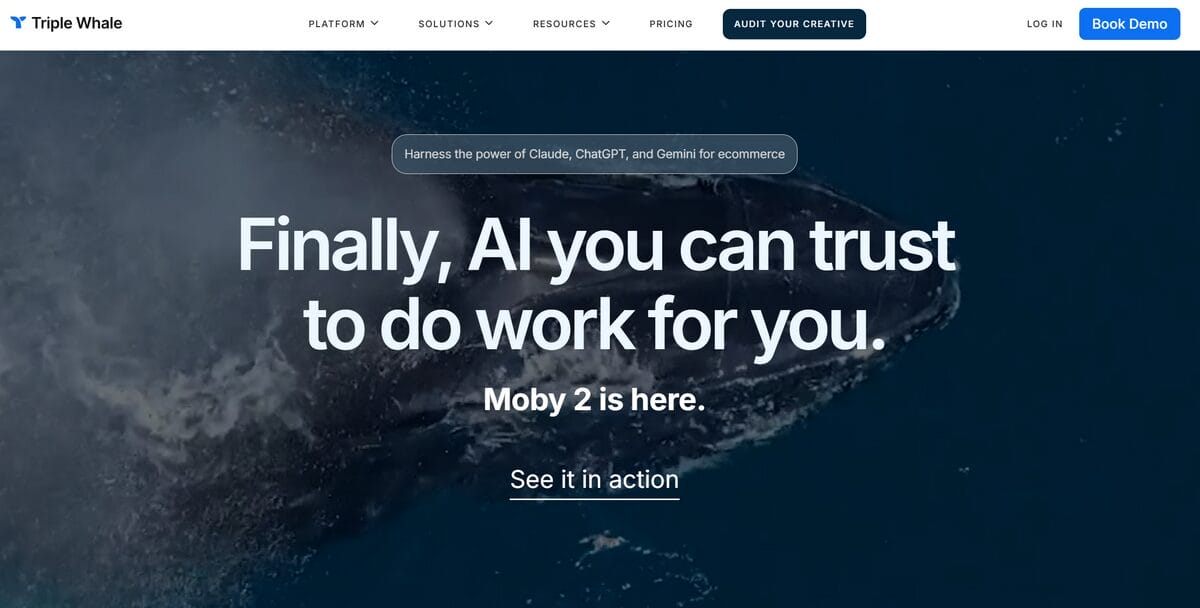
Now, if you are already spending money on ads, Triple Whale focuses on one question: which ad actually caused that sale? That matters a lot once you are past the launch stage and spending real money on Meta or TikTok campaigns. But if you have not run your first ad yet, this tool will not do much for you on day one.
Key Features of Triple Whale
Triple Whale is focused on helping you understand which ads are actually driving revenue. Here is what you get:
- Multi-touch attribution — See the full journey a customer takes before buying, not just the last click. This matters when someone sees your TikTok ad, then clicks a Google ad a week later.
- Real-time ROAS dashboards — Track your Return On Ad Spend as it happens, so you can pause underperforming campaigns before they drain your budget.
- Server-side pixel tracking — Get more accurate conversion data even with iOS privacy changes that block traditional browser tracking.
- Creative analytics — Find out which ad images and videos perform best, so you can double down on what works.
- AI-powered anomaly detection — Get flagged automatically when something looks off, like a sudden spike in ad spend without a matching jump in sales.
Pros & Cons of Triple Whale
✅ Pros:
- Strong ad attribution that solves post-iOS14 tracking gaps
- Shopify-native with fast setup
- Free limited tier for basic dashboard access
❌ Cons:
- Paid plans start at $179/mo, which is steep for newer sellers with no ad spend
- Primarily Shopify-only, limiting multi-platform sellers
- No product sourcing, fulfillment, or supplier features
- Offers limited value until you have a consistent ad budget to optimize
Triple Whale is worth considering once your monthly ad budget justifies the cost. Until then, simpler and more affordable tools will serve you better.
Overview of Mixpanel
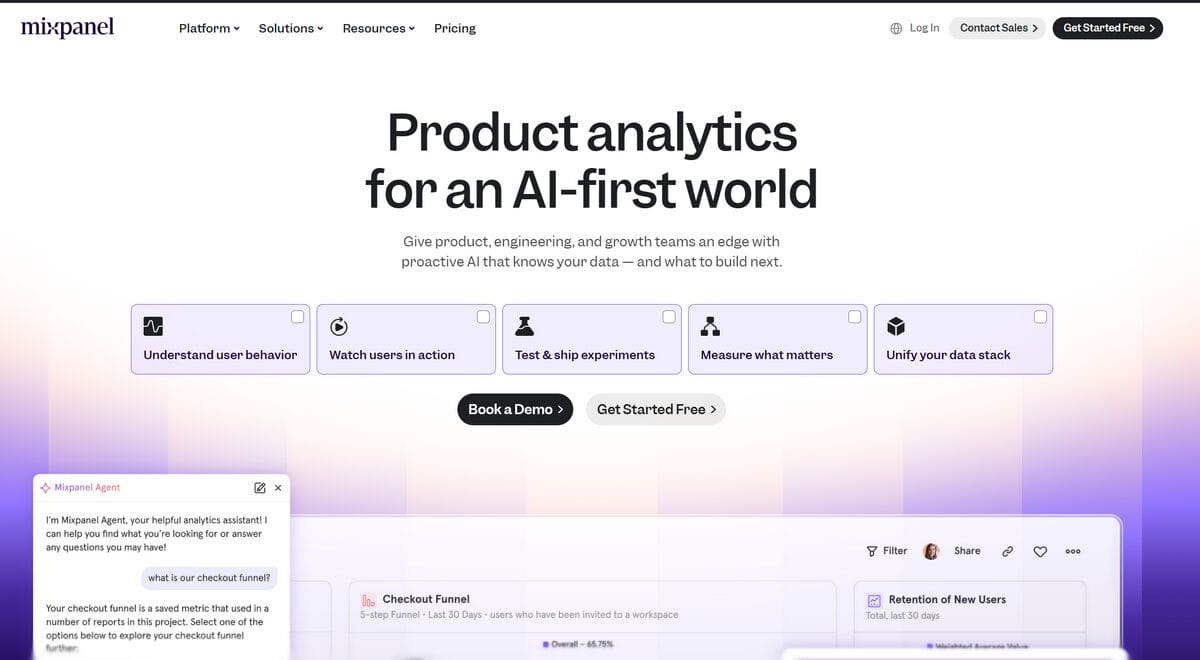
Beyond traffic and ads, some sellers want to dig into exactly how visitors interact with their product pages. Are people clicking “Add to Cart” but dropping off before checkout? Mixpanel focuses on that layer of product analytics.
Key Features of Mixpanel
Mixpanel is all about understanding what people do inside your store, click by click. Here are the core features:
- Event tracking — Monitor specific actions like button clicks, scroll depth, and checkout steps to see exactly where shoppers engage or lose interest.
- Funnel analysis — Map out each step from landing page to purchase and spot the exact stage where most visitors drop off.
- Retention reports — See how many first-time visitors come back and buy again, which helps you measure customer loyalty over time.
- A/B testing support — Compare two versions of a page to see which one converts better, so you are not guessing at what works.
- Real-time data updates — Changes you make to a product page show up in your reports within hours, not days.
Pros & Cons of Mixpanel
✅ Pros:
- Generous free tier covering up to 1 million events per month
- Strong product analytics and funnel visualization
- Real-time dashboards with no data lag
❌ Cons:
- Not built for e-commerce specifically, so setup requires custom event configuration
- Technical setup can be challenging without development experience
- Does not track revenue, supplier data, or fulfillment metrics
- Shopify setup requires more customization than e-commerce-focused analytics tools
For most early-stage stores, Mixpanel is a tool you grow into. Once your store gets consistent traffic and you want to figure out why a specific product page converts better than another, that is when Mixpanel starts to shine.
Overview of Hotjar (Now, Contentsquare)
Numbers tell you what is happening in your store. Hotjar shows you why. Say you notice that 70% of visitors leave your checkout page. Hotjar captures the visual data that helps you figure out where they got stuck.
Key Features of Hotjar
Hotjar turns raw visitor behavior into something you can actually see and act on. Here is what it offers:
- Heatmaps — See exactly where visitors click, scroll, and pause on your pages, so you know which sections grab attention and which get ignored.
- Session recordings — Watch real visitor journeys from start to finish, almost like looking over someone’s shoulder as they browse your store.
- Feedback widgets — Add small pop-ups that let visitors tell you what confused them or what stopped them from buying.
- On-site surveys — Ask targeted questions at key moments, like after a visitor abandons their cart, to understand the “why” behind the numbers.
Pros & Cons of Hotjar
✅ Pros:
- Free tier available for beginners
- Visual and intuitive, even for non-technical users
- Helps identify exactly where visitors drop off during checkout
❌ Cons:
- Not a data analytics platform (no revenue, attribution, or profit tracking)
- Session recording limits on the free plan
- Works best as a supplement to other analytics tools, not as a standalone solution
- No e-commerce-specific reports or product-level data
Hotjar is most valuable when you have traffic, but your conversion rate is lower than expected. It shows you the friction points that numbers alone cannot reveal.
Overview of Google Analytics 4 (GA4)
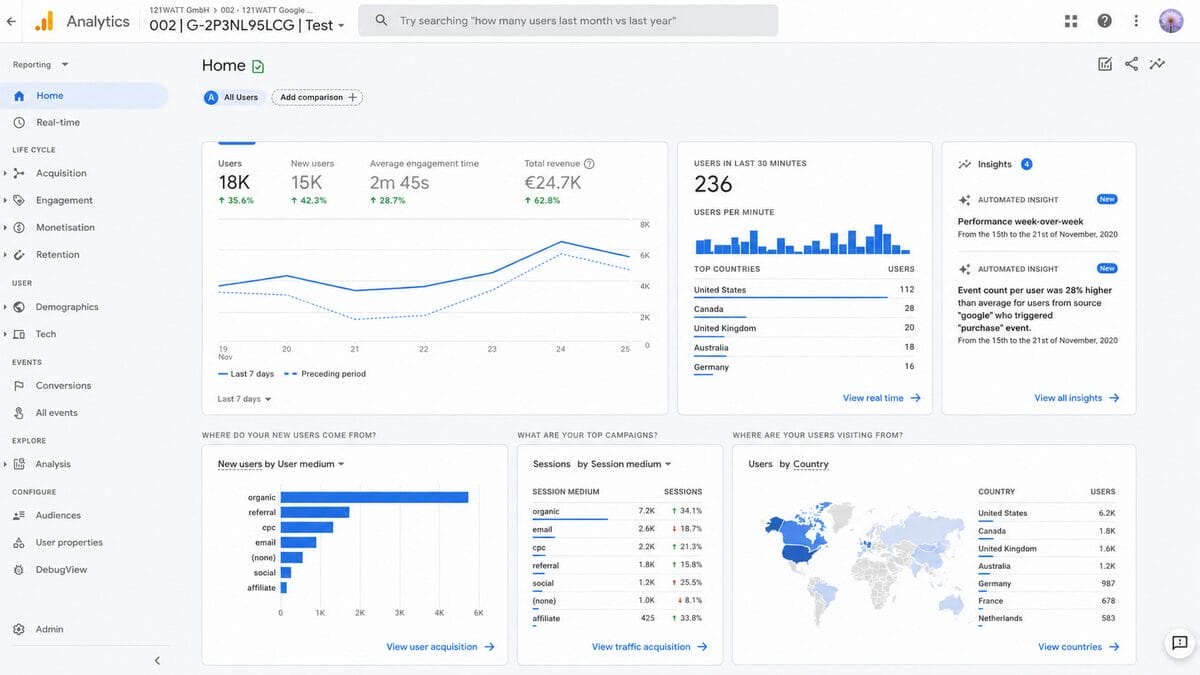
While AutoDS covers your operational data, Google Analytics 4 fills a different gap: understanding where your traffic comes from and how visitors behave on your site. It is a widely used free analytics tool in e-commerce, and there is a good reason for that.
Key Features of GA4
GA4 gives you a detailed view of how people find and interact with your store. Here are the key capabilities:
- Event-based tracking — Records specific actions like page views, add-to-cart clicks, and completed purchases instead of just counting page views.
- E-commerce-specific reports — See which products sell best, where shoppers drop off in checkout, and how revenue breaks down by traffic source.
- Predictive audience segments — GA4 uses machine learning to identify visitors who are likely to purchase or churn, so you can target them with the right message.
- Google Ads integration — Connect your ad campaigns directly to see which ones drive actual sales versus just clicks. Essential if you are running paid traffic.
- Cross-device tracking — Follow a visitor’s journey from phone to desktop, so you get the full picture even when someone browses on mobile but buys on their laptop.
Pros & Cons of GA4
✅ Pros:
- Free for most e-commerce stores, even at relatively high traffic volumes
- Industry-standard tool that integrates with nearly every e-commerce platform
- Deep traffic source and conversion data
❌ Cons:
- Steep learning curve, especially for first-time e-commerce operators configuring e-commerce events
- No native dropshipping features (no supplier data, no fulfillment tracking)
- Requires manual setup to display e-commerce-specific metrics
- Data sampling can reduce accuracy at higher traffic volumes
GA4 is a strong complement to an all-in-one tool like AutoDS. It tells you where your visitors came from, but it will not help you fulfill their orders or reprice your products.
Overview of Glew
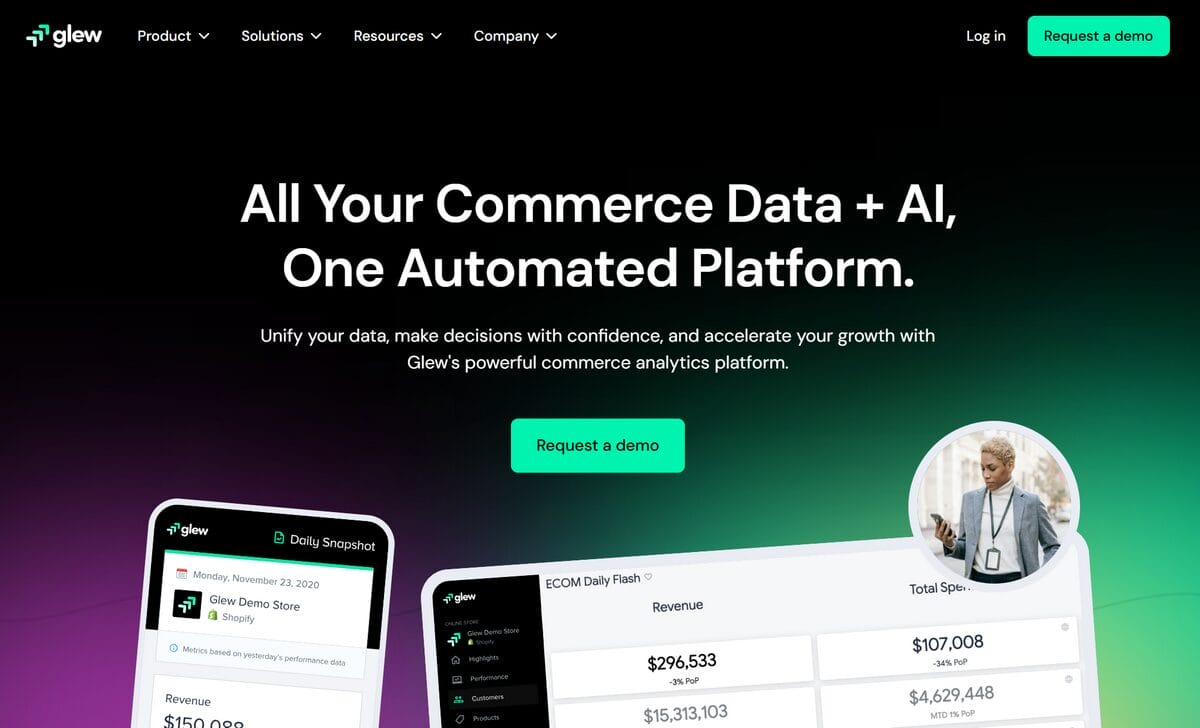
For sellers managing inventory across multiple channels, Glew aggregates data from different sources into a single reporting dashboard. It sits in the BI (business intelligence) category rather than the operational analytics space, making it more useful for larger operations than for someone just getting started.
Key Features of Glew
Glew is built for sellers juggling multiple sales channels who need all their numbers in one place. Here is what it includes:
- Multi-channel data aggregation — Pull sales, customer, and inventory data from Shopify, WooCommerce, Amazon, and other platforms into a single dashboard.
- Automated reports — Schedule reports that land in your inbox so you stay on top of performance without logging in every day.
- Customer segmentation — Group buyers by behavior, purchase history, or lifetime value to understand who your best customers are.
- Inventory analytics — Track stock levels and sell-through rates across channels so you can reorder before popular items run out.
Pros & Cons of Glew
✅ Pros:
- Strong multi-channel reporting and data aggregation
- Actionable dashboards with customer segmentation
- Useful for stores selling on more than one platform
❌ Cons:
- Custom pricing with no public free tier (demo only)
- Better suited for established sellers than small stores
- Requires enough sales volume to make segmentation meaningful
- Limited automation compared to all-in-one platforms
Glew makes sense once your store generates enough data across channels to justify a dedicated reporting tool. For a first store, it is more than most sellers need right now.
AutoDS vs Analytics Tools: Full Comparison
Now that you have seen each tool on its own, let us zoom out and compare them on the things that matter most when you are building your first store.
Automation & Workflow
AutoDS automates the entire dropshipping workflow: product sourcing, listing, pricing, stock monitoring, and order fulfillment. Standalone analytics tools like GA4, Triple Whale, and Mixpanel focus on reporting and analysis. They tell you what happened, but they do not act on it.
That difference really matters when you are running a store solo. I have seen new sellers spend hours manually adjusting prices based on analytics data when a tool like AutoDS’s Automatic Price Optimization could handle it in the background. For newer sellers, closing the gap between seeing a problem and actually fixing it saves both time and money.
Supplier & Marketplace Support
AutoDS integrates with 25+ suppliers and supports eight selling platforms. Analytics tools are platform-agnostic but do not provide supplier-level data.
Here is a practical example: if your AliExpress supplier runs out of stock on a trending item, AutoDS flags it immediately. GA4 would only tell you that traffic to that product page dropped, without explaining why.
Ease of Use & UI
AutoDS’s dashboard is built for dropshippers, with profit-and-loss data front and center. GA4 and Mixpanel, on the other hand, require custom configuration just to show e-commerce data. If you have never set up event tracking or conversion goals before, expect a learning curve with both. With AutoDS, your profit numbers are visible from the moment you connect a store.
Pricing & Value
AutoDS starts at $26.90/mo after a $1 trial and includes analytics plus full automation. Building a comparable stack with standalone tools could cost over $200/mo: GA4 is free, but adding Triple Whale at $179/mo and Hotjar at $39/mo drives the total up quickly. And that combined price still does not include any product sourcing or fulfillment automation.
💡 Pro Tip: Use AutoDS price and stock monitoring from day one, even if your store is small. Supplier prices can change overnight, and automatic updates help protect your profit margins without constant manual checks.
Which E-commerce Analytics Tool Is Best for You?
The right tool depends on where you are in your dropshipping journey and what problems you need solved today. Here is how to match your situation to the right starting point.
Who Should Use AutoDS?
AutoDS fits best if you are launching your first dropshipping store and want analytics bundled with automation in one platform. It is also a great choice for sellers managing multiple stores who need a unified profit dashboard without stacking extra subscriptions.
If your priority is spending less time on manual tasks and more time finding winning products, AutoDS handles the operational analytics you need from day one.
When a Standalone Analytics Tool Might Work
If you are running a DTC brand rather than a dropshipping store and need deep ad attribution, Triple Whale is built for that use case.
If you already handle fulfillment through a service like FBA (Fulfilled by Amazon) and only need traffic data, GA4 on its own may be enough.
As for Mixpanel and Hotjar, treat them as supplements once you have consistent traffic and want to fine-tune specific parts of your store.
Getting Started With AutoDS
If you are ready to try an all-in-one approach, here is how to go from sign-up to tracking your first profits in five steps.
How to Set Up E-commerce Analytics With AutoDS
- Sign up for the $1 AutoDS trial. The trial gives you full access to the platform so you can explore every feature before committing to a monthly plan.
- Connect your selling platform. AutoDS supports Shopify, eBay, Amazon, Wix, WooCommerce, and more. If you do not have a store yet, the AI-built Shopify store feature can quickly generate a pre-loaded Shopify store.
- Import your first products. Use the AI product research marketplace to browse millions of items from 25+ suppliers. You can import products with one click or in bulk.
- Set up automated pricing and stock monitoring. Enable Automatic Price Optimization so your listings adjust when supplier costs change. Stock monitoring alerts you before items go out of stock.
- Check your multi-store dashboard. Your profit, revenue, and cost data updates automatically as orders come in. From here, you can track performance across all connected stores in one view.
Many users can complete the initial setup in under an hour. Once connected, your analytics run in the background alongside every other part of the fulfillment process.
Frequently Asked Questions
What are e-commerce analytics tools?
E-commerce analytics tools are software platforms that collect, organize, and display data about your online store’s performance. They track metrics like traffic, sales, conversion rates, and customer behavior. Some tools, like AutoDS, combine analytics with operational automation so you can act on the data without switching between platforms.
What is the best free e-commerce analytics tool?
Google Analytics 4 is a widely used free option for tracking traffic sources, visitor behavior, and conversion events. For dropshippers who also want operational data like profit margins and supplier stock levels, AutoDS offers a $1 trial that includes built-in profit dashboards alongside its full automation suite.
Do dropshippers need separate analytics tools?
It depends on your setup. If you use an all-in-one platform like AutoDS, you already get profit tracking, cost monitoring, and multi-store dashboards. Adding GA4 for traffic data gives you a complete picture. A multi-tool analytics stack with separate attribution, UX, and reporting tools makes more sense for DTC brands with dedicated marketing budgets.
What e-commerce metrics should newer sellers track first?
Start with five core metrics: revenue, profit margin, conversion rate, traffic sources, and CPA (Cost Per Acquisition), which is how much you spend to get each customer. AutoDS dashboards display revenue and profit data automatically. Pair that with GA4 to see where your visitors come from, and you have the foundation covered.
How do I set up e-commerce tracking in Google Analytics?
You need to enable GA4 e-commerce events on your store, then configure purchase, add-to-cart, and checkout tracking. Most e-commerce platforms have built-in GA4 integrations that handle the basic setup. For custom event tracking, you may need to use Google Tag Manager, which has a steeper learning curve.
Conclusion
The right e-commerce analytics tools depend on your business model, your budget, and how much time you want to spend configuring dashboards versus actually selling.
AutoDS delivers a complete and beginner-friendly e-commerce analytics and automation solution. It covers profit tracking, price monitoring, product research, and automated fulfillment in a single platform, which means fewer subscriptions, less setup time, and a clearer path from launch to first sale.
If you are starting your first dropshipping store, begin with AutoDS for operations and add GA4 for traffic data. That two-tool combination gives you everything you need to make data-driven decisions without the complexity or cost of a multi-tool analytics stack.
Keep Learning: Related Articles
- AI Tools for Dropshipping. Discover which AI-powered tools can save you hours on product research, listing optimization, and ad creation as you build your store.
- Shopify Dropshipping Tutorial: From Zero to Profit. Follow a complete walkthrough for setting up a Shopify dropshipping store, connecting suppliers, and processing your first orders.
- Best WooCommerce Automations In 2026. Compare the best WooCommerce automations for dropshipping, marketing, and order fulfillment.
- Ecommerce Analytics Tools At A Glance
- How I Chose These Analytics Tools
- AutoDS: Analytics & Full Automation
- Overview Of Triple Whale
- Overview Of Mixpanel
- Overview Of Hotjar
- Overview Of Google Analytics 4 (GA4)
- Overview Of Glew
- AutoDS VS Analytics Tools Comparison
- Which Analytics Tool Is Best For You?
- Getting Started With AutoDS
- FAQ
- Conclusion







