


Supplier prices change. Orders come in. Someone abandons a cart just before paying. Running a WooCommerce store involves plenty of small tasks that refuse to stay small, especially when you’re handling each one yourself. The best WooCommerce automations help you keep up without making your browser tabs a second full-time job.
The trick is choosing tools for your actual workload. A dropshipper juggling supplier stock needs a different setup from a retailer building a welcome email series. You might also need those tools to share information, so a new order reaches your spreadsheet without another copy-and-paste session.
In this guide, I’ll break down which tools fit each workflow, what they offer, and where their limits matter. You’ll learn how to automate WooCommerce one workflow at a time, starting with the tasks that take the most attention away from growing your store.
Best for dropshipping: AutoDS. Connect product importing, supplier price and stock monitoring, and supported order automation in one platform
Best for marketing workflows: FunnelKit Automations. Build welcome sequences, abandoned cart reminders, and post-purchase campaigns.
Best for specific triggers: AutomateWoo. Turn store events into targeted follow-ups using triggers, rules, and actions.
Best for connecting apps: Uncanny Automator. Link WooCommerce with WordPress plugins, spreadsheets, CRMs, and team communication tools.
Best for AI-assisted workflows: OttoKit. Combine conversational setup with visual editing, keeping monthly task limits in mind.
Start with one recurring problem. Check plan requirements, test the workflow, and expand once it runs reliably.
What Can You Automate in WooCommerce?
WooCommerce automation uses rules and triggers to handle repetitive store tasks. Think “when this happens, do that”: a customer places an order, and a connected tool sends the details where they need to go. Here are four workflows you can automate, along with the tools I’ll cover for each:
- Order processing and fulfillment: Send orders to supported suppliers and sync tracking updates back to your store. AutoDS handles these dropshipping workflows once you’ve configured the required settings.
- Supplier price and stock updates: Use AutoDS to monitor supplier changes and update connected listings according to your settings, reducing manual checks.
- Marketing emails: Build abandoned cart reminders, welcome series, and win-back campaigns with FunnelKit Automations or AutomateWoo.
- Cross-app data syncing: Connect WooCommerce with your CRM, Google Sheets, or Slack through Uncanny Automator or OttoKit. For example, automatically log a new order in a spreadsheet or notify your team about a high-value purchase.
Start with your biggest recurring headache. If supplier stock changes keep catching you off guard, tackle monitoring first. If customer follow-ups rarely make it off your to-do list, an email workflow is a practical starting point.
How I Chose These WooCommerce Automation Tools
For this list, I focused on tools with a clear everyday purpose: managing dropshipping operations, following up with customers, or connecting WooCommerce to other apps. These are the criteria behind the selection:
- WooCommerce compatibility: A supported connection to your store, with clear information about what it can automate.
- No-code setup: Dashboards, visual builders, or guided settings that let you configure workflows without writing code.
- Useful automation features: Practical triggers and actions, plus enough control to decide when a workflow should run and what it should do.
- Pricing transparency: Clear distinctions between free features, paid plans, and any extras needed for the workflows discussed.
- Fit for smaller stores: A useful starting point for solo sellers, with room to handle more products, orders, or complex workflows as the business grows.
The best WooCommerce automations depend on your bottleneck, so each tool earns its place for a specific use case. I’ll explain those differences alongside the features and limitations, making it easier to choose something you’ll actually use.
AutoDS: Best for WooCommerce Dropshipping Automation
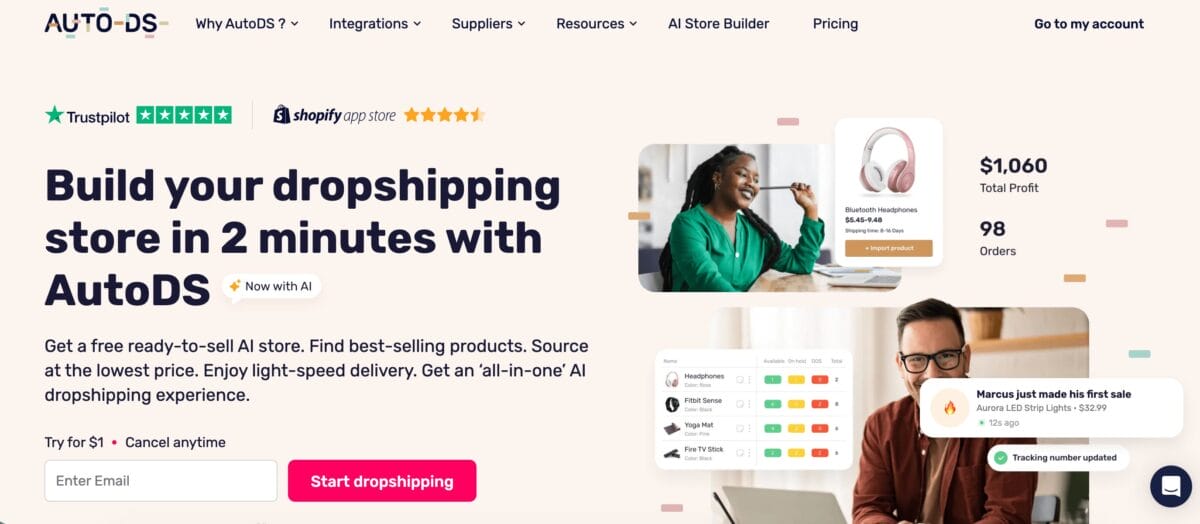
If you’re dropshipping, the work doesn’t end when a product goes live. Supplier prices change, inventory fluctuates, and every sale creates an order that needs processing. AutoDS for WooCommerce brings those connected tasks into an all-in-one dropshipping platform, helping you manage the journey from product discovery to tracking updates.
What makes it my first pick for this use case is how the features work together. You can find a product, prepare its listing, configure pricing rules, and manage incoming orders without stitching together a separate tool for every step. That’s particularly useful when you want to test more products without giving yourself more repetitive work.
Key Features
- Product discovery and sourcing: Browse the AutoDS Marketplace and narrow your search by category, warehouse location, price, or supplier. This gives you a practical starting point for building a catalog around your niche and shipping requirements.
- Single and bulk product importing: Bring product details into your store without rebuilding each listing manually. The AutoDS product importer also lets you review and customize listings before publishing, so supplier copy doesn’t have to become your store’s personality.
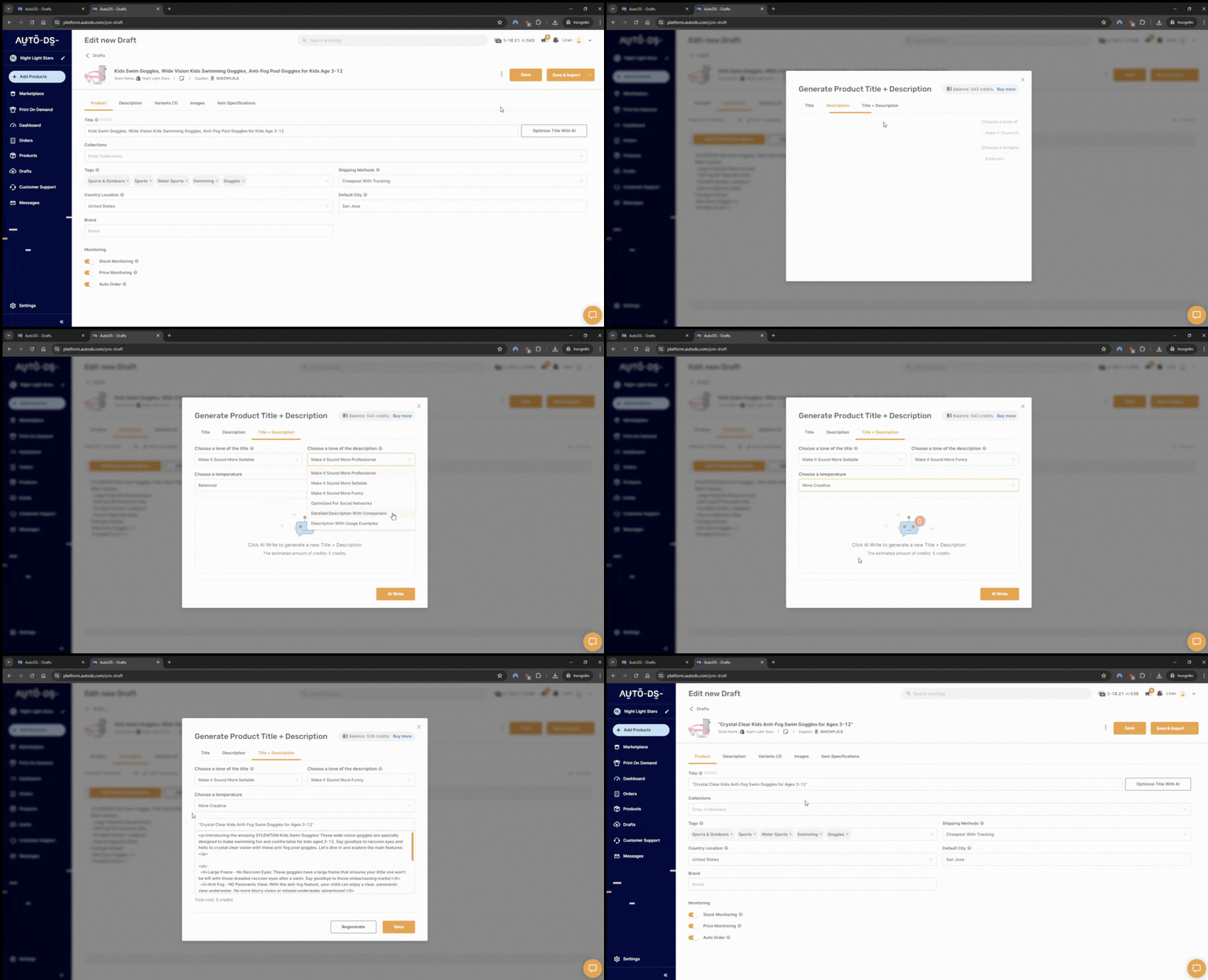
- AI-assisted listing improvements: Use the AI Rewrite tool to adjust product titles and descriptions to your preferred tone. It helps you get past the blank page, while you check that the finished copy accurately describes the product.
- Automatic price and stock monitoring: On eligible plans, scheduled checks detect supplier changes and update connected listings according to your settings. This reduces the need to revisit supplier pages individually, although monitoring isn’t instantaneous.
- Configurable pricing rules: Set pricing preferences during the import process instead of calculating every selling price from scratch. You stay in control of the rules, which makes it easier to apply a consistent approach across your catalog.
- Order processing and tracking updates: Automate supported supplier orders and tracking updates once the required settings and services are enabled. Availability depends on the supplier and fulfillment method you use.
Picture adding a small collection of desk accessories. You prepare the listings together, apply your pricing preferences, and enable monitoring for eligible products. As orders arrive, supported fulfillment automation handles the next steps. The value is fewer manual handoffs, leaving you more time to improve product pages, test marketing angles, and help customers.
💡 Pro Tip: Test the complete workflow first. Start with a small batch of products, check your pricing settings, and verify order processing and tracking before expanding your catalog.
Pros & Cons
Strengths:
- Connects product importing, monitoring, and order management in one platform.
- Combines bulk listing tools with AI-assisted copy editing.
- Gives you control over pricing and automation settings.
- Supports managing connected selling channels from one dashboard.
Limitation:
- Focused on dropshipping, making it less relevant for retailers seeking automation primarily for their own stocked inventory.
Pricing
AutoDS offers a $1 trial, with WooCommerce monthly plans listed at $26.90 for Import, $39.90 for Starter, and $66.90 for Advanced. Annual billing options are also available through the pricing page.
Choose based on the workflow you need. Import 200 does not include automatic price and stock monitoring, and the auto-ordering system is listed as a separate $9.90/month add-on. Check the selected plan’s inclusions and any fulfillment-related charges when budgeting for your setup.
FunnelKit: Best for Marketing Workflows
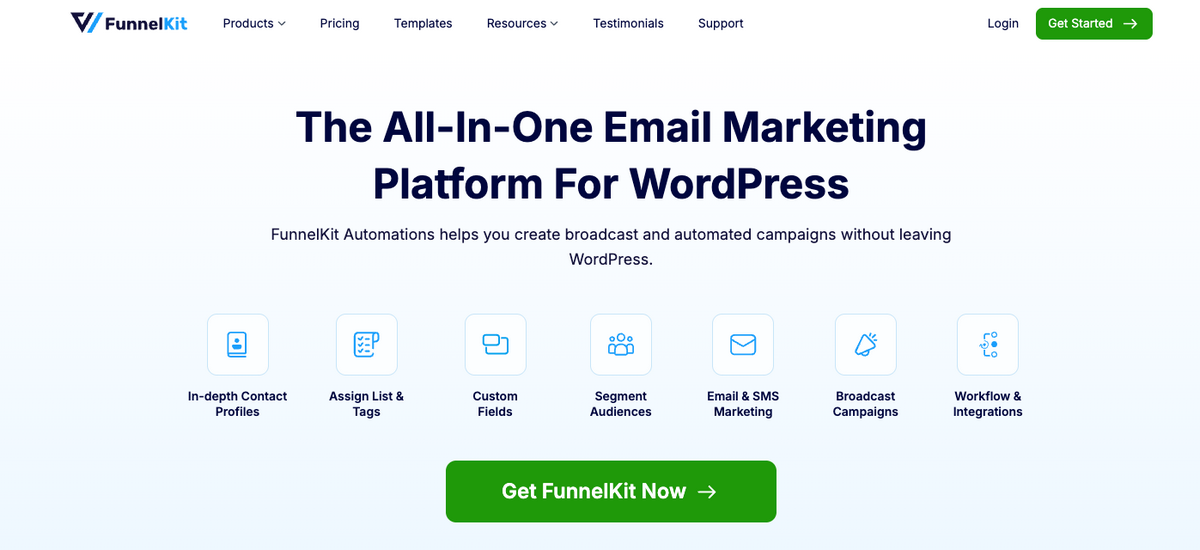
Getting someone to your store takes effort. Following up shouldn’t depend on whether you remember to send an email between everything else. FunnelKit Automations handles those customer conversations, from welcome sequences to abandoned cart reminders and post-purchase follow-ups, directly inside WordPress.
I’d consider it when customer follow-ups keep slipping through the cracks. For example, you could send care instructions after someone buys a product, then recommend a complementary item later. That gives each message a purpose beyond another “just checking in” subject line.
Key Features
- Visual workflow builder: Arrange triggers, delays, conditions, and actions to control how a sequence unfolds.
- Ready-made email sequences: Start with templates for cart recovery, post-purchase follow-ups, or win-back campaigns, then adapt the messaging.
- Conditional branching: With Pro, send customers down different paths based on factors such as purchased products or order value.
- Customer profiles and segmentation: Pro adds contact management tools for organizing audiences and personalizing campaigns.
- Workflow analytics: Review email engagement and attributed revenue to see which sequences deserve attention.
Pros & Cons
Strengths:
- Purpose-built for WooCommerce customer communication.
- Templates make common workflows easier to launch.
- A free Lite version provides a useful starting point.
Limitations:
- Advanced branching and segmentation require Pro.
- More elaborate workflows take time to configure and test.
- Checkout order bumps and one-click upsells belong to FunnelKit Funnel Builder, a separate product available in bundles.
Pricing
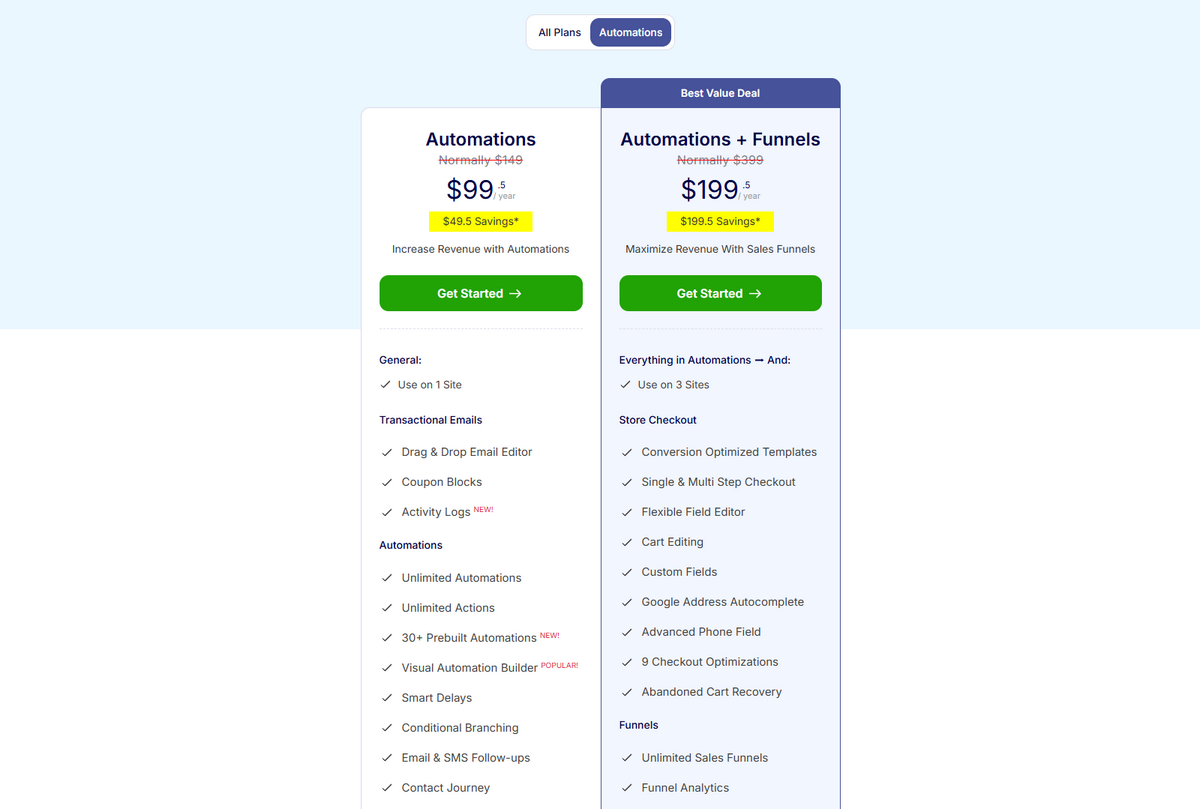
FunnelKit Automations Lite is free. The standalone paid Automations plan currently advertises $99.50/year for one site, alongside a regular price of $149/year. Check the offer and renewal terms before purchasing, since promotional pricing can change.
AutomateWoo: Best for Specific Triggers

AutomateWoo is a Woo-developed extension built around triggers, rules, and actions. You choose the event that starts a workflow, add conditions to narrow it down, and decide what happens next. That makes it a useful option when you know exactly which store activity should prompt a response.
For example, you could trigger a follow-up after an order is completed, limit it to customers who purchased a particular product, and send them relevant usage tips. Specific events lead to relevant messages, which is why I’d consider AutomateWoo for focused, behavior-based communication.
Key Features
- Follow-up and recovery emails: Set up review requests, abandoned cart reminders, and campaigns for inactive customers.
- Personalized coupons: Generate customer-specific discounts within your workflows.
- Subscription-related triggers: Respond to renewals, failed payments, or status changes when paired with WooCommerce Subscriptions.
- Wishlist reminders: Send reminders or sale notifications through compatible wishlist plugins.
- Workflow reporting: Check email engagement, conversions, and logs to understand what your automations are doing.
Pros & Cons
Strengths:
- Clear trigger-rule-action structure.
- Managed within your WordPress dashboard.
- Preset workflows provide a starting point you can customize.
Limitations:
- Less suited to advanced newsletter design or broad cross-app automation.
- Some use cases require additional purchases: referrals and birthday emails need separate add-ons, while subscription and wishlist workflows depend on compatible extensions.
Pricing
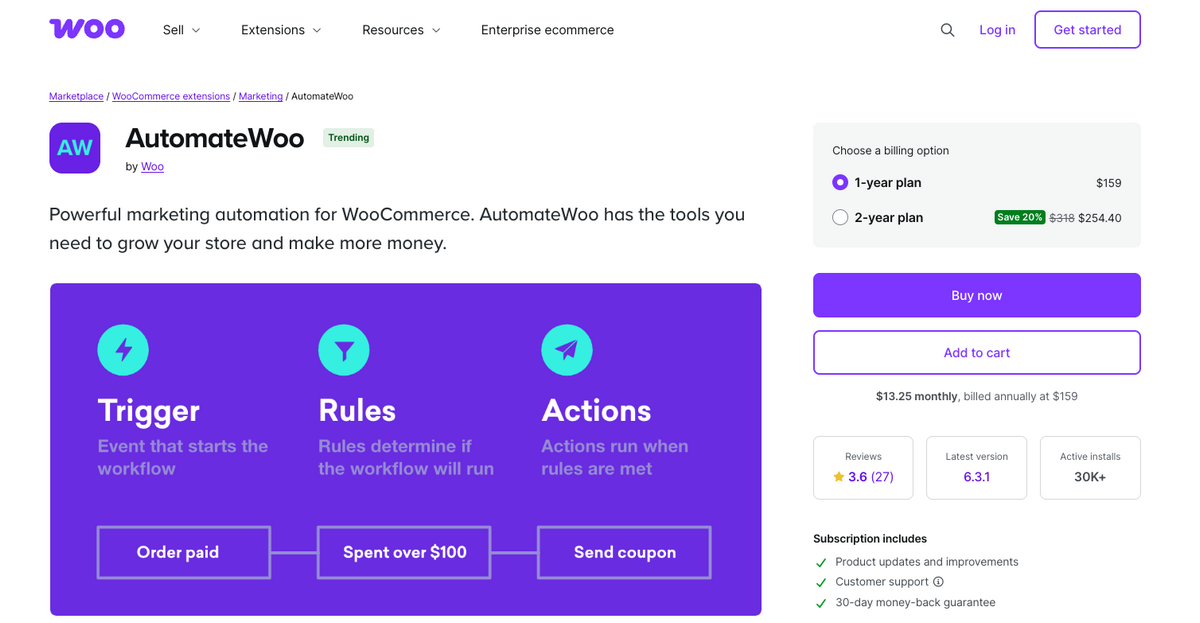
AutomateWoo is listed at $159 per year, with updates and support included. There’s no free version; WooCommerce offers a money-back guarantee. Budget separately for any extensions or add-ons your chosen workflows require.
Uncanny Automator: Best for App Integrations
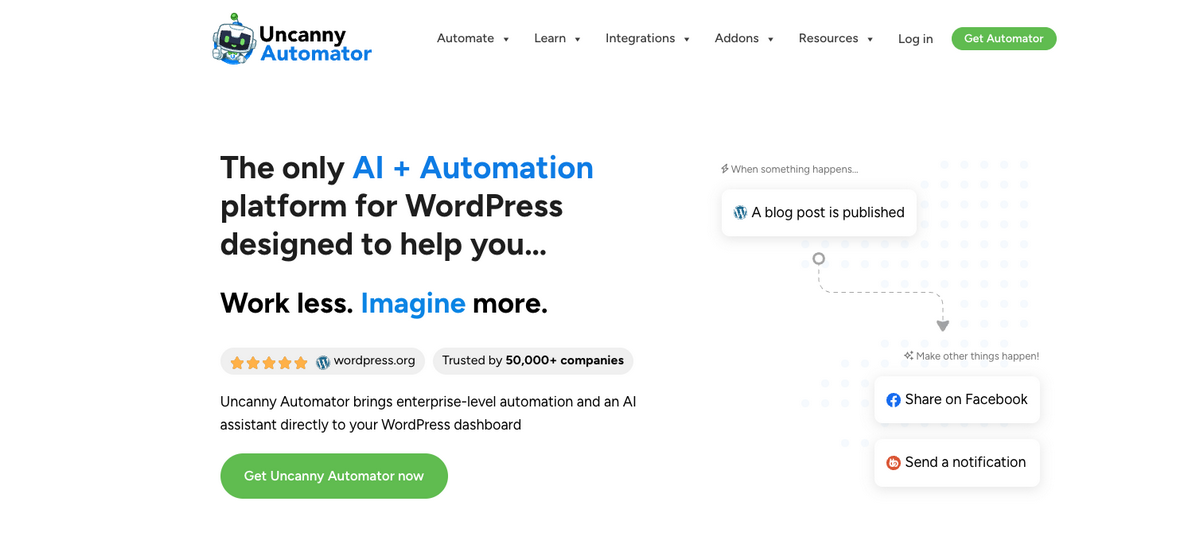
Sometimes the repetitive work happens between tools: copying order details into a spreadsheet, updating customer records, or notifying your team. Uncanny Automator connects those separate systems, letting WooCommerce work with WordPress plugins and external apps such as Google Sheets, Slack, and supported CRMs.
Its workflows are called recipes. For a practical WooCommerce automation, you could use a purchase event to add order details to Google Sheets and send a Slack notification. I’d use it to reduce copy-paste work, especially when several people need store information but don’t all work inside WooCommerce.
Key Features
- No-code recipe builder: Combine supported triggers and actions to move information between your store and other tools.
- WordPress and app connections: Link WooCommerce with form builders, membership plugins, marketing platforms, and external services.
- Advanced workflow controls: Pro adds conditions, delays, scheduling, and loops for more selective or complex automations.
- AI-assisted recipe creation: Uncanny Agent can turn a plain-language request into a recipe for you to review and activate. It also helps with other WordPress tasks.
Pros & Cons
Strengths:
- Connects tools you already use.
- Supports workflows spanning WordPress plugins and external apps.
- Offers a free version for getting started.
Limitations:
- Advanced logic and certain triggers or actions require Pro.
- Free external-app usage is limited by credits.
- Each workflow depends on the specific triggers, actions, and data supported by its integrations.
🆕 Beginner’s Tip: Check the exact action you need. An integration listing doesn’t mean every feature of that app is available. Before choosing a plan, confirm that your recipe can transfer the right information.
Pricing
The free plugin includes 250 introductory app credits for external connections, alongside free plugin-to-plugin automations. These credits should not be confused with an ongoing monthly allowance.
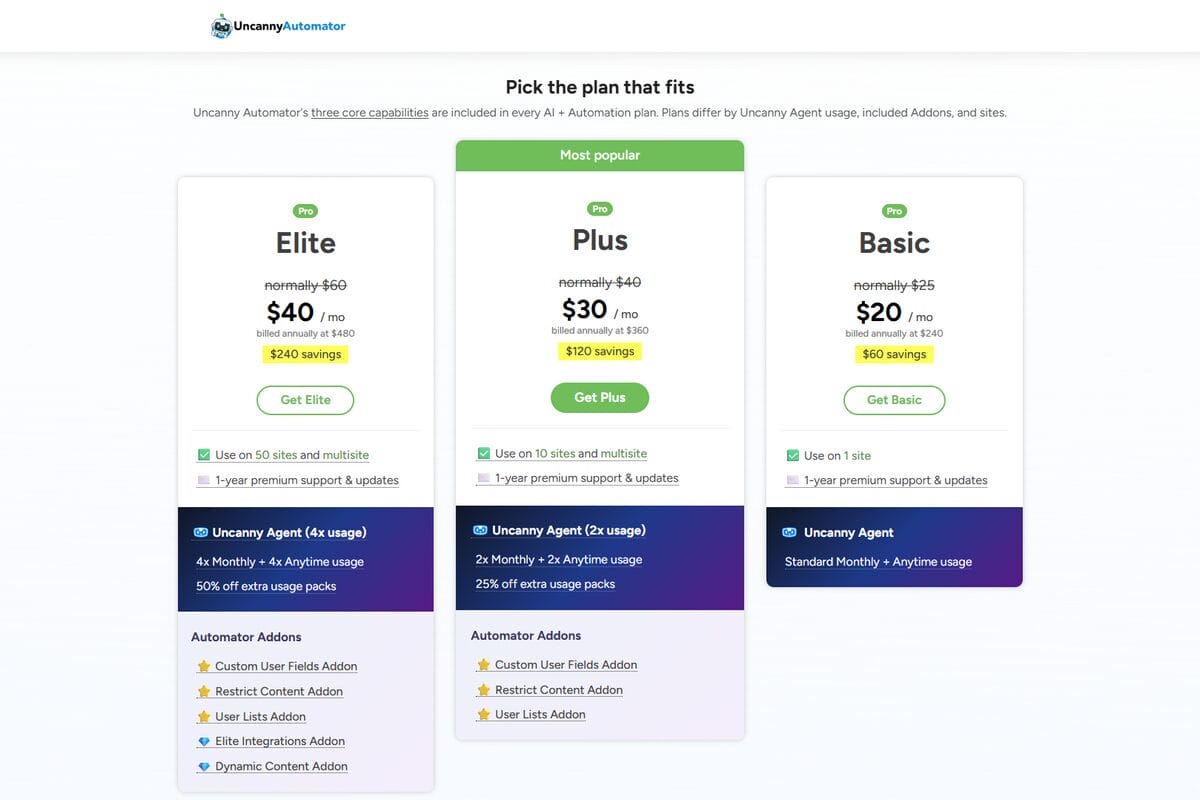
The AI + Automation Basic plan currently advertises $240 billed annually, equivalent to $20/month, against a regular annual equivalent of $300. It covers one site and includes Uncanny Agent usage. Check promotional and renewal terms before subscribing.
OttoKit: Best for AI-Powered Workflows

OttoKit combines app connections with AI-assisted workflow building. You can describe an automation in plain language or build it visually, making it worth considering if you know what you want to automate but need help putting the steps together. Its WooCommerce workflows run on OttoKit’s cloud infrastructure.
A practical starting point is sending WooCommerce order details to Google Sheets. From there, you can explore workflows involving AI, such as summarizing information before passing it to another app. I’d start with a predictable task, then add AI where interpreting text actually helps. An order number doesn’t need creative input.
Key Features
- AI-assisted setup: Describe your intended workflow to get help building its steps.
- Visual automation builder: Configure and adjust workflows without writing code.
- WooCommerce app connections: Move store information into supported external tools.
- AI agents: Add steps that interpret information and act on it within your configured workflow.
- Run history and failure notifications: Inspect executions and identify tasks that need attention.
Pros & Cons
Strengths:
- Offers both conversational and visual ways to build workflows.
- Combines WordPress integrations with external app connections.
- Includes a free plan for testing smaller automations.
Limitations:
- Task allowances can become restrictive as order volume and workflow steps increase.
- AI-generated workflows still need connected accounts, configuration checks, and testing.
- It isn’t a dedicated dropshipping platform for product sourcing and supplier monitoring.
Pricing
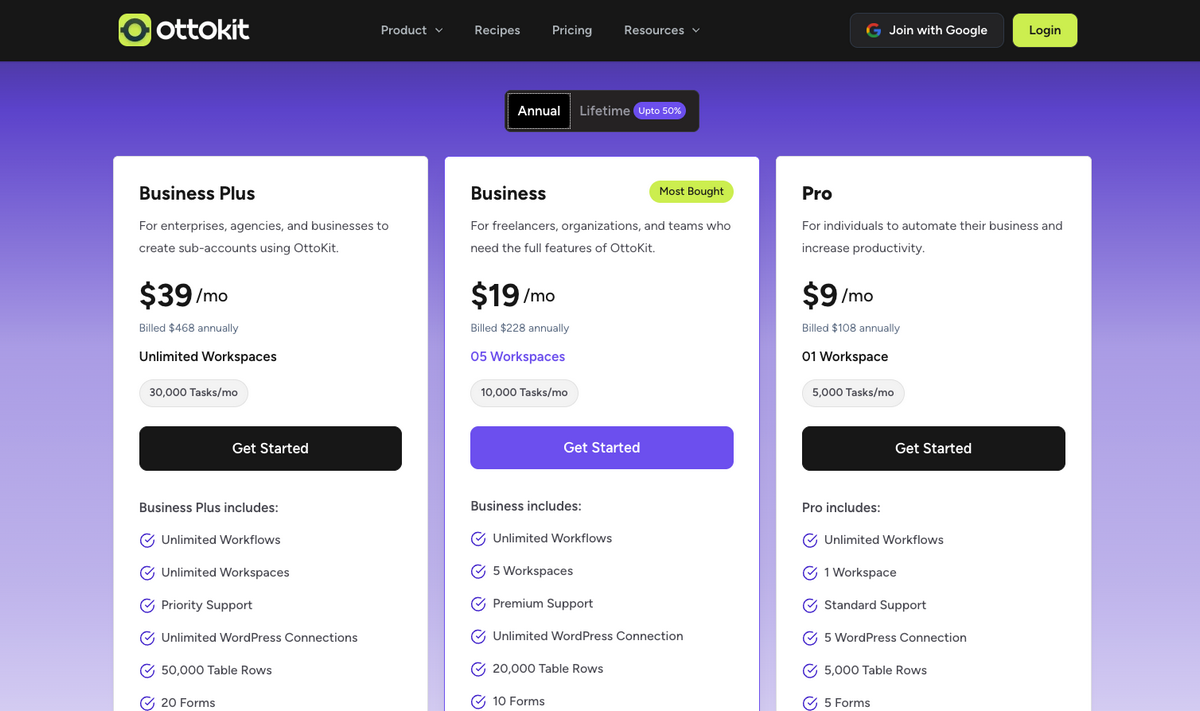
The free plan includes 250 tasks per month and up to 20 workflows. Pro currently starts at $9/month billed annually at $108, with 5,000 monthly tasks. Monthly billing and other payment options are also available.
Count actions, not just orders, when estimating usage. OttoKit defines a task as a successfully completed action, so one order that triggers several actions can consume several tasks. That distinction matters when comparing plans for a growing store.
Comparing Automation Tools
The best WooCommerce automations solve different problems, so the most useful comparison starts with your workload. Here’s how these tools fit into a store’s day-to-day operations.
| Tool | Best for | Example workflow | Free option | Key consideration |
|---|---|---|---|---|
| AutoDS | Dropshipping operations | Import products, monitor supplier stock and prices, and process supported orders | $1 trial | Choose a plan with monitoring; order automation requires the appropriate setup and services. |
| FunnelKit Automations | Marketing workflows | Send a welcome series or follow up after cart abandonment | Free Lite version | Advanced branching and segmentation require Pro. |
| AutomateWoo | Specific WooCommerce triggers | Send a product-specific follow-up after an order is completed | No free version | Subscription, wishlist, and referral workflows may require additional extensions. |
| Uncanny Automator | App and plugin integrations | Log purchase details in Google Sheets and notify your team in Slack | Free plugin with introductory app credits | Confirm that your plan supports the exact triggers and actions you need. |
| OttoKit | AI-assisted cross-app workflows | Build a workflow from a description, then pass store data between connected apps | Free plan with monthly task limits | Each completed action can consume a task, so multi-step workflows use the allowance faster. |
Feature availability and free-plan conditions follow the providers’ current listings.
For a dropshipping store, AutoDS addresses the core operational work. The other tools can complement that setup when you need more targeted customer communication or connections to external apps. Pick each addition for a specific job, and check for overlapping workflows before switching it on.
Which Automation Tool Is Right for You
Start with the task you keep postponing. Are supplier changes making your listings difficult to maintain? Are customer follow-ups inconsistent? Or are you copying the same order information between apps? Your answer gives you a much better shortlist than choosing whichever tool has the longest feature list.
Quick Pick: Your WooCommerce Automation Match
- For dropshipping operations: AutoDS brings product importing, supplier monitoring, and supported order automation together.
- For marketing sequences: FunnelKit Automations fits stores building customer journeys with branching email workflows.
- For specific store events: AutomateWoo suits targeted responses to purchases, abandoned carts, and subscription activity.
- For connecting existing tools: Uncanny Automator links WooCommerce with WordPress plugins and external apps.
- For AI-assisted cross-app workflows: OttoKit combines visual automation with AI assistance. Uncanny Automator also offers AI-assisted recipe building.
If you’re starting a WooCommerce dropshipping business, I’d prioritize accurate listings and reliable order processing. Bringing shoppers to a product that your supplier no longer has creates a problem no welcome email can fix. AutoDS is the most directly relevant starting point on this list for those operational tasks.
You can combine tools as your needs grow. For example, AutoDS could handle supplier-related operations while FunnelKit manages customer follow-ups. Give each workflow a clear owner, though. Nobody needs two plugins sending the same abandoned cart reminder like Ross shouting, “We were on a break!”
💡 Pro Tip: Define success before adding another tool. Choose something you can check, such as fewer manual order entries or more consistent follow-ups. Then review whether the automation delivers that result before expanding your setup.
How to Automate WooCommerce With AutoDS in 4 Steps
To automate WooCommerce with AutoDS, you’ll connect your store, prepare your listings, and configure how the platform handles supplier changes and orders. Start with a small product selection so you can check the setup before expanding it.
Step 1: Sign Up for AutoDS
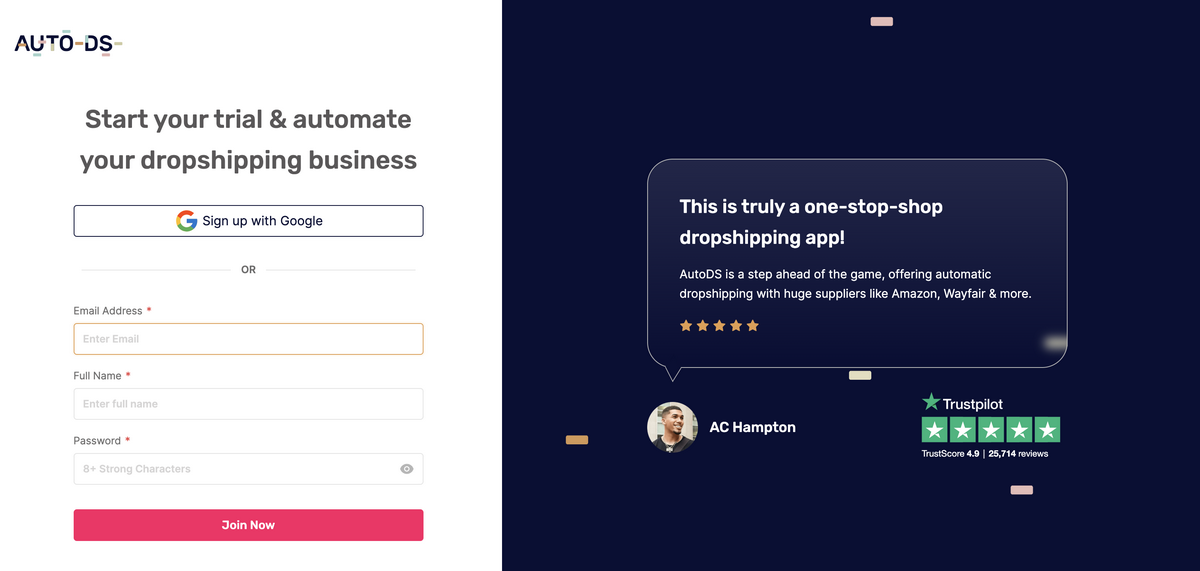
Create your account through the AutoDS registration page and select WooCommerce during setup. The $1 trial gives you a starting point to explore the platform, but check which features and add-ons your selected plan includes.
Before connecting, have your store ready: WordPress and WooCommerce should already be running, your site should use HTTPS, and WooCommerce’s REST API must be accessible. That API connection lets AutoDS exchange product and order information with your store.
Step 2: Connect Your WooCommerce Store
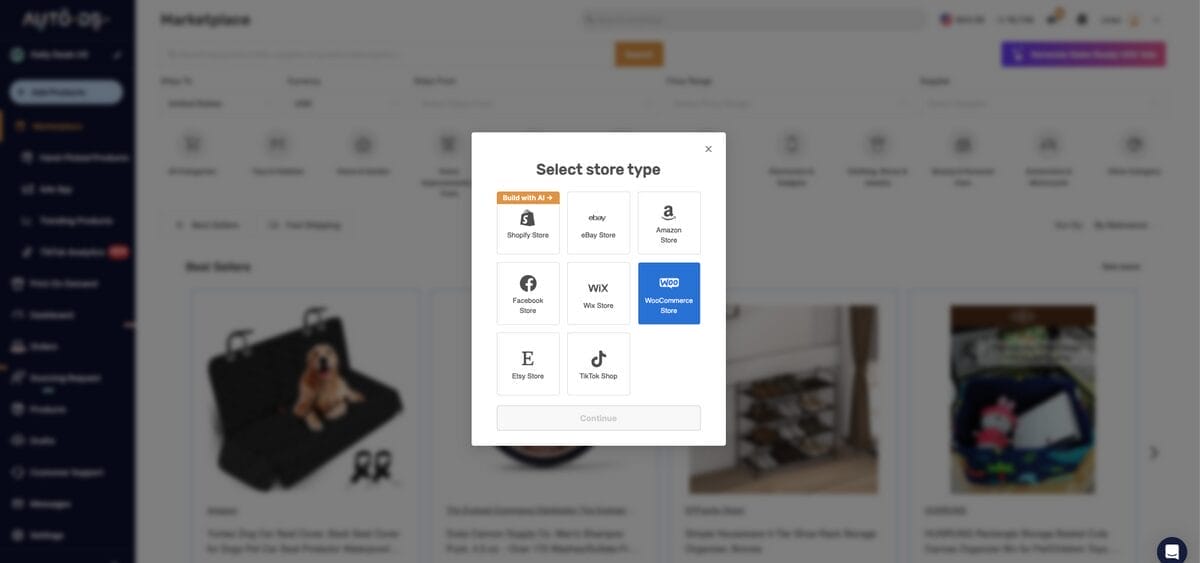
In the AutoDS dashboard, select Add Store, choose WooCommerce, and follow the prompts to select your plan and enter your complete store URL, including https://. Use your store’s main address rather than a product or admin-page URL.
You’ll be redirected to sign in and authorize the connection. Review the requested permissions, approve the access needed to manage products and orders, then return to AutoDS. Check that your WooCommerce store appears in the connected-store list before continuing.
Step 3: Import and Prepare Your Products

Choose products from the AutoDS Marketplace or import listings from supported supplier URLs. Depending on your plan, you can work with individual products or use bulk importing to prepare several together. Review drafts before publishing, especially titles, variants, images, and shipping details.
This is also the time to set realistic selling prices. Account for product costs, shipping, fees, and your target margin before applying pricing rules. If you need help with the calculation, the dropshipping pricing strategies guide walks through the process.
Step 4: Enable Monitoring and Order Automation
On a plan that includes monitoring, configure price and stock settings for your suppliers and products. Decide how supplier changes should affect your listings, and review your pricing rules before enabling updates. Monitoring uses scheduled checks, so treat it as ongoing assistance rather than an instant inventory guarantee.
Next, configure automatic order processing for your supported suppliers and chosen fulfillment method. Complete any required add-on activation, account connection, funding, or credit setup before relying on it for customer orders.
Finally, verify the full order journey: confirm that an order reaches AutoDS, processes correctly, and receives tracking when available. Once that works, expand gradually and keep an eye on exceptions. Good WooCommerce automation reduces repetitive work while leaving you in control of the store.
Frequently Asked Questions
How do I automate WooCommerce?
Choose a repetitive task, select a tool that supports it, and connect it to your store. Configure the trigger, conditions, and action, or enable the relevant settings for ongoing tasks such as supplier monitoring. For example, AutoDS handles dropshipping operations, while FunnelKit Automations manages email sequences. Test the workflow before relying on it, then review its activity for errors.
What is the best automation plugin for WooCommerce dropshipping?
AutoDS is my top pick for WooCommerce dropshipping operations because it combines product importing, supplier price and stock monitoring, and supported order automation in one platform. Choose a plan and fulfillment setup that cover your suppliers and intended workflows. Marketing-focused plugins can complement it when you need more advanced customer follow-ups.
Do I need coding skills to automate WooCommerce?
Most common workflows can be configured without writing code. The tools in this guide provide dashboards, visual builders, or guided settings. However, connecting your store may require familiarity with WordPress permissions and API access. Custom integrations or hosting-related issues can require technical help.
Can I automate WooCommerce marketing emails?
Yes. FunnelKit Automations and AutomateWoo support workflows such as abandoned cart reminders, post-purchase follow-ups, and win-back campaigns. Configure who receives each message, when it sends, and what stops the sequence. For example, a cart recovery workflow should stop sending reminders once the customer completes the purchase.
How do I connect WooCommerce to Google Sheets or Slack?
Use an integration tool such as Uncanny Automator or OttoKit. Connect the relevant accounts, select a WooCommerce trigger, and map the order or customer fields to the destination app. You could log purchase details in Google Sheets or send a Slack notification. Check that your plan includes the required triggers and actions, then test with sample data.
How much does WooCommerce automation cost?
You can start with free versions of FunnelKit Automations, Uncanny Automator, or OttoKit, although features and usage limits vary. Paid costs depend on your workflows, store count, and billing term. As reference points, AutomateWoo lists $159/year, while OttoKit Pro advertises $108/year with annual billing. AutoDS offers a $1 trial before a paid subscription, with some automation services costing extra. Compare the total cost of your intended setup, including add-ons and usage charges.
Start Automating Your WooCommerce Store Today
The best WooCommerce automations make your workload easier to manage. Start with one recurring task, get the workflow running reliably, and build from there. You’ll learn more from an automation that handles a real problem than from installing several plugins you haven’t quite figured out yet.
For dropshippers, AutoDS is a practical starting point because it brings product importing, supplier monitoring, and supported order processing into one platform. You can try AutoDS for $1, connect your WooCommerce store, and explore the setup with a small product selection before expanding. Add marketing or app integrations when you have a clear job for them to do.
Want to keep improving your store? These guides are worth a look:
- What Can You Automate In WooCommerce?
- How I Chose These Automation Tools
- AutoDS: Best For Dropshipping Automation
- FunnelKit: Best For Marketing Workflows
- AutomateWoo: Best For Specific Triggers
- Uncanny Automator: Best For App Integrations
- OttoKit: Best For AI-Powered Workflows
- Comparing Automation Tools
- Which Automation Tool Is Right For You
- How To Set Up AutoDS For WooCommerce
- FAQ
- Conclusion







