


Free Shopify themes let you put more of your starting budget toward product samples and ad testing. The trade-off? They usually come with fewer built-in features than paid options. When you’re testing a dropshipping niche, that can be a smart choice: you need a store that’s easy to browse and buy from before you need every design extra.
Start with the way you sell. A single-product store needs a different layout than a catalog filled with pet accessories, sizes, and colors. In this guide, you’ll learn how to choose a theme that fits your dropshipping business, customize it without touching code, and spot the moment when paying for an upgrade actually makes sense.
Best for beginners: Dawn offers a flexible starting point for testing your first dropshipping niche.
Best for small catalogs: Spotlight keeps setup simple for a single-product store or a focused collection.
Best for larger fashion catalogs: Colorblock supports browsing with expanded navigation and product filters.
Best for layout flexibility: Horizon lets you rearrange content using nested theme blocks.
Best for a prepared storefront: BuildYourStore includes a customizable theme, preselected products, and prepared pages.
Start free, upgrade with purpose: Pay for a theme when specific features justify the cost—not simply because your store is growing.
What Are Shopify Themes?
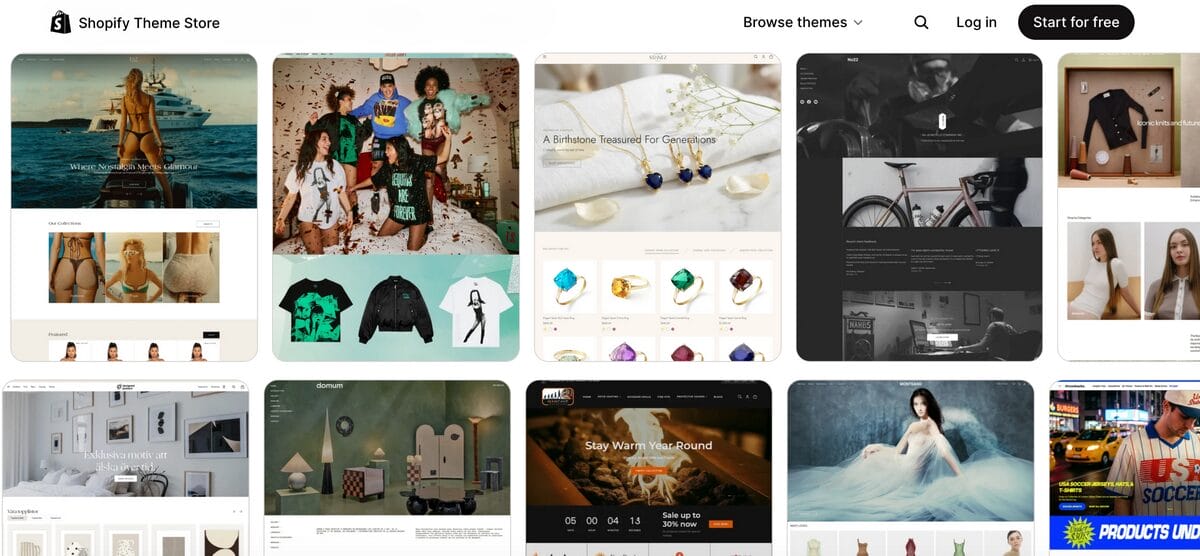
A Shopify theme is the template that shapes how your store looks and feels. It defines everything from your homepage layout and product pages to your navigation, colors, and fonts. The best part? You can customize it directly in Shopify’s theme editor, without touching a line of code.
For a Shopify dropshipping store, the right theme makes it easier for shoppers to explore your products, compare variants, and find the information they need before buying. Think of it as your storefront: your theme creates the shopping experience, while tools like AutoDS take care of tasks such as importing products and syncing inventory.
11 Best Free Shopify Themes in 2026
The right theme depends on what you’re selling and how much setup you want to handle. These picks match different dropshipping needs, from testing one product to organizing a larger clothing catalog.
1. Dawn
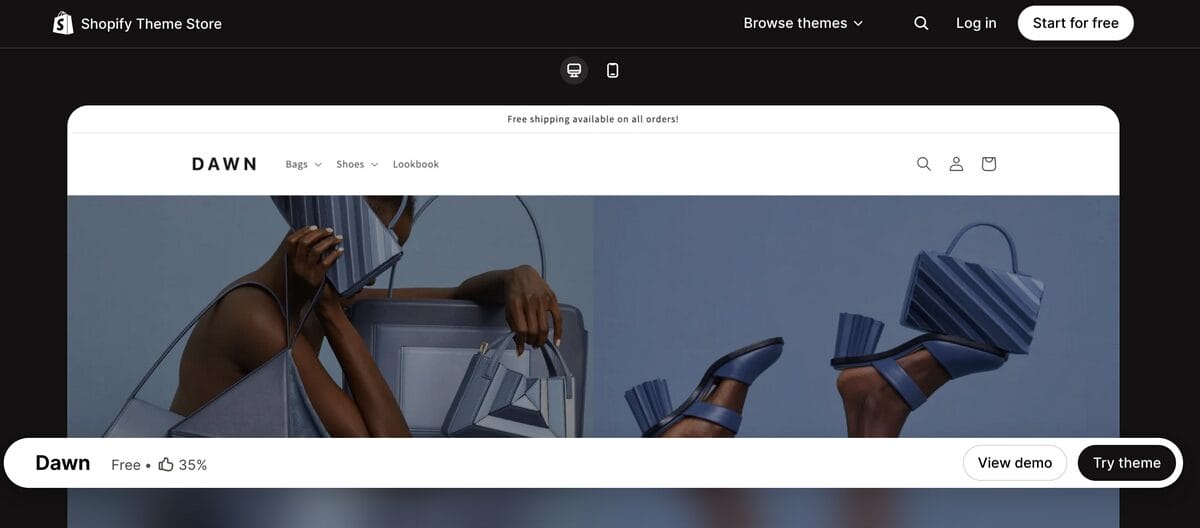
Best for: Beginners testing their first dropshipping niche.
Dawn gives you a simple, neutral starting point that works for anything from pet accessories to desk organizers. Its product-focused layout leaves room for clear photos and descriptions without demanding an elaborate brand identity upfront. I’d shortlist it if you want to launch a focused first store and refine the design as you learn what sells.
Key features:
- Large product images with galleries and zoom.
- Product filtering and sorting.
- Color swatches and size charts.
- Product recommendations for related items
2. Horizon
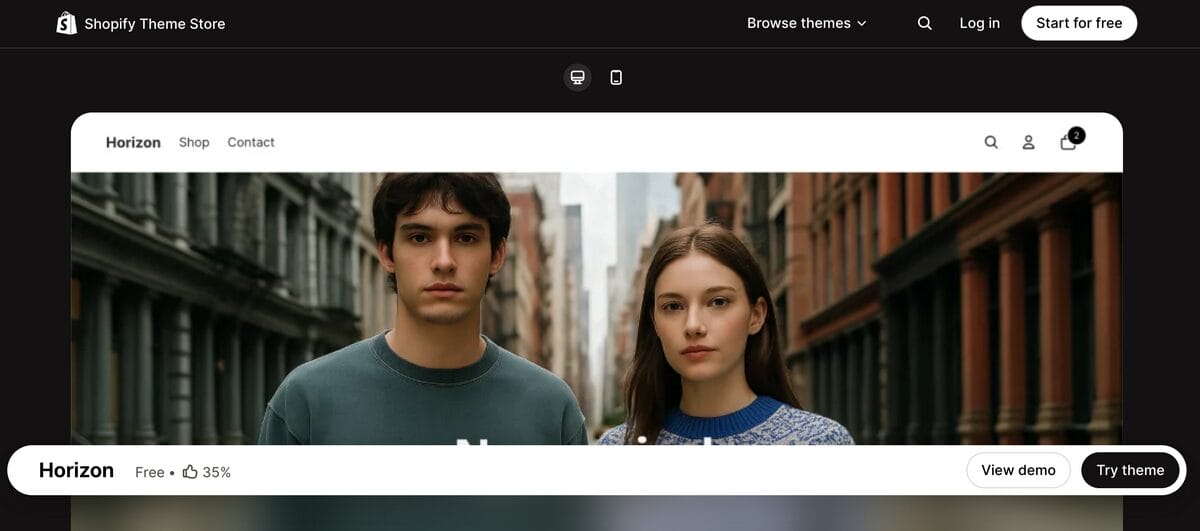
Best for: Dropshippers who want more freedom to rearrange product and landing-page layouts.
Horizon uses nested theme blocks, allowing you to group and rearrange content more flexibly within your pages. That makes it worth considering when you want to experiment with where product benefits, images, and supporting details appear. Start with a simple layout, though; more editing freedom can easily become an afternoon spent moving the same button.
Key features:
- Nested theme blocks for flexible layouts.
- Large product cards and image galleries.
- Quick buy and a slide-out cart.
- Product filtering, sorting, and a mega menu.
3. Spotlight
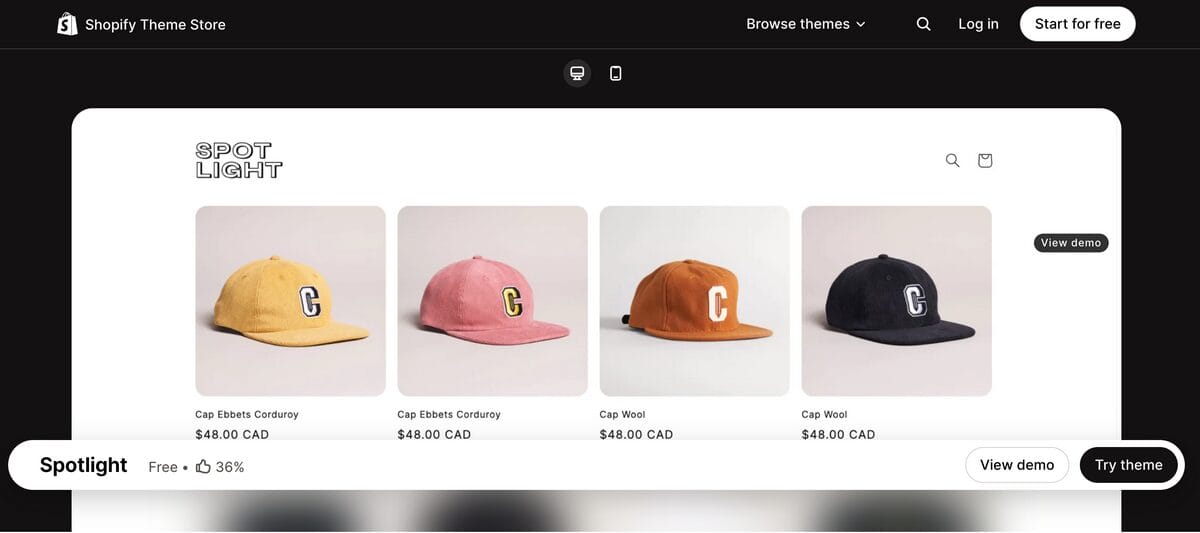
Best for: Single-product stores and small catalogs that need a straightforward launch.
Spotlight keeps the initial design simple, making it a practical choice for testing one main product or a small collection of related accessories. Its appeal is the low setup burden, especially when your product needs a clear explanation rather than an elaborate homepage. For products that require lengthy demonstrations or comparisons, preview your intended content before committing.
Key features:
- Streamlined starting layout.
- Quick buy.
- Slide-out cart.
- Product videos and image galleries.
4. Sense
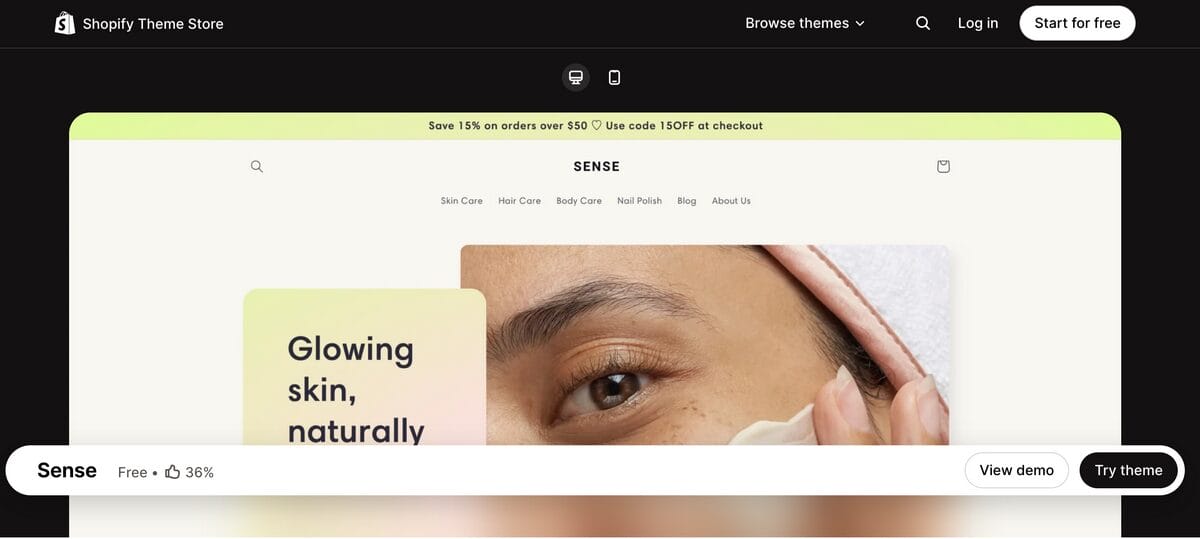
Best for: Beauty and wellness dropshipping stores.
Sense pairs soft gradients and curved elements with layouts that give product details plenty of room. It’s a useful match for beauty accessories and self-care products where shoppers want to understand materials, usage, and what’s included. Use that space to answer questions, rather than filling it with vague promises about life-changing results.
Key features:
- Detailed product-description layouts.
- Product video support.
- Ingredients and usage information.
- Color swatches and image zoom.
5. Refresh
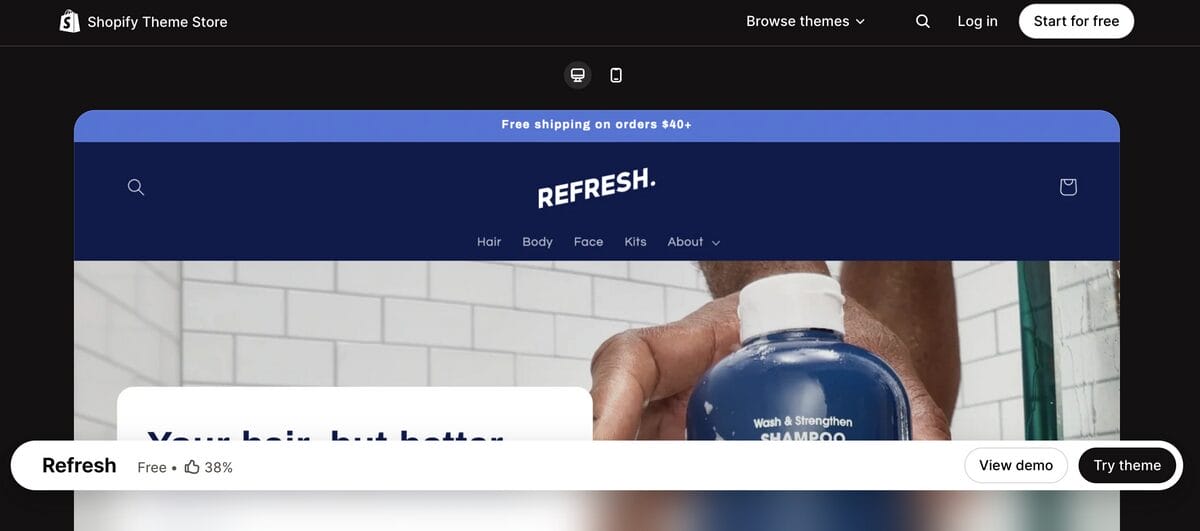
Best for: Dropshipping products that need benefits and specifications explained clearly.
Refresh combines bold headings with adaptable sections for product details and supporting information. For a niche built around practical items, such as grooming accessories or cleaning tools, that gives you room to explain what the product actually does. Its stronger visual style also offers a useful starting point if a neutral storefront feels too plain.
Key features:
- Adaptable sections for product details.
- Usage and shipping information.
- Product videos.
- Quick buy and a slide-out cart.
🔍 Research Tip: Preview with your actual products. Add a few real listings, including one with multiple variants, before choosing a theme. A polished demo can hide how awkward your own photos, long product names, or size options look.
6. Colorblock
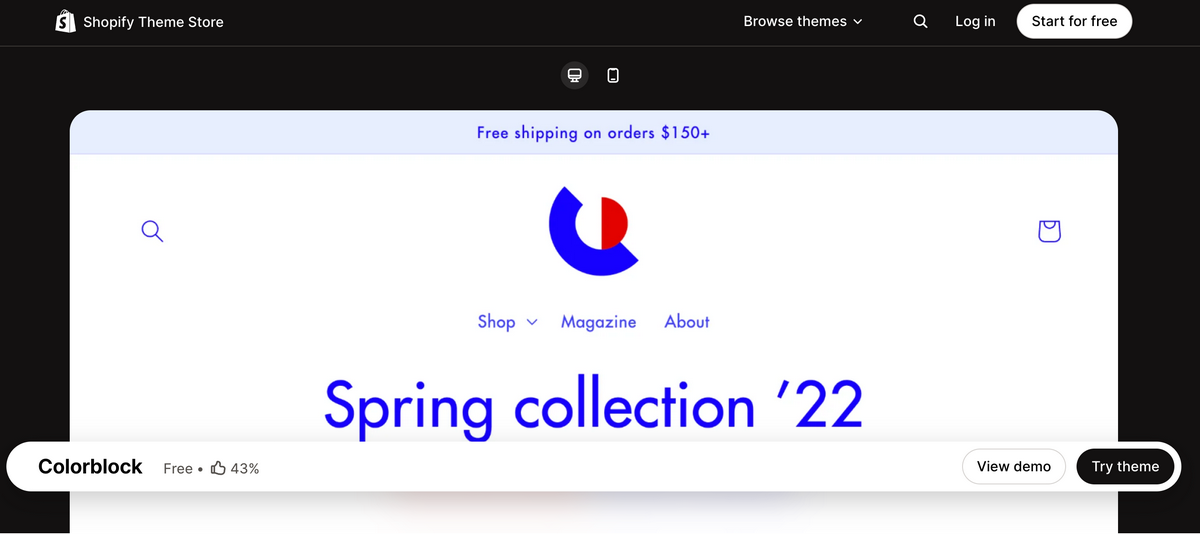
Best for: Clothing and accessories dropshipping stores with large catalogs.
Colorblock combines an expressive fashion aesthetic with navigation designed to accommodate larger collections. I’d consider it when you need to organize clothing, bags, and accessories into clear shopping paths. Plan your collections and filters first so customers can narrow their options instead of scrolling through everything you’ve imported.
Key features:
- Expanded menu navigation.
- Product filtering and sorting.
- Color swatches and size charts.
- Lookbook layouts and customizable color blocks.
7. Craft
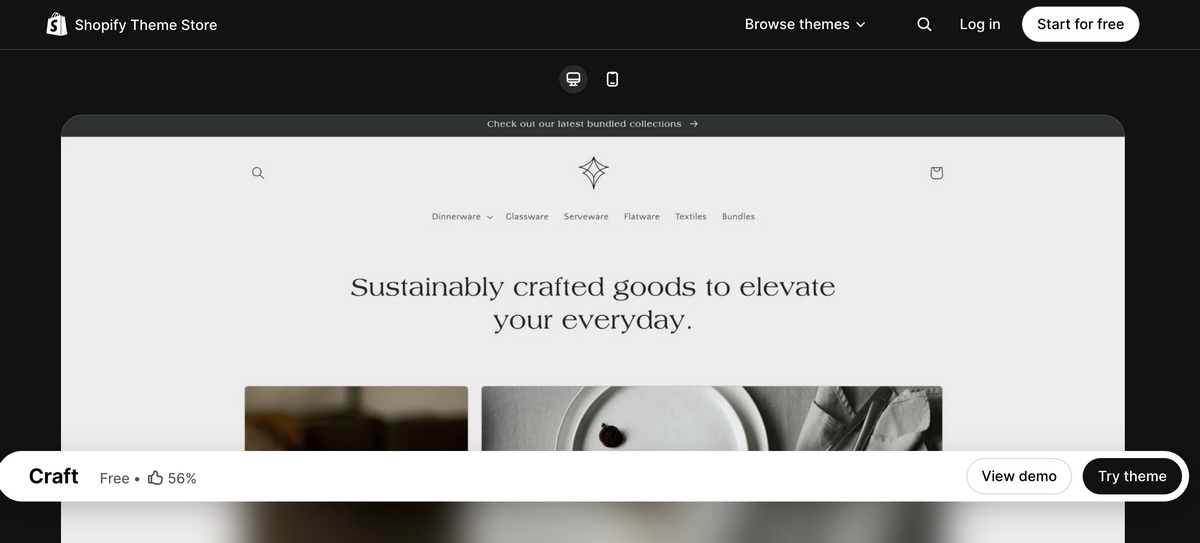
Best for: Home décor and curated home-accessory dropshipping.
Craft uses generous spacing and understated typography to give products a polished, cohesive look. That can suit a coordinated collection of vases, textiles, or decorative storage, especially when you have images showing the items in a room. The look depends on consistent photography, so mixed supplier images may need extra attention before they feel like one collection.
Key features:
- Sections designed for brand storytelling.
- Image galleries and zoom.
- Lookbooks.
- Recommended products.
8. Ride
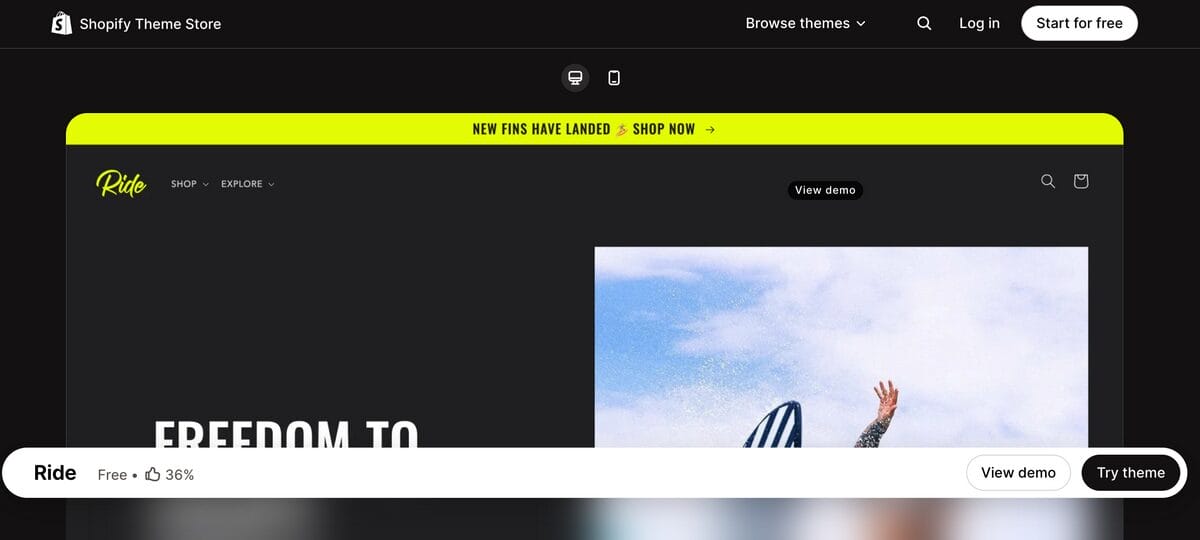
Best for: Fitness accessories and sports-gear dropshipping.
Ride starts with dark backgrounds, bold typography, and strong accent colors that suit an energetic sports brand. Its asymmetrical layouts can give workout accessories or outdoor gear a distinctive presentation. Check your supplier photos against the background before settling on the default style; white rectangular images may need a different layout or color scheme.
Key features:
- Sports-focused visual styling.
- Asymmetrical page layouts.
- Product videos and image galleries.
- Collection navigation and product filtering.
9. Taste
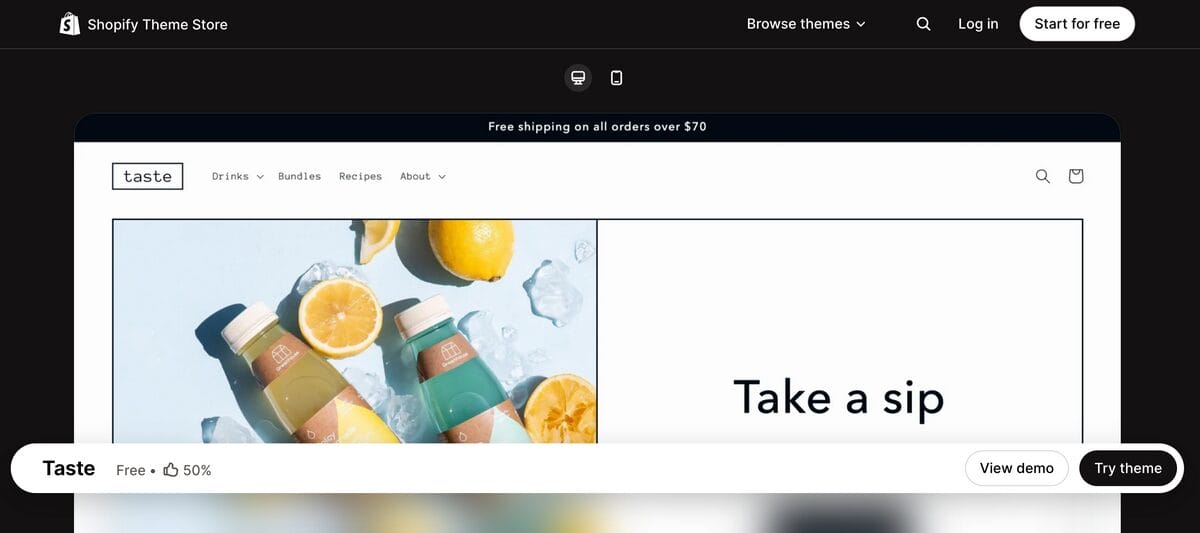
Best for: Kitchen accessories and specialty-product dropshipping.
Taste offers spacious layouts, prominent headlines, and larger product cards that suit a tightly focused collection. Think coffee accessories, baking tools, or reusable food-storage products with details shoppers need to compare. Give each product a clear purpose and use the available space for dimensions, materials, and care instructions.
Key features:
- Large product cards.
- Specialty-product highlight sections.
- FAQ content.
- Product galleries and videos.
10. Studio
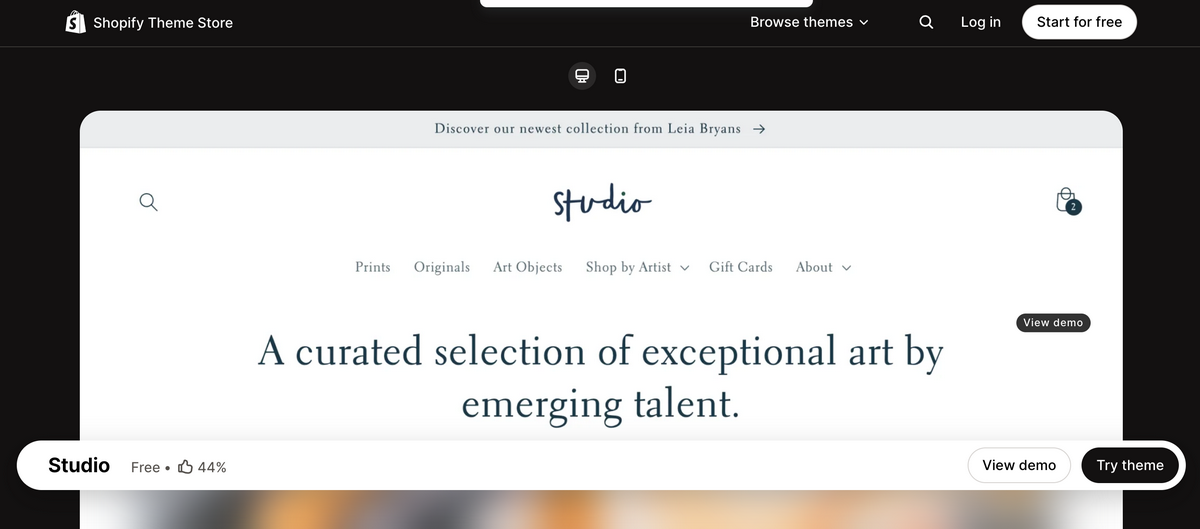
Best for: Wall-art dropshipping and print-on-demand collections.
Studio puts artwork and curated collections at the center of the browsing experience. Its collection navigation works well for organizing prints by artist, style, or room, helping a poster store feel more like a gallery. Keep mockups consistent across listings so shoppers can compare designs without being distracted by changing backgrounds and image proportions.
Key features:
- Collection-focused navigation.
- Creator filters.
- Featured collections and artist profiles.
- High-resolution image galleries and zoom.
11. BuildYourStore
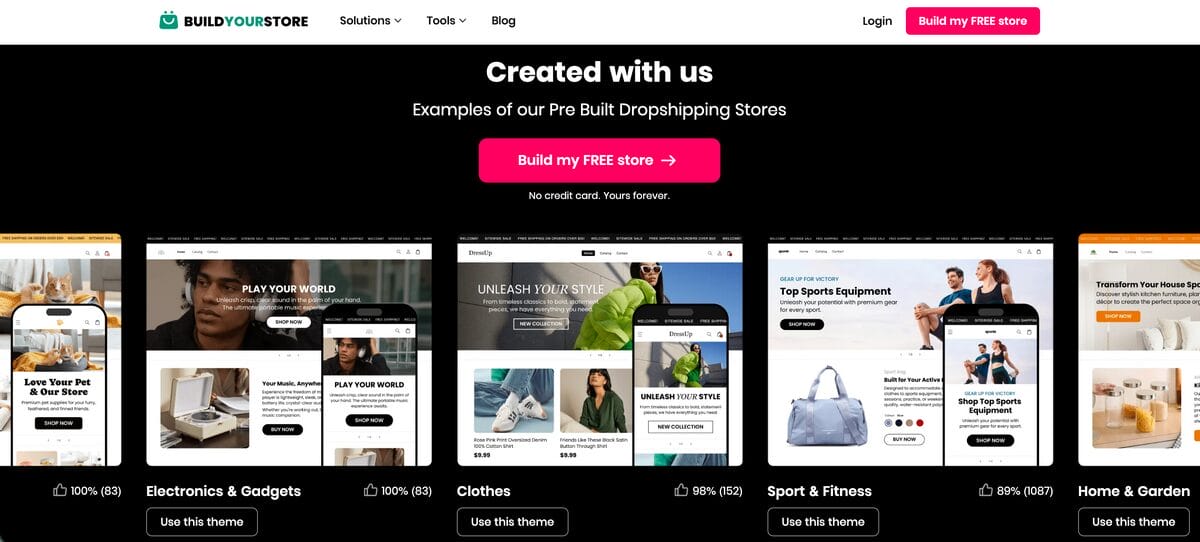
Best for: New dropshippers who want a store prepared for them.
BuildYourStore is an AI store builder that includes a customizable Shopify theme, preselected products, and prepared product pages. It handles more of the initial setup than installing a theme alone, making it an option if starting with an empty storefront feels overwhelming. You’ll still need to review the products, pricing, shipping details, and policies before launching.
Key features:
- AI-generated Shopify store based on your selected niche.
- Customizable storefront theme.
- Preselected products.
- Automatically prepared product pages.
Free vs. Premium Shopify Themes: Which Do You Need?
For a new dropshipping store, a free theme usually makes sense. You’re still figuring out which products attract buyers, whether your supplier delivers reliably, and how much it costs to generate a sale. I’d put the early budget toward samples and testing before paying for extra storefront features.
Once a niche brings in consistent sales, upgrade to solve a specific problem. A premium theme might include the product-comparison layout, navigation options, or promotional sections you need as your catalog grows. But scaling doesn’t automatically mean replacing your theme: if customers can browse and buy easily, your free setup may still do the job.
Here’s how free and premium options from the official Shopify Theme Store compare:
| Factor | Free Shopify themes | Premium Shopify themes |
|---|---|---|
| Cost | No theme purchase cost. Shopify subscriptions and any paid apps remain separate. | One-time theme purchase, with prices varying by theme. Shopify subscriptions and paid apps remain separate. |
| Customization | Editable colors, fonts, sections, and layouts. Options depend on the theme. | Often a wider selection of built-in sections, layouts, and specialized features. Check the individual theme. |
| Support | Shopify supports its own themes, with limits on customization help. | Support comes from the theme developer. Custom design work generally costs extra. |
| Performance | Can provide a fast storefront. Images, apps, and customizations affect actual speed. | Paying doesn’t guarantee better speed. Extra features also need careful configuration. |
| SEO | Can support a search-friendly store; being free isn’t an SEO disadvantage by itself. | May offer useful extras, but purchasing a theme doesn’t guarantee higher rankings. |
Shopify explains the different support arrangements in its theme support guidance. Its Theme Store requirements also cover performance, accessibility, and SEO, so price alone isn’t a quality score.
For example, suppose your fitness-accessory store starts selling consistently, but shoppers struggle to compare several similar products. Before upgrading, check whether your existing theme can present that information clearly; if it can’t, compare the cost and setup effort of a suitable paid theme against adding the feature another way. Let an actual need guide the purchase.
💰 Financial Tip: Compare the total cost. A premium theme may be worth buying if its built-in features replace paid apps you genuinely need. Check that those features handle your exact use case before counting the savings.
What to Look for in a Free Theme for Dropshipping
A good demo can make almost any theme look tempting. Before choosing, check how it handles your actual catalog, especially the product pages shoppers will land on from your ads.
Design that works with your product photos
Look for image galleries, zoom, and layouts that give shoppers a clear view of what they’re buying. If you’re starting with supplier-provided photos, test different image sizes and backgrounds: a theme that looks beautiful with coordinated lifestyle shots may feel messy with a mixed catalog.
Choose a design you can maintain as you add products. Consistent image proportions, readable fonts, and a small color palette will do more for your storefront than trying to recreate an entire Pinterest board.
Fast loading on real product pages
When you’re paying to bring unfamiliar shoppers to your store, a slow landing page wastes the opportunity. Test a product page with your own images and intended apps, rather than judging speed from the theme’s demo alone.
Keep large banners, autoplay videos, and decorative effects under control. Your product demonstration might earn its place; three animations before the price probably don’t.
A comfortable mobile shopping experience
If TikTok, Instagram, or other social ads are part of your plan, check the store on your phone first. Product text should be readable, variant selectors easy to tap, and the add-to-cart button easy to find.
Walk through the page as a new customer: view the photos, choose a size or color, check delivery information, and add the item to your cart. Watch for pop-ups or sticky elements that cover essential details on smaller screens.
Navigation and filters that fit your catalog
A single-product store needs a clear path to its main offer. A clothing or pet-accessory catalog needs useful collections and filtering so shoppers can narrow down their choices.
Look for filtering and sorting support, clear menus, and visible search. Remember that filters need organized product information behind them: installing a theme won’t automatically sort inconsistent supplier listings into helpful categories.
Space for the questions dropshipping customers ask
Prioritize layouts that make product details easy to find. Measurements, materials, package contents, care instructions, and realistic delivery estimates help shoppers understand the offer before buying.
Depending on your niche, useful features include:
- Size charts and color swatches for clothing and accessories.
- Videos and image zoom for products that benefit from demonstrations.
- Shipping and return information near relevant buying decisions.
- Related-product recommendations for complementary accessories.
Support you can actually use
Check who maintains the theme, where its documentation lives, and what help is available. Read recent reviews for recurring issues, particularly around mobile navigation, variant selection, and compatibility with the apps you plan to use.
🆕 Beginner’s Tip: Choose three must-have features. For a clothing store, those might be size charts, color swatches, and filters. A short checklist makes it much easier to choose without spending your entire launch week comparing fonts.
How to Install a Free Shopify Theme
You can add a free theme and preview it before publishing, giving you room to check the design with your own products.
- Open your theme settings. From your Shopify admin, go to Online Store and open the Themes page.
- Browse free themes. Find Discover themes, or select Visit theme store and filter for free options.
- Add your chosen theme. Open its listing and select Add or Try theme. It will appear among your draft themes.
- Customize and preview. Add your branding, then check your homepage, collections, and product pages on desktop and mobile.
- Publish when ready. Select Publish for your chosen theme and confirm. It becomes your active storefront design.
Adding a theme doesn’t immediately replace your live design: publishing is the switch. If you already have a store, keep the new theme in draft while you prepare it, as explained in Shopify’s theme setup guide.
How to Customize Your Theme (No Code Needed)
Shopify’s built-in theme editor lets you make the design your own without touching code. Start by uploading your logo, choosing your brand colors, and setting readable fonts. Then add or rearrange the sections available in your theme.
If you’re launching a new dropshipping store, keep the homepage focused: introduce what you sell, highlight a featured collection, and share useful information about your products or service. Replace every demo image and placeholder, and check how your product photos look before adding more sections.
Finally, preview your changes on mobile and save. Aim for a clear, consistent experience—you can always refine the design once real shoppers give you something more useful than your fifteenth opinion about the header font.
Skip the Setup: Build Your Store Instantly With AutoDS
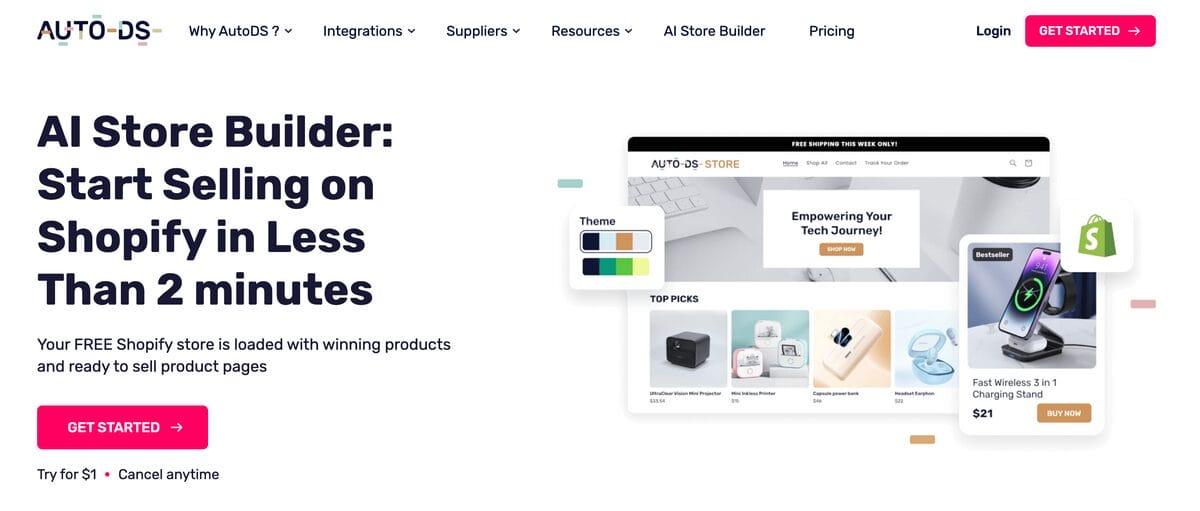
If choosing a theme is turning into a project of its own, you can start with a prepared storefront. AutoDS offers an AI Shopify store builder that it advertises as creating a store in under two minutes after you choose your niche.
The setup includes a customizable theme, preselected products, prepared product pages, and a free .store domain offer. That gives you something concrete to edit instead of an empty homepage and a growing collection of browser tabs.
The store is included with AutoDS’s trial offer, currently advertised at $1; running it still involves separate costs, including your Shopify subscription and any AutoDS subscription you continue. BuildYourStore also offers a free store-building option but you still need a Shopify subscription.
I’d treat either option as a head start on setup. Review the selected products, check supplier delivery estimates, adjust your prices, and personalize your policies before sending shoppers to the store—the quick build handles the starting design, while those decisions make it yours.
Frequently Asked Questions
What’s the best free Shopify theme for beginners?
Dawn is my starting recommendation for beginners because its neutral design works across different dropshipping niches and gives you room to grow your catalog. Spotlight is another good option if you’re launching with one main product or a small collection and want a simpler starting layout.
Do free Shopify themes hurt my SEO?
Using a free Shopify theme doesn’t hurt your SEO by itself. What matters is how your store is built and maintained, including its mobile experience, loading speed, navigation, and useful product content. A paid theme won’t automatically improve your rankings.
Can I switch themes later without losing my content?
Yes. Your products, collections, pages, and blog posts remain in Shopify when you switch themes. However, theme-specific layouts, settings, and content added through the theme editor don’t automatically transfer, so you’ll need to configure and preview the new design. Shopify’s theme-switching guidance explains the distinction.
When should I upgrade from a free theme to a paid one?
Consider upgrading once your niche generates consistent sales and you can identify a specific feature or layout your current theme can’t provide efficiently. Compare the paid theme’s cost with the apps or custom work you would otherwise need. If your free theme still supports a smooth shopping experience, scaling alone isn’t a reason to replace it.
How long does it take to set up a free Shopify theme?
Adding a theme is a short task; preparing the storefront takes longer. If your products, images, branding, and policies are ready, you can work through a basic setup in one focused session. Allow additional time to organize collections, check mobile layouts, and test the buying process before launching.
Which free Shopify theme works best for a dropshipping store with a lot of products?
Colorblock is a strong option, particularly for clothing and accessories, because it supports expanded navigation and product filtering. Dawn is a more neutral alternative for other niches. Either way, clear collections and accurate product information are essential—your theme needs that structure to help shoppers find the right item.
Conclusion
The best free Shopify themes give you room to test your niche without putting your launch budget toward design. Choose the one that fits your catalog, add your real products, and check how everything looks on mobile. Your first storefront doesn’t need a Taylor Swift–style reinvention before it makes its first sale.
Once the design is in place, turn your attention to the products and operations behind it. You can get started with AutoDS to manage product importing, inventory monitoring, and orders from one workflow while you test and grow your store.
For the next steps, these guides can help:







