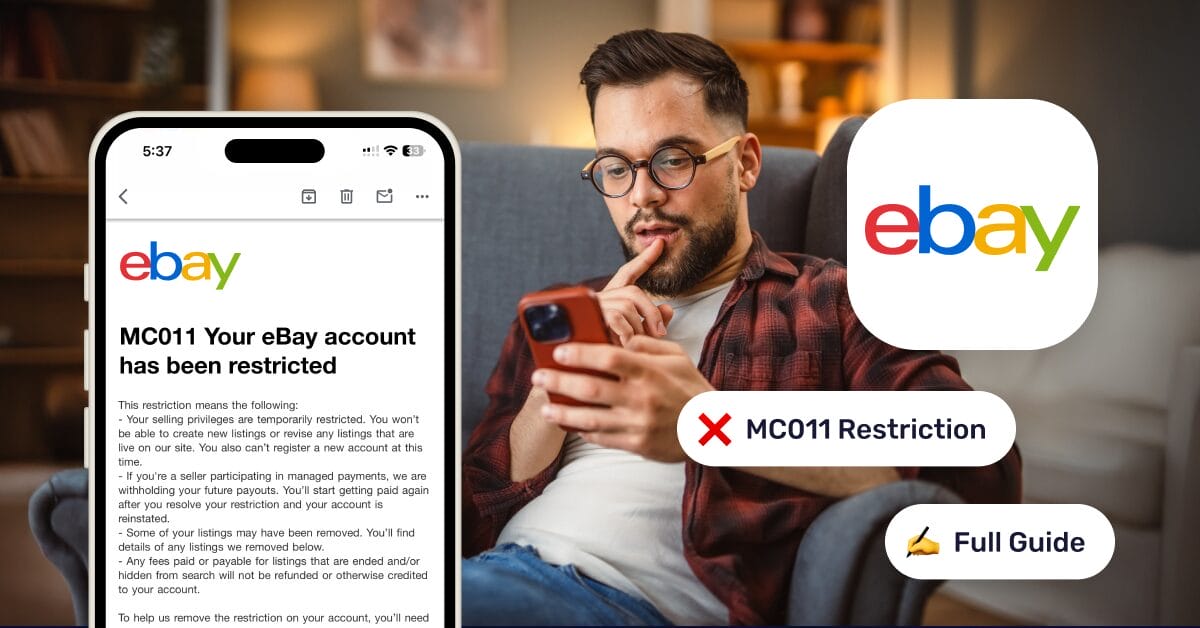
If you sell on eBay, a few things trigger panic faster than seeing MC011 pop up in your account. It’s one of those restriction codes that sounds ominous, vague, and very “we need to talk.” Sellers fear it because it usually hits fast, pauses sales, and puts your account’s future under review.
But MC011 is recoverable if you understand why it happened and respond the right way. I’ve seen sellers come back from it (sometimes stronger than before) by fixing the exact signals eBay is worried about.
That’s why prevention matters just as much as recovery.
What’s actually at risk? Your active listings, payout access, and, most importantly, your account trust score.
Here, prevention matters just as much as recovery. Tools like AutoDS help eBay sellers maintain account health by automating tracking uploads, syncing stock, and reducing the risky behaviors that often trigger MC011 in the first place.
MC011 is a trust check. Most accounts can be recovered if you respond with clean documents, clear explanations, and controlled fulfillment practices.
eBay flags patterns, not one-off mistakes. Sudden sales spikes, late tracking, high cancellations, and inconsistent sourcing are MC011 triggers.
Recovery depends on receipts: Legitimate invoices, valid tracking, and proof you can fulfill orders consistently are what get accounts reinstated.
Stable order flow, accurate stock, realistic handling times, and fast issue resolution keep your account off eBay’s radar.
AutoDS helps sellers stay compliant by automating tracking uploads, syncing stock and prices, and reducing supplier-related errors.
What is the eBay MC011 Restriction?

MC011 is an eBay account restriction related to seller performance, fulfillment reliability, and trust verification. When eBay applies MC011, it means they’ve detected activity that suggests your account might put buyers at risk.
What Triggers MC011?
MC011 isn’t random. It’s usually triggered when eBay’s system flags patterns like:
- Rapid changes in sales volume
- Fulfillment inconsistencies
- Metrics that fall outside normal seller behavior
So: something about your account stopped looking predictable.
What eBay Is Trying to Verify
With MC011, eBay wants proof that:
- You can consistently fulfill orders
- You have reliable sourcing
- Your business model won’t lead to buyer complaints or refunds
They’re not asking, “Did you make a mistake?” They’re asking, “Can we trust this account long-term?”
🆕 Beginner’s Tip: Early growth is one of the biggest MC011 triggers. If you’re increasing listings or ad spend, make sure your supplier can handle the volume before eBay sees a spike in late shipments or cancellations.
MC011 vs Temporary Restriction vs Suspension
These get confused a lot, so let’s clear it up:
- Temporary restriction: Usually time-based, often lifted automatically once metrics improve
- MC011: Manual review + proof required; selling is restricted until eBay is satisfied
- eBay full suspension: More severe, often tied to policy violations or repeated issues
MC011 sits in the middle. Serious, but still fixable.
Common Reasons MC011 Happens
- Sudden Sales Spikes. A big jump in orders (especially on a newer or low-volume account) can look risky to eBay. Growth is good, but uncontrolled growth raises eyebrows.
- Inconsistent Tracking or Delayed Shipments. Missing tracking numbers, late uploads, or long handling times are classic MC011 triggers. eBay wants visibility from click to delivery.
- Low Seller Metrics. Things like:
- Late shipment rate
- Item not as described cases
- Negative feedback
- High Cancellation or Return Rates. Frequent cancellations signal inventory or sourcing problems. High returns suggest listing or quality issues.
- Selling High-Risk Items. Certain categories (electronics, branded goods, medical items) get stricter scrutiny. One bad batch can tip the scale.
Dropshipping-Specific Triggers
This is where many sellers get hit:
- No control over supplier stock
- Long or inconsistent delivery times
- Multiple suppliers with different tracking standards
I’ve seen this happen when sellers scale fast without tightening operations first. As Taylor Swift would say: “It’s me, hi, I’m the problem,” but luckily, you’re a fixable one.
How MC011 Affects Your eBay Dropshipping Account

Once MC011 hits, things move quickly (and not in your favor). Here’s what typically happens next in your eBay dropshipping account:
- Listing removal: Active listings may be taken down or hidden
- Selling restrictions: You can’t create new listings
- Payment holds: Funds may be frozen until verification is complete
- Customer communication limits: In some cases, your ability to message buyers is reduced
It’s basically eBay hitting the pause button while they investigate.
How It Impacts Dropshippers
Dropshipping accounts feel MC011 harder because the model depends on smooth fulfillment. Common pressure points include:
- Inventory-based discrepancies between supplier stock and live listings
- Supplier delays that push handling times too far
- Lack of tracking uploads or delayed confirmations
- Irregular order patterns that don’t match normal retail behavior
This is where automation becomes less of a “nice-to-have” and more of a survival skill. Fewer manual steps = fewer mistakes = fewer red flags. Or, to put it bluntly: if your ops are messy, eBay notices. If they’re clean, MC011 is far less likely to crash the party.
How To Know If Your eBay Account Can Be Recovered

When MC011 hits, the first question everyone asks is the same: “Am I done, or do I still have a shot?” The honest answer is that most MC011 cases are recoverable, but there are clear signals that tell you which direction your account is heading. It’s about behavior over time.
📦 Supplier’s Tip: Always keep a backup supplier ready. Having a backup supplier for best-selling SKUs lets you keep fulfillment consistent even if your main source runs into stock or shipping issues.
Signs You Can Get Your Account Back
If you’re seeing any of the signs below, you’re still very much in the game:
- eBay asks for additional documents. This is actually a good sign. It means your account is under review, not written off. eBay doesn’t ask for documents if they’ve already decided you’re out.
- The MC011 email includes language like “We may reinstate your account.” Read that carefully. When eBay leaves the door open in writing, it means reinstatement is still on the table, assuming your response checks out.
- No prior permanent suspensions on your account. First-time MC011 cases are much easier to resolve. A clean (or mostly clean) history works heavily in your favor.
If this sounds like your situation, breathe.
Signs Recovery Might Be Difficult
Now for the tough-love section. If one or more of these apply, reinstatement becomes harder (but not always impossible):
- Repeated policy violations across time. One incident is a warning. Multiple incidents look like a pattern, and eBay hates patterns that suggest risk.
- Fraudulent activity flagged by eBay systems. This includes suspicious buyer behavior, payment irregularities, or data mismatches. Once fraud enters the conversation, scrutiny intensifies fast.
- IP complaints or VeRO issues. Intellectual property violations are a major trust-breaker. Even unrelated IP complaints can weigh heavily during an MC011 review.
- Fake or recycled tracking history. This one is almost always fatal. Inconsistent, reused, or invalid tracking numbers are a massive red flag, and eBay’s systems are very good at spotting them.
MC011 is all about receipts. If your account can prove consistency, transparency, and control, recovery is realistic. If it can’t, that’s when things get dicey.
Step-by-Step: How To Solve eBay MC011 (2026 Updated)
MC011 feels like eBay slammed the brakes without warning. But in most cases, the path forward is simple: read exactly what they want, send clean proof, and explain your process like a grown-up business (not like someone “trying things”). eBay even says reinstatement can come down to sending more info, depending on the restriction.
Step 1 — Carefully Read the MC011 Email
Before you upload anything, I want you to treat the MC011 email like a checklist.
1) Understand which policies were violated
- Look for phrases that hint at the theme: identity verification, proof of inventory/sourcing, proof of delivery, seller performance, or buyer risk.
- MC011 is often eBay saying: “We can’t confidently verify that orders will be fulfilled reliably.” (That’s what you’re correcting.)
2) Identify documents requested
Common requests include:
- Government ID + proof of address
- Supplier invoices/receipts for items listed/sold
- Proof of fulfillment (tracking + delivery proof)
This part matters because missing one doc can trigger an instant rejection loop. (Yes, it’s annoying. Yes, it’s real.)
💡 Pro Tip: Consistency is everything. AutoDS helps you keep fulfillment airtight by automatically uploading tracking numbers and syncing orders, so nothing slips through the cracks.
Step 2 — Gather the Correct Documents
This is the “receipts or it didn’t happen” step. Your goal is clean, consistent, readable proof.
What to collect (typical MC011 pack):
- Government ID (front + back if applicable)
- Utility bill or bank/credit card statement (recent, shows your name + address)
- Invoices from suppliers (matching items you listed/sold)
- Proof of fulfillment (tracking numbers + delivery confirmation where available)
- Bank statements (only if requested)
eBay community threads repeatedly mention these exact categories as what gets requested in MC011-type verification.
Provide clean/consistent data.
- Names and addresses should match across docs (format differences are okay; contradictions are not).
- PDFs/images should be clear (no blur, no cut edges, no missing corners).
- Don’t upload 37 random files. Label them logically.
Dropshipping non-negotiable: Use legitimate supplier invoices only.
- If you’re dropshipping, “supplier invoices” means invoices/receipts from a real supplier/retailer you actually source from, reflecting the product and transaction.
- Avoid anything fabricated, edited, or “template-y.” Fake paperwork is one of the fastest ways to turn “review” into “permanent no.” (eBay is not new here.)
Step 3 — Prepare Your Explanation Letter

This is your appeal narrative. Keep it professional, factual, and short.
What to include in a successful appeal:
- Why the issue occurred. Example: supplier delay, tracking upload timing, scaling too fast, inventory mismatch, handling time mis-set.
- What you fixed. Be specific:
- Updated handling times
- Switched suppliers / added backup supplier
- Implemented stricter order processing steps
- Improved tracking upload speed + consistency
- Why it won’t happen again. This is where you show systems, not promises:
- “I now upload tracking within X hours.”
- “I only list items with verified stock.”
- “I monitor cancellation rate weekly.”
Tone guidelines
- Professional and concise.
- No rants, no blame, no “but other sellers do it.”
- One page is usually plenty.
Step 4 — Submit Everything Through the Correct eBay Channel
Where to upload documents
- Use the exact upload path linked in the MC011 email/message, or the Resolution Center / seller account restriction flow inside eBay.
- Don’t scatter-submit across random forms; eBay wants everything tied to the specific case.
eBay’s help docs emphasize that details and reinstatement steps are in the message eBay sent you, and the community guidance consistently points sellers back to the linked submission route.
Response timeframe (2026 averages)
Here’s what I’d realistically expect:
- Fast reviews: ~72 hours to 5 business days after complete docs (common estimate in seller guides)
- Long reviews: can stretch to weeks (and in tough cases, significantly longer) depending on case complexity and whether eBay asks for more proof
How many follow-ups to send
- If you don’t hear back after the stated window, send one concise follow-up asking for status and confirming you uploaded all the requested docs.
- If you still haven’t received a response after a few business days, send one more follow-up.
- Don’t spam! Too many messages can slow things down.
Step 5 — Wait for Review (What to Expect)
This is the part where patience actually becomes a strategy. You might get a response in a few days, or it may take longer if your docs trigger additional verification.
There may be additional questions that eBay asks. Be ready for requests like:
- More invoices for specific items
- Proof you can fulfill (tracking proof, supplier confirmations)
- Clarification on business info (address, payment method, identity)
Community threads show eBay often asks for deeper “receipts of items purchased” and additional verification documents.
If they deny you, proceed like this:
- Read the denial carefully (it usually hints at what was insufficient).
- If you can correct the gap (missing doc, unclear invoice, mismatch), resubmit with cleaner proof through the same case flow (if available).
- If the denial cites fraud, fake tracking, or repeated violations, recovery becomes much harder—focus on protecting buyers, closing open orders cleanly, and planning a compliant restart.
MC011 is about selling correctly. AutoDS automates the backend tasks eBay watches most.👉 Try AutoDS for $1 and rebuild your eBay account.
Common Mistakes That Lead to Immediate Denial

This is where a lot of otherwise recoverable MC011 cases fall apart. The mistakes below are some of the fastest ways to turn a review into a hard no.
- Fake invoices. Edited, templated, or fabricated invoices are one of the biggest red flags. eBay can cross-check supplier data, and once something looks manipulated, trust is gone. Even one fake document can sink the entire appeal.
- Mismatched billing address. If your ID, utility bill, bank statement, and eBay account don’t clearly align, the review stalls or fails. Small formatting differences are fine; conflicting addresses are not.
- Submitting screenshots instead of PDFs. Screenshots often look incomplete, cropped, or altered. eBay expects official documents, such as PDF invoices, statements, or full-page scans. Screenshots scream “unreliable,” even when the info is real.
- Over-explaining instead of being factual. Long emotional stories, justifications, or blame-shifting dilute your appeal. eBay wants what happened, what changed, and how it’s fixed—not a diary entry.
- Reopening the case improperly. Uploading documents through the wrong channel, replying to closed threads, or submitting partial updates can reset or delay the review. Always use the exact case link provided in the MC011 notice.
- Creating new accounts (causes a permanent ban). This is the nuclear option—and almost always the wrong one. Opening a new account while MC011 is active links identities, triggers cross-account flags, and can result in a permanent ban across all accounts.
🔍 Research Tip: Avoid testing new products on your main account. Test new suppliers or risky categories cautiously. MC011 is more likely when untested products, new suppliers, and high order volume collide all at once.
MC011 appeals are about credibility. Clean documents, tight explanations, and disciplined actions win. Everything else just gives eBay a reason to say no.
How To Prevent MC011 in the Future
The best way to deal with MC011 is simple: don’t trigger it again. Once your account shows consistency, predictability, and operational visibility, the risk of MC011 drops dramatically. This is where prevention turns into strategy.
Improve Your Account Health
Strong account health tells eBay that you’re a low-risk seller. That signal alone can keep you off manual review lists.
- Maintain on-time shipping. Set realistic handling times and only sell items you can ship within them. Fast is good, accurate is better.
- Follow tracking upload best practices. Upload valid tracking numbers promptly and make sure they actually update. Late or non-scanning tracking is one of the most common silent triggers.
- Lower cancellation rates. Cancellations (especially seller-initiated ones) are a trust killer. Most come from stock issues or pricing mistakes, both of which are preventable.
Avoid Triggering eBay Algorithms
Some MC011 cases aren’t about “bad behavior,” but about behavior that looks suspicious to automation systems.
- Don’t list too fast when starting. Sudden listing volume on a fresh or recently inactive account can raise alarms. Growth should look natural, not explosive.
- Avoid risky categories. Branded electronics, medical items, and IP-heavy products get extra scrutiny. If your account health isn’t solid yet, steer clear.
- Ensure tracking numbers are valid. Reused, recycled, or mismatched tracking numbers are a fast track to restriction territory.
- Keep a consistent order pattern. Wild swings in daily order volume or fulfillment behavior make your account look unstable—even if sales are legit.
Dropshipping-Specific Prevention Tips
Dropshipping isn’t banned, but sloppy dropshipping is. These habits matter more than most sellers realize:
- Use reliable suppliers. Consistency beats low prices. One unreliable supplier can undo months of good metrics.
- Avoid long shipping windows. Long or unpredictable delivery times increase late shipments, INR cases, and buyer complaints—all MC011 fuel.
- Resolve customer issues quickly. Fast refunds, clear communication, and proactive fixes reduce escalations that feed into account risk scoring.
- Track stock & price changes automatically. Manual checks don’t scale. Missed stock updates are one of the biggest causes of cancellations.
How AutoDS Helps Prevent MC011

This is where prevention stops being theoretical and becomes operational. MC011 is rarely about one mistake—it’s about repeated behaviours that tell eBay your fulfillment isn’t fully under control. That’s the gap AutoDS is here to close.
Instead of reacting after something breaks, AutoDS keeps your account behavior predictable. Stock levels and prices stay synced with your suppliers, which means fewer surprise cancellations and fewer moments where eBay sees buyers paying for items you can’t actually ship. That alone removes one of the biggest MC011 triggers.
Tracking is another big one. Late or missing tracking uploads don’t always cause immediate issues, but over time, they chip away at trust. By automating tracking uploads as orders are fulfilled, AutoDS helps keep your shipping metrics clean and consistent, without you having to babysit every order. eBay doesn’t care how tracking gets uploaded—only that it’s accurate and on time.
Last but not least, AutoDS reduces supplier-related errors by standardizing the fulfillment flow, so your orders don’t look irregular or risky from eBay’s side.
Fewer manual steps mean fewer chances for something to go wrong. The more your backend runs like a system instead of a scramble, the less interesting your account becomes to eBay’s risk team—and that’s exactly where you want to be.
“The Fulfilled by AutoDS option is going to take the work off of you of having to fulfill every order. They are literally going to do the heavy lifting for you.” – AC Hampton (Expert Dropshipper)
What If You Don’t Get Your Account Back?
Not every MC011 case ends in reinstatement—and I’d rather be honest with you than overly optimistic. If eBay decides the risk is too high, there are still paths forward. They’re just different paths.
Possible Outcomes
Here’s how things usually shake out after a final review by eBay:
- Permanent restriction. This means the original account is done. Selling privileges aren’t coming back under that entity or account history.
- Partial reinstatement. Less common, but it happens. eBay may restore selling with limits, category restrictions, or tighter monitoring.
- Reapplication after several months (rare cases). In some situations—especially where no fraud or IP abuse was involved—eBay allows sellers to reapply later with stronger proof and cleaner systems. This is the exception, not the rule.
None of these outcomes means your e-commerce career is over. They just mean this chapter is closed.
Alternative Paths
If MC011 doesn’t resolve in your favor, the smartest move is to reset legally and compliantly, not emotionally.
- Creating a new legal business entity. In some regions, forming a new company with proper documentation, banking, and tax registration can allow a legitimate restart (if eBay policies allow it in your case).
- Selling on other marketplaces. Amazon, Shopify-based stores, Walmart Marketplace, Etsy, or regional platforms can all be viable depending on your niche and logistics.
- Starting over with compliant practices. This is the moment to rebuild your business with tighter fulfillment, clearer sourcing, and automation-first workflows. I’ve seen sellers do better the second time because they stopped winging it.
- Maintaining separate IP/device hygiene. If you do restart anywhere, keep operations clean and distinct. Sharing devices, IPs, or data between restricted and new setups is one of the fastest ways to trigger cross-account issues.
What NOT To Do
This part matters more than people think. These moves can permanently lock you out—not just of one account, but of entire platforms.
- Do not reopen with the same information. Reusing the same documents, addresses, or setup after a restriction is a near-guaranteed rejection.
- Do not buy eBay “stealth accounts”. These are policy violations waiting to explode. eBay’s detection systems are far more advanced than most sellers realize, and stealth accounts often lead to lifetime bans.
- Do not falsify documents. Ever. Even one fake invoice or edited statement can turn a bad situation into a permanent shutdown.
Frequently Asked Questions
What causes the eBay MC011 restriction?
The MC011 restriction is triggered when eBay detects risk around fulfillment reliability, seller identity, or buyer protection. Common causes include sudden sales spikes, delayed or missing tracking uploads, high cancellation rates, inconsistent supplier performance, or documentation that doesn’t clearly prove you can fulfill orders consistently.
How do I fix the MC011 restriction on eBay?
You fix MC011 by responding through the exact channel eBay provides, submitting all requested documents, and explaining—clearly and concisely—what caused the issue, what you corrected, and how you’ll prevent it going forward. Clean documentation and a controlled fulfillment process matter more than persuasive language.
Can I get my eBay account back after MC011?
Yes, many sellers do—especially first-time cases with no fraud, no IP violations, and valid documentation. If eBay asks for additional information or says your account may be reinstated, recovery is still very possible.
How long does eBay take to resolve MC011?
In most cases, reviews take anywhere from a few business days to a couple of weeks after all documents are submitted. Complex cases or incomplete submissions can take longer if eBay requests additional proof.
What documents does eBay request for MC011?
Typical requests include a government-issued ID, proof of address (utility bill or bank statement), supplier invoices, proof of fulfillment (tracking and delivery confirmation), and sometimes bank statements. All documents must be clear, real, and consistent.
Why is eBay asking for invoices?
Invoices help eBay verify that you have legitimate sourcing and the ability to fulfill orders. They’re checking that products listed or sold can be supplied reliably and aren’t being sold without proper access to inventory.
Does dropshipping cause MC011?
Dropshipping itself doesn’t cause MC011. Poorly managed dropshipping does. Long shipping times, unreliable suppliers, missing tracking, and frequent cancellations are the real triggers—not the business model.
Can I appeal MC011 more than once?
Sometimes, yes—if eBay leaves the case open or requests additional information. However, repeated appeals without new or improved documentation usually fail. Each submission should fix a specific gap identified by eBay.
What happens if eBay denies my MC011 appeal?
A denial can result in a permanent restriction, partial reinstatement, or—rarely—the option to reapply later. At that point, sellers should focus on closing open orders cleanly and planning a compliant next step.
Can I open a new eBay account after MC011?
Opening a new account with the same identity, documents, or setup can lead to permanent bans. Any restart must be fully compliant, legally distinct where allowed, and carefully separated to avoid cross-account detection.
Does AutoDS help prevent eBay restrictions?
Yes. AutoDS helps reduce MC011 risk by automating tracking uploads, syncing stock and price changes, and minimizing supplier-related errors that often lead to cancellations or late shipments—all key trust signals for eBay.
Is MC011 permanent?
MC011 isn’t automatically permanent. Many cases are resolved successfully. It becomes permanent mainly when there’s fraud, fake documentation, repeated violations, or failure to prove reliable fulfillment.
Start Your Dropshipping Journey with AutoDS
MC011 is scary, but it’s also revealing. It shows exactly where eBay draws the line between selling and running a real business. That’s the real lesson here. eBay doesn’t punish growth. It punishes uncontrolled growth, uncertainty, missed tracking, messy sourcing, and accounts that feel unpredictable.
This is where AutoDS changes the game. AutoDS helps sellers run dropshipping like an operation by keeping stock and prices synced, tracking uploaded on time, and fulfillment behavior consistent. Those are clear trust signals. And trust is what MC011 is testing.
I’ve watched sellers rebuild after MC011 and come back stronger simply because they stopped doing everything manually. Once systems replaced stress, their accounts stopped attracting attention.
AutoDS helps you sell with consistency, compliance, and control. 👉 Start your $1 AutoDS trial and sell with confidence in 2026!
For more expert tips on how to make your dropshipping store thrive, check out these articles: