



So you’re already shipping with ePacket, but the second that package leaves the warehouse, it’s basically a black box to you? I get it. You’re definitely not the only one staring at a tracking page wondering what’s actually going on.
In plain terms, ePacket tracking lets you follow an eligible shipment from China or Hong Kong to your customer’s door using the tracking number provided to you. The tricky part is knowing where to track it, what each status actually means, and why updates sometimes go quiet as the package moves between postal networks.
That’s what I’m unpacking for you here. I’ll walk you through exactly how to track an ePacket shipment, troubleshoot the tracking headaches that come up most often, and get into how ePacket shipping and delivery really work for dropshippers in 2026. And if you’re scaling, I’ll also show you how AutoDS can handle some of the tracking busywork, so you’re not chasing every shipment update by hand.
ePacket is an international tracked shipping service that became popular for sending small orders, particularly AliExpress and dropshipping packages from China and Hong Kong.
ePacket tracking follows your shipment across postal networks, from carrier acceptance through customs, handoffs, and final delivery.
Tracking gaps don’t automatically mean your ePacket package is lost, as scans can pause during transit, customs, or carrier handoffs.
ePacket delivery times vary by route and postal service, so use current estimates as benchmarks rather than guaranteed dates.
ePacket can still work for dropshipping in 2026, but is essential compare its cost, speed, tracking, and reliability with other available methods.
AutoDS helps simplify shipping and tracking management by automating tracking updates for supported orders and keeping workflows centralized. 👇
What Is ePacket Shipping?
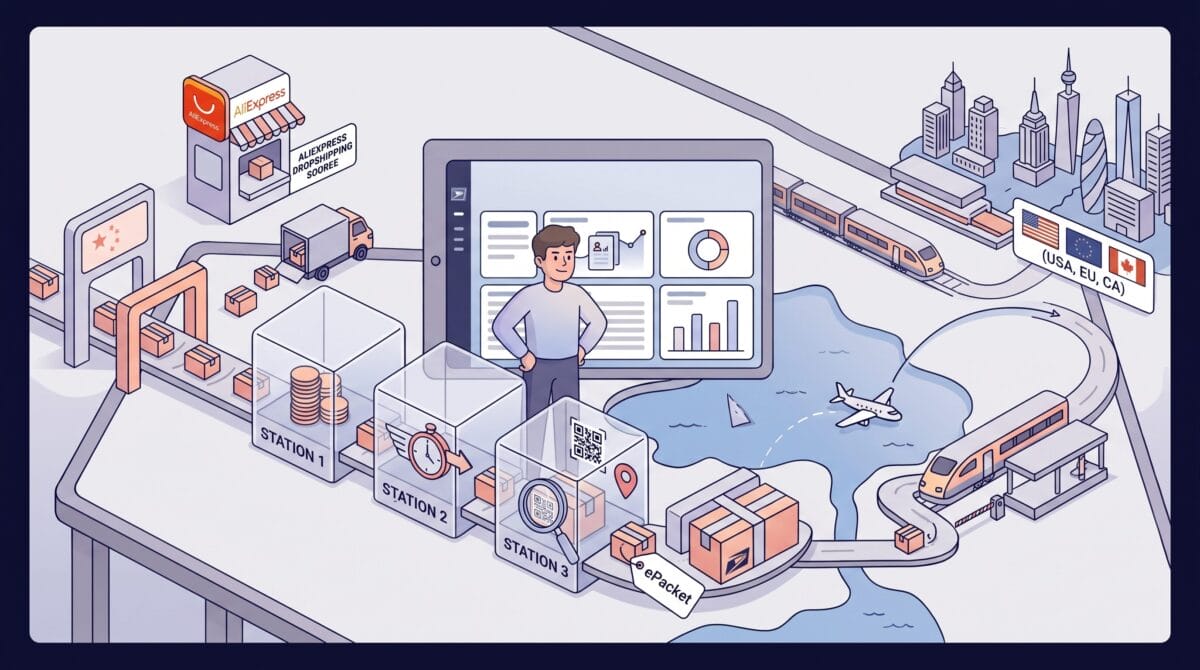
ePacket started as a shipping service built to make one thing easier: sending small, lightweight ecommerce packages from China and Hong Kong to customers abroad, without the sky-high cost or the total lack of visibility that used to come with it.
It became especially popular for AliExpress dropshipping, because it offered a practical middle ground between three things that matter a lot in ecommerce: shipping cost, delivery speed, and tracking visibility.
Today, ePacket is still part of the eCommerce shipping landscape, but how useful it is depends on the shipment itself. Availability, pricing, and delivery times can vary by supplier, product, route, and destination, so in 2026, it makes more sense to evaluate ePacket in that context than to treat it as a one-size-fits-all shipping method.
How Does ePacket Delivery Work?
ePacket delivery takes a package through several postal and logistics networks before it reaches the customer. While ePacket shipping refers to the physical movement of the package through the network, ePacket tracking provides visibility into that journey via scans and status updates along the way.
A typical ePacket delivery follows these stages:
- Supplier in China or Hong Kong – Prepares and dispatches the package.
- Origin postal or logistics network – Accepts and processes the shipment.
- International transport – Moves the package toward the destination country.
- Destination customs – Processes the shipment upon arrival.
- Local postal carrier – Handles last-mile delivery.
- Customer – Receives the package.
It starts with the supplier preparing the order and handing it off to the network that handles ePacket shipping at the origin. This is usually where your tracking page starts earning its keep: carrier acceptance, sorting, and departure.
From there, the package crosses borders and lands in the destination country, where it might sit in customs for a bit before getting passed over to the local postal network. Tracking picks up each of these stages as new scans roll in: arrival, customs processing, local sorting, and eventually that last-mile handoff.
Once the destination carrier takes the baton, you’re in the final stage: the package is making its actual run to your customer’s door.
🆕 Beginner’s Tip: Don’t confuse shipping time with the customer’s total wait time. Supplier processing happens before the carrier journey even starts, so set delivery expectations around the full timeline: processing + international transit + customs + last-mile delivery to your customer’s door.
How Long Does ePacket Delivery Take in 2026?
There isn’t one universal ePacket delivery time you can count on.
As a general reference point, ePacket shipments typically take 7–30 working days to reach the destination country. But that’s exactly what it sounds like: a range. Current estimates vary depending on the postal service, origin, destination, and route you’re using.
The numbers published by postal operators themselves make that pretty clear. China Postal Express & Logistics currently lists an average end-to-end delivery time of 7–15 working days for key ePacket routes. Meanwhile, Thailand Post publishes an entirely different standard: 10–15 days to Europe and 12–14 days to North America.
There’s another reason older ePacket estimates don’t tell the whole story in 2026: international ecommerce shipping rules have changed, too. In the U.S., for example, duty-free de minimis treatment for shipments from China and Hong Kong ended on May 2, 2025, introducing new handling requirements for low-value imports that previously qualified for the exemption. Practically speaking, that can involve more customs processing before a package gets released into the domestic delivery network.
Now, that doesn’t mean your ePacket shipment is automatically doomed to run late. It just means those delivery estimates you might still see floating around aren’t a definitive benchmark.
Factors That Define ePacket Delivery Times
So instead of anchoring to one advertised number, look at the whole picture. Here’s what to actually consider:
- Origin and destination: Some routes (like China to the U.S. or UK) involve more transportation stages or postal handoffs than others, and that adds up.
- Supplier processing: The package can sit around being prepped well before the postal carrier ever touches it.
- Current shipping route: Flight availability, routing changes, logistics disruptions; all of it can shift transit time.
- Customs: Clearance speed varies by destination, by shipment, and by whatever import requirements happen to be in effect right now.
- Postal handoffs: The handover from origin network to destination carrier can eat time, and it’s often exactly where tracking goes quiet.
- Seasonal congestion: Holidays and peak shopping periods (think Chinese New Year, Black Friday, and the holiday season) put real strain on postal and transportation networks. Plan around that, not despite it.
📢 Marketing Tip: Don’t advertise the fastest delivery you’ve ever seen as your standard delivery promise. Use the actual shipping window for your specific supplier, route, and destination whenever you can get it. Then pad that with room for processing time and the occasional customs or last-mile hiccup.
ePacket Shipping Requirements
ePacket was built with one type of shipment in mind: small and lightweight. So, no, not everything you’re selling will qualify. And here’s the catch: there’s no single universal checklist that applies across every route in 2026. What flies on one service might get bounced on another.
Here’s what I’d actually check before assuming a product is eligible:
- Weight: A 2 kg (4.4 lb) cap is still the common ceiling for ePacket shipments, though specific postal programs or destinations can set their own allowances.
- Dimensions: The standard you’ll see most often caps packages at 60 cm (about 24 in) on the longest side, with 90 cm (about 36 in) as the combined length-plus-width-plus-height limit. Minimums exist, too, and rolled packages come with their own set of rules.
- Declared value: Value limits and customs requirements shift depending on the postal program and destination, so don’t assume some universal dollar figure you saw once still holds for your shipment.
- Product type: Meeting every size and weight limit won’t save you here. International postal and customs restrictions still apply on top of that, so dangerous goods, prohibited products, and anything the destination country restricts can get disqualified regardless.
- Origin and destination: Eligibility is also about the route. The postal service has to actually support ePacket on that specific origin-to-destination pairing, or none of the other requirements even matter.
So what’s the safest move? Go check the current requirements straight from the postal or shipping service actually handling your specific route. And do this before you promise ePacket to a customer, not after. All of it can shift from one service or country to the next.
Which Countries Support ePacket?
Historically, ePacket has covered shipments across dozens of international markets. The USPS ePacket country list currently names 53 destinations, including:
- Aruba
- Australia
- Belgium
- Brazil
- Canada
- Croatia
- Curacao
- Cyprus
- Denmark
- El Salvador
- Estonia
- Finland
- France (includes Corsica and Monaco)
- Georgia
- Germany
- Gibraltar
- Greece
- Hong Kong
- Hungary
- Iceland
- India
- Indonesia
- Ireland
- Israel
- Italy
- Japan
- Jordan
- Latvia
- Lebanon
- Lithuania
- Luxembourg
- Malaysia
- Malta
- Martinique
- Montenegro
- Netherlands
- Nicaragua
- New Zealand
- Poland
- Portugal
- Qatar
- Romania
- Singapore
- Slovak Republic
- South Korea
- Spain
- Sweden
- Switzerland
- Thailand
- Trinidad and Tobago
- Turkey
- United Kingdom of Great Britain and Northern Ireland
- Vietnam
That said, coverage varies depending on the postal service, origin, destination, supplier, and whatever shipping route is available right now.
So, if you’re sourcing from China or Hong Kong, here’s the approach I’d actually trust: check whether ePacket is genuinely available for your exact origin-destination combination before you ever promise it to a customer. Look at the shipping options your supplier or marketplace is showing you for that specific order, and, when you can, confirm your current eligibility directly with whoever’s handling the shipment on the postal or logistics side.
Bottom line? Treat ePacket availability as route-specific, not country-specific. Spotting a destination on some list online doesn’t mean your particular supplier can actually offer it for the exact product you’re selling. Those are two different questions, and mixing them up is how customer promises turn into problems.
How to Track an ePacket

Here’s the theory behind ePacket tracking: it’s designed to follow your shipment throughout its journey, with tracking info handed off from the postal network at origin to the local carrier at the destination.
Here’s how the process typically unfolds:
- The shipment gets its ePacket label and is scanned in once the postal service in China or Hong Kong accepts it.
- It moves through export processing and customs before it ever leaves the origin country.
- Once it lands at its destination, the local postal operator scans it in, handles its own round of customs and processing, and feeds it into the domestic delivery network.
- The local postal service takes care of that last stretch and logs the final delivery status.
Simple enough, right? And honestly, it is, most of the time.
Where things get murky is that your package might pass through multiple postal networks on its way to your customer, and tracking updates don’t always appear in the same place. So knowing where to check your number ends up mattering just as much as having the number itself.
Let me walk you through it, step by step.
1. Find your tracking number
First things first: find the tracking number assigned to your shipment. You’ll usually see it in your shipping confirmation email, on the marketplace order page, or in your supplier dashboard once the order’s been processed and shipped.
A typical ePacket tracking number runs 13 characters: two letters up front, nine digits in the middle, and a two-letter country code at the end. Something like LX123456789CN, where the CN indicates the shipment originated in China (the first L marks it as a tracked letter-post item).
🆕 Beginner’s Tip: Don’t worry if the second letter differs from examples you see online, as it can vary by postal service. Focus on whether the tracking number follows the overall format.
If you’re the one selling, do yourself a favor and keep this number somewhere easy to grab. It’s what both you and your customer will use to follow the package and check for delays.
2. Track with the postal carrier
Next, punch that number into the postal carrier’s tracking page. Now, here’s where it gets a little less intuitive: because ePacket shipments cross borders, the carrier showing you updates can actually change depending on where the package currently is in its journey.
Say your shipment originates in China. At first, you’ll likely see movement through China Post. But once it lands in the destination country and enters the local postal network, updates can shift over to that country’s postal operator instead. The United States Postal Service (USPS), for eligible U.S.-bound packages, for example.
3. Use a multi-carrier tracker
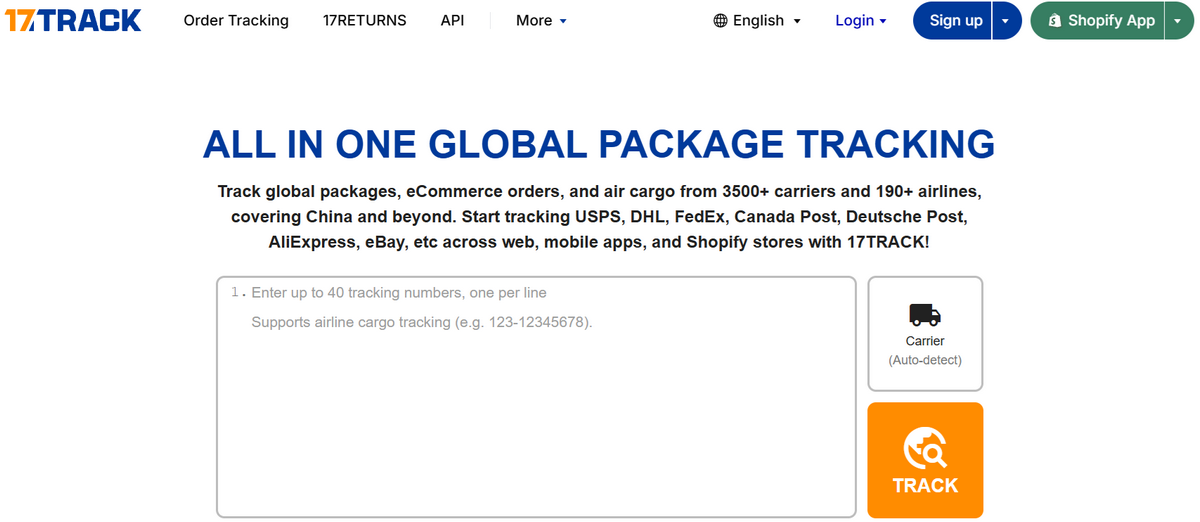
Not in the mood to play detective and figure out which carrier currently has your package? Fair enough. A multi-carrier tracking service (like 17Track or AfterShip) can save you that headache.
These platforms pull tracking data from multiple postal and logistics networks into one place, so you’re not bouncing between five tabs to follow a single shipment. They’re a real time-saver if you’re juggling several orders at once.
4. Check the last-mile carrier
Once your ePacket enters its destination country, shift your attention to the local carrier handling the final stretch.
And don’t panic: a tracking page that suddenly goes silent doesn’t automatically mean your package is lost. International shipments hit gaps while switching between postal networks. That’s normal, not a red flag.
So always check the destination country’s postal carrier. More often than not, that’s where you’ll find the newer updates: local processing, an attempted delivery, or confirmation that it’s already landed.
What Does Your ePacket Tracking Status Mean?
So, you’ve found your package and pulled up the tracking page, but what exactly does “departed sorting center” or “customs processing” mean for your delivery?
Tracking terminology isn’t standardized across postal services. But strip away the branding, and most ePacket updates are describing the same handful of stages every shipment passes through.
Use the following table as your cheat sheet: a way to roughly figure out where your package is and whether it’s actually on you to do something about it.
| Tracking Status | What It Usually Means | What to Do |
|---|---|---|
| Information received | The shipping label or electronic data has been created, but the carrier may not have the package yet. | Wait for carrier acceptance. |
| Accepted / collection | The postal carrier has received the package. | No action needed. |
| Dispatching / In Transit | The package is moving through the origin postal network. | Keep monitoring. |
| Handed to airline / departure | The package is leaving (or preparing to leave) the origin country. | Expect fewer scans temporarily. |
| Arrived at destination country | The shipment has reached the destination postal network. | Start checking the local carrier. |
| Customs processing / Opening | The package is being processed or reviewed by customs. | Wait unless the carrier or customs contacts you. |
| Out for delivery | The package is with the carrier handling final delivery. | Expect delivery soon. |
| Delivered | A final delivery scan has been recorded. | Confirm that the package was received. |
| Returned to sender | The package is being sent back rather than continuing to its destination. | Contact the supplier to find out why. |
🆕 Beginner’s Tip: Can’t find an exact match for your tracking status in this table? Check the official website of the postal service handling your package. Each carrier may use slightly different terms, so their own tracking guidance is always your best reference.
Why Is My ePacket Tracking Not Updating?
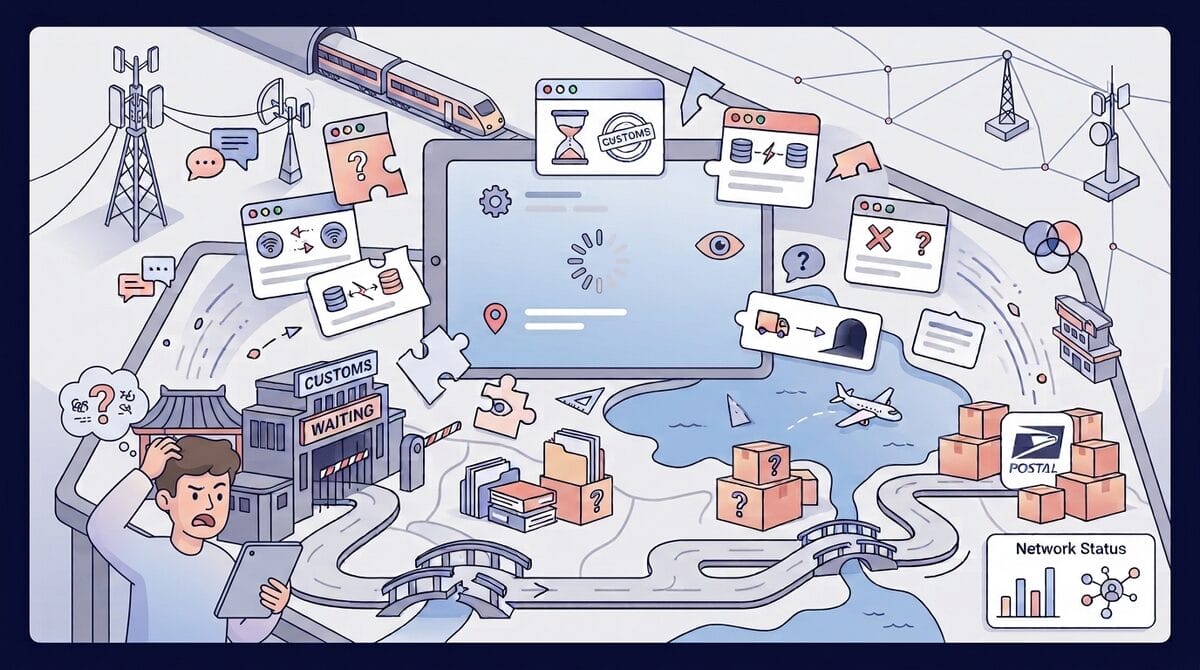
Watching the same status sit there for three, four, five days straight? Yeah, that’s frustrating. But here’s the thing: no new update doesn’t automatically mean your package stopped moving. International shipments go quiet for stretches all the time, especially while they’re bouncing between postal networks or crossing borders.
Let’s go through the usual suspects behind a stalled tracking page:
- The label exists, but the package hasn’t actually been handed over yet. A tracking number can be generated before the supplier physically hands the shipment to the postal carrier. So technically, there’s a number, but there’s no movement to report yet.
- It’s in transit between facilities. Not every leg of the trip triggers a new scan. Sometimes the package is very much moving. It’s just not being logged.
- It’s caught between international postal networks. Updates can pause right around the handoff, when the shipment leaves the origin network and is transferred into the destination country’s system.
- It’s sitting in customs. Clearance takes time, and that time often shows up as a gap in your tracking history rather than an update.
- The tracking data just hasn’t synced yet. A scan may have already happened on the carrier’s end; it just hasn’t filtered through to the platform you’re checking.
- A local carrier has taken the wheel. Once your package reaches its destination country, the latest updates might appear on the last-mile carrier’s site instead of the original one.
- The shipment is genuinely delayed. Transportation hiccups, customs bottlenecks, general logistics chaos: sometimes the package really is running behind schedule.
- The tracking number itself is off. Worth double-checking the number your seller or supplier gave you, especially if you’re seeing nothing at all.
When should I contact the supplier?
Here’s my take: there’s no magic number of days that flips a shipment from “normal” to “delayed”. What you want to do instead is stack the package’s current progress against the delivery window you were originally promised and see what guidance the carrier or supplier has already provided.
If you’ve blown past that window, the tracking number’s still coming up invalid, or the carrier’s flagging a problem you genuinely can’t fix on your end, that’s your cue to contact the supplier. They’re the ones who can confirm shipment details, dig into what’s actually going on, and tell you what your real options are from here.
💡 Pro Tip: Don’t wait for a customer to message you asking about their order. Keep an eye on delayed shipments yourself, and reach out proactively the moment something drifts outside its promised delivery window. It costs you two minutes and saves you a much messier conversation later.
Is ePacket Still Good for Dropshipping in 2026?
Short answer: yes, ePacket can still earn its place in your shipping stack in 2026. Longer answer, and the one that actually matters: it shouldn’t be your automatic go-to anymore.
Dropshipping logistics have evolved, and suppliers now hand you plenty of alternative shipping lines that might beat it on speed, cost, or just fit your specific market better.
So, its real value now comes down to the product you’re shipping, the route you’ve got available, your source, and how it stacks up against whatever else is on the table for that specific order.
Pros of ePacket for dropshipping
Let’s start with what still works in its favor:
- Tracking comes baked in: You and your customer can both follow eligible shipments through most of the journey.
- It can still be affordable for lightweight products: Get the right supplier-destination combo, and ePacket can still land you a solid balance between cost and speed.
- It runs on established postal networks: International and destination-country postal services handle their piece of the journey, last-mile delivery included.
- Plenty of suppliers and routes still offer it: And when it’s available and priced competitively, there’s genuinely no reason to write it off just because something newer exists.
Cons of ePacket for dropshipping
Now, here’s where I want to be straight with you: the stuff that made ePacket the obvious pick years ago doesn’t hit the same way anymore.
- Availability isn’t guaranteed by route: Just because a destination supported ePacket historically doesn’t mean it still does for your specific shipment.
- It’s not necessarily your fastest option: Today, other shipping lines can beat it on delivery estimates for the exact same route.
- The price edge isn’t a given anymore: What used to be the budget champion now competes against plenty of other economical services.
- Postal handoffs still mess with tracking: Bouncing between international networks can leave gaps in your updates or tack on extra time.
- Something better might exist for your exact order: At the end of the day, the best shipping method is whatever your supplier actually offers for that product and that destination.
So, is it still worth using? Sometimes, absolutely. But my honest take for 2026: treat ePacket as one option to evaluate on your list, not the one you hunt for by default.
ePacket vs Other Shipping Methods
Today, ePacket isn’t your only ticket to shipping internationally. In 2026, the right shipping method depends more on your specific product, supplier, destination, and customer expectations than on any one “best” service.
Let’s put ePacket side by side with the other options you’ll bump into as a dropshipper:
| Shipping Method | Tracking | Typical Use | Main Advantage | Main Drawback |
|---|---|---|---|---|
| ePacket | Yes | Lightweight China/HK parcels | Affordable tracked postal shipping | No longer universally the fastest or cheapest |
| AliExpress Standard Shipping | Yes on many routes | AliExpress orders | Integrated marketplace logistics | Delivery times vary |
| Cainiao | Depends on service | Alibaba/AliExpress ecosystem | Multiple cost and speed tiers | Tracking and service levels vary |
| YunExpress | Yes | Cross-border ecommerce | Dedicated ecommerce logistics | Availability depends on supplier and route |
| Private shipping lines | Usually | Scaling products | Potentially faster, more predictable routes | Can cost more |
| Local warehouse fulfillment | Yes | Proven or scaled products | Faster customer delivery | Requires local inventory availability |
| DHL/FedEx/UPS Express | Yes | High-value or urgent products | Fast international delivery | Higher shipping cost |
The main takeaway? There’s no longer one method that clearly wins across the board. A cheap postal option can be exactly right for a lightweight, low-margin product, while paying more for a private line makes total sense the moment delivery speed becomes your priority. And once a product is selling consistently, local warehouse fulfillment can reduce the international journey altogether.
So don’t run this comparison at the “which service is best” level. Run it at the product-and-route level instead. Browsing AliExpress shipping methods? Look at what’s actually available for your product and destination, then weigh their delivery estimates, tracking, cost, and reliability before making the call.
How Dropshippers Should Manage Shipping & Tracking
The method you pick barely matters if you’re not handling it well afterward. Good shipping management means choosing the right option for each order, setting accurate expectations, and tracking what happens after the package leaves your supplier.
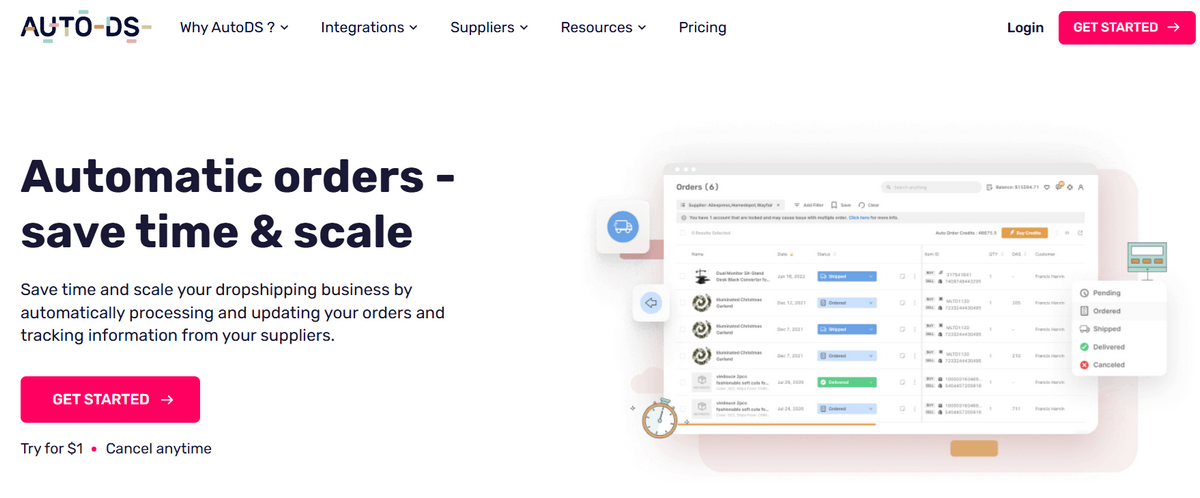
And as your order volume grows, doing all of that manually gets old fast. That’s where a dropshipping automation platform like AutoDS can help you centralize your supplier, fulfillment, and tracking workflows, rather than managing every step across separate supplier websites.
Here are some practices to build into your shipping workflow (and where AutoDS can lend a hand):
Choose shipping per product & destination
Don’t default to one shipping method across your entire catalog. That habit comes back to bite you eventually. Compare what’s genuinely on the table for each product, supplier, and destination, and weigh delivery time, cost, tracking, and reliability against each other every time.
I lean on AutoDS for this myself: when I’m setting up a supplier, I can select its warehouse region and destination settings directly, so I know from the start whether that source can actually reach the market I’m selling to.
Always prefer reliable tracking
Given the choice, go with whichever method gives you consistent tracking from dispatch all the way through delivery. It’s what lets your customer see what’s happening, and it’s what lets you spot trouble before it lands in your inbox as a support ticket.
Depending on your fulfillment method, AutoDS can automatically pull tracking info as it becomes available, update the order, and sync that information to your selling channel. You can then keep tabs on it from your Orders Page instead of chasing updates across supplier dashboards.
Monitor delayed orders
Never let a “Where is my order?” message be your first sign that something’s off. Track shipments that stall out or push past their expected window, so you catch problems early instead of scrambling once a customer’s already frustrated.
This is one of those things automation genuinely earns its keep on. Your Orders Page becomes one spot to monitor statuses, filter shipments, and check tracking, with supported fulfillment methods checking for new updates automatically in the background.
Keep customers updated
Notice a delay? Speak up. Pass along tracking info as soon as it’s available, and flag it when an order’s running behind schedule.
A delay is much easier to manage when the customer already knows what’s going on. It becomes a real headache once they’re the ones hunting you down for answers.
Test suppliers before scaling
Once you know how to find dropshipping suppliers that fit your product and target market, put your shortlist to the test before sending any serious order volume their way.
Place a handful of test orders to your actual target market whenever that’s realistic. Watch processing time, tracking quality, packaging quality, real delivery time, and (this is the piece that matters most) whether the experience you actually get matches what the supplier promised.
Consider local warehouses for winning products
Once an item’s proven itself with consistent sales, it’s worth exploring whether you can source or fulfill it closer to your customers. Local or regional warehouses can shorten that international leg of the journey and make delivery a lot more predictable. Exactly what you want once you’re scaling something that’s actually working.
AutoDS supports suppliers and fulfillment options across multiple warehouse regions, making it a lot easier to hunt for sourcing options closer to your customers when they exist. And you’re not stuck shipping a winning product from the same origin forever just because that’s where you started.
💡 Pro Tip: Want to improve your shipping strategy beyond these basics? Check out this guide on how to speed up international shipping times for dropshipping for practical ways to reduce delays and build a more reliable fulfillment process.
Frequently Asked Questions
How do I track an ePacket?
To track an ePacket, enter the tracking number provided by your supplier on the postal carrier’s tracking page or a multi-carrier tracking service. Once the package reaches its destination country, the local postal carrier may provide the most recent updates.
What does an ePacket tracking number look like?
An ePacket tracking number typically has 13 characters: two letters, nine digits, and a two-letter country code, such as LX987654321CN. The exact format may vary depending on the postal service and shipment.
Why is my ePacket tracking not updating?
Your ePacket tracking may not be updating because the package is moving between facilities, clearing customs, or being transferred between postal networks. Temporary tracking gaps are common. But if the expected delivery window has passed, contact the carrier or your supplier.
How long does ePacket delivery take?
ePacket delivery can typically take from 7 to 30 working days, though there’s no universal timeframe. Delivery speed depends on the origin, destination, supplier processing, customs clearance, postal handoffs, and current carrier conditions.
Who delivers ePacket packages?
ePacket packages are typically delivered through multiple postal networks. The origin carrier handles the international shipment before transferring it to a local postal service for processing and final delivery in the destination country.
Does USPS deliver ePacket?
Yes, USPS can handle the U.S. portion and final delivery of eligible ePacket shipments on supported routes. However, availability and handling vary by service and route, so not every international shipment to the U.S. follows the same process.
Is ePacket still available in 2026?
Yes, ePacket is still available in 2026, but availability depends on the supplier, origin, destination, and shipping route. Always check the shipping methods currently offered for the specific product and destination.
Is ePacket shipping still good for dropshipping?
ePacket can still be a good shipping option for dropshipping, but it’s no longer the default choice it once was. The best approach is to compare its current cost, delivery estimate, tracking, and supplier reliability with other available shipping methods before choosing it.
Is ePacket faster than AliExpress Standard Shipping?
Not necessarily. Delivery times for both vary by route and supplier, and neither one wins across the board. Compare the actual estimates for your specific order rather than assuming either one is faster by default.
What should I use instead of ePacket?
It depends on what you’re optimizing for. AliExpress Standard Shipping or YunExpress can be solid alternatives for cross-border ecommerce, private shipping lines work well once a product’s scaling is achieved, and local warehouse fulfillment is worth exploring for anything that’s already selling consistently.
Does ePacket include tracking?
Yes, ePacket typically includes tracking throughout multiple stages of the international shipping process. However, temporary gaps can occur during customs clearance or when the package is transferred between postal networks.
Can ePacket packages go through customs?
Yes, ePacket packages can go through customs because they are international shipments. Depending on the destination and shipment contents, customs clearance may involve inspections, documentation requirements, import duties, or taxes.
Make Dropshipping Shipping Easier With AutoDS
ePacket may not be the automatic choice it once was, but it can still earn its place when the route, price, delivery window, and tracking make sense for your order. The real takeaway is simpler: know what you’re shipping with, set expectations around the actual route, and keep an eye on the package once it starts moving.
And that’s the part you shouldn’t have to babysit order by order. With AutoDS, supported automated orders can update to Shipped once tracking becomes available, add the tracking number automatically, and notify you when that information comes in. You make the shipping call; AutoDS helps you stay on top of what happens next.
📦 Your packages are already moving; your workflow should too. Try AutoDS for just $1 and make the day-to-day side of shipping and tracking easier to manage.
Looking to go deeper? These articles are a great next step:
- What Is ePacket Shipping?
- How Does ePacket Delivery Work?
- How Long Does ePacket Delivery Take In 2026?
- ePacket Shipping Requirements
- Which Countries Support ePacket?
- How To Track An ePacket
- ePacket Tracking Status Meaning
- Why Is My ePacket Tracking Not Updating?
- Is ePacket Still Good For Dropshipping?
- ePacket VS Other Shipping Methods
- How To Manage Shipping & Tracking
- FAQ
- Conclusion







