



A prebuilt Shopify store is a ready-made store with its theme, pages, and products already set up, so you can launch by customizing it instead of building from scratch.
You can get one from an AI builder, a done-for-you seller, or by buying an existing store, but the work of checking products, shipping, and policies is still yours.
Here’s the process, step by step:
- Choose a route: AI-generated store, done-for-you build, or an existing store.
- Build or buy: Create the store with a builder, or buy it from a seller or marketplace.
- Verify the products: Check demand, supplier stock, delivery times, and margins before you keep any item.
- Set up shipping and policies: Add shipping rules, return policies, and legal pages that match your suppliers’ actual terms.
- Place a test order: Confirm that checkout, supplier ordering, and tracking work end-to-end.
- Launch: Publish the store, then run one small controlled test before spending on ads.
You can build a Shopify store quickly and efficiently with both AutoDS and BuildYourStore, platforms we’ll evaluate using the same criteria as the others.
A prebuilt Shopify store is a ready-made store with a theme, pages, and often products, but you still verify the products, shipping, and policies yourself.
There are three routes: an AI-generated store, a done-for-you build, or an existing store, each differing in cost, launch time, and risk.
Check before you pay: get a written list of what transfers, verify the seller and the products, add up your first-year cost, and confirm the handover terms.
AutoDS builds a Shopify store around your niche with 10 trending products and handles product import, price and stock monitoring, and order fulfillment.
What Is A Prebuilt Shopify Store?
A prebuilt Shopify store is a ready-made online store with the main building blocks in place, so you can start by customizing it rather than building it from scratch. Depending on the route you choose, it usually includes:
- A theme with a designed layout
- Core pages such as home, product, about, and policy pages
- Preloaded products with titles, images, and descriptions
- Apps for functions such as reviews or upsells
- Supplier connections that link the products to the sellers who ship them.
It saves setup time, but it doesn’t replace the decisions that determine results: which products you sell, who you source them from, and how you market the store. Shopify, the platform behind these stores, reports that over 875 million shoppers bought from a Shopify brand in 2024.
3 Ways To Get A Prebuilt Shopify Store
AI-Generated Store
An AI store builder creates the starting version of your store: a theme, store pages, and, with some tools, a starter set of products for your niche. It doesn’t decide whether those products will sell, set your shipping and return terms, or bring in customers, so those parts stay yours.
With AutoDS, the process takes a few simple steps. For a full comparison and a beginner walkthrough, see our guide to the best AI store builders.
🆕 Beginner’s Tip: Treat the generated store as a first draft. Read every product page before you publish, since AI-written copy can include details the product doesn’t have.
Done-For-You Or Turnkey Build
In this route, a seller or agency builds a store for you and hands over the access. Turnkey stores are often sold more than once, so the same products and design may already be live elsewhere. Ask whether the store is exclusive, get it in writing, and confirm what’s included, such as the theme license, domain, and supplier connections.
An Existing Store
An existing store is an operating business, usually bought on a marketplace, with some history. It costs more than the other routes, but it can include traffic, customer, and sales data. That history is what you’re paying for, so verify it before you buy: ask for sales and profit records, and check traffic numbers against the store’s own analytics.
Best Prebuilt Store Providers
Provider Route Pricing model Published delivery Status
AutoDS AI Store Builder AI builder AutoDS plan (trial available) plus a Shopify plan Minutes Available
Adsellr Done-for-you Fixed package prices 5 to 7 business days Available; its product copy still references 2024
BuildYourStore AI builder Free to generate, Shopify plan required; $97 one-time Pro store Minutes Available
Ecomency Done-for-you Store-specific prices 24 hours Available
Dropbuild Done-for-you Package prices by build type 7 to 10 days Available
Empire Flippers Existing-store marketplace Profit-multiple valuation Deal-dependent Available
Acquire.com Existing-store marketplace Seller-set price Deal-dependent Available
Quiet Light Existing-store broker Broker valuation Deal-dependent Available
AI Builders
1. AutoDS AI Store Builder
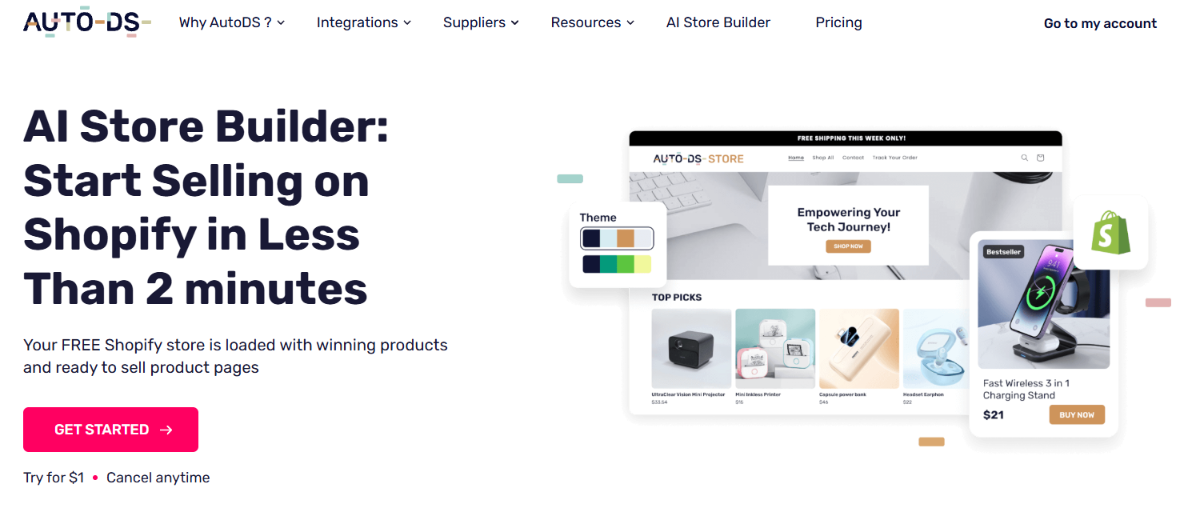
Pick a niche and two homepage banners, and AutoDS builds a Shopify store with a theme, 10 trending products (titles, descriptions, images, and pricing included), and a free .store domain for the first year. It’s a natural fit for dropshippers who want their products and automation connected from the start.
Keep in mind that the starter products still need to be validated, and that you’ll need both an AutoDS plan and a Shopify plan.
Pricing: A 3-day AutoDS trial for $1, then plans on Shopify from $26.90 per month on monthly billing. You also need a Shopify plan, which starts with 3 days free and $1 per month for 3 months, then Basic at $39 per month ($29 billed annually).
Delivery time: Customizing the store takes under a minute.
Key features of AutoDS AI Store Builder:
- You choose your niche and two homepage banners
- The AI builds the theme and store pages
- 10 trending products with titles, descriptions, images, and pricing
- A free .store domain for the first year, then $5.50 per month
- Connection to AutoDS for importing, price and stock monitoring, and order fulfillment
2. BuildYourStore
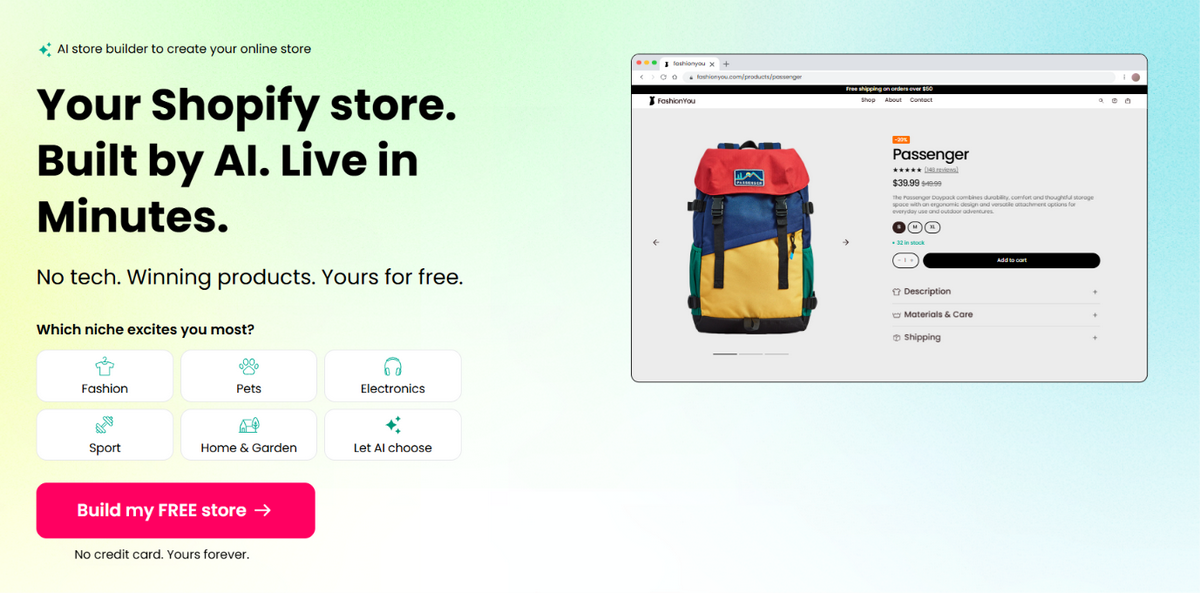
This is a free way to test a niche: the AI generates a Shopify store with 10 preloaded products and a free .store domain, and a $97 Pro option builds a one-product store instead. Sellers who want to explore before committing to any tools will find it a low-pressure start.
Pricing: Free to generate. You need a Shopify plan to go live, and AutoDS if you want to automate fulfillment.
Delivery time: Published in under two minutes.
Key features of BuildYourStore:
- A complete AI-built store with a premium theme
- 10 preloaded starter products
- Optimized product pages
- A free .store domain for a year
- A paid Pro option that builds a one-product store
3. Shopify’s AI Store Builder
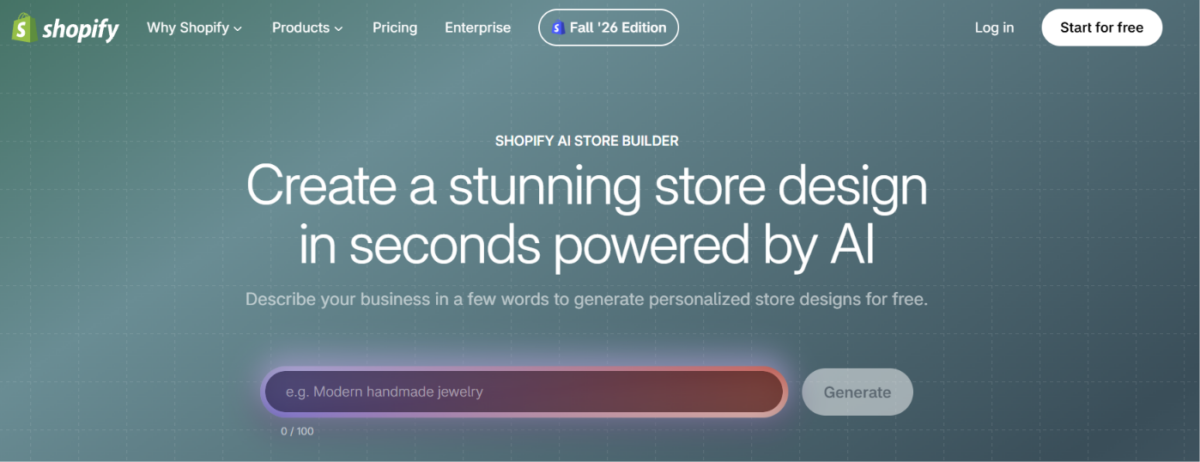
Shopify’s own AI Store Builder is built into the Online Store page, so there’s nothing to install. You describe your business in a few words, and it generates personalized store designs. It focuses on the look of your store, so it doesn’t add products or connect suppliers; you’d choose those separately.
Pricing: Free to use with a Shopify plan. Shopify’s current offer is 3 days free and $1 per month for 3 months, then Basic at $39 per month ($29 billed annually).
Delivery time: Shopify says you can launch a simple site “in seconds” from a description of your business.
Key features of Shopify’s AI Store Builder:
- Store designs generated from a short business description
- Several template options to choose from
- Built into Shopify, with no app to install
- Editable in the theme editor (sections, menus, and navigation)
- Sidekick and Magic help with product descriptions and image edits
4. Storebuild.ai
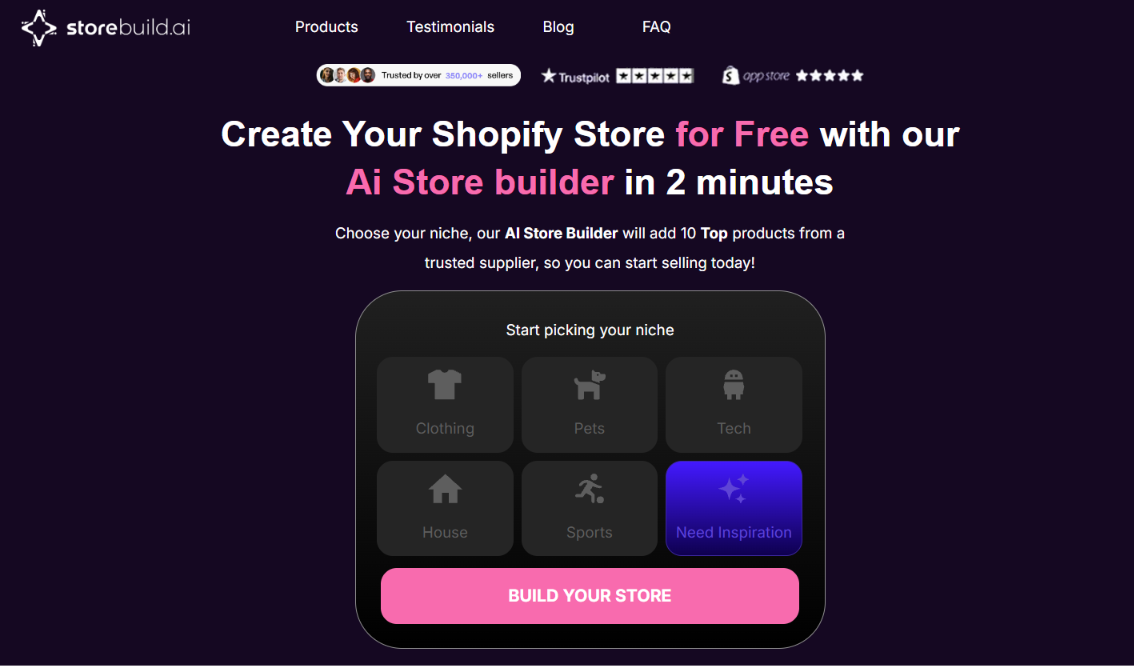
Storebuild.ai is a free AI builder aimed at dropshippers. You pick a niche, and it generates a Shopify store with 10 AI-chosen products from a supplier, reportedly linked to Zendrop’s fulfillment network. It tends to be a more basic starting point, with simple theme customization, so expect to do some branding work afterward.
Pricing: Free to use. You need a Shopify plan to go live, and its site mentions a 3-day trial plus a first month for $1, so compare that with Shopify’s current offer.
Delivery time: Its website says 2 to 5 minutes.
Key features of StoreBuild.ai:
- Store generation based on your niche
- 10 AI-chosen products from a supplier
- A Shopify theme, product pages, and copy
- Initial setup support and basic troubleshooting
- No free store domain included
Done-For-You Sellers
1. Adsellr
Buyers who want a bigger catalog in a single order can choose from one-product, 25-product, and 100-product packages, with launch material such as ad creative on top. Its product copy still references 2024, though, so check recent demand before keeping any item.
Pricing: About $389 for one product, $789 for 25, and $2,250 for 100. Shopify’s plan is separate.
Delivery time: 5 business days.
Key features of Adsellr:
- One-product, 25-product, and 100-product packages
- A Shopify store with products and supplier connections
- Launch materials such as ad creative
- The store is handed over to you with full ownership
2. Ecomency
If you’ve already settled on a niche, Ecomency’s catalog lets you browse ready-made stores before you buy, with delivery in about 24 hours. Because these packages can be resold, confirm that the theme, logo, and domain will be exclusive to you.
Pricing: Store-specific, starting around $270 on its product pages. An extra 30 days of support costs $29.95.
Delivery time: 24 hours.
Key features of Ecomency:
- Named niche stores you can inspect before buying (home décor, outdoor, gardening, golf, and print on demand)
- Products already loaded
- Customized with your branding and transferred with full ownership
- 7 days of free support
- A separate custom store design service
3. Dropbuild
Dropbuild builds a custom Shopify store and adds launch assets such as ad creative and a Facebook advertising strategy, which suits buyers who’d rather get both from one vendor. Treat the creative as a starting set, since it hasn’t been tested with your audience.
If you hire a freelancer on Fiverr or Upwork, you’re commissioning a custom build rather than buying a prebuilt store, so we don’t list them as providers.
Pricing: About $449 for the one-product store and $599 for the niche store. Other sources list $499 and $649.
Delivery time: About 7 days for the one-product store and 10 days for the niche store.
Key features of Dropbuild:
- A store built around one product, or a niche with 10 products
- Video ads (10 in the niche package)
- Social media posts and a store logo
- A Facebook advertising strategy
- Support after launch, if you keep an active Shopify subscription
Marketplaces For Existing Stores
Shopify Exchange, Shopify’s own marketplace for buying stores, closed in 2022, so buyers now rely on independent marketplaces.
1. Flippa

Flippa is a broad marketplace where sellers set their own prices, and the platform adds listing and buyer-protection features. Buyers who are comfortable doing their own due diligence will find plenty to choose from, but performance claims vary by seller, so compare the profit and loss against payment and Shopify reports.
Pricing: Seller-set asking prices, from a few hundred dollars to millions. Browsing is free, with an optional $49 per month Premium buyer plan. Escrow fees are paid by the buyer (Escrow.com runs about 0.89% to 6.5%, and FlippaPay runs about 0.5%).
Delivery time: Deal-dependent, with no published timeline.
Key features of Flippa:
- An open marketplace with no minimum size
- Verified financial data from Shopify, Stripe, and Google Analytics
- Automatic due diligence on listings above $50,000
- Escrow through Escrow.com or FlippaPay
- Optional paid due diligence reports
2. Empire Flippers
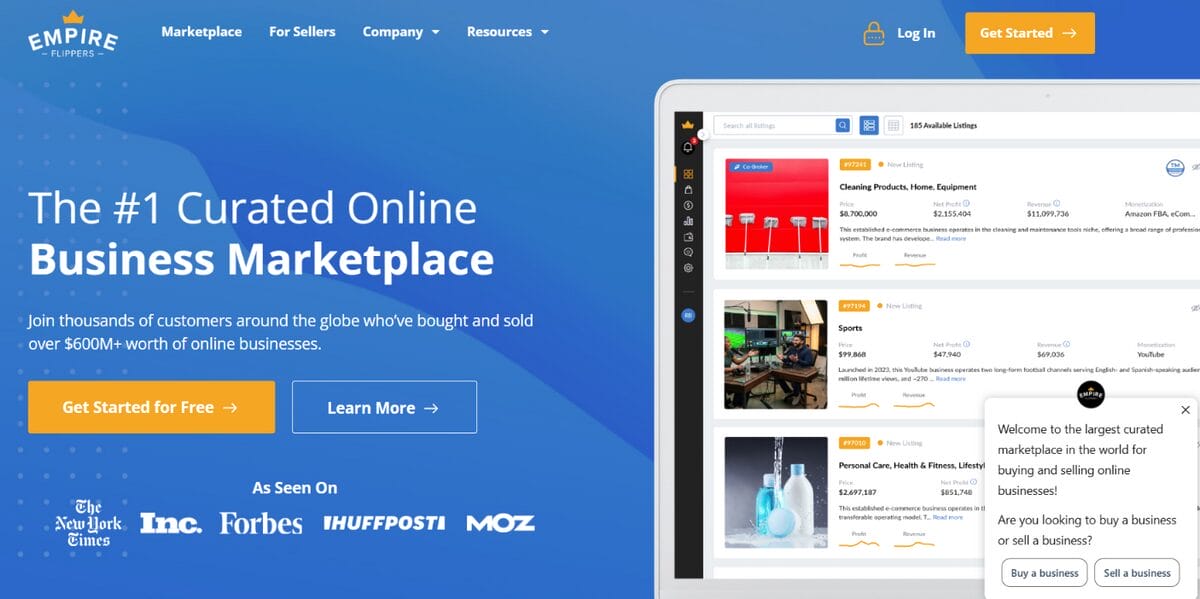
Businesses here are screened before they’re listed and valued at a multiple of their profit, which gives buyers with larger budgets documented performance to work from. The cost is the price tag and how much the business depends on its current owner.
Pricing: Valued on profit. Sellers need about $2,000 a month in net profit, so prices usually start in the tens of thousands of dollars.
Delivery time: Deal-dependent, with no published timeline.
Key features of Empire Flippers
- Listings screened before they go live
- Free escrow, held by Empire Flippers as the broker
- Free migration assistance
- No buyer fee
- A smaller selection, since most applicants are rejected
3. Acquire.com
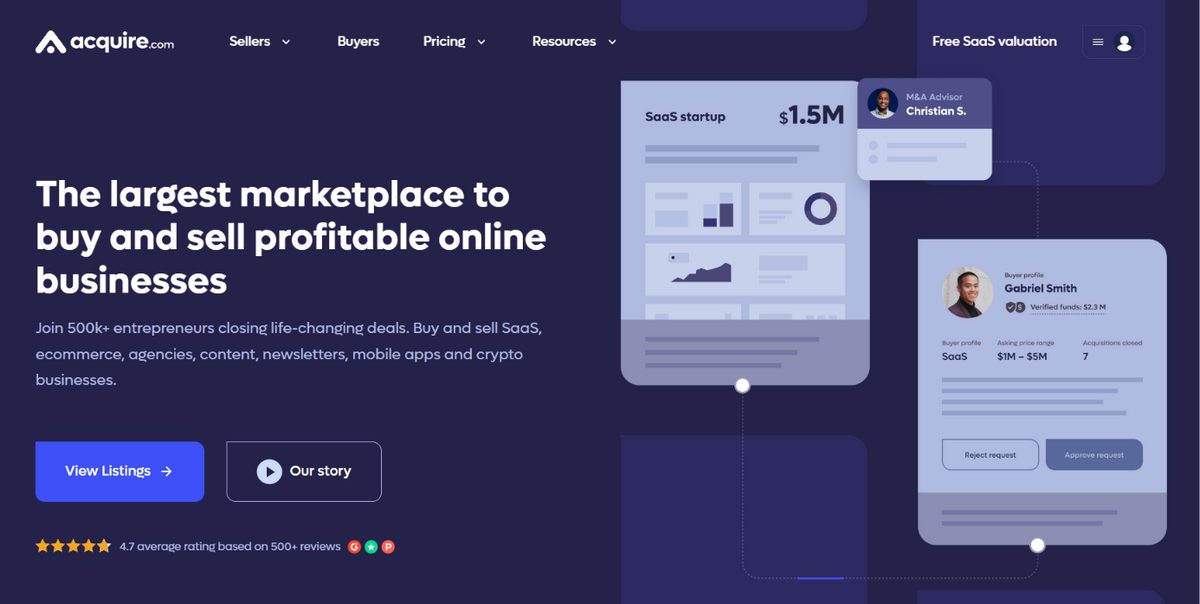
Acquire.com’s filters and business metrics make it easy to shortlist established online businesses, Shopify stores included, if you already know your acquisition criteria. Its public materials don’t explain how thoroughly Shopify verifies its data, so check the figures in the connected accounts yourself.
Pricing: Free to browse. Contacting sellers needs a buyer membership: Premium at $390 a year (listings up to $250,000) or Platinum at $780 a year (all sizes). Many listings are priced under $100,000.
Delivery time: Deal-dependent, with no published timeline.
Key features of Acquire:
- Sellers connect live Stripe and analytics data
- NDAs and offer documents built in
- Closing through Escrow.com
- Mostly software businesses, with e-commerce stores also listed
4. Quiet Light
Quiet Light pairs vetted listings with an advisor-led process, which helps first-time buyers working on a larger deal. Expect a higher budget and less low-cost inventory than on a self-serve marketplace.
Pricing: Built for larger deals. Its seller commission is 10%, falling toward 3%, with a $25,000 minimum fee, and one source puts its typical minimum around $250,000.
Delivery time: Deal-dependent, with no published timeline.
Key features of Quiet Light:
- An advisor-led process
- Vetted listings
- A focus on ecommerce, content, and Amazon FBA businesses
- No seller listing fee
Should You Buy Or Build Your First Store?
Using a prebuilt store saves setup time, while building your own gives you more control and teaches you how the platform works. The right choice depends on what matters more to you right now.
Prebuilt Store
Pros:
- Faster launch, since the design and pages are already in place
- Less design work for people who aren’t comfortable with themes or layouts
- Products and supplier connections can come preloaded
Cons:
- The design and products may be generic, or sold to other buyers
- You may not fully understand how your store is set up
- Quality varies, and you still need to verify products, shipping, and policies
Building It Yourself
Pros:
- Full control over the design, brand, and product selection
- You learn how Shopify works from the inside
- A more unique store
Cons:
- Slower to launch
- More design decisions and a steeper learning curve
What A Prebuilt Store Really Costs In Year One
The store’s price is only part of the cost. Add up everything you’ll pay in the first year:
Store price + Shopify plan + domain + apps + sample orders + marketing = first-year cost
For example, a Shopify Basic plan alone costs roughly $348 to $468 over a year, depending on whether you pay annually or monthly. A $200 store can easily cost several times that once you add a domain, apps, and a few test orders. AI-generated stores may cost less upfront, but Shopify plan and marketing costs still apply.
Choose a prebuilt store if your priority is to launch quickly and test a niche. Build your own if you want a unique brand and are willing to invest more time up front.
What To Check Before Buying A Prebuilt Store
Whatever route you choose, a short checklist before you pay can save you from most of the problems buyers run into. Work through these five steps in order:
- Get a written list of what’s included: Ask the seller to name every item that transfers to you: the Shopify store, theme license, domain, logo files, product data, supplier connections, and any ad creative. For an existing store, add analytics, ad accounts, and email lists. A vague promise like “everything included” isn’t something you can value or enforce.
- Verify the seller: Check that the offer is live on the seller’s site, that the price at checkout matches the quote you received, and that they’ve been operating for a while. Look for reviews from real buyers and examples of stores they’ve delivered before.
- Validate the products: A loaded catalog only saves you data entry, so treat each product as a candidate until you’ve checked recent demand, supplier stock, delivery time, and margin. Tools like Google Trends and the AutoDS Marketplace can help with the demand side.
- Add up your first-year cost: Use the formula from earlier in this guide: store price, Shopify plan, domain, apps, sample orders, and marketing. If the total doesn’t fit your budget, the store is too expensive for you, whatever the sticker price.
- Confirm the terms in writing: Agree on how and when the store transfers to you, how long the seller provides support, and what happens if something they promised is missing. For an operating business, ask for a live review of the Shopify, payment, and ad accounts before you release payment.
🔍 Research Tip: Order a sample of the store’s lead product and send it to the market you plan to sell in. The arrival time, packaging, and quality will tell you more than the product page.
How To Launch A Prebuilt Store With AutoDS, Step By Step
AutoDS builds your store based on the niche you select and adds 10 trending products, each with a title, description, image, and price. Here’s the full flow, from adding the store to checking your automation settings.
Register your AutoDS account first, since an account created through the Shopify App Store only works with Shopify.
Step 1: Add a Shopify Store
In the left menu of the AutoDS platform, click Add Store, select Shopify Store, and click Continue.
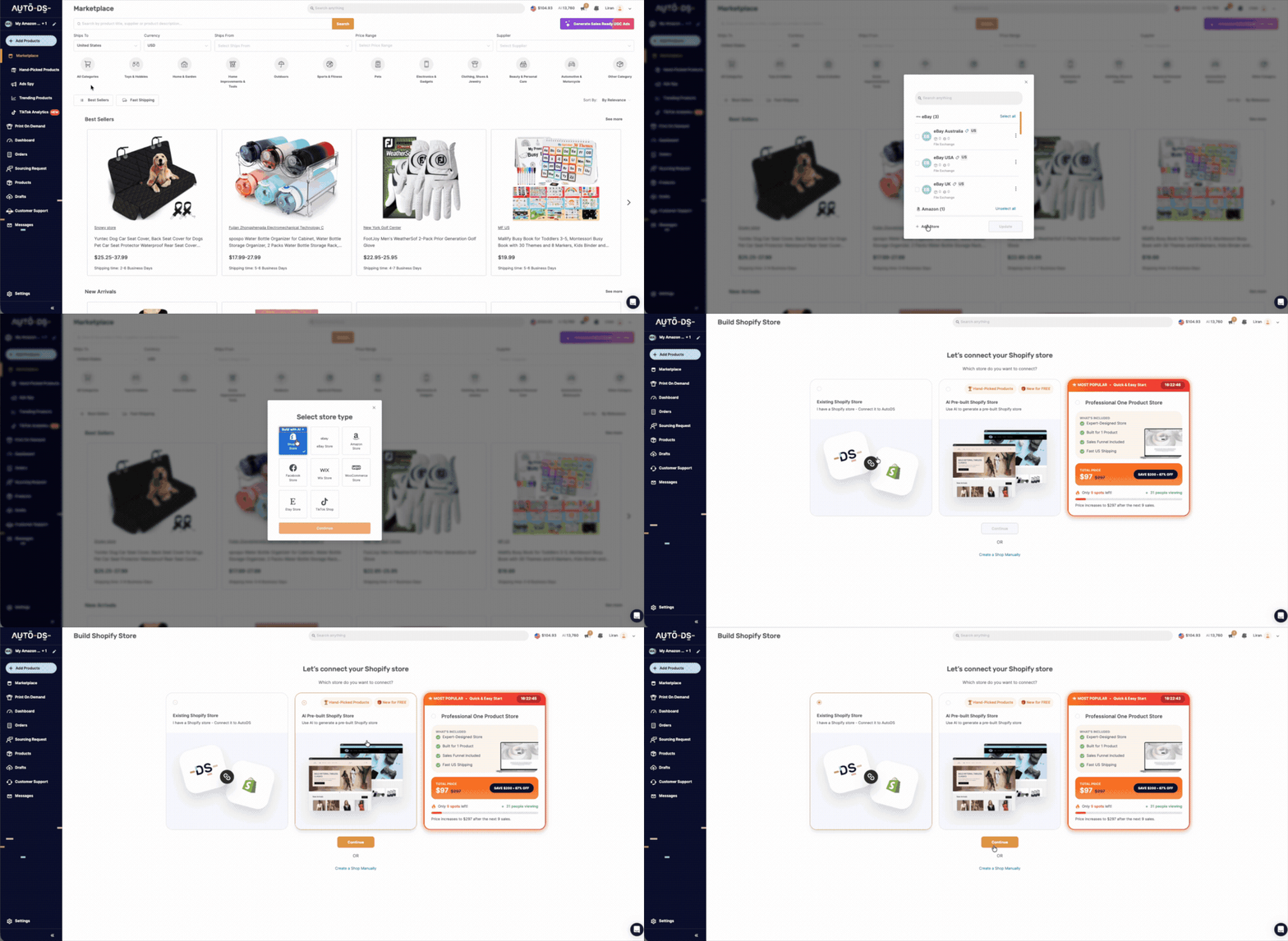
Step 2: Choose AI Pre-built Shopify Store
On the “Let’s connect your Shopify store” screen, select the AI Pre-built Shopify Store card and click Continue. This option is for creating a new store only; if you already have a Shopify store, connect it using the Existing Shopify Store option instead.
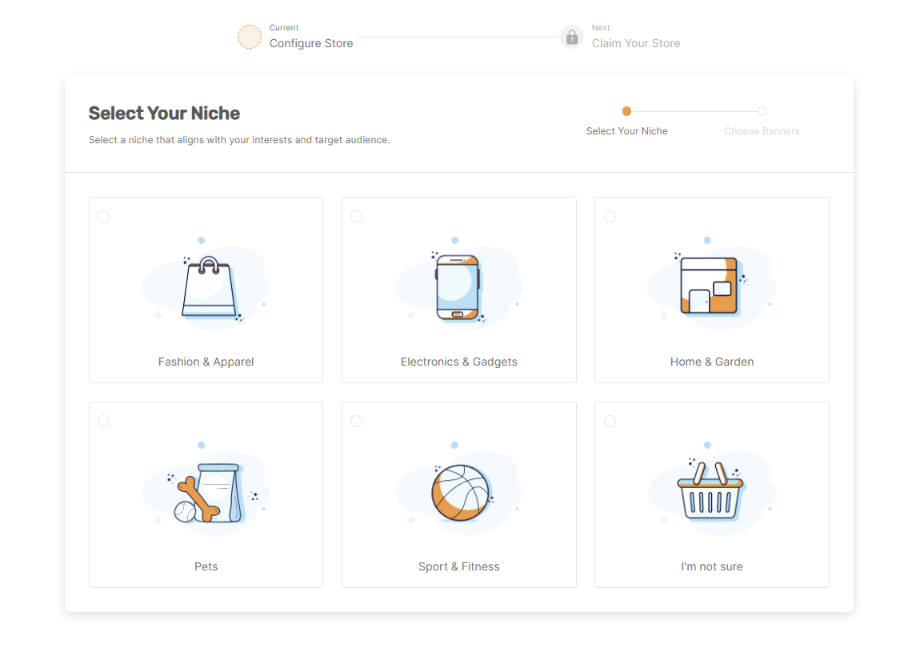
Step 3: Select Your Niche and Banners
Choose the niche that best represents your business, then pick two banners for your homepage. You can change them later in Shopify.
Step 4: Claim Your Store and Start the Shopify Trial
Click Claim My Store, which takes you to Shopify to sign in or create your account, then click Claim Store. Shopify opens its checkout, where you subscribe for $1 to start the 3-month trial (billed by Shopify, not AutoDS) and choose a plan: Basic, Grow, or Advanced. AutoDS then brings you back to the platform.
Step 5: Let the AI Customize Your Store
Click Customize My Store. AutoDS customizes your store design and loads 10 trending products for your niche in under a minute.
Step 6: Publish Your Store
Click Access Shopify, uncheck Restrict access to visitors with a password, and save. Return to AutoDS, click Continue, and then Access My Store.
🆕 Beginner’s Tip: Once the setup is finished, turn password protection back on in Shopify. That keeps your store private while you review it, until you’re ready to launch.
Step 7: Review the Store and Its Products
Open the store and read every page. Check the 10 preloaded products for demand, supplier delivery times, and margins, as covered in the checklist later in this guide. If a product doesn’t fit, delete it in AutoDS and add one from the AutoDS Marketplace.
Step 8: Check Your Automation Settings
In AutoDS, open Supplier Settings, where each tab controls part of your workflow: Lister (how products are listed), Pricing, Orders, and General. Shopify controls the store itself: your domain, shipping zones, payments, and store policies.
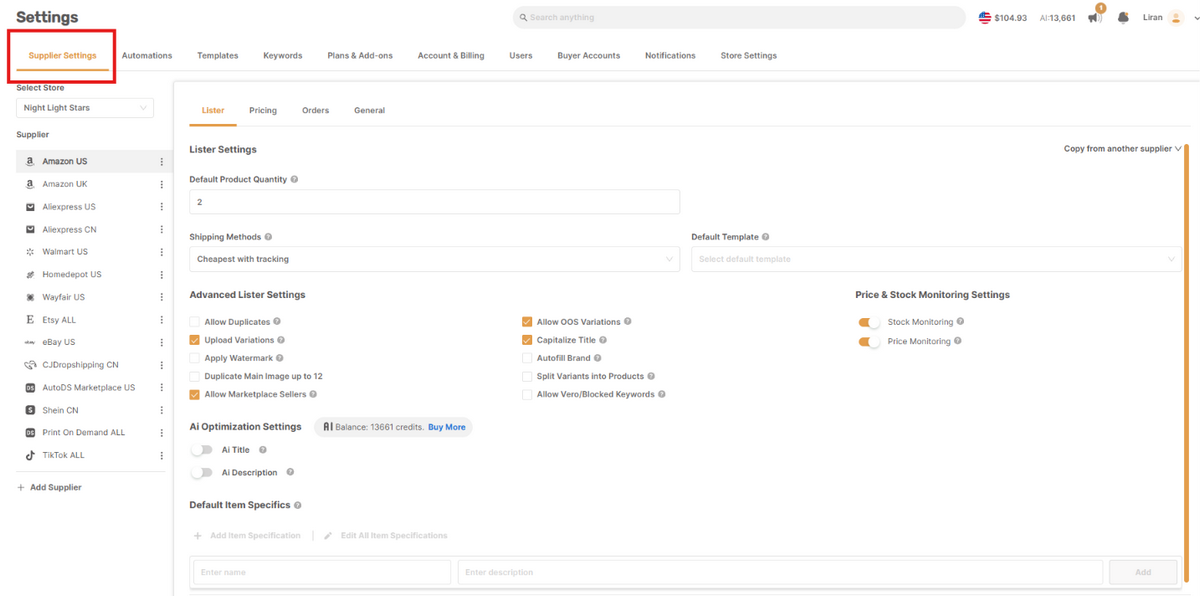
You can open your store, see 10 products with correct prices, and confirm that your pricing and order settings match how you plan to operate.
Using BuildYourStore on Its Own
BuildYourStore is a separate platform with its own account, billing, and support. Its Professional One Product Store is a one-time $97 purchase built around one product, and you can connect AutoDS afterward to source and fulfill orders. If you choose this route, follow BuildYourStore’s own setup flow.
Red Flags To Watch For
Walk away, or at least ask harder questions, if you see any of these:
- The same store is sold to many buyers: If the theme, products, and copy match stores you can find elsewhere, you’ll compete against identical sites.
- “Winning products” with no data behind them: A claim should come with evidence, such as recent sales, trend data, or ad activity.
- An operating store with no verifiable sales: Screenshots are easy to edit. A real seller will share Shopify and payment-processor reports.
- Copied images or brand assets: Logos and product photos taken from other stores can lead to takedowns or legal trouble.
- Vague handover terms: No support period, no refund policy, and no clear list of what transfers means you’re relying on goodwill.
After You Launch: What To Do First
Getting the store live is only the first milestone. These four steps, done in order, tell you whether it can actually take and deliver an order before you spend on traffic.
1. Secure your accounts
Change the passwords and recovery email on the Shopify account, and remove any staff or app access you don’t recognize. Turn on two-step verification, and make sure the domain, theme license, and supplier accounts are in your name. This matters most if the store was built or sold by someone else.
2. Place a test order
Go through checkout as a customer would, and check shipping rates, taxes, the confirmation email, and how the order is routed to your supplier. If you use AutoDS automatic orders, confirm that the order is placed with the supplier and that the tracking number comes back to your store.
3. Validate one product.
Pick a single item from the catalog and check its recent demand, supplier stock, delivery time, and margin before you promote it. Order a sample if you can.
4. Run one small, controlled test.
Set a budget and a stopping point before you start, for example, a fixed amount for one week. If it hasn’t produced a sale by then, change one thing, such as the product, the price, or the page, and test again.
💡 Pro Tip: Set clear expectations before your first order arrives. Publish your shipping times, return policy, and contact details; respond to messages quickly; and keep customers updated with tracking information. Honest delivery estimates prevent most complaints, especially when suppliers ship from overseas.
Frequently Asked Questions
Are prebuilt Shopify stores worth it?
They’re worth it when the time you save on setup outweighs the purchase price. A prebuilt store gives you a design, pages, and often products, but it doesn’t validate demand, find reliable suppliers, bring in traffic, or cover ongoing Shopify fees. Those parts remain your responsibility.
How much does a prebuilt Shopify store cost?
The cost depends on the route. AI builders can generate a store for free, but you still pay for a Shopify plan, which starts with a $1-per-month trial for the first three months. Done-for-you stores typically cost about $100 to $2,000 per package, and existing stores range from a few hundred dollars to $1 million or more. Add the domain, apps, sample orders, and marketing to get your real first-year cost.
Where can I buy a prebuilt Shopify store?
You can get one from an AI builder, a done-for-you seller, or a marketplace for existing stores. AI builders include the AutoDS AI Store Builder and BuildYourStore, done-for-you sellers include Adsellr, Ecomency, and Dropbuild, and existing stores are sold on marketplaces such as Flippa, Empire Flippers, Acquire.com, and Quiet Light.
Can I customize a prebuilt Shopify store?
Yes, in most cases. You can usually change the store name, logo, colors, fonts, banners, and product descriptions in Shopify. How much you can change depends on the seller, so ask what’s included before you buy, especially with turnkey stores that sell a fixed package.
Do prebuilt Shopify stores come with sales?
Usually not. AI-built and turnkey stores are new, so they start with no sales history. Only a store bought on a marketplace as an operating business should have one, and you should verify it with Shopify and payment-processor reports, not screenshots.
Can AI build a Shopify store for me?
Yes, AI builders can create the starting version of a store: a theme, store pages, and product listings. AutoDS builds your Shopify store based on the niche you select and adds 10 trending products with titles, descriptions, images, and pricing. You still need to check the products, set your shipping and return policies, and place a test order before you launch.
Does Shopify have its own AI store builder?
Yes. Shopify’s AI Store Builder generates store designs from a short description of your business, and it’s free to try. It focuses on design, so it doesn’t load products or connect suppliers. Shopify’s Magic (for product copy and images) and Sidekick (an assistant in the admin) are also included with Shopify plans.
What’s the difference between a prebuilt store and a Shopify theme?
A theme controls only how your store looks, including layout, fonts, and colors. A prebuilt store includes a theme plus the pages, products, apps, and often supplier connections already set up. A theme gives you a design to fill in, while a prebuilt store gives you a store to review and customize.
Start With A Prebuilt Store, Then Verify Before You Scale
A prebuilt Shopify store gets you to a working storefront faster, but it doesn’t remove the decisions that determine results. Choose the route that fits your budget, check the products and the terms before you pay, place a test order, and run one small, controlled test before you spend on traffic.
AutoDS builds your Shopify store around the niche you choose, loads 10 trending products, and connects importing, price and stock monitoring, and order fulfillment, so the store you launch is ready to run and not just ready to look at.
Ready to launch a store you can automate from day one? Join AutoDS with the $1 trial and get your products and orders in one platform.
Keep learning with these related articles: