
Line up a Shopify store next to a Wix one, and honestly? You might struggle to tell them apart. Both can hand you a sharp-looking website, a working online store, and enough creative room to make it feel like yours. So, if they land you at the same finish line, why does the Shopify vs Wix decision matter so much?
Here’s the thing: the storefront is only what your customers see. Behind the scenes, you’re still the one building pages, managing inventory, processing payments, wiring up apps, marketing the thing, and (if you’re lucky) figuring out what to do when it all starts growing faster than you planned. That’s where these two platforms begin to feel much less alike.
And that’s the ground I want to cover here. Ease of use, design, pricing, integrations, SEO, scalability, support, ecommerce chops: I’ll walk through how Shopify and Wix handle the work nobody sees side by side, so you can tell which differences actually matter for the business you’re building.
Wix vs Shopify comes down to what you’re building and how you want to run it. Both can power an online store, but they approach the job differently.
Wix starts with the website. It prioritizes easy onboarding, visual freedom, and built-in tools for creating and managing an online presence.
Shopify is commerce-first, with a store-centered structure, 16,000+ apps, and infrastructure designed for increasingly complex selling.
Wix leads in visual freedom; Shopify goes deeper in commerce. Apps, scalability, and specialized selling tools are where the gap becomes clearest.
Dropshipping works on both platforms. AutoDS integrates with Wix and Shopify to automate product importing, price and stock monitoring, and order fulfillment.
What Is Wix and What Is Shopify?
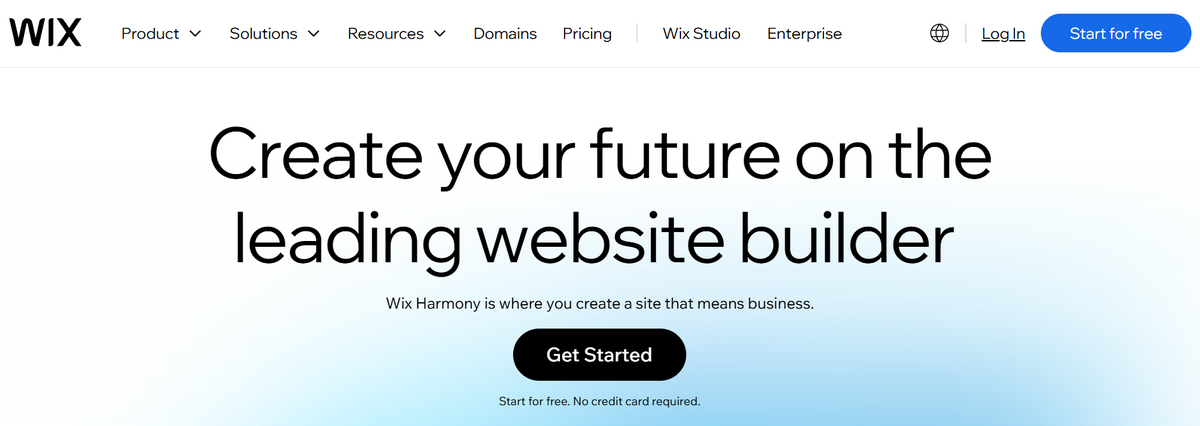
Wix was born as a website builder, and you can still feel that DNA throughout the platform. It puts visual creation front and center, combining no-code editing and AI-assisted building with tools for running all kinds of businesses, from stores and blogs to bookings, memberships, and services.
For eCommerce, that means you can build the storefront and manage much of the business from the same place. Products, payments, orders, inventory, shipping, analytics, marketing: it all lives under one roof, making Wix an approachable option for creators, side hustlers, and smaller businesses that want to get online without wrestling with technical complexity.
Shopify comes at it from the opposite direction: commerce is the starting point. The platform is structured around selling across online and physical channels, bringing the storefront together with products, checkout, payments, inventory, orders, shipping, analytics, and more.
That commerce-first foundation leaves plenty of room to expand. Businesses can customize their storefront, add specialized functionality through Shopify’s app ecosystem, sell across multiple channels, and take on more complex operations as their needs grow.
At a glance, Shopify and Wix cover much of the same ground. They just start from opposite corners. Think of it this way: one gives you a website with a store built in; the other gives you a store with a website built around it. It’s a useful way to frame the choice, but the real differences only emerge once we put them side by side.
Wix vs Shopify: Full Analysis
Knowing where each platform comes from is one thing. Deciding between them means seeing what that origin actually changes for you, day to day. How easy is each one to use? How much control do you really have over your site? What does it cost once your needs stop being basic? And what happens when “basic” isn’t enough anymore?
So let’s leave the surface-level similarities behind and get into where Wix and Shopify actually pull apart:
| Feature | Wix | Shopify |
|---|---|---|
| Ease of Use | 🌟 Faster, visual setup | ✅ Structured store setup |
| Design | ✅ Flexible website-first design | 🌟 Commerce-first design |
| Pricing | $17–$159/mo | $29–$299/mo |
| Apps | ✅ 800+ apps | 🌟 16.000+ apps |
| SEO & Marketing | ✅ Strong built-in toolkit | 🌟 Deeper marketing ecosystem |
| Scalability | ✅ Room to grow | 🌟 Built for greater complexity |
| Custommer support | ✅ Guided, accessible help | ✅ 24/7 Support + extensive resources |
| Best for | Simplicity + visual freedom | Commerce + extensibility |
| Customization | 🌟 Free-form drag & drop | Flexible sections and blocks |
Ease of Use

Wix is designed to reduce friction during onboarding. New users can start with AI-assisted building, prebuilt layouts, or its visual editor, where drag-and-drop controls make changes easy to understand as you build. Aria, Wix’s AI assistant, adds another layer of guidance throughout the process.
Once inside the dashboard, products, orders, payments, shipping, marketing, and other core functions are kept within easy reach. For early-stage sellers, that combination creates a smooth path from signup to launch, with relatively little structure to learn before you can start shaping the site.
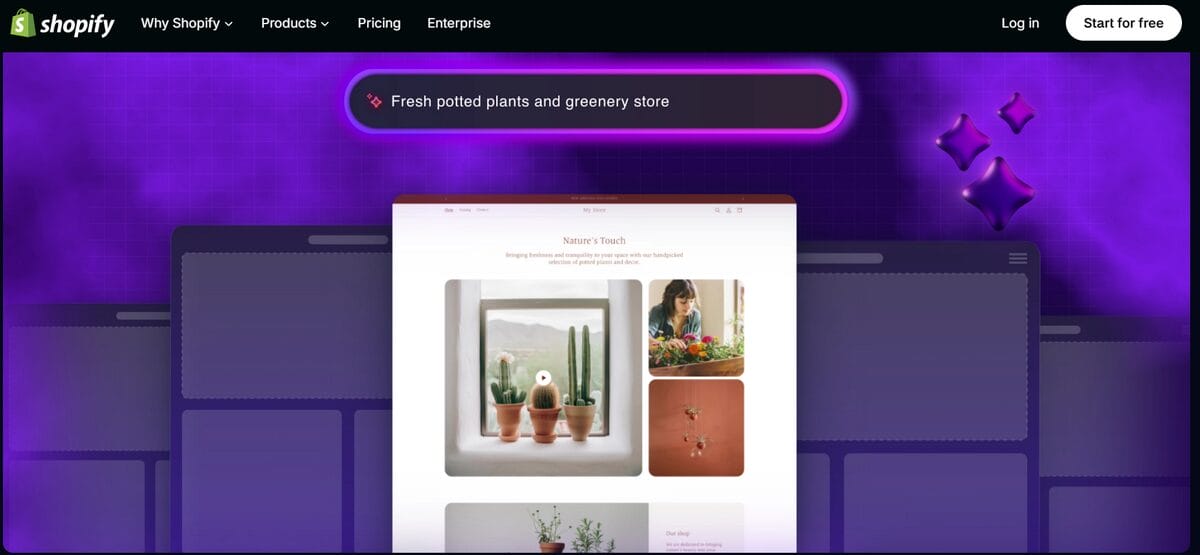
Shopify takes a more structured approach, but getting started has become considerably easier. Its AI Store Builder can generate a personalized storefront from a business description, while customizable themes offer other ways to begin without coding.
From there, the admin organizes the experience around products, orders, customers, inventory, analytics, and sales channels. That adds more structure to learn than Wix’s visual-first approach, but it also mirrors the tasks involved in running a store. Sidekick helps bridge the gap further, answering questions and assisting with supported tasks directly inside Shopify.
🆕 Beginner’s Tip: Like Shopify but worried about the setup? You don’t have to build everything from zero. Try BuildYourStore to get a niche-based store you can customize and launch, cutting out much of the initial groundwork.
👉 The takeaway:
- Wix keeps the initial learning curve lighter, with a more visual and free-form route from setup to editing.
- Shopify requires a little more orientation, but AI-assisted building and a commerce-focused admin make that structure easier to navigate.
Design and Customization
A good-looking site is only half the equation. For a store, you also need shoppers to understand the page, browse products, and move toward checkout without friction. That’s where Wix and Shopify take noticeably different approaches.

Wix puts creative freedom first. Its visual editor gives you direct drag-and-drop control over page elements, making it easy to move, resize, and arrange them without touching code. If you have a distinctive brand identity or an unconventional layout in mind, Wix gives you plenty of room to shape it.
Its AI tools can also generate and modify content as you work. However, Wix doesn’t always start from an ecommerce-first design, so some templates or generated sites may require extra work on product details, store information, policies, and other elements that help a storefront feel complete and trustworthy.
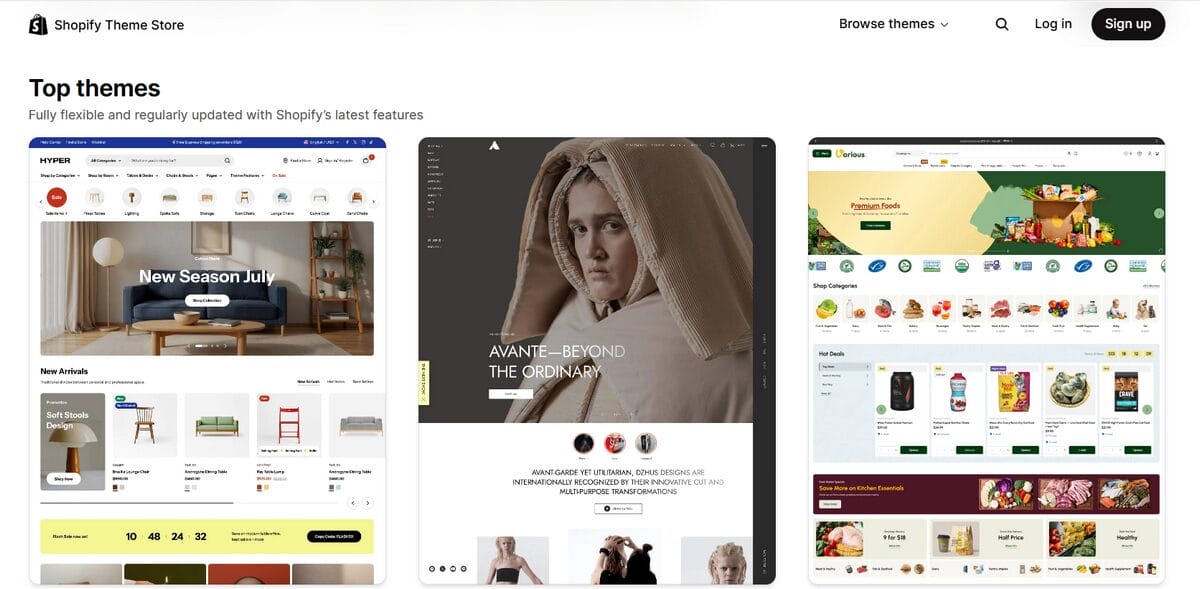
Shopify starts from the store itself. Its theme editor uses sections and blocks instead of Wix’s free-form canvas, giving you a more structured framework where product pages, collections, cart, and checkout are already part of the commerce experience.
That philosophy extends to the Shopify Theme Store, with themes designed around different industries, catalog sizes, and merchandising needs. And customization has become increasingly flexible: sections can be rearranged visually, individual components have their own settings, and Sidekick can assist with theme changes through natural-language instructions.
👉 The takeaway:
- Wix gives you more free-form creative control, making it easier to shape the site around a distinctive visual idea.
- Shopify gives you a more commerce-oriented starting point, trading some layout freedom for a storefront structure already built around selling.
Pricing and Plans
The monthly subscription is the easiest number to compare, but it’s rarely what your store actually costs each month. Apps, payment processing, transaction fees, and extra features can all change the equation. So, the useful question isn’t just “which plan is cheaper?” It’s “what do I actually get for that price, and what will I need to add later?”
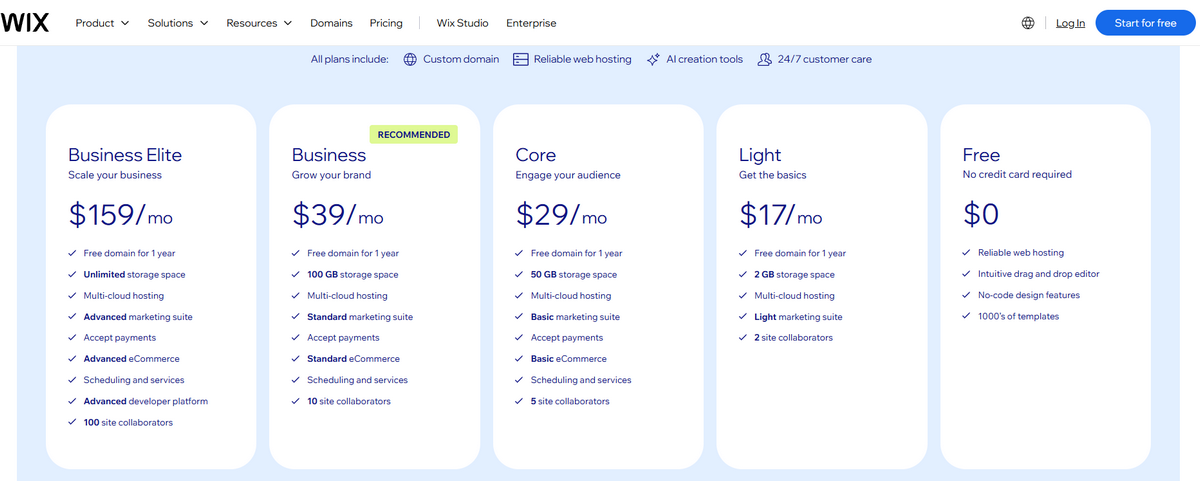
Wix offers a lower-cost entry point, starting with a Free plan and a Light tier for basic websites. However, neither is designed for running a full online store: Core is where accepting payments and ecommerce features begin. Current US annual pricing runs:
- Core — $29/month: Accept payments, basic ecommerce and marketing tools.
- Business — $39/month: Standard ecommerce and marketing features.
- Business Elite — $159/month: Advanced ecommerce, marketing, and developer capabilities.
That all-in-one setup makes the starting cost easier to pin down, although the subscription isn’t the whole bill. Wix Payments charges processing fees: standard US credit/debit card transactions currently cost 2.9% + $0.30, with rates varying by payment method and location.
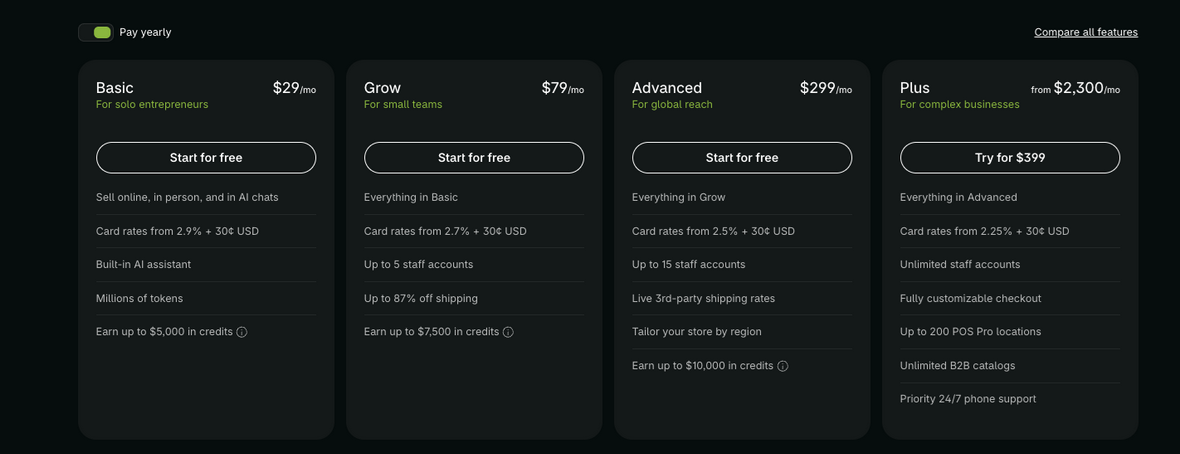
Shopify starts higher, while its plans are built around commerce from the outset. Current US annual pricing begins at the same $29 mark as Wix Core and increases as businesses need more advanced features:
- Basic — $29/month: Core ecommerce features for solo entrepreneurs.
- Grow — $79/month: Adds staff accounts and lower card rates.
- Advanced — $299/month: Adds more staff accounts, third-party shipping rates, and tools for international operations.
Payment processing also changes with the plan. With Shopify Payments, current US online card rates start at 2.9% + $0.30 on Basic, 2.7% + $0.30 on Grow, and 2.5% + $0.30 on Advanced. Apps can add recurring subscriptions, while using an external payment provider may introduce additional transaction fees.
👉 The takeaway:
- Wix gives you cheaper ways to start, but Core is the real entry point for ecommerce.
- Shopify starts with commerce and prices upward with it, offering lower card rates and more advanced capabilities as you move through the tiers.
👀 Prices vary by location, billing cycle, payment method, and taxes. These figures reflect US annual-plan pricing at the time of writing, so check the official pages for your region.
App Ecosystem and Integrations
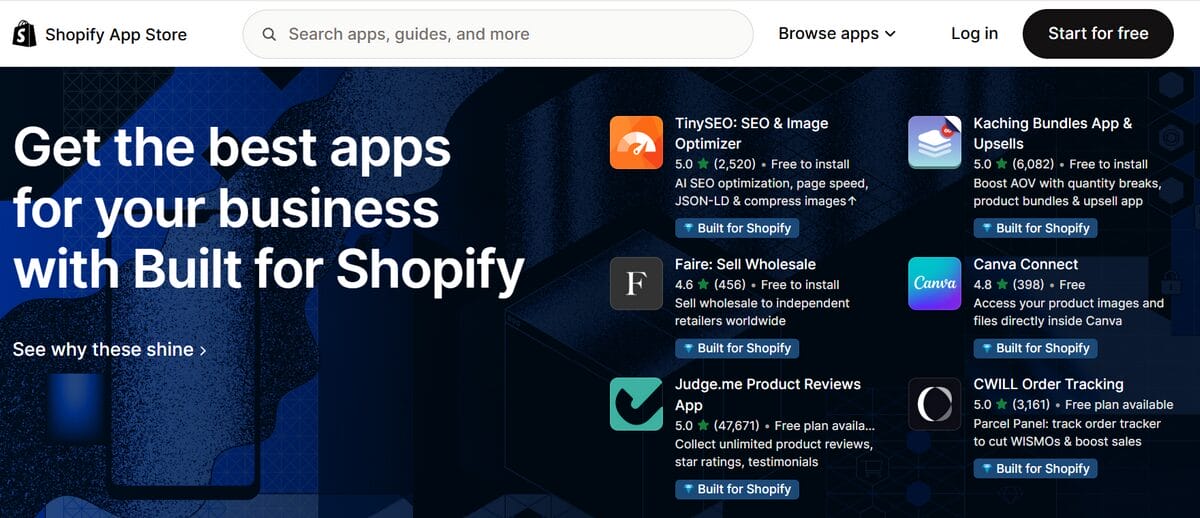
Shopify wins on sheer volume, no contest. Its App Store runs past 16.000 apps, covering everything from marketing and store design to shipping, inventory, customer support, accounting, subscriptions, and product sourcing.
That depth becomes especially useful when your needs get specific. You can connect tools like Klaviyo for email and CRM, add accounting or loyalty software, expand into new sales channels, or bring in specialized solutions for dropshipping and print-on-demand. Custom apps provide another route when an off-the-shelf integration isn’t enough. The trade-off is that more apps can also mean more recurring subscriptions.
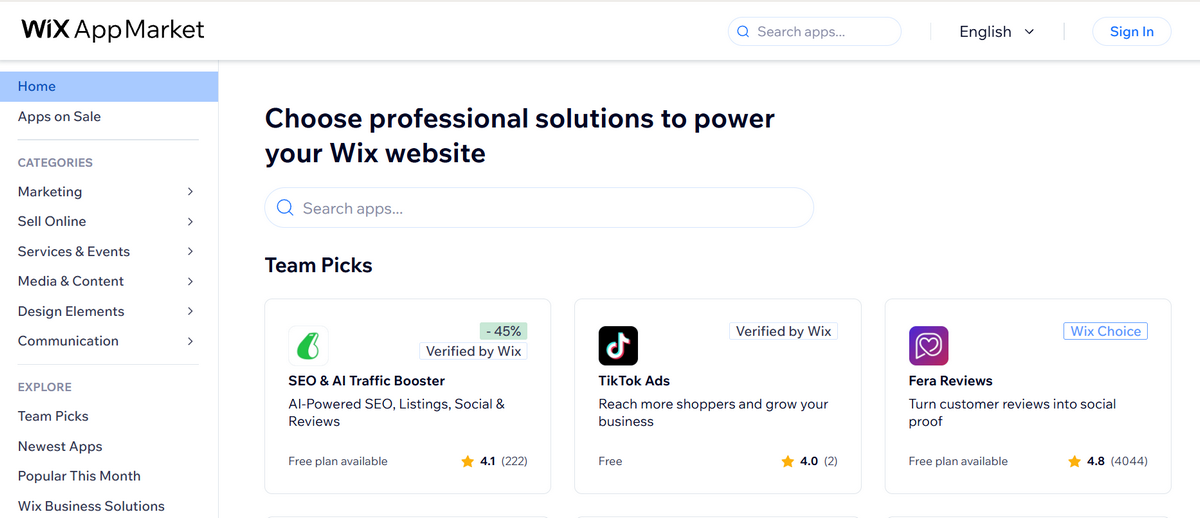
Wix works with a much narrower ecosystem, with more than 800 apps in its App Market. Still, its selection covers the major everyday needs across ecommerce, marketing, communication, analytics, accounting, and design, combining third-party integrations with tools developed by Wix itself.
That native layer matters. Wix Email Marketing, for example, already lives within the platform, while its marketplace connects with services such as Mailchimp, Klaviyo, QuickBooks, and Xero. In other words, the library is smaller, but you don’t necessarily need an app for every additional business function.
👉 The takeaway:
- Wix covers the everyday essentials well, mixing native tools with solid integrations.
- Shopify hands you a much deeper well to draw from when you need to specialize.
SEO and Marketing Tools

Wix offers a particularly hands-on SEO toolkit. Beyond essentials like title tags, meta descriptions, and URLs, you can manage structured data, redirects, canonical tags, robots.txt, and other technical settings. Its SEO Setup Checklist also turns optimization into guided tasks based on your site and target keywords, making those controls approachable even if SEO isn’t your specialty.
That same all-in-one approach extends to marketing. Blogging, landing pages, email marketing, automations, forms, and social tools can all live within the Wix ecosystem, alongside integrations for advertising and analytics. That makes it especially convenient when content and organic traffic play a central role in your strategy.
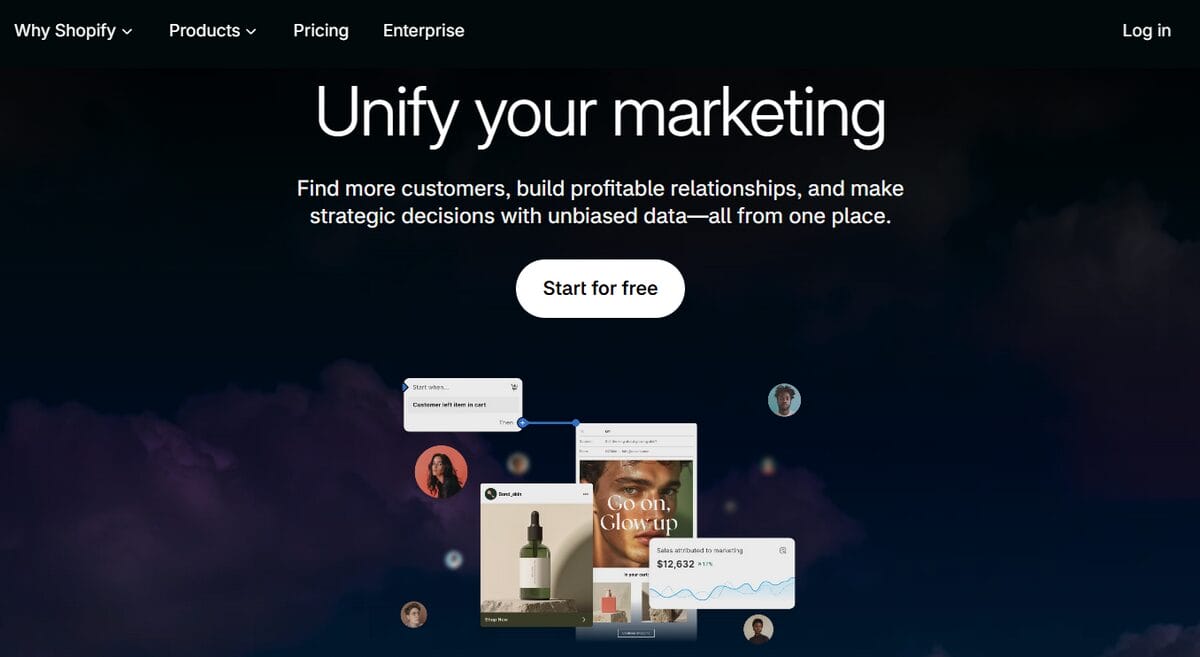
Shopify covers the SEO essentials while automating some of the technical groundwork, including canonical tags and sitemap files. You can still edit titles, descriptions, URLs, alt text, and other search-facing elements, while built-in blogging gives stores a direct route into content marketing.
Its bigger distinction appears once SEO becomes part of a broader commerce marketing stack. Shopify combines native email and automation tools with integrations for Google and social channels, while its much larger app ecosystem opens the door to specialized SMS, loyalty, affiliate, personalization, and analytics tools as your strategy becomes more sophisticated.
👉 The takeaway:
- Wix puts more SEO and marketing tools within easy reach, making it particularly strong for an integrated, content-driven approach.
- Shopify offers more space to extend your marketing stack, especially when acquisition and retention require specialized tools.
Scalability
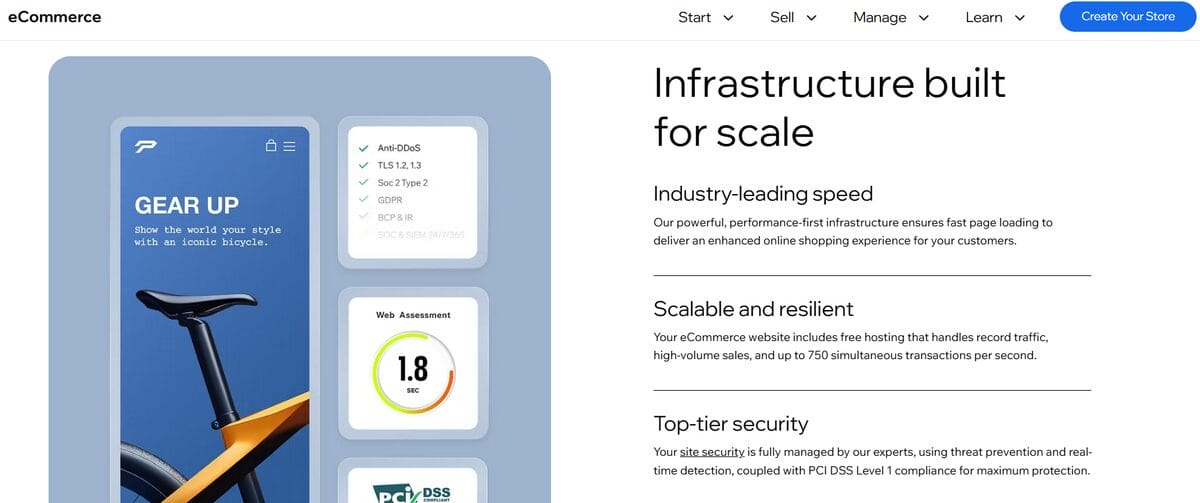
Wix has considerably more capacity than its reputation might suggest. Wix Stores handles catalogs of up to 50,000 products and 1,000 variants each, numbers that leave most small and mid-sized businesses nowhere near the ceiling.
As operations expand, Wix backs you up with inventory and order management, multichannel selling, third-party apps, and Velo for anyone who needs to build something more custom. In other words, picking Wix doesn’t mean you’re destined to hit a wall the moment sales or your catalog start picking up.
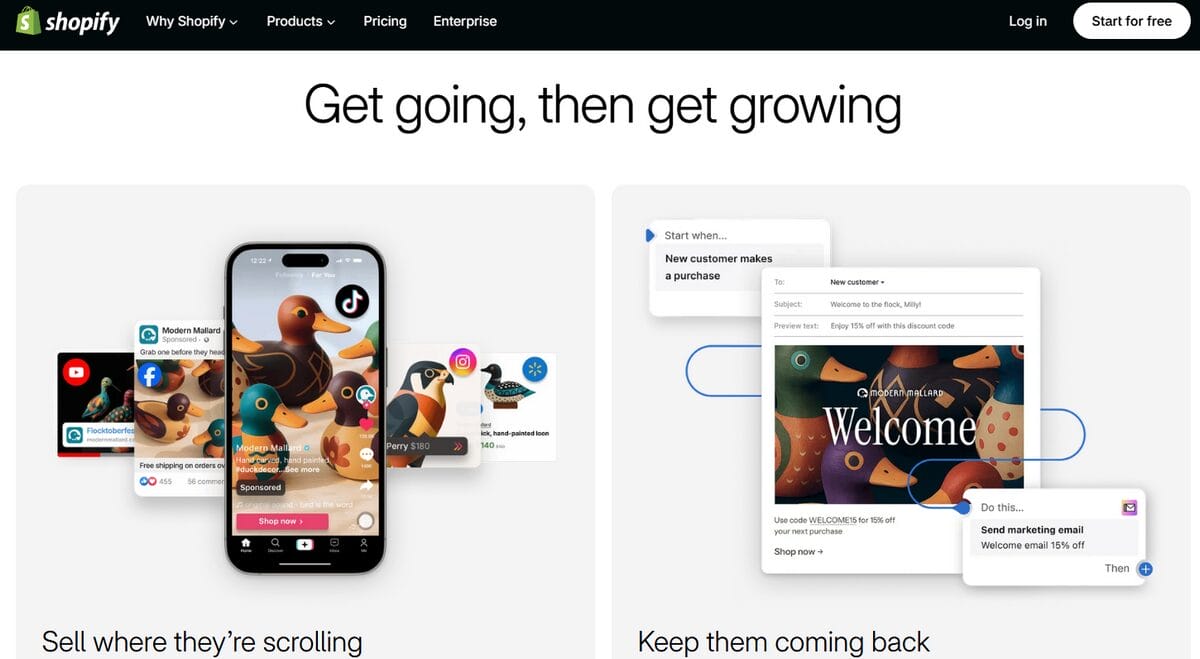
That said, Shopify is structured with larger and more complex commerce operations in mind. Its product architecture supports up to 2,048 variants per product, while bulk editing, sales channels, catalog tools, apps, and automation provide more ways to manage complexity as products, orders, and markets multiply.
For businesses that eventually move beyond the requirements of a typical online store, Shopify Plus provides a dedicated enterprise path for high-volume transactions, international and omnichannel commerce, B2B, and integrations with external systems. That gives Shopify another layer of infrastructure when growth reaches a much larger scale.
👉 The takeaway:
- Wix can comfortably absorb substantial growth, including large catalogs and increasingly complex store operations.
- Shopify provides a longer runway at the upper end, especially as scale brings higher volumes, more channels, and enterprise-level requirements.
Customer Support
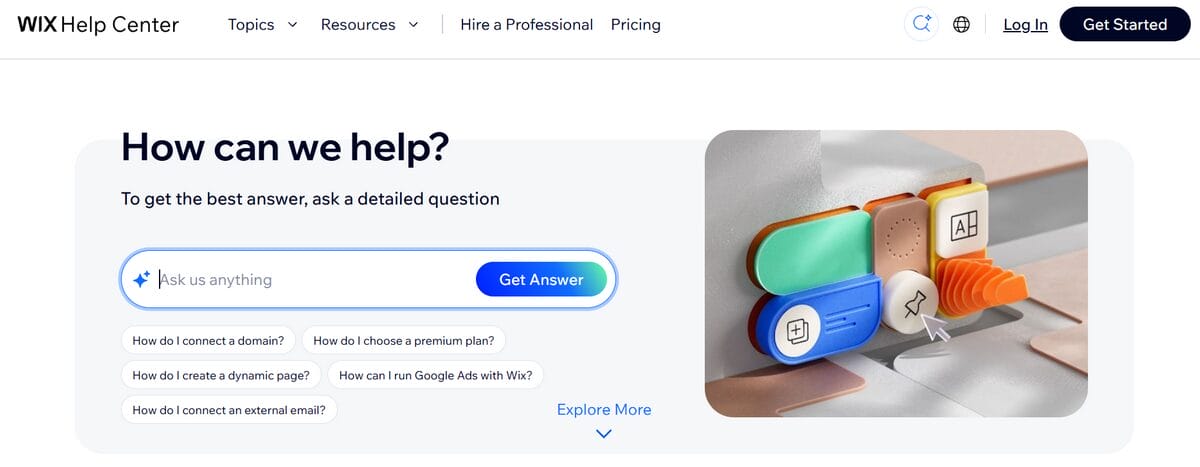
Wix puts guided assistance at the center of its support experience. Its Help Center covers everything from site building and payments to SEO, marketing, and apps, with automated support available around the clock and escalation to Customer Care through channels such as chat, phone, or email depending on your location, language, and issue.
That support extends beyond troubleshooting. Wix Learn offers courses, webinars, and tutorials, while the Wix Marketplace connects businesses with professionals for design, development, marketing, and store setup. If something requires more than an answer, there’s also a network of specialists you can hire to handle it.
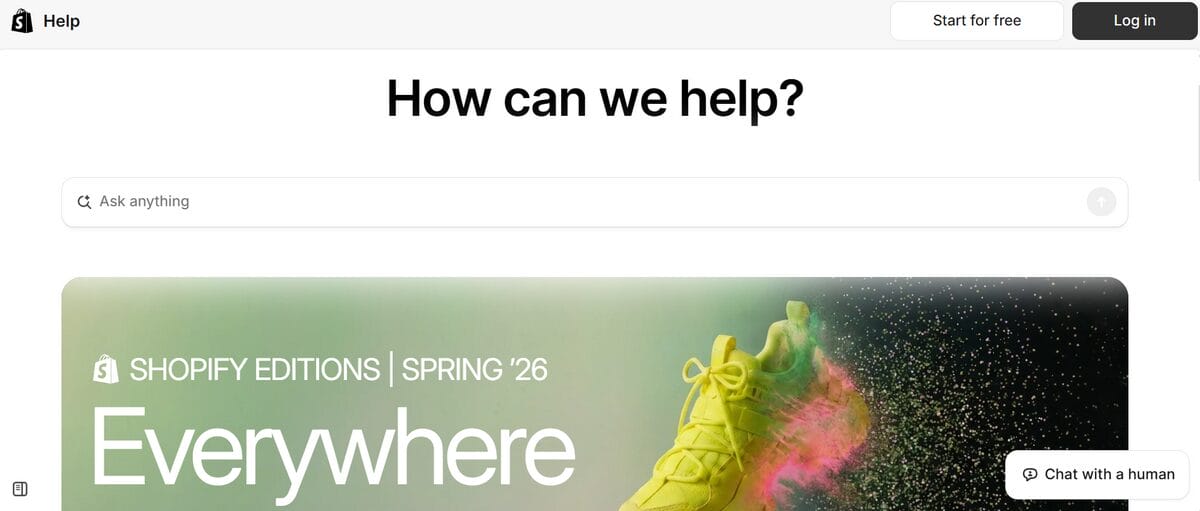
Shopify combines 24/7 live chat with a particularly deep commerce support ecosystem. Its Help Center provides documentation and AI-assisted search, while additional resources such as Shopify Community, Shopify.dev, Shopify Academy, and its Partner network cover everything from everyday store questions to APIs and custom development.
That specialization becomes especially useful as your setup gets more complex, although third-party apps and paid themes may require support from their respective developers. A heavily customized Shopify stack can therefore give you access to more specialized expertise while also spreading support across multiple providers.
👉 The takeaway:
- Wix emphasizes accessible, guided assistance, backed by educational resources and professionals who can step in when needed.
- Shopify surrounds its direct support with a deeper commerce-specific ecosystem, particularly useful for technical, customized, or increasingly complex stores.
Which Platform Is Better for Dropshipping?
If dropshipping is the reason you’re comparing Wix vs Shopify, both platforms can handle the fundamentals. You can build a storefront, connect suppliers and automation tools, import products, accept orders, and run the business without buying or storing inventory yourself.
The real question is how you want to build around that foundation.
Dropshipping on Wix
Wix dropshipping offers an approachable entry point and works particularly well for the testing side of the model. You can add products without committing to inventory, experiment with new niches or product lines, and connect to dropshipping suppliers through the Wix App Market. Built-in SEO, email marketing, ads, and extra sales channels mean you can gauge how products actually perform without cobbling together an entire marketing layer from scratch.
To reduce the manual work that comes with changing products and fulfilling orders, you can connect a dropshipping automation platform like AutoDS to Wix. AutoDS adds product importing, stock and price monitoring, and automated order fulfillment, so the operational side can keep pace as you test and adjust your catalog.
Bottom line: if your dropshipping approach is about testing products fast while keeping things simple, Wix wins here.
Dropshipping on Shopify
Shopify dropshipping really comes into its own once you’re iterating across products, suppliers, and sales channels all at once. Shopify explicitly frames dropshipping as a playground for experimenting across all three, and its commerce infrastructure gives you a single place to manage any orders those experiments generate. A real asset once you’ve moved past testing a handful of products through a single supplier or storefront.
Here too, automation can take over much of the repetitive operational work. AutoDS integrates with Shopify to manage product importing, stock and price syncing, automated fulfillment, and tracking updates, so you can scale up products, suppliers, and order volume without your manual workload scaling right alongside it.
So, if your approach to dropshipping involves serious expansion, Shopify is the stronger fit.
💡 Pro Tip: Thinking beyond a single store? AutoDS also lets you connect and manage multiple selling channels from one system. It’s a smart way to test Wix and Shopify in parallel, without doubling your daily workload. Here’s a detailed breakdown on how it works.
Final Verdict: Which Should You Choose?
After everything we’ve covered, the decision comes down to something more useful than counting features: what are you actually building, how do you want to build it, and how tangled do you expect things to get down the line?
There’s no one-size-fits-all answer, but a few scenarios make the call a lot easier:
- Choose Wix if visual freedom is non-negotiable. Its free-form editor hands you direct control over layouts and individual elements. Nothing gets in the way of your vision.
- Choose Wix if you want an easier ramp-up. Guided setup, built-in tools, and a website-first mindset make it especially friendly for first projects, side hustles, and sites where selling is just one piece of the puzzle.
- Consider Wix if you’d rather keep your stack lean. More functionality lives natively inside the platform, which can mean fewer separate tools and subscriptions to juggle early on.
- Choose Shopify if selling is the whole point. Storefront, admin, checkout, product architecture, the works: all of it was designed around commerce from day one.
- Choose Shopify if you expect things to get more complicated. More products, orders, channels, markets, and specialized workflows give its infrastructure room to prove itself.
- Choose Shopify if you want to keep extending down the road. Its far larger app catalog and enterprise track open up more directions to take the business as needs get pickier.
Frequently Asked Questions
Which platform is better for beginners overall?
For beginners, Wix is generally easier to get started with thanks to its guided onboarding and flexible drag-and-drop editor. Shopify is still beginner-friendly, but it can take a little more orientation because its dashboard is built around ecommerce operations. In 2026, both platforms offer AI tools that simplify setup.
Is Shopify or Wix cheaper for a small store?
Wix is generally cheaper for a small store that’s just getting started. It offers Free and Light plans for very basic websites before you move into the ecommerce-capable Core tier, which is priced similarly to Shopify Basic. However, as the store grows, Shopify’s pricing structure becomes more compelling for sellers who need increasingly advanced commerce features.
Which platform has better SEO?
Shopify has a slight edge for ecommerce SEO overall, particularly when you factor in its larger ecosystem of commerce and marketing integrations. Still, Wix has an excellent built-in SEO toolkit, with control over metadata, URLs, structured data, canonical tags, redirects, robots.txt, and a guided SEO Setup Checklist.
Can I switch from Wix to Shopify later?
Yes, you can switch from Wix to Shopify later. Shopify supports migration through CSV files, its Store Migration app for eligible stores, third-party apps, or Shopify Partners, although some data and design elements may require additional work. For dropshippers, tools like AutoDS support Wix to Shopify migration and help simplify the operational side of the transition.
Which platform is better for scaling a growing business?
Shopify is generally better for scaling a growing business, especially as catalogs, order volumes, sales channels, and operational complexity increase. Wix can still support substantial ecommerce growth, but Shopify provides a deeper app ecosystem and a clearer path toward advanced and enterprise-level commerce.
Is Wix or Shopify better for dropshipping?
Wix or Shopify can both be better for dropshipping, depending on the type of seller you are. Wix is an approachable entry point for beginners, side projects, and sellers testing their first products, while Shopify offers more long-term flexibility for larger catalogs, higher order volumes, and increasingly complex workflows.
Can I automate dropshipping on Wix and Shopify?
You can automate dropshipping on both Wix and Shopify using platforms like AutoDS, that cover operations such as product importing, price and stock monitoring, and order fulfillment. That said, available automation features can vary by selling channel and supplier.
Conclusion
Wix and Shopify can take you to a surprisingly similar-looking destination. What changes is the machinery:
- Wix starts with the website, emphasizing visual freedom, approachable setup, and an integrated set of business tools.
- Shopify starts with commerce, surrounding the store with a deeper ecosystem and more ways to handle specialized or increasingly complex operations.
That’s why this decision was never really about who has more features. It’s about picking the environment that matches how you actually want to build and run the business. One that fits what you need today without boxing you in tomorrow.
📈 Whichever platform you choose, automation can grow with you. AutoDS integrates with both Wix and Shopify to streamline everyday operations. Try it for $1 and build a dropshipping workflow that’s ready to scale.
Looking for more insights? Keep going with these guides: