If your Amazon account is locked while dropshipping, it could be because you’re placing too many orders to different shipping addresses in a short period of time. Amazon may flag this activity as suspicious, especially when you’re using a personal buyer account or Prime benefits to fulfill customer orders.
And I get it: when you have a dropshipping business, a locked account is a big deal. It can leave you with pending orders, frustrated customers, and a fulfillment process on hold.
Whether you’re going through it or just want to avoid it, don’t worry: I’m here to help. In this guide, I’ll break down why Amazon locks accounts used for dropshipping and what to do if yours is already restricted.
Plus, I’ll share practices that can help you avoid it in the first place, such as using tools like Fulfilled by AutoDS, which helps you process orders without putting your personal Amazon account at risk.
Amazon can lock dropshippers’ accounts for unusual purchasing patterns, such as placing multiple orders to different addresses, or for violating its terms of service.
You can reduce the risk of account restrictions by monitoring order volume, keeping your account information consistent, and completing security checks promptly. However, these precautions don’t eliminate the risk.
A locked Amazon account isn’t necessarily gone forever. You may be able to restore access through Amazon’s verification or appeal process, but reinstatement isn’t guaranteed.
Fulfilled by AutoDS keeps your personal Amazon account out of the order process by using AutoDS-managed buyer accounts. Those accounts can still face restrictions, but your own account isn’t directly involved.
Why Did Amazon Lock My Account? 5 Common Reasons For Dropshippers
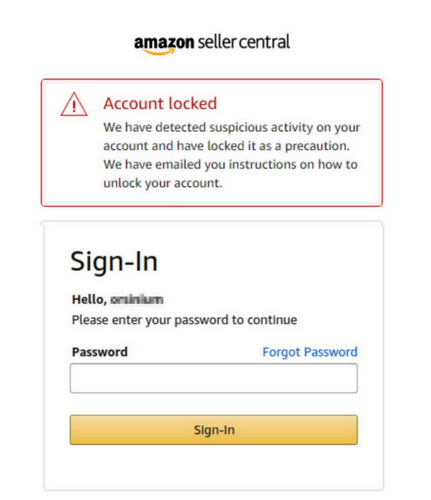
You’re halfway through fulfilling 15 customer orders when, all of a sudden, Amazon locks you out of your account. No warning, no way to place the remaining orders, and customers are still expecting their packages. The clock is ticking. Panic starts. So, what happened?
Amazon’s security systems monitor unusual activity, and certain dropshipping fulfillment practices can raise concerns. Here are five common reasons your account might get flagged when you’re sourcing from Amazon:
1. Using A Personal Account For Commercial Orders
Amazon’s Conditions of Use describe access to its services as being for “personal and non-commercial use of the Amazon Services”.
Amazon Prime has additional restrictions on using membership benefits to purchase products for resale or ship orders directly to customers.
So, if you’re using your personal account to fulfill orders from your Shopify or eBay store, you may be violating Amazon’s terms, even if you’re placing those orders manually.
2. Placing Too Many Orders In a Short Period
Here’s the thing: the way dropshippers place orders looks pretty different from someone buying a back massager or me ordering yet another Taylor Swift vinyl (because of course, I need every edition).
Everyday shoppers typically place an order every now and then, maybe a few in the same week if we’re feeling spendy. Dropshippers, on the other hand, might place dozens of orders in a single day, all going to different addresses. And that’s exactly the kind of activity that can raise red flags.
Sudden spikes in purchasing volume can raise security concerns, especially when they’re combined with other unusual patterns. The trick? Amazon doesn’t publish a specific daily order limit that automatically triggers an account lock, so there’s no magic number to stay under.
3. Shipping Orders To Multiple Different Addresses
Let’s zoom in on one aspect of the previous reason. Dropshipping involves sending products directly to customers, which means your Amazon account might suddenly have dozens of shipping addresses across different cities or states.
Shipping to different places isn’t automatically suspicious (you could be sending gifts on Christmas to every one of your nieces and nephews). But when combined with frequent purchases, constantly changing recipients can make your account activity look unusual.
4. Repeated Logins And Automated Activity
Using third-party tools to process orders or repeatedly access your Amazon account can create additional security risks.
For example, frequent login attempts from different devices or IP addresses may trigger verification checks. Amazon also restricts certain automated use of its services, so not every automation tool or integration is necessarily permitted.
5. Payment Issues And Failed Verification Checks
Declined payments, incorrect billing details, and failed security checks can also interrupt your Amazon purchasing account.
This becomes especially frustrating when you’re processing several customer orders at the same time. A card payment that fails or a verification code you can’t access may leave orders pending until the issue is resolved.
Amazon Locked My Account: What Gets Affected?
For a regular shopper, a locked account might mean postponing a purchase. For a dropshipper, it can disrupt your entire order fulfillment process.
Depending on the restriction, you could temporarily lose access to:
- New orders: You can’t purchase products to fulfill incoming customer orders.
- Order history and tracking: You may have trouble checking shipment status or accessing order details.
- Returns and refunds: Managing customer returns or requesting refunds can become more difficult.
- Gift card balances: Funds stored in your Amazon account may become inaccessible while the restriction is in place.
- Prime benefits and payment methods: These may also be restricted or require additional verification, depending on the issue.
And here’s the tricky part: even if Amazon eventually restores your account, the delays can still affect your customer experience, delivery times, and seller performance on whatever selling channel you’re using, like when dropshipping from Amazon to eBay. So the best way to avoid this is to make sure you don’t get locked out of your account in the first place.
How To Reduce The Risk When You Use Your Own Amazon Account
If you’re still using your own Amazon buyer account to fulfill dropshipping orders, there are a few precautions worth taking. They won’t make your account immune to restrictions, but they can help you avoid unnecessary problems and limit the damage if something goes wrong.
1. Keep your personal and business purchases separate. Use a dedicated buyer account instead of the one you use for everyday shopping. While this doesn’t make it compliant, it keeps your purchases, payment details, and order history organized.
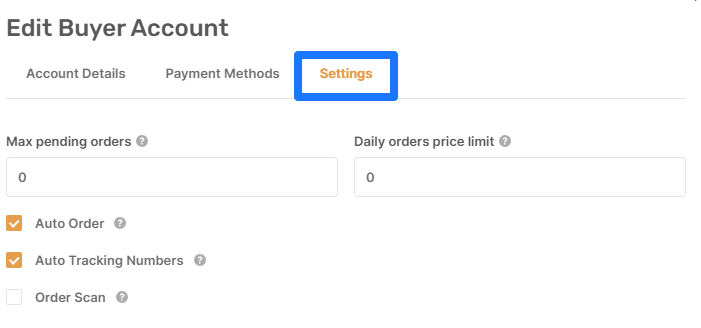
2. Set daily spending and pending order limits. This helps you prevent a backlog of orders from getting out of control and reduces the amount of money tied up if your account gets restricted. If you’re using AutoDS’s Auto-order feature, go to Settings > Buyer Accounts. From there, configure two settings:
- Daily Orders Price Limit: caps how much you spend through a buyer account each day.
- Max Pending Orders: limits how many placed orders can remain unshipped before AutoDS pauses new orders through that account.
3. Keep your account information consistent. Make sure your billing address, contact details, and payment methods are accurate and up to date. If you’re using AutoDS, your primary payment card should match the default card on your Amazon account to avoid payment errors.
4. Don’t ignore verification requests. If Amazon asks you to confirm your identity or complete a security check, do it through the official website or app. For AutoDS Auto-Order, you’ll also need to set up two-step verification (OTP) using an authenticator app.
5. Be careful with Prime benefits. Amazon’s Prime terms prohibit using membership shipping benefits to fulfill customer orders for resale. This applies even at low order volumes, so avoiding large Prime purchases alone doesn’t make the practice compliant.
The takeaway is this: These precautions can help reduce avoidable interruptions and limit your exposure, but they don’t entirely eliminate the risk of getting locked out. After all, using a personal Amazon account to fulfill commercial orders is part of the main problem, not just how many orders you place.
What To Do If Your Amazon Account Is Already Locked
So, can you get your locked Amazon account back? Sometimes, yes. If it’s a temporary security hold or verification issue, you may be able to restore access. However, if Amazon restricted your account for violating its terms, getting it back isn’t guaranteed.
Either way, here’s what to do next:
1. Check Amazon’s message. Look for an email or notification explaining why your account was locked. Amazon may ask you to verify your identity, confirm payment information, or provide supporting documents.
2. Contact Amazon Customer Service. Use Amazon’s official support channels to ask about the restriction and follow any verification instructions Amazon gives you. Keep in mind that contacting support doesn’t guarantee getting your account back.
3. Follow Amazon’s appeal instructions, if available. If Amazon says your account was restricted for violating its terms, a general support chat may not reach the right team. Follow the appeal instructions in Amazon’s message, or ask support how to submit one. Keep it short, factual, and professional:
- What happened: Briefly explain, in your own words, what you believe triggered the restriction.
- What you’ll change: Describe the specific steps you’ll take so it doesn’t happen again.
- Supporting details: Include any order numbers, account details, or documents Amazon asked for.
Keep it polite and resist the urge to send the same appeal 15 times.
4. Don’t immediately create another account. Doing this just to bypass the restriction isn’t a reliable workaround. Amazon’s Conditions of Use allow it to refuse service or terminate accounts, so it’s better to resolve the original issue first.
5. Review your pending orders. If you use AutoDS, open your Orders dashboard to see which orders have shipped, which are still pending, and which have failed. If you manage orders elsewhere, run the same check there. Then let affected customers know, especially if delivery dates might change.
Note: Have returns to deal with? Check out my guide on how to handle returns from a locked Amazon account, with quick workarounds.
6. Rethink your fulfillment process. While your account is restricted, stop trying to place orders through it. Consider alternative suppliers or a fulfillment method that doesn’t rely on your personal Amazon buyer account.
I know getting locked out is scary and frustrating, especially when you have a business behind it. But recovering the account shouldn’t be your only goal. You also need a backup plan so you can keep fulfilling orders without ending up in the same situation again.
Fulfilled By AutoDS: Taking Your Own Account Out Of The Order Flow
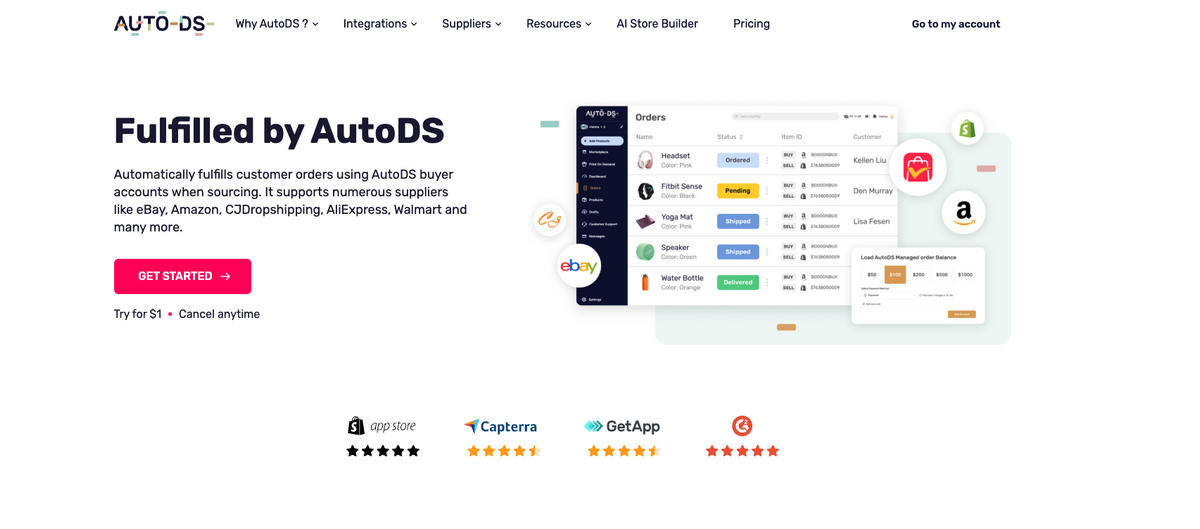
Now, here’s a solution for Amazon locked accounts: fulfilling your Amazon orders without putting your own account at risk. Sounds nice, right? Well, that’s exactly where Fulfilled by AutoDS comes in.
Instead of using your personal Amazon account to purchase products for your customers, Fulfilled by AutoDS places orders through AutoDS’s own managed buyer and Prime accounts.
That means your Amazon account and payment method aren’t involved in placing those orders. If one of AutoDS’s accounts gets restricted, the issue stays on AutoDS’s side rather than locking you out of your personal account.
Plus, the entire process is automated, from placing orders to updating tracking information. Pretty convenient, especially when you’re managing dozens of orders a day.
How Fulfilled By AutoDS Works
Here’s what happens behind the scenes when you use Fulfilled by AutoDS:
- A customer places an order in your online store, and AutoDS receives their order details.
- AutoDS checks your Managed Balance and Auto-Order Credits. Your balance covers the product cost, taxes, and shipping, while Auto-Order Credits are prepaid credits used to pay for the automation itself. Each automated order uses at least one credit.
- AutoDS places the order with Amazon using its own managed buyer account, without accessing yours at all.
- The supplier ships the product directly to your customer’s address.
- Tracking information is updated in AutoDS and automatically synced to your selling channel when supported.
That’s pretty much it. You can manage the process from your AutoDS dashboard without manually purchasing every product through Amazon.
What You Need To Get Started
Getting started with Fulfilled by AutoDS is fairly straightforward. You’ll need:
- Orders Processor add-on: Enables automated order processing and tracking. It’s available across AutoDS subscription plans.
- Auto-Order Credits: These power the automation, so make sure you have enough to process your orders.
- A funded Managed Balance: Load enough money to cover product costs, taxes, applicable shipping fees, and the amount reserved for your order protection settings.
- The right supplier settings: Go to Settings → Supplier Settings → Orders and enable both Process orders using the ‘Fulfilled by AutoDS’ service and Automatic orders (requires a buy account or ‘Fulfilled by AutoDS’ orders management).
You can find the full setup instructions in the AutoDS Help Center’s Fulfilled by AutoDS guide.
Limits You Should Know About
Fulfilled by AutoDS takes your personal account out of the equation, but it isn’t a magic button that solves every Amazon dropshipping problem. There are a few important limitations to understand before switching:
- Only available in the US. Fulfilled by AutoDS currently supports Amazon US. For Amazon UK, Germany, France, and Australia, you can use Auto-Order automation with your own buyer account instead. Other regions, including Canada, Spain, and Italy, require manual order processing.
- AutoDS’s Amazon buyer accounts can still get locked. Amazon can restrict or suspend the buyer accounts AutoDS uses to place orders on your behalf. According to AutoDS’s official terms and conditions, these restrictions can prevent AutoDS from retrieving tracking information or processing reorders, returns, and refunds for affected purchases. The good news? Your personal Amazon account stays separate.
- You can’t cancel orders once processing starts. Once an order enters In Order Progress or Ordered status, AutoDS can’t cancel it. Changing the status to Canceled in your dashboard won’t stop the supplier’s order either, so double-check customer details before processing.
- Returns come with restrictions. Return requests generally require a delivered order worth at least $10. Fulfilled by AutoDS has a 5% overall return-rate limit, while its Amazon-managed buyer accounts have a stricter 3% limit across their managed orders. Requests that exceed the applicable limits can be denied, and returns aren’t guaranteed even for Prime items.
- Taxes and shipping fees affect your costs. AutoDS-managed Amazon accounts aren’t tax-exempt, so applicable sales taxes are added. Amazon-shipped Prime items usually qualify for free shipping, but products shipped by third-party sellers may have additional shipping charges.
- Delivery dates aren’t guaranteed. AutoDS lists estimated shipping times of 2-4 business days for Amazon US Prime orders and 7-30 business days or longer for non-Prime orders. Actual delivery times depend on the seller, location, and carrier.
- Invoices and packaging work differently. You receive consolidated monthly invoices from AutoDS’s legal entity, ROT LLC, rather than original Amazon supplier invoices. Packaging is handled by the supplier, so you can’t customize Amazon packaging or add your own branding through this service.
- Coupons aren’t guaranteed. First-time buyer offers, one-time discounts, and other promotions might not apply. When calculating your margins, use the regular purchase price instead of counting on a coupon.
You can review all these conditions in the Fulfilled by AutoDS Terms and Conditions.
So, is it worth it? Yes, especially for dropshippers sourcing products from Amazon US who want to automate purchases without relying on their personal buyer accounts. It’s especially useful when order volume starts growing, and manual fulfillment becomes a daily headache.
If an AutoDS-managed account gets restricted, AutoDS handles the account issue directly. You’ll still need to keep an eye on affected orders and communicate with your customers, though.
On the other hand, it might not be the best fit if you need full control over cancellations, frequent returns, original supplier invoices, custom packaging, or Amazon fulfillment outside of the US.
“Fulfilled by AutoDS (FBA)” Is Not Fulfillment By Amazon (FBA)
Quick clarification: AutoDS abbreviates its service as FBA, but it’s completely different from Amazon’s Fulfillment by Amazon (FBA), where sellers send inventory to Amazon warehouses. Fulfilled by AutoDS places orders with suppliers on your behalf, and those suppliers ship directly to your customers. AutoDS doesn’t send or manage inventory in Amazon warehouses.
Fulfilled By AutoDS vs. Your Own Amazon Account
AutoDS offers two ways to automate Amazon orders: Auto-Order, which uses your own Amazon buyer account to purchase products for your customers, and Fulfilled by AutoDS, which places those orders through AutoDS-managed accounts instead.
Both automate fulfillment, but the difference in whose account handles the purchases affects everything from account restrictions to returns and costs.
Here’s how they compare:
| Feature | Your Own Buyer Account With Auto-Order | Fulfilled By AutoDS |
|---|---|---|
| Account risk | Restrictions affect your personal Amazon account. | Restrictions affect AutoDS-managed accounts, but orders may still be disrupted. |
| Setup effort | Connect Amazon account, payment method, and OTP verification. | Enable the service, purchase credits, and fund your Managed Balance. |
| Buyer account | Owned and managed by you. | Owned and managed by AutoDS. |
| Cost | Subscription + Orders Processor ($9.90/month) + credits ($0.20-$0.50 each). Product costs charged to your card. | Same fees + prepaid Managed Balance. Top-up fees: 3–5%. Minimum top-ups: $15 initially, then $50. Unused balance refunds: up to 15% fee. |
| Amazon regions | US, UK, Germany, France, Australia. | US only. |
| Returns | Managed directly through Amazon. | AutoDS-managed. Return limits: 5% overall, 3% for Amazon-managed accounts. Minimum order: $10. |
| Cancellations | Subject to Amazon's cancellation policies. | Not available once the order is placed. |
Pricing and features as of October 2026. Costs may vary by subscription plan and are subject to change.
A quick note on costs: Both methods consume at least one Auto-Order Credit per automated order, with additional credits required for some tracking conversions. Credit packages range from $9.90 for 20 credits to $499 for 2,500 credits.
With Fulfilled by AutoDS, the Managed Balance isn’t a subscription fee. It’s prepaid money used to cover product purchases, applicable taxes, and shipping fees. Loading it costs extra: $100 costs $105 by card or PayPal, or $103 by Payoneer. Unspent balance can be refunded, but with a fee of up to 15%.
Amazon Accounts: Which Option Fits You?
Not every dropshipper needs the same fulfillment setup. The best choice depends on your order volume, suppliers, and how much control you’re willing to give up.
Using your own Amazon account might be a better fit if…
✅ You’re fulfilling a small number of orders and understand the account restrictions and risks.
✅ You prefer direct control over purchases, cancellations, and returns.
✅ You’re sourcing from outside the US.
Using Fulfilled by AutoDS might be a better fit if…
✅ You’re processing dozens of orders and want to automate fulfillment without relying on your personal Amazon account.
✅ You’d rather have AutoDS manage buyer accounts and handle purchasing.
✅ You’re sourcing products from Amazon US.
Frequently Asked Questions
Why do dropshippers get their Amazon accounts locked?
Dropshippers often get their Amazon accounts locked because they place multiple orders in a short period, ship products to different addresses, and use personal Amazon accounts for commercial purchases. These activities can raise security concerns or violate Amazon’s terms, especially when Prime benefits are used to fulfill customer orders.
Can I get my locked Amazon account back?
Yes, you can get your locked Amazon account back, but there’s no guarantee. If Amazon locked your account because of a security check or payment verification issue, you may be able to restore access by completing the required steps. For policy-related restrictions, contact Amazon Customer Service and follow its instructions. Reinstatement is ultimately Amazon’s decision.
Is dropshipping from Amazon against Amazon’s terms of service?
Amazon’s Conditions of Use limit access to “personal and non-commercial use of the Amazon Services.” Its Prime terms also prohibit using Prime benefits to purchase products for resale or ship them to customers. However, that’s different from dropshipping on Amazon’s marketplace, which Amazon permits when sellers comply with its Drop Shipping Policy, including identifying themselves as the seller of record. Check out our Amazon dropshipping policy guide for more details.
How does Fulfilled by AutoDS prevent Amazon account locks?
Fulfilled by AutoDS reduces your personal account’s exposure to restrictions by placing orders through AutoDS-managed Amazon buyer accounts instead of yours. This keeps your account and payment method out of the purchasing process, so restrictions on AutoDS-managed accounts don’t directly lock your own account. However, those managed accounts can still face restrictions, potentially affecting orders, tracking, returns, and refunds.
Is Fulfilled by AutoDS the same as Amazon’s Fulfillment by Amazon (FBA)?
No, Fulfilled by AutoDS and Fulfillment by Amazon are two completely different services. Fulfilled by AutoDS automates purchases from suppliers who ship products directly to your customers. Amazon’s Fulfillment by Amazon requires sellers to send inventory to Amazon’s warehouses, where Amazon stores, packs, and ships their products.
Do I still need my own Amazon account if I use Fulfilled by AutoDS?
No, you don’t necessarily need your own Amazon account if you use Fulfilled by AutoDS, at least not for placing Amazon US orders. This is because AutoDS uses its own buyer accounts, so you don’t need to connect yours. However, you may still need a personal buyer account for orders from other Amazon regions or an Amazon Seller Central account if you’re selling products on Amazon itself.
Final Thoughts: Protect Your Amazon Account And Keep Orders Moving
Getting your Amazon account locked in the middle of fulfilling orders is every dropshipper’s nightmare. And while there are ways to reduce the risk, like monitoring order volume, keeping account details consistent, and completing verification checks, they don’t eliminate it entirely.
The key is understanding Amazon’s restrictions and making sure your entire business doesn’t depend on a single buyer account.
That’s where Fulfilled by AutoDS can make a difference. By placing orders through AutoDS-managed accounts instead of your own, you can automate fulfillment without exposing your personal account to the same risks. It’s not a guarantee against every disruption, but it’s a practical way to take one major headache off your table.
Start the AutoDS $1 trial to simplify your order fulfillment, explore Fulfilled by AutoDS, and take your personal Amazon account out of the purchasing process.
And if you’re already sourcing on Amazon or thinking about it, here are some articles that might come in handy: