If you’re using Shopify, connecting it to Amazon is one of the smartest moves you can make in dropshipping. This Shopify to Amazon connection can unlock a whole new level of visibility, automation, and growth.
While Shopify gives you the freedom to design and brand your store, Amazon offers unmatched reach with millions of active daily shoppers. AutoDS plays a key role in this setup. Itsimplifies and managesproduct syncing from Shopify and Amazon, eliminating the chaos of manual updates.
In this guide, you’ll learn how to connect Shopify to Amazon step by step, manage your products across both platforms, and keep everything in sync without manual work.
Key Takeaways: How To Connect Shopify To Amazon
Connecting Shopify to Amazon expands your dropshipping business and allows you to reach more customers and increase sales.
Shopify’s customizable themes, user-friendly interface, and extensive app ecosystem make it suitable for beginners and experienced sellers alike.
Amazon’s vast customer base, free organic traffic, and fulfillment options offer unparalleled reach and convenience for sellers.
AutoDS simplifies the process of connecting Shopify to Amazon with its comprehensive integration and automation features. 👇
As we know, dropshippers can benefit from using multiple platforms at the same time. Connecting Shopify to Amazon allows you to combine two powerful channels into a single workflow:
Shopify works as your branded storefront, where you can build long-term customer relationships.
Amazon acts as a high-traffic sales channel that helps you validate products and generate consistent orders.
However, managing both platforms manually can quickly become overwhelming. Handling all the operations across two systems requires constant attention and leaves plenty of room for error. This is where things get a lot easier with AutoDS.
AutoDS is the best platform for dropshippers. The tool is designed to assist users in automating their dropshipping businesses. It offers product research tools, automated order processing, price and stock monitoring, and many more features, saving sellers time and effort.
Moreover, AutoDS has a specific tool designed to simplify your life by automating the connection between your Shopify and Amazon stores. With AutoDS, you can seamlessly sync your product listings, inventory, and orders between Shopify and Amazon, ensuring smooth sailing in your e-commerce journey.
Start by accessing your AutoDS account, as this is where you’ll manage the connection between Shopify and Amazon.
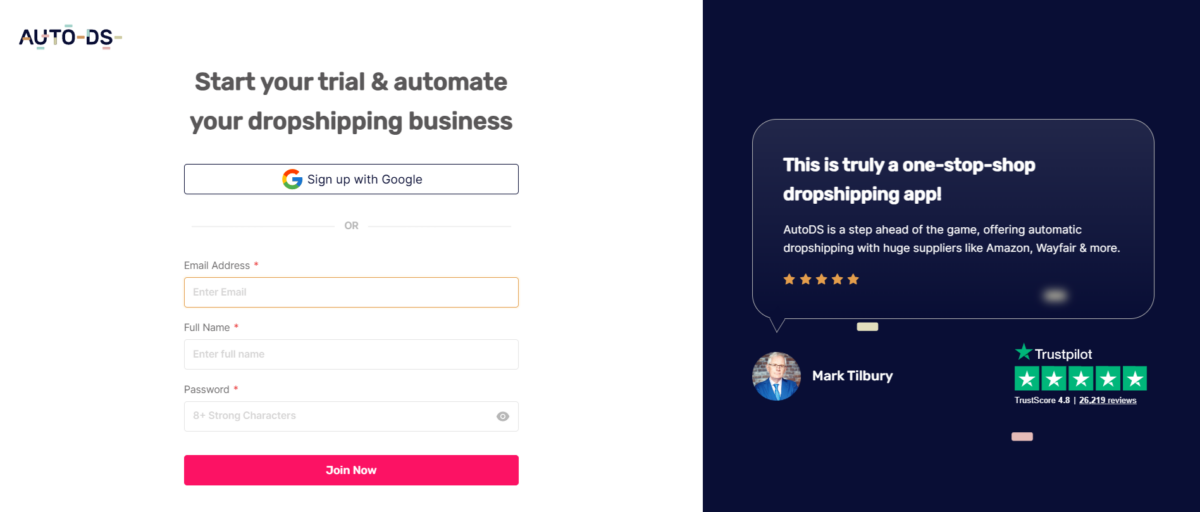
If you already have an account, you’re good to go. If not, you can create one in just a few seconds. Simply head over to AutoDS and sign up using the $1 trialto test how the setup works.
Once you’ve signed up, you’ll gain access to many features that will streamline your Shopify to Amazon integration process.
Step 2. Create A Free Shopify Store
Now that you’re armed with an AutoDS account, it’s time to create your Shopify store. You can either create a brand new one for free through AutoDS or use an existing store if you already have one.
💡 Pro Tip: Try out the AutoDS AI pre-built Shopify store; it gives you a full store, filled with winning products in under 2 minutes!
Step 3. Create An Amazon Seller Account
Next up, it’s time to venture into Amazon by creating your seller account. This involves signing up and providing basic details like our name, email, address, and phone number. After signing up, we need to verify our account by uploading a government-issued ID and providing a credit card or a bank statement. We may also need to participate in a verification video meeting. Once verified, we can request approval for the product categories in which we want to sell.
After completing the steps, we can be sure we’re ready to start selling on Amazon. AutoDS helps dropshippers lay the groundwork for a seamless integration between Shopify and Amazon.
Step 4. Connect Shopify & Amazon To AutoDS
Now it’s time to connect both platforms inside AutoDS.
From your dashboard, go to the “Add Store” section and link your Shopify and Amazon accounts by following the setup prompts. The process is guided and only takes a few minutes to complete.
Once connected, the platform will start syncing your product listings, inventory, and orders across both channels. Just sit back, relax, and let AutoDS do the heavy lifting while you reap the benefits of a fully integrated e-commerce operation.
The Smarter Way to Manage Shopify and Amazon Together
Running a multi-channel business doesn’t have to mean more complexity. With AutoDS, dropshippers can connect Shopify and Amazon into one streamlined system, simplifying syncing, automation, and scaling.
AutoDS is truly the all-in-one tool you need for all your dropshipping needs.
Scott Hilse
102K subscribers
Import Products To Your Shopify & Amazon Stores
Now, let’s explore how to import products to our Shopify and Amazon stores to diversify inventory and extend our reach. We’ll break down two crucial steps: adding products to our Amazon store and incorporating them into our Shopify store.
Mastering these steps will streamline our operations and amplify our online presence. Let’s delve into the details and discover how to import products to both platforms efficiently:
Step 1. Add To Amazon
Log in to your Amazon Seller Central account and navigate to the dashboard.
Locate and click on the “Add Products” button, usually found in the inventory or product management section.
Copy the ASIN (Amazon Standard Identification Number) of the product you wish to add from either Amazon’s product listing or from your supplier’s inventory.
Verify that you can resell the product without requiring brand approval. Check if the product meets the criteria set by Amazon’s reselling policies.
If the product is eligible for resale, return to your AutoDS dashboard.
Step 2. Add To Shopify
Access the AutoDS platform by logging into your account.
Navigate to the “Add Products” section within the AutoDS dashboard.
Input the product’s unique identifier into the designated field. In this case, we’re talking about the ASIN.
Utilize the AI-powered tools AutoDS provides to optimize the product title and description for better visibility and sales. This may include refining keywords, enhancing product details, and ensuring complete information.
Voilà! You’ve learned how to connect Shopify to Amazon and import products easily. You’re ready for a seamless journey to great e-commerce success.
🆕 Beginner’s Tip: Your product was in stock yesterday, but now it says “Sold Out”? Discover the real reasons why do Shopify products show sold out and how to fix it.
Why Should We Link Shopify To Amazon?
By now, you’ve seen how connecting Shopify to Amazon works in practice. But beyond the setup, the real value lies in how both platforms complement each other and strengthen your overall business model.
Instead of relying on a single channel, this integration allows you to combine Shopify’s flexibility with Amazon’s built-in demand, creating a more balanced and scalable eCommerce setup.
Here’s what that looks like in practice:
Expanded reach and higher sales potential: By tapping into Amazon’s massive customer base and organic traffic, you can get your products in front of more buyers, without relying solely on ads or external traffic sources.
Stronger brand presence with marketplace exposure: Shopify lets you build a branded storefront, while Amazon adds visibility. Together, they help reinforce trust and consistency across both channels.
Streamlined operations across platforms: Syncing product listings, inventory, and orders reduces the need for manual updates and keeps everything aligned, even as your catalog grows.
More efficient order and inventory management: Instead of juggling between dashboards, you can manage sales, fulfillment, and stock from a more unified workflow.
Diversified sales channels: Selling on both Shopify and Amazon reduces your dependency on a single platform, making your business more resilient to changes in traffic, policies, or demand.
Better product testing and scaling opportunities: Amazon can help validate demand quickly, while Shopify gives you the space to build long-term brand value around your best-performing products.
In short, linking Shopify to Amazon allows you to operate with more reach, better control, and greater flexibility—setting a stronger foundation for long-term growth.
📦 Supplier’s Tip: Want to expand your product catalog? This AliExpress to Amazon dropshipping guide is a great resource to explore additional sourcing options without changing your Shopify and Amazon setup.
How AutoDS Simplifies Shopify to Amazon Integration
Running Shopify and Amazon together is much easier when both platforms are connected through a single structure. Instead of managing each channel separately, AutoDS brings everything into one place and keeps your operations aligned as your business grows.
Here’s how it supports your workflow:
Product syncing across platforms: Import and manage your product listings across Shopify and Amazon without duplicating work. This keeps your catalog consistent and reduces the risk of mismatched information between channels.
Real-time price and stock automation: AutoDS continuously monitors supplier changes and updates your listings accordingly, helping you avoid overselling, outdated pricing, or manual adjustments.
Automated order fulfillment: When a customer places an order, AutoDS handles the fulfillment process and updates tracking information automatically, removing the need for repetitive manual actions.
Centralized dashboard management: From one dashboard, you can track performance, manage orders, adjust pricing, and optimize your strategy without switching between platforms.
In simple terms, AutoDS connects Shopify and Amazon into a unified system that reduces manual work and makes multi-channel selling easier to manage at scale.
Frequently Asked Questions
Is it possible to link Shopify to Amazon?
Yes! It is possible to link Shopify to Amazon using automation tools like AutoDS. This lets you sync listings, prices, inventory, and orders across both platforms from one dashboard, making it much easier to run your business without switching tabs all day.
Can I dropship the same products on different selling channels?
Absolutely! AutoDS supports multi-channel dropshipping, so you can sell the same products on both Shopify and Amazon at the same time. This expands your reach and increases your chances of making sales, without any extra effort.
Can I import the same product to different stores with AutoDS?
Yes! AutoDS allows you to import one product to multiple stores, whether you’re selling on Shopify, Amazon, or both. That way, your entire product catalog stays consistent, and your workflow stays efficient.
Connect Shopify to Amazon With AutoDS
By now, it’s clear that connecting Shopify to Amazon can help your business grow really fast. You’re combining Shopify’s flexibility with Amazon’s massive traffic and trust. And while juggling two platforms might sound intimidating, automation makes it surprisingly simple.
AutoDS provides real-time syncing, auto-fulfillment, and centralized management, so your dropshipping business runs smoother than ever. You’re not just saving time but setting yourself up to scale. If you’re thinking long-term, linking Shopify to Amazon with AutoDS is essential.
🤝 Ready to get started with multi-channel selling? Try AutoDS for $1 and see how easy it is to connect Shopify to Amazon and manage both from a single, streamlined system.
Explore more useful dropshipping content in the AutoDS expert blog:
Caterina has specialized in time-saving SaaS solutions for e-commerce businesses since 2017. With expertise in AI-powered tools, she creates engaging content to simplify complex ideas for dropshippers and small business owners. Her extensive experience with automation tools and background in marketing content tailored to entrepreneurs make her a trusted voice in the industry.