


When comparing WooCommerce vs Shopify dropshipping, the biggest difference comes down to control versus convenience. WooCommerce is a flexible, self-hosted WordPress plugin that gives you more freedom to customize your store, choose your hosting, and manage costs. Shopify, on the other hand, is an all-in-one hosted platform that handles most of the technical setup for you, making it faster and easier to launch.
Both are trusted dropshipping platforms, but how do you choose the right one for your business in 2026? In this guide, we’ll share the ultimate showdown: WooCommerce vs Shopify. We’ll compare them across pricing, setup, ease of use, SEO, dropshipping integrations, scalability, and AI features. This will give you a clearer idea of which platform best fits your experience, budget, and long-term goals.
Plus, we’ll show you how automation can help you get more from either platform. AutoDS integrates directly with both Shopify and WooCommerce to automate the entire dropshipping workflow, while even letting you manage multiple Shopify and WooCommerce stores from a single dashboard.
Shopify is the easier option for beginners, with built-in hosting, security, and a simpler setup process.
WooCommerce offers more control and flexibility, making it better for sellers who already use WordPress or want deeper customization.
WooCommerce can be cheaper at first, but hosting, extensions, and maintenance costs can add up as your store grows.
Both platforms support dropshipping automation, and AutoDS integrates with both to add full automation at every step — you can even manage Shopify and WooCommerce stores from the same dashboard.
What Is WooCommerce?
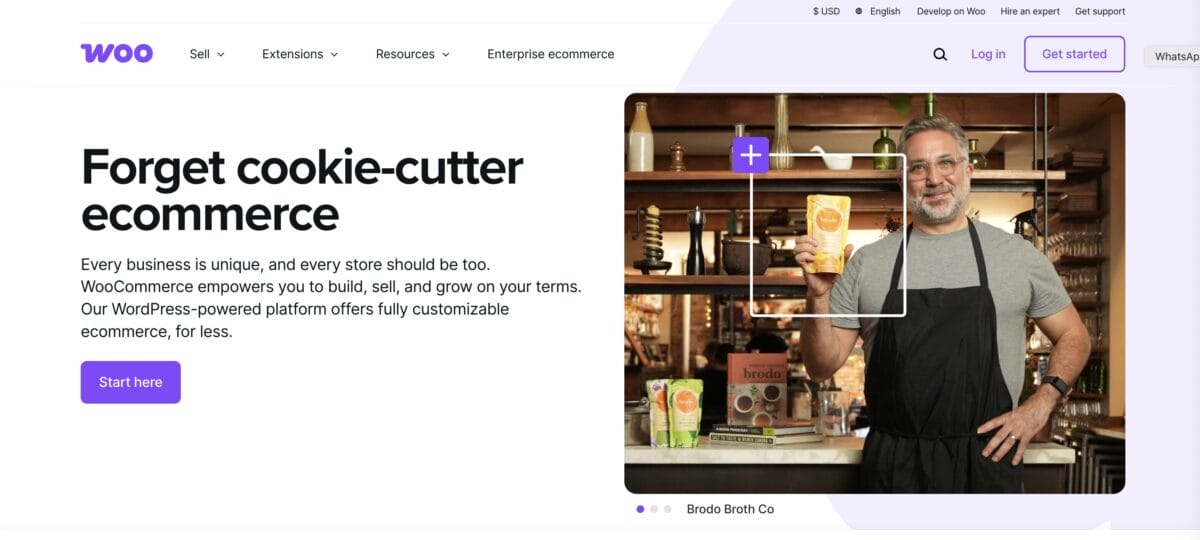
WooCommerce is a free, open-source e-commerce plugin that turns a WordPress website into a fully functional online store. You just install it on WordPress, and it gives you the tools you need to create product pages, accept payments, manage orders, configure shipping, and track inventory directly from your dashboard.
Unlike Shopify, which is a hosted platform, WooCommerce requires you to arrange your own domain, web hosting, security, and website maintenance. In exchange, you gain much more control over your store’s design, data, functionality, and ongoing costs. The core plugin is free, while additional expenses can include hosting, premium themes, paid extensions, and developer support.
All in all, dropshipping on WooCommerce is a strong option if you already use WordPress or want more control over how your store looks and functions. You can even install third-party apps for fulfillment automation and supplier management. Just keep in mind that this flexibility comes with more responsibility, since you’ll need to handle more of the setup, maintenance, and technical details yourself.
Now, how popular is WooCommerce among online sellers? Huge, to put it simply. According to various reports cited by RedStag Fulfillment, WooCommerce leads Shopify in raw store count, with roughly 33% market share (about 4.53 million active stores). In fact, 20.7% of WordPress sites use it, showing that WooCommerce remains the dominant e-commerce choice within the world’s largest CMS ecosystem.
What Is Shopify?

Shopify is an e-commerce platform that gives you everything you need to build, launch, and manage an online store. Instead of setting up separate hosting, security, and e-commerce plugins, you pay a monthly subscription and manage everything from one dashboard.
The platform includes website themes, product and inventory management, payment processing, analytics, marketing tools, and access to a large app marketplace. Because Shopify handles most of the technical work behind the scenes, it’s generally easier to set up and maintain than WooCommerce, especially if you don’t have experience with WordPress or web development.
Specifically, when dropshipping on Shopify, the platform connects with automation tools and supplier apps that help you import products, monitor stock and prices, and process orders. It’s a popular choice for beginners because you can get a store running quickly without worrying too much about the technical side. The trade-off is that you have less control over the platform itself and need to account for subscription fees and any paid apps you add.
As we mentioned earlier, WooCommerce leads in market share: according to the RedStag Fulfillment report, Shopify’s current market share is 19.6%, well below WooCommerce’s 33.4% over the same period. That said, Shopify still dominates in transaction volume. Shopify’s SEC filings report $378.4 billion in gross merchandise volume for 2025, compared to WooCommerce’s estimated $30–35 billion in annual GMV, roughly 10x more sales flowing through Shopify despite its smaller store count.
This suggests that Shopify stores tend to process significantly more revenue per merchant. While WooCommerce powers a larger number of websites, many are smaller or less commercially active, whereas Shopify has a stronger presence among established, high-volume brands.
WooCommerce Vs. Shopify Dropshipping — Comparison Table
| Feature | WooCommerce | Shopify |
|---|---|---|
| Setup | ⚠️ More technical and requires separate hosting. | ✅ Faster and easier, with hosting included. |
| Pricing | ⚠️ Free plugin, but hosting and extensions cost extra — ~$25–$350/month depending on traffic and performance needs. | ⚠️ Monthly subscription starting at $39/month ($1/month x 3 months trial) + optional app fees — ~$20–$500/month |
| Ease of Use | ⚠️ More flexible, but has a steeper learning curve. | ✅ Beginner-friendly and easier to manage. |
| SEO | ✅ More control and customization. | ⚠️ Easier to manage but less flexible. |
| Dropshipping Apps | ✅ Supports many plugins and tools, including AutoDS. | ✅ Large app marketplace, including AutoDS. |
| Scalability | ✅ Highly scalable with the right hosting and setup. | ✅ Easy to scale without managing technical infrastructure. |
| Best For | Sellers who want maximum control and already use WordPress. | Beginners who want a simple, all-in-one platform. |
WooCommerce Vs. Shopify Dropshipping: Pros & Cons
To see how WooCommerce and Shopify really compare, let’s break down the strengths and weaknesses of each, starting with WooCommerce.
WooCommerce Dropshipping Pros
WooCommerce can be a cost-effective way to start dropshipping, especially if you already use WordPress. It also offers several advantages that can help you customize your store, scale your business, and increase your profit margins over time. Let’s break them down:
Complete Customization
Because WooCommerce runs on WordPress, almost every part of the store can be customized. That includes the layout, checkout experience, product pages, navigation, and overall design.
This makes it easier to create a store that feels consistent with the brand instead of relying on a standard template. A more distinctive shopping experience can also help your business stand out from competitors and build stronger recognition over time.
No Built-In Product Limits
WooCommerce doesn’t have a fixed limit on how many products can be added to a store. Sellers can start with a small catalog and gradually expand into hundreds or even thousands of listings.
The main limitation is the website’s hosting and performance. With the right infrastructure, WooCommerce can support a large product catalog without forcing the business into a higher platform plan.
A Large Selection of Plugins and Themes
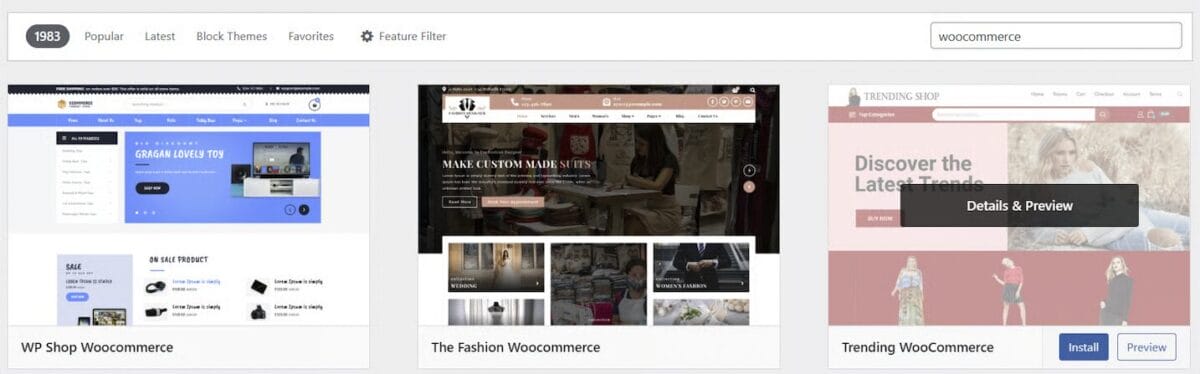
WooCommerce has a huge ecosystem of free and paid plugins that add new features to a store. These can support everything from dropshipping automation and payment processing to SEO, analytics, email marketing, and customer reviews.
There are also thousands of WordPress themes available, many of which are designed specifically for e-commerce. This gives sellers plenty of options for building a professional store without starting from scratch.
Built-In Content Management
Since WooCommerce is built on WordPress, it comes with one of the most widely used content management systems available. Product pages, blog posts, landing pages, images, and other website content can all be created and edited from the same dashboard.
This is especially useful for stores that rely on blogging and SEO to attract organic traffic. Content can be published regularly without needing a separate platform or complicated workflow.
Strong Scalability
WooCommerce can grow alongside a dropshipping business. New products, categories, integrations, and features can be added as the store expands.
However, scalability depends heavily on the hosting setup. A growing store may eventually need faster servers, better caching, or technical support to maintain strong performance as traffic and order volume increase.
Powerful SEO Tools
WooCommerce gives sellers considerable control over product URLs, metadata, category pages, internal linking, and website structure. WordPress SEO plugins can also help optimize product descriptions, titles, images, and blog content.
This flexibility makes WooCommerce a strong choice for sellers who plan to use organic search as a long-term traffic source. The trade-off is that more of the optimization needs to be handled manually.
WooCommerce Dropshipping Cons
WooCommerce offers plenty of flexibility, but that also means more responsibility. Unlike an all-in-one platform, it requires sellers to manage several parts of the store themselves, from hosting and security to updates and performance. Here are the main drawbacks to consider:
Steeper Learning Curve
Setting up a WooCommerce store involves more steps than launching with a hosted platform. Sellers need to install WordPress, choose a hosting provider, configure WooCommerce, set up payments, and manage security and backups.
There are setup guides and tools that make the process easier, but beginners may still need more time to become comfortable with the platform.
No Built-In Audience
WooCommerce is not a marketplace, so it does not provide immediate access to an existing customer base. A new store will need to attract visitors through SEO, paid advertising, social media, influencer marketing, or other marketing strategies (just like Shopify, by the way).
That does not mean WooCommerce cannot generate organic traffic. In fact, its WordPress foundation offers strong SEO potential, but building that traffic takes time and consistent effort, unlike dropshipping on marketplaces like Amazon or eBay.
More Maintenance
WooCommerce sellers are responsible for keeping WordPress plugins, themes, and security tools up to date. Updates can sometimes cause compatibility issues, especially when a store relies on several third-party plugins.
Regular backups, performance checks, and troubleshooting may also be necessary to keep the store running smoothly.
Costs Can Be Unpredictable
The WooCommerce plugin is free, but running the store is not. Hosting, premium themes, paid extensions, security tools, and developer support can all increase the total cost.
This flexibility allows sellers to choose what they pay for, but monthly expenses may be harder to predict than Shopify’s fixed subscription plans.
Shopify Dropshipping Pros
Shopify is known for one major thing: it’s built to make e-commerce as straightforward as possible. Hosting, security, store management, and many essential tools are included, so sellers can focus more on products and marketing instead of maintaining the website. Here are the main benefits of using Shopify for dropshipping:
Easy-to-Use Interface
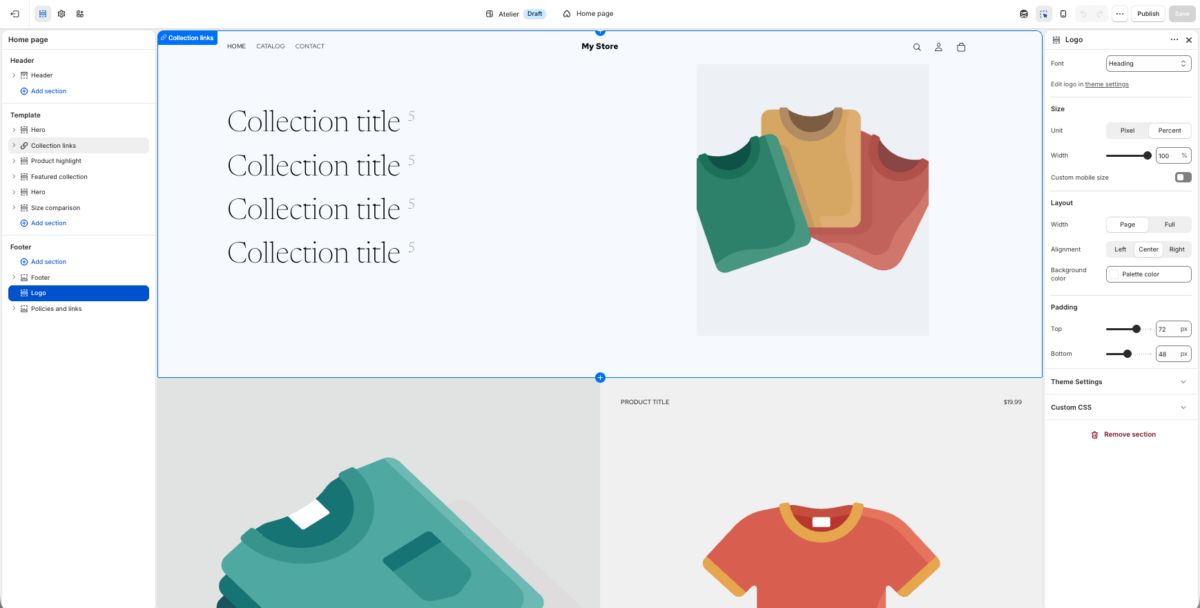
Shopify’s dashboard is clean, intuitive, and easy to navigate, even without technical experience. Products, orders, customers, discounts, and store settings can all be managed from one place.
It also provides a clear overview of important metrics, including sales, traffic, conversion rates, and top-performing products. This makes it easier to understand how the store is performing and identify areas for improvement.
🆕 Beginner’s Tip: If you’re just getting started and want to skip most of the setup process, you can try the AutoDS AI Shopify Store Builder. It automatically generates a ready-to-sell store in under two minutes, complete with a professional design, built-in branding, and hand-picked products.
Wide Selection of Apps
The Shopify App Store includes tools for nearly every part of running an e-commerce business. Sellers can add apps for product sourcing, dropshipping automation, email marketing, customer reviews, analytics, upselling, and more.
This makes it easy to expand the store’s functionality as the business grows. However, some apps require separate monthly subscriptions, so it is important to keep track of the total cost.
Unlimited Product Listings
Shopify plans allow sellers to list an unlimited number of products. A store can begin with a small, focused selection and expand its catalog over time without hitting a fixed product limit.
This is particularly useful for dropshippers who want to regularly test new items or expand into multiple product categories.
Professional E-commerce Themes
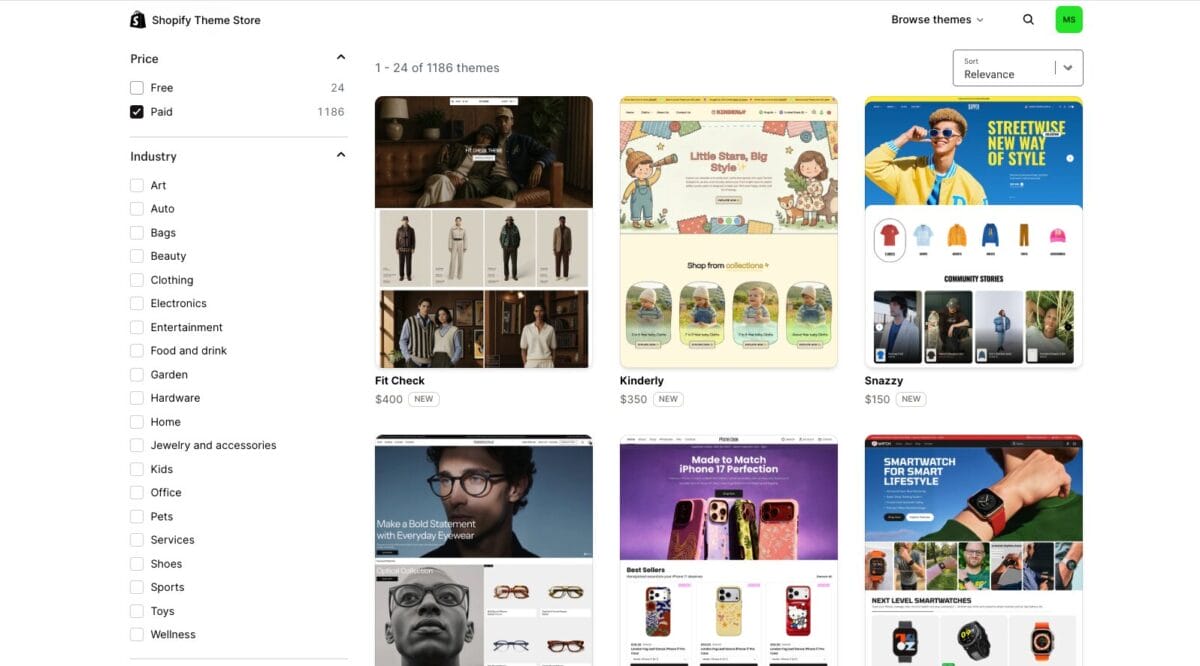
Shopify offers a selection of free and paid themes designed specifically for e-commerce. These templates include essential features such as product galleries, mobile-friendly layouts, navigation menus, and customizable sections.
The visual editor also allows you to adjust colors, fonts, images, and page layouts without coding. This helps you create a professional-looking store without building everything from scratch.
Built-In Blogging Tools
Shopify includes a blogging feature that allows you to publish guides, product comparisons, industry updates, and other useful content directly on your store.
Blogging can support SEO, attract organic traffic, and answer questions potential customers are already searching for. While Shopify’s content tools are less flexible than WordPress (WooCommerce), they cover the essentials for most e-commerce stores.
Reliable Customer Support
Shopify provides customer support around the clock, along with setup guides, tutorials, community forums, and a detailed help center.
Having direct support available can be especially helpful for beginners dealing with store settings, payments, domains, or technical issues. Since Shopify manages the platform’s infrastructure, you do not need to contact separate hosting providers when something goes wrong.
Shopify Dropshipping Cons
Shopify makes it easy to launch and manage a dropshipping store, but that convenience comes with a few trade-offs. This means you have less control over the platform itself, and costs can increase as more apps and features are added. Here are the main disadvantages to consider:
No Built-In Audience
Just like WooCommerce, Shopify is an e-commerce platform, not a marketplace, so simply launching a store will not automatically bring in shoppers. You need to get your own traffic through SEO, social media, paid advertising, influencer partnerships, or content marketing.
Shopify stores can still attract organic traffic from search engines, but building visibility takes time and consistent optimization.
Ongoing Subscription Costs
Shopify charges a recurring subscription fee to keep the store active. Although this makes monthly expenses easier to predict, it also means paying for the platform regardless of how many sales the store generates. The total cost may also rise when adding premium themes, paid apps, or more advanced features.
Additional App Fees
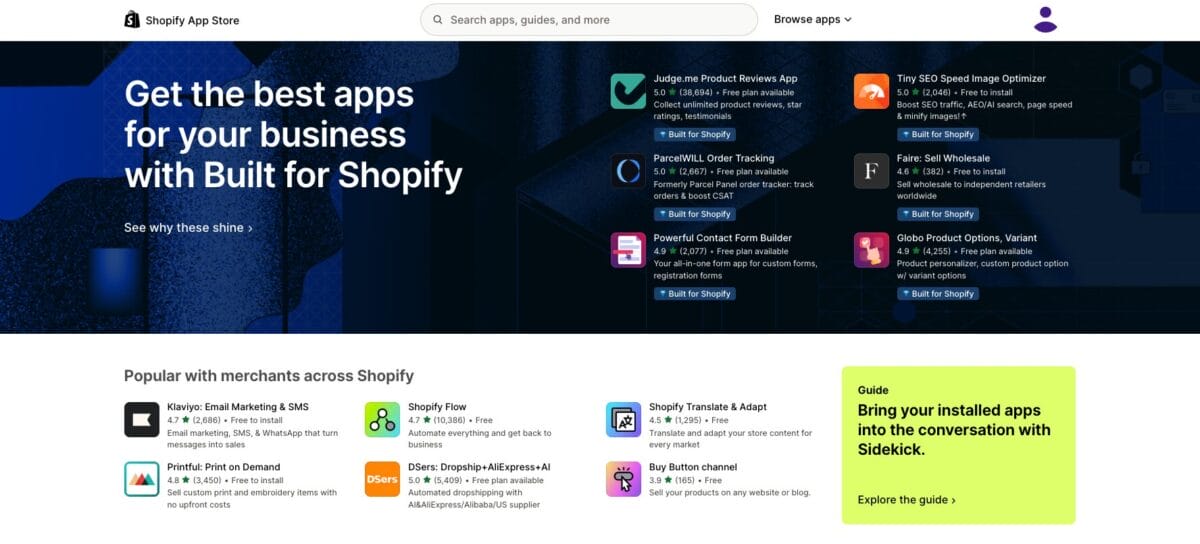
Shopify’s app marketplace is one of its biggest strengths, but relying on several paid apps can quickly increase monthly expenses. Tools for reviews, email marketing, upselling, analytics, and automation may each come with their own subscription.
Before adding a new app, it is worth checking whether Shopify already includes a similar feature or whether the app will provide enough value to justify the cost.
Less Technical Control
Because Shopify is a hosted platform, you can’t control every part of the website’s infrastructure. There are also limitations around URL structures, checkout customization, and access to certain technical settings. This will not be a major issue for most beginners, but experienced sellers or developers may find Shopify less flexible than WooCommerce.



WooCommerce Vs. Shopify Dropshipping: Pricing Comparison
Now, let’s talk pricing, because both platforms offer completely different models. On one hand, Shopify charges a monthly or annual subscription, with multiple plans available based on the features a store needs. On the other hand, WooCommerce itself is free, but sellers still need to budget for hosting, a domain, premium extensions, and other optional tools.
At the end of the day, prices are not that different at a basic level. Both can get you started for well under $50 a month if you keep things lean. Where they differ is predictability: Shopify’s flat subscription makes your monthly cost easy to forecast from day one, while WooCommerce’s à la carte pricing means your total can creep up as you add hosting upgrades, premium themes, or extra plugins.
Let’s break down exactly what you can expect to pay with each platform.
WooCommerce Pricing
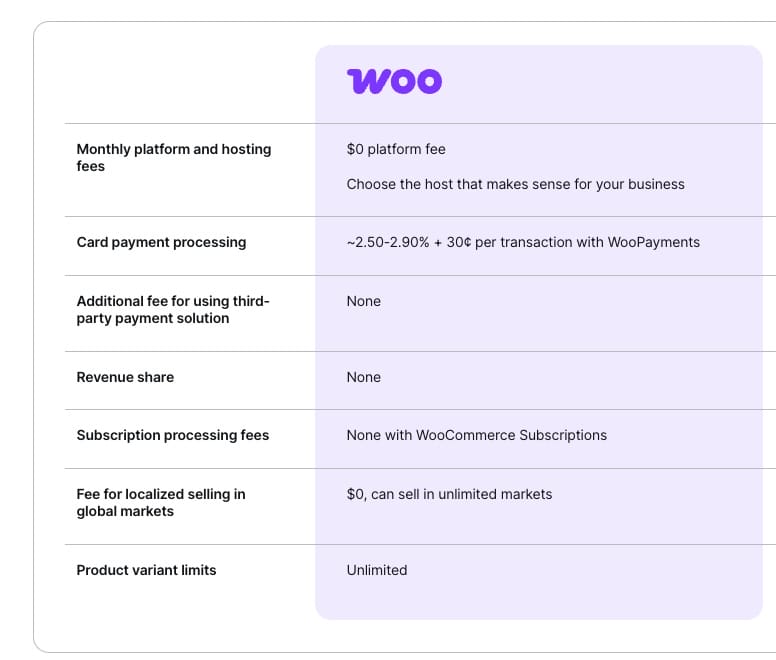
WooCommerce is free, with no required monthly platform subscription. It can be installed on any compatible self-hosted WordPress website, so there is no need to purchase a specific WordPress.com plan.
However, every WooCommerce store needs hosting and a domain, as well as themes and plugins. Let’s see:
- Hosting: Entry-level WooCommerce hosting can start at promotional rates of around $2.99 to $3.79 per month. For example, SiteGround currently starts at $2.99 per month and renews at $17.99, while Hostinger starts at $3.79 and renews at $16.99. These introductory prices often require paying for one or more years upfront.
- Domain: It typically costs around $10 to $20/year, although some hosting plans include the first year for free. Renewal prices can be higher than the introductory rate, so it is worth checking the long-term cost before choosing a provider.
- Themes: Free options are available, but premium WooCommerce themes commonly cost between $59 to $79, according to a recent Elementor report.
- Plugins: Paid extensions generally range from $0 for basic features to $259/year for more advanced tools, according to the same Elementor report. For multiple tools, expect to pay up to $500+/year.
Payment processing is another cost to consider. WooCommerce does not charge an additional platform transaction fee, but the chosen payment provider will charge its own processing rate of 2.50%-2.90% plus $0.30 per transaction, depending on the provider, payment method, card type, and country.
Altogether, a basic WooCommerce dropshipping store can start cheaply, around $25 to $350 per month, depending on setup. This includes using affordable hosting, a free theme, and only essential plugins. Still, costs can grow as the store needs better hosting, premium extensions, security tools, or technical support, so the full setup should be included in the budget.
Shopify Pricing
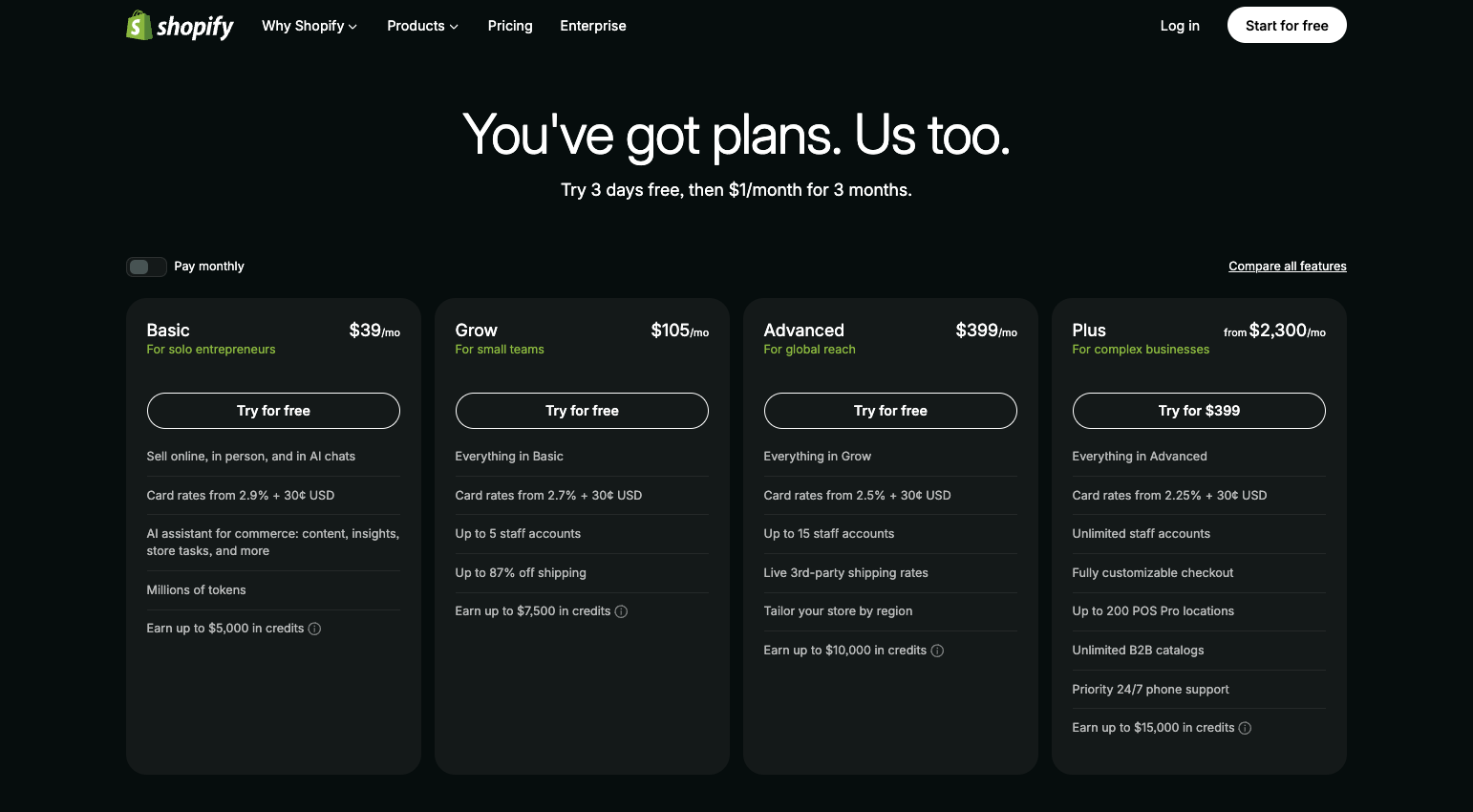
Shopify currently offers a three-day free trial, followed by $1 per month for the first three months for eligible new users. However, promotional offers can vary by location and may change over time. Then, you start paying for your subscription:
- Basic plan: $39/month, or $29/month when billed annually. This one includes everything needed to launch a dropshipping store, including hosting, an SSL certificate, unlimited product listings, inventory management, analytics, and access to Shopify’s app marketplace. Online card rates through Shopify Payments start at 2.9% + $0.30 per transaction.
- Grow plan: $105/month or $79/month with annual billing. It includes everything in Basic, along with lower payment rates, more advanced reporting, and up to five additional staff accounts. This plan is designed for growing stores that need more collaboration and deeper performance insights.
- Advanced plan: $399/month or $299/month when billed annually. Best for larger businesses. It offers Shopify’s lowest standard payment and third-party transaction rates, advanced reporting, live third-party carrier rates, international selling tools, and up to 15 additional staff accounts.
Regardless of the plan, there are extra costs you should consider in your budget. First, your custom domain, which typically costs $10 to $20 per year, similar to WooCommerce. Then, Shopify themes range from free to $500+ as a one-time purchase, while apps may cost around $0-$100/month for a basic setup and $100-$500/month as the store grows.
The good news is that Shopify Payments does not charge an extra third-party transaction fee when used as the payment provider, but additional Shopify fees may apply when processing payments through an external provider.
In total, running a Shopify store can cost anywhere from roughly $20 to $500+ per month, depending on the plan, theme, and apps you choose. Of course, you can start on a tight budget with a free theme and only a few essential apps. As your store grows, however, premium tools and a higher-tier Shopify plan can push your monthly costs toward the upper end of that range.
WooCommerce Vs. Shopify Dropshipping – Which Is Best?
So, which platform is actually better for dropshipping? The answer depends on what you value most and your workflows. Shopify focuses on simplicity and convenience, while WooCommerce gives you more freedom to customize and control how your store works.
Here’s your cheatsheet to make your decision. Choose…
👉 WooCommerce if you’re looking for deep customization. Because it is an open-source WordPress plugin, you can modify nearly every part of your store, from its design and checkout experience to its URL structure and technical SEO settings. It also works especially well for content-heavy stores that plan to use blogging and organic search as major traffic sources. However, getting the most from that flexibility usually requires more technical knowledge and ongoing maintenance.
👉 Shopify if you want to get up and running fast—no headaches, no complexity. Hosting, security, updates, analytics, and essential e-commerce features are already included, so you do not need to assemble the store piece by piece. Its visual editor, ready-made themes, and built-in blogging tools also make it easy to create and manage a professional store without coding.
Now, remember: Pricing works differently for each, but honestly? You can find ways to make it low-cost at first on both platforms. As we’ve mentioned, Shopify Basic currently costs $39 per month, or $29 per month with annual billing, giving you a predictable starting cost. WooCommerce itself is free, but you need to pay separately for hosting, a domain, and any premium themes or extensions. Yes: WooCommerce is a bit cheaper for a basic setup, but keep in mind that costs may become less predictable as the store grows.
Both platforms also support a wide range of dropshipping, marketing, SEO, and automation tools. Shopify keeps these integrations within a centralized app marketplace, while WooCommerce draws from the much larger WordPress plugin ecosystem. Shopify also includes 24/7 chat support on every plan, whereas WooCommerce support may come from several different providers, including your host, plugin developers, or a web professional.
Ultimately, Shopify is the better choice for most beginners because it is faster to set up and requires less technical management. WooCommerce is better for sellers who already use WordPress or want maximum control over customization, SEO, and infrastructure.
Both can support a scalable dropshipping business, so the right choice comes down to your budget, experience, and preferred level of involvement.
Automate Your WooCommerce Or Shopify Dropshipping Business
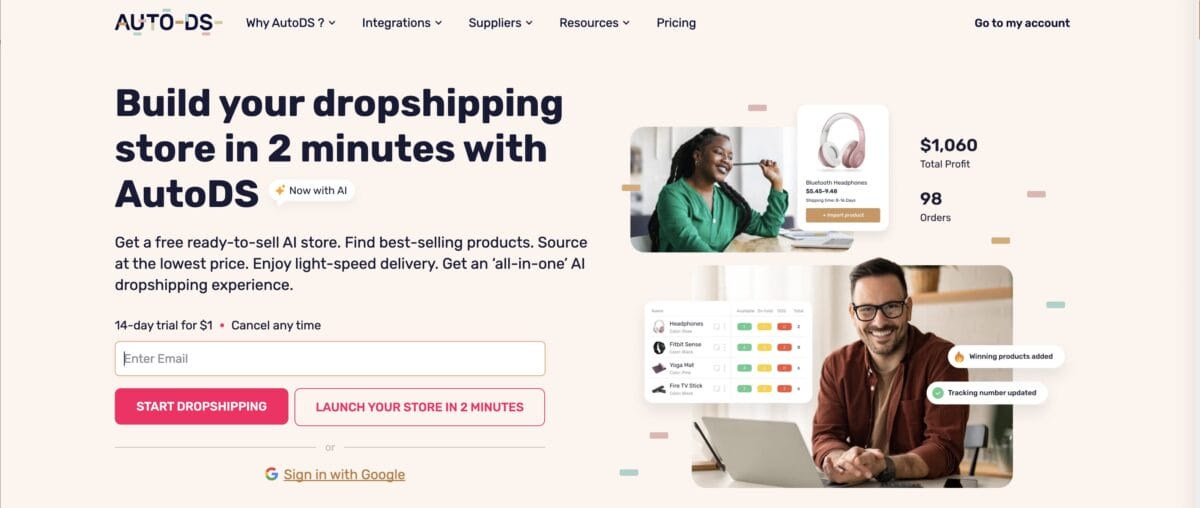
No matter which platform you choose, managing a dropshipping store can involve a lot of repetitive work. Researching products, updating listings, checking stock, adjusting prices, and processing orders may be manageable at first, but it becomes much harder as your store grows. That’s why automation can make such a big difference.
That’s where AutoDS, an all-in-one dropshipping platform, comes in. The platform integrates with both Shopify and WooCommerce, bringing your products, orders, pricing, and inventory into one centralized dashboard. You can also connect multiple stores and selling channels under the same account, depending on your plan, making it easier to expand without constantly switching between platforms.
AutoDS can help automate key parts of the dropshipping workflow, including:
- Product research: Explore trending and hand-picked products, supplier catalogs, ad spy tools, and TikTok analytics.
- One-click product imports: Import products from supplier listings to your store automatically, packed with images, descriptions, variations, prices, and stock information.
- Price and stock monitoring: Automatically update listings when a supplier changes its price or runs out of stock.
- Automatic pricing: Set profit margins, shipping costs, and store fees so prices adjust according to your rules.
- Order fulfillment: Automatically place orders with suppliers and update tracking information once it becomes available.
- Inventory management: Manage active listings, drafts, variations, and bulk product changes from one dashboard.
- AI content and marketing tools: Generate or improve product titles, descriptions, images, ad copy, and UGC-style video ads.
Whether you manage one Shopify store, one WooCommerce site, or several stores across both platforms, AutoDS centralizes your entire operation in one dashboard, keeping your workflows running on autopilot while giving you more time to focus on product testing, marketing, and scaling.
Frequently Asked Questions
What Are The Key Differences Between WooCommerce And Shopify Dropshipping?
WooCommerce is a free, open-source plugin for WordPress that requires self-hosting and offers more customization options but can be more complicated to set up. On the other hand, Shopify is a paid, all-in-one platform that is easier to use and offers more built-in features, but with less flexibility. In terms of dropshipping, both platforms offer similar functionalities and integrations with popular dropshipping apps and suppliers.
Is WooCommerce Or Shopify Better For Dropshipping?
Both Shopify and WooCommerce are great options for dropshipping. They allow you to run and optimize a fully customizable store. Your choice will depend on your specific needs and budget.
Which Dropshipping Platform Offers More Customization Options: WooCommerce Or Shopify?
While WooCommerce offers more customization options and flexibility, it requires more technical knowledge to get started and maintain. However, Shopify also offers great customization options and ease of use.
Is WooCommerce Cheaper Than Shopify?
WooCommerce can be cheaper because the core plugin is free, and there is no fixed platform subscription. However, you still need to pay for hosting, a domain, security, and any premium themes or extensions you use. Shopify charges a predictable monthly fee and includes hosting and security, so the better value depends on the tools and resources your store needs.
Which Is Better for Beginners?
Shopify is generally better for beginners because it handles hosting, security, software updates, and most of the technical setup. WooCommerce offers more freedom and customization, but it has a steeper learning curve and requires you to manage more parts of the website yourself.
Can I Use AutoDS With WooCommerce?
Yes, AutoDS integrates directly with WooCommerce and can automate tasks such as importing products, monitoring prices and stock, and fulfilling orders. You can also connect WooCommerce and Shopify stores to the same AutoDS account and manage them from one dashboard.
Automate Shopify And WooCommerce Dropshipping With AutoDS
Both Shopify and WooCommerce can support a successful dropshipping business, but they suit different types of sellers. Shopify is the better choice for beginners who want a fast, simple setup with hosting and security included. WooCommerce takes more work to manage, but it offers greater flexibility, customization, and control over your store. The right option depends on your technical experience, budget, and long-term plans.
Whichever platform you choose, automation can help you spend less time on repetitive tasks and more time growing your business. AutoDS integrates directly with Shopify and WooCommerce to automate product importing, price and stock monitoring, and order fulfillment. You can also manage stores from both platforms through the same AutoDS dashboard, making it easier to keep your entire dropshipping operation organized in one place. You can check out and test these workflows with the AutoDS $1 trial—no long-term commitment.
Want to learn more about these platforms? Here are a few more reads you might find helpful:







