



If you keep hearing about Shopify but still aren’t entirely sure what it actually does, that’s a reasonable place to be. It’s one of those names everyone in eCommerce seems to reference, but few people take the time to explain it clearly from the basics.
So let’s fix that. Shopify is a platform that lets you build and run an online store without touching code or managing the technical side of selling online. You focus on the business. Shopify handles the rest. And when you layer in a dropshipping model, tools like AutoDS integrate directly with Shopify to automate the operational work: product importing, order fulfillment, and price monitoring.
This guide covers everything: how Shopify works, what each feature actually does, how pricing breaks down, and how to build a Shopify dropshipping business from scratch.
Shopify is a hosted eCommerce platform that lets anyone build and run an online store without coding, technical setup, or upfront inventory investment.
Understanding how Shopify works means seeing it from three angles: the business model behind it, the buying experience it creates for customers, and the daily tools it gives merchants to run their store.
Compared to WooCommerce, Wix, and Amazon, Shopify offers a strong balance of brand control, scalability, and dropshipping flexibility for most sellers starting out.
A Shopify dropshipping store becomes scalable when product research, supplier management, and order fulfillment run automatically.
AutoDS integrates directly with Shopify to automate product importing, pricing, order fulfillment, and supplier management, so your business scales without the operational workload. 👇
What Is Shopify?

Shopify is a cloud-based eCommerce platform that gives anyone the tools to build, run, and scale an online store, without touching a single line of code. That’s the core of it. Everything else (the features, the integrations, the pricing tiers) is built around that central premise: making eCommerce accessible.
What Shopify Does
At its most basic level, Shopify gives you a place to sell things online. But the platform goes well beyond a simple storefront. It handles the website, product catalog, checkout process, payment processing, and order management, all under one roof.
That scope explains why it’s become one of the industry’s dominant forces. Over 6.5 million active stores worldwide run on Shopify, spanning more than 175 countries. That range is part of what makes the platform interesting. A first-time seller testing a product idea and a brand like Gymshark (which scaled to hundreds of millions in revenue) are both running on the same system. It adjusts to where you are.
For a beginner, the practical implication is clear: you don’t need to hire a developer, manage hosting, or integrate separate payment systems. Shopify bundles everything, which means the barrier between having an idea and having a store is much lower than it used to be.
Who Shopify Is For
Shopify is built for a wide range of sellers, but it’s particularly well-suited for three profiles:
- People launching their first online store.
- Entrepreneurs running a dropshipping business.
- Small-to-medium brands looking to grow without the complexity of a custom-built solution.
If you’re just getting started, the setup process gets you from zero to live store in a matter of hours. If you’re dropshipping, the platform integrates directly with supplier tools and scales cleanly as order volume expands. And if you’re already building something bigger, Shopify’s infrastructure handles significant traffic without forcing a platform change mid-growth.
In any case, Shopify is less suited for:
- Sellers with highly complex technical requirements.
- Businesses that need deep code-level customization.
- Merchants operating at enterprise scale with very specific operational needs.
For the vast majority of people reading this guide, though, it fits.
How Shopify Makes Money
Shopify’s revenue model is simple: it charges merchants a monthly subscription fee to use the platform, plus a percentage of each transaction processed through third-party payment gateways. If you use Shopify’s own payment system (Shopify Payments), those transaction fees are waived, which is how the platform incentivizes merchants to keep everything within its ecosystem.
Beyond subscriptions and transaction fees, Shopify also earns revenue through its App Store, where third-party developers sell tools and integrations. Every app purchase or subscription that runs through that marketplace generates a share for Shopify.
The result is a business model that scales directly with its merchants’ success: the more they sell, the more Shopify earns.
How Does Shopify Work?
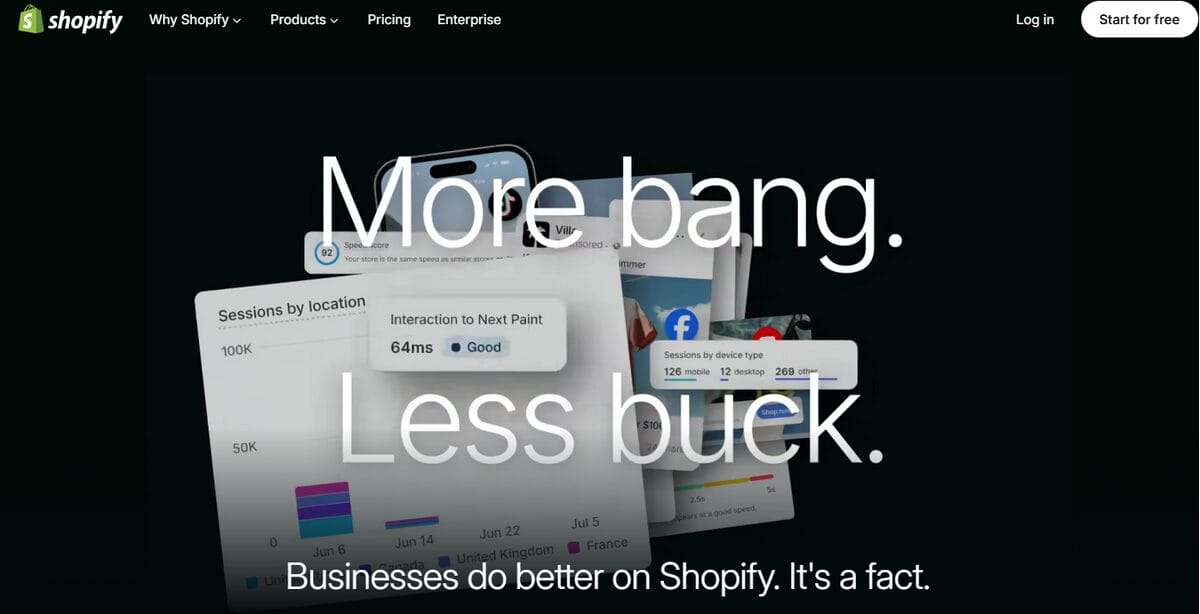
Now, to really understand Shopify, you need to see how it works as a business, as a shopping experience, and as a daily tool.
Shopify’s Core Business Model
Shopify operates as a software-as-a-service (SaaS) platform, which means users pay a recurring subscription to access the tools they need for their store. Think of it like renting a fully equipped commercial kitchen. Everything’s already there, maintained and updated. You just pay the monthly fee and focus on cooking.
That subscription covers the storefront, the checkout, the payment infrastructure, and the backend management tools. On top of that, Shopify earns a percentage of transactions processed through third-party payment gateways, a fee that (as mentioned earlier) disappears if merchants use Shopify Payments.
How Customers Buy From Shopify Stores
From a customer’s perspective, shopping on a Shopify store feels like shopping on any other online store. That’s exactly the point. Shopify powers the experience invisibly. The buyer sees the brand, browses the product catalog, adds items to a cart, and checks out. Shopify handles everything that happens under the hood: secure payment processing, order confirmation, and fulfillment triggers.
Worth noting: most customers have no idea they’re shopping on Shopify. The storefront looks like the brand’s own website, which is by design. That brand control is one of the reasons merchants choose Shopify over marketplace selling on platforms like Amazon, where the platform’s identity always takes precedence over the seller’s.
How Store Owners Use Shopify
On the merchant side, Shopify centralizes everything into a single dashboard. From there, store owners manage their product catalog, track inventory, run marketing campaigns, review sales analytics, and configure shipping settings, all without switching between platforms.
The day-to-day rhythm tends to look like this: an order comes in, Shopify sends a notification, it appears in the dashboard, and fulfillment begins. For dropshippers specifically, that fulfillment step is where automation tools like AutoDS step in: they receive the order signal from Shopify and route it directly to the supplier, with no manual processing required. At any meaningful volume, that automation is what keeps the operation manageable.
Shopify Explained in 5 Simple Steps
Building a Shopify store follows a clear sequence. And once you see how each step connects to the next, the whole process feels a lot less intimidating. Here’s how it works from the start.
1️⃣ Create a Shopify Account
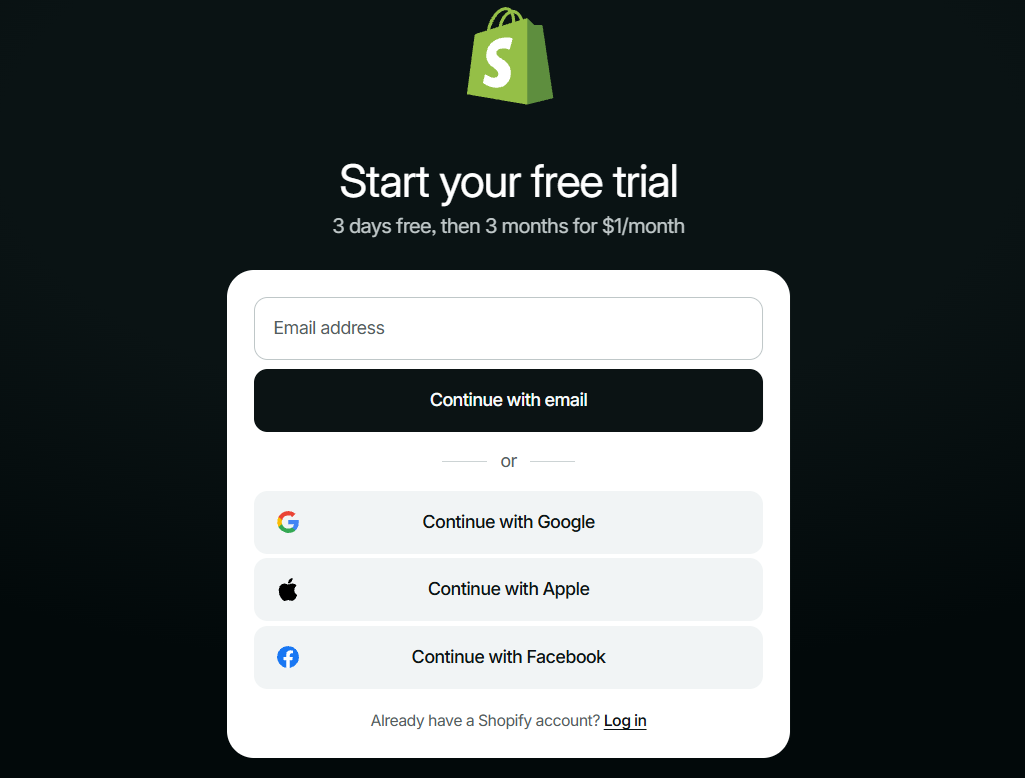
Head to Shopify.com, sign up with an email address, and choose a store name. That’s genuinely all it takes to get in. Shopify offers a 3-day free trial, so you can explore it and start building before you pay a dime.
Once you’re inside, a short onboarding flow asks a few questions about your business (what you’re selling, where you are in the process) to customize the experience. Nothing complicated. It’s just Shopify figuring out which tools to show you first.
2️⃣ Build Your Online Store
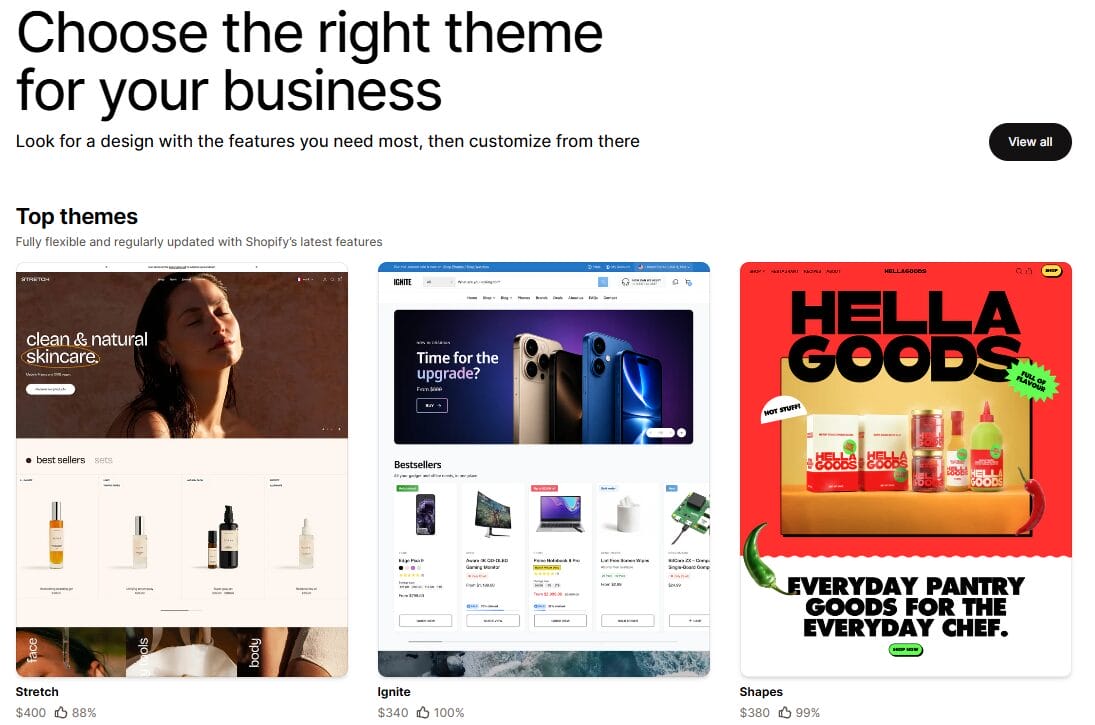
With your account set up, the next step is making the store look like something. Shopify’s theme library gives you a range of free and paid templates to work from, each one fully customizable through a drag-and-drop editor. Colors, fonts, layout, and content blocks: all adjustable without writing a single line of code.
Beyond the visuals, a few things are worth setting up before you add any products: a custom domain (the free Shopify subdomain works, but a real domain builds instant credibility), your store currency and language, and your navigation structure so customers can actually find what they’re looking for.
🆕 Beginner’s Tip: Want to skip the setup grind? AutoDS’s AI Shopify Store Builder creates a complete, ready-to-sell Shopify store in under two minutes with winning products and pre-built pages included.
3️⃣ Add Products

Once the store has a structure, it needs something to sell. Each item gets its own page in the dashboard: title, description, price, images, and inventory details. For a small catalog, it’s straightforward. For anything larger, doing it manually gets old fast.
That’s where dropshippers have an advantage. Automation tools let you import products directly from suppliers into your Shopify store in a few clicks. A catalog of 50 items that might take hours to build manually gets done in minutes. And more time listing means more time selling.
4️⃣ Accept Payments
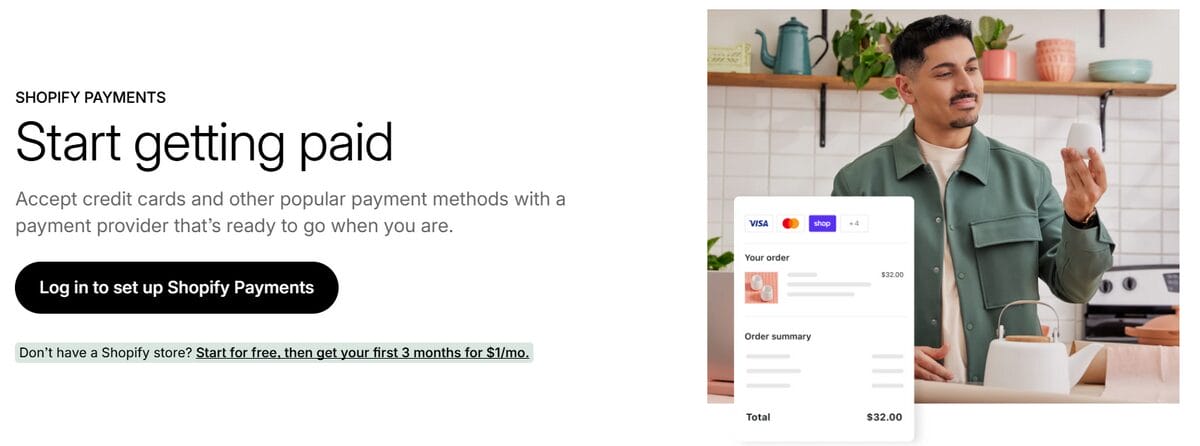
Before your store can make money, it needs to be able to take it. Shopify’s payment settings are where you configure that. The native option (Shopify Payments) supports credit and debit cards, Apple Pay, Google Pay, and more. It takes a few minutes to activate, and it removes the transaction fees that apply when using external processors.
If Shopify Payments isn’t available in your country (it currently covers around 20 markets), alternatives like PayPal or Stripe can be easily connected. Either way, once payments are configured, your checkout is live and ready for real customers.
5️⃣ Manage Orders and Shipping
When orders start coming in, everything runs through the Orders section of the dashboard: customer details, products purchased, payment status, and fulfillment stage. From there, you process the order, generate a shipping label, and mark it as fulfilled.
That’s it.
By the time you’ve worked through these five steps, you have a functioning store: visible online, stocked, and set up to sell. What comes next is refining it, and that starts with understanding what each of Shopify’s core features actually does.
Shopify Features Explained
Shopify’s feature set covers a lot of ground. Some tools you’ll use from day one. Others become relevant as the store evolves. Either way, knowing what each one does (and when it actually matters) saves a lot of time spent clicking around, figuring things out.
⭐ Website Builder

Shopify is clearly designed with first impressions in mind. Its visual editor lets you craft an entire storefront without touching code: drag sections into place, swap images, tweak layouts, adjust colors, and preview everything live. The theme library includes hundreds of free and paid options, sortable by industry, and every theme comes mobile-optimized out of the box.
A few features worth knowing about:
- Shopify Magic: An AI-powered assistant that can generate layouts, write product descriptions, and even help edit images based on your brand inputs.
- Built-in SEO tools: Shopify automatically handles sitemaps, canonical tags, and structured data while still letting you customize meta titles, descriptions, and URLs.
- Liquid templating: For developers or anyone looking for deeper customization, Shopify’s templating language gives direct control over HTML, CSS, and JavaScript.
One honest caveat: the native editor works great for standard storefronts. But once brands start building customized landing pages or conversion-heavy funnels, many eventually layer in an external page builder for more flexibility.
⭐ Payment Processing
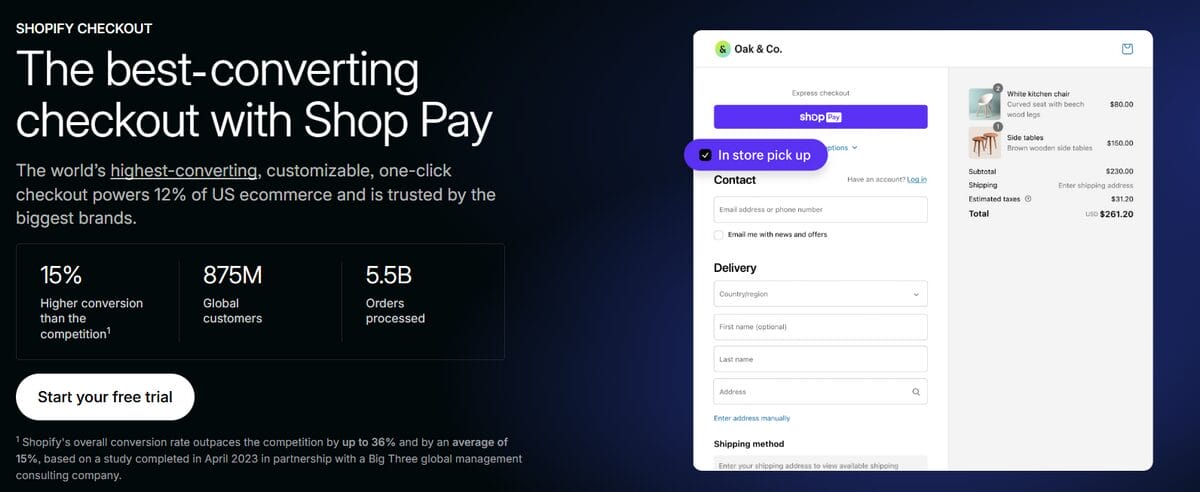
The basics were covered earlier: Shopify Payments removes extra transaction fees and supports all major cards and digital wallets. But there are two additional pieces worth paying attention to because they directly affect conversion rates.
The first is the checkout itself. Shop Pay lets returning customers complete a purchase in just a couple of taps using saved payment details. Shop Pay Installments also adds Buy Now, Pay Later functionality through Affirm, while users still receive the full payment upfront.
Then there’s tax automation. Significantly less exciting, but arguably more useful. Shopify automatically calculates taxes based on customer and store location, including US state-level sales tax rules. Anyone who has ever tried managing multi-state tax compliance manually will immediately understand why this feature earns its keep.
⭐ Inventory Management
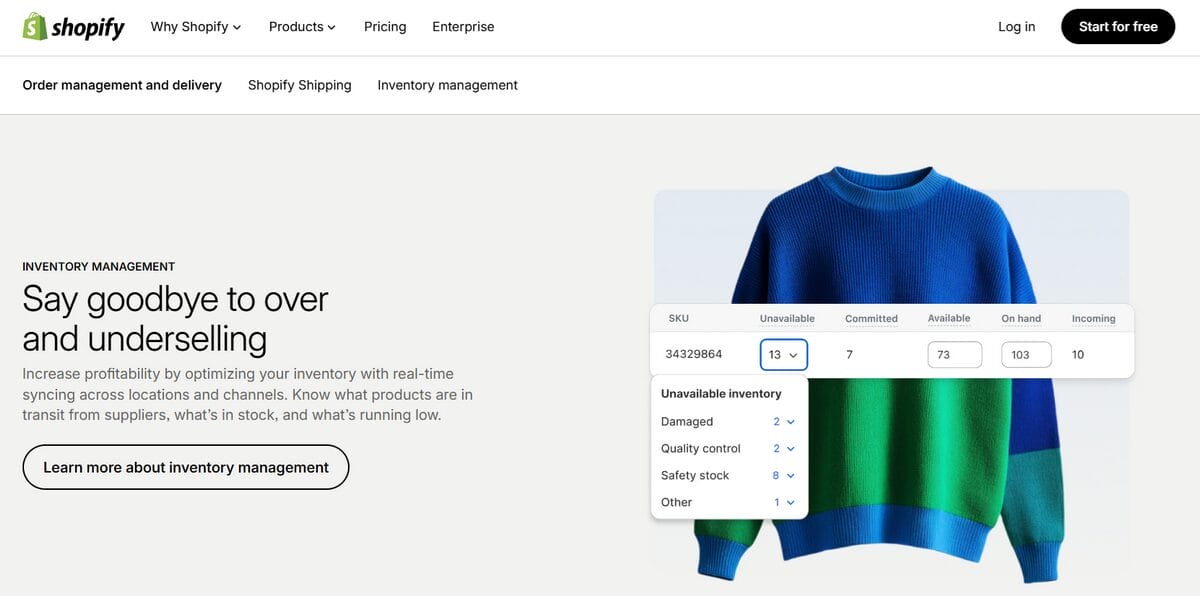
Inventory management usually stays out of sight until something goes wrong. Oversold products, stock mismatches, orders going to the wrong warehouse… that’s the kind of chaos Shopify is trying to prevent. At the most basic level, stock updates automatically after every confirmed purchase. But the feature toolkit goes much deeper:
- Multi-location tracking: You can separate inventory counts across warehouses, retail locations, or fulfillment centers.
- Low-stock alerts: You’re able to set inventory thresholds per product or variant and get notified before something sells out.
- Overselling controls: Per-product settings that let you continue selling after stock hits zero, useful for pre-orders or made-to-order products.
One thing worth understanding here: Shopify’s native inventory tools work very well for single-store operations. Once products start syncing across multiple marketplaces or sales channels, though, most businesses eventually use additional inventory software to keep everything aligned in real time.
⭐ Marketing Tools
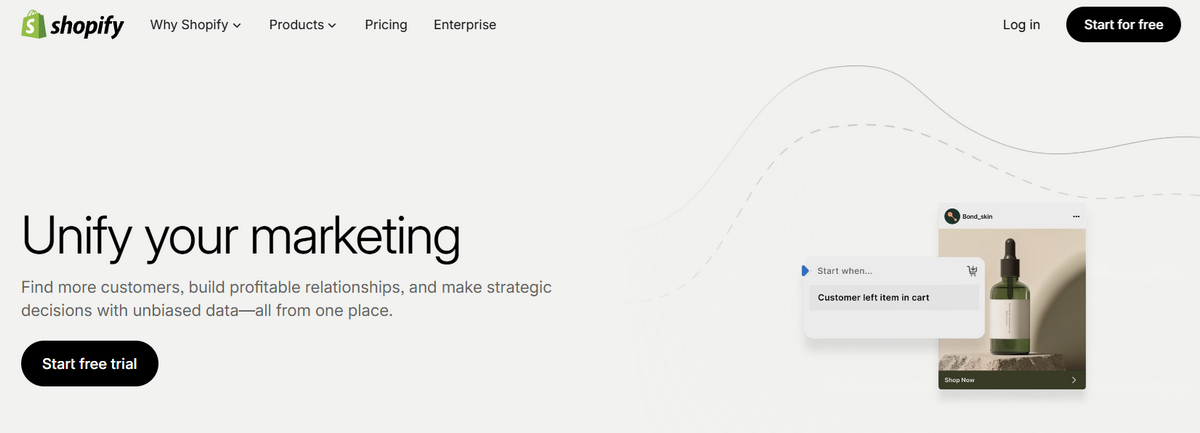
Shopify’s built-in marketing suite covers most of the essentials without forcing you to install extra tools. A few features tend to stand out quickly once traffic starts coming in:
- Abandoned cart recovery: Automated email flows for visitors who leave without completing checkout. Considering industry-wide cart abandonment hovers around 70%, recovering even a small percentage can noticeably impact revenue.
- Shopify Flow: Visual automation builder for repetitive tasks like tagging customers, hiding out-of-stock products, or alerting staff about high-value orders.
- Sales channel integrations: Direct connections to Facebook, Instagram, TikTok, Pinterest, Google Shopping, and YouTube.
- Customer segmentation: Dynamic audience groups based on behavior, purchase history, location, and more; convenient for more targeted campaigns as the customer base grows.
The bigger takeaway here is consolidation. Instead of juggling four disconnected tools immediately, Shopify tries to centralize the basics in one place first.
⭐ Analytics and Reporting
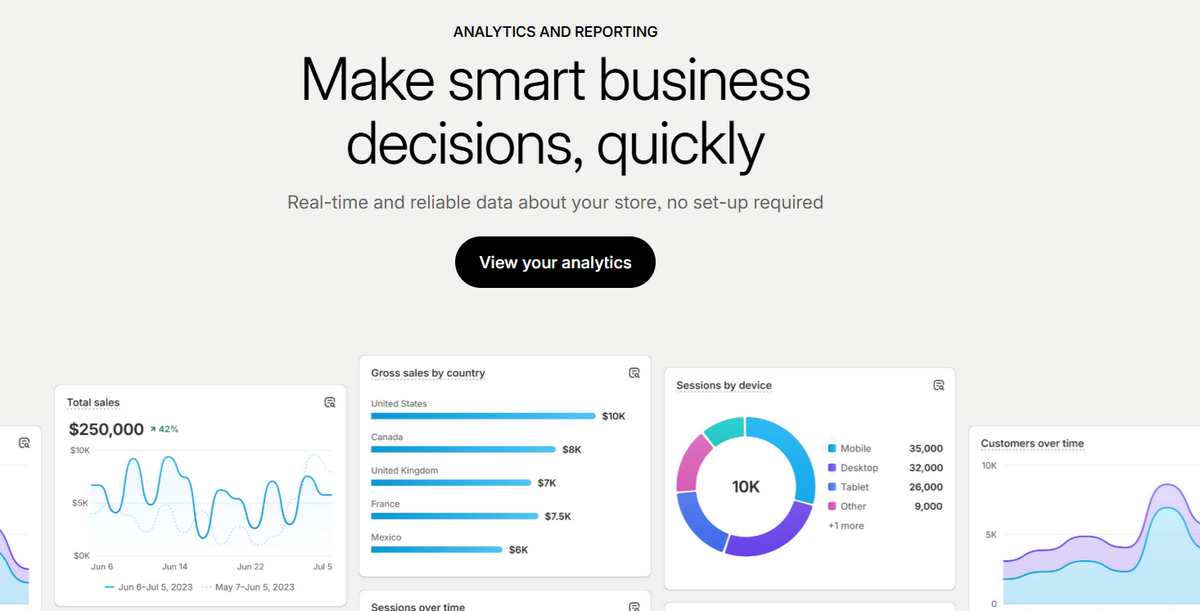
Once a store is live, data starts accumulating surprisingly fast. Shopify’s analytics give a real-time snapshot of what’s happening: sessions, conversion rate, average order value, revenue trends, top-performing products, and where visitors are coming from.
The reporting tools become much more valuable once there’s enough data to identify patterns rather than isolated events. Which products get traffic but never convert? Which acquisition channel actually drives buyers? Which days consistently outperform others? Those answers shape future decisions around marketing, inventory, and budget allocation.
One feature that tends to get overlooked is the live view. It shows active visitors moving through the store in real time, what pages they’re browsing, where traffic originates, and when purchases happen. Not essential for everyday management, but surprisingly helpful during product launches, influencer campaigns, or paid traffic pushes when immediate feedback matters.
⭐ App Store and Integrations
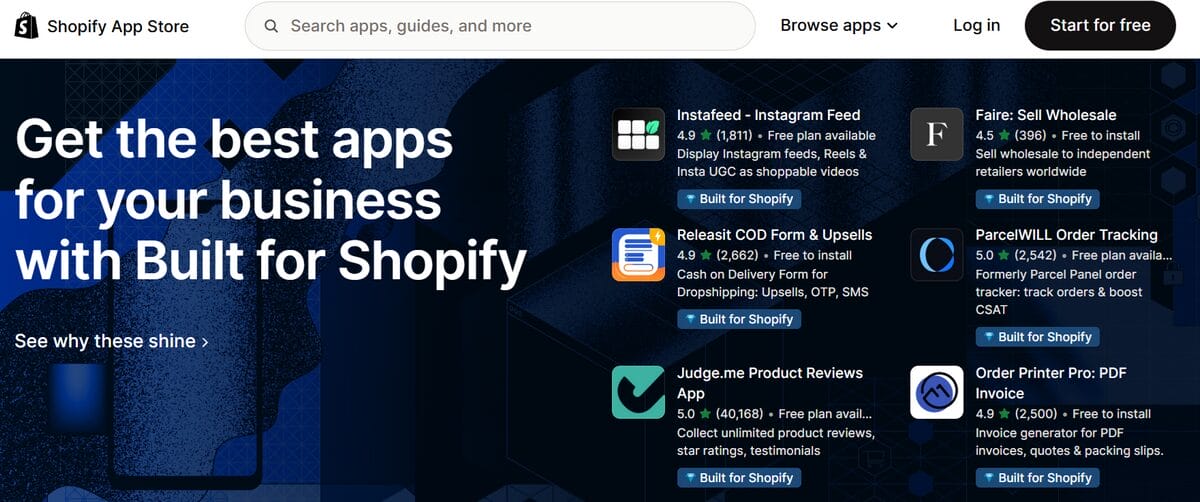
This is where Shopify starts feeling less like a storefront builder and more like an operating system for eCommerce. Its App Store includes 13,000+ integrations covering nearly every layer of online selling: upsells, subscriptions, reviews, print-on-demand, analytics, loyalty programs, and much more. Most stores eventually build their own stack depending on their strategy and goals.
💡 Pro Tip: When evaluating apps, filter by the Built for Shopify badge. It’s Shopify’s own certification for performance and integration quality. Already have apps installed? Run the App Health report periodically to catch anything quietly slowing down your store.
How Shopify Works for Dropshipping
Everything covered so far applies to any Shopify store. But dropshipping introduces a specific operational logic that changes how several of those features get used and adds a few moving parts that don’t exist in traditional retail. Here’s how the dropshipping model actually works inside Shopify.
What Changes With the Dropshipping Model
In a standard eCommerce setup, the seller buys inventory upfront, stores it somewhere, and ships orders manually as they come in. Dropshipping removes that entire dimension. Instead of holding stock yourself, products are listed directly in the Shopify store while suppliers handle storage, packaging, and shipping in the back. The product never passes through your hands.
From the customer’s perspective, almost nothing changes. They still interact with the brand and receive their order like they would from any online store. Operationally, though, the business starts looking very different. There’s no warehouse to manage. No shelves full of unsold inventory. The business becomes much more focused on product selection, positioning, marketing, and customer experience.
That shift also changes the risk profile in a meaningful way. Testing your catalog becomes dramatically cheaper because failed products don’t leave you stuck with physical inventory collecting dust in a garage somewhere. If an item underperforms, the loss is usually limited to ad spend, not thousands tied up in unpurchased stock.
How Products Are Fulfilled
This is where the real divergence from traditional retail begins. When a customer places an order in a normal Shopify store, the merchant typically picks, packs, and ships the product from their own inventory. In dropshipping, the order is still captured by Shopify, but fulfillment needs to be sent to the supplier instead.
At a basic level, manual dropshipping looks like this: an order comes in, you log into the supplier’s platform, re-enter the customer’s shipping information, submit the order manually, and then wait for tracking details to send back to the customer. Technically, it works. Practically, it becomes a bottleneck very quickly.
A few orders per day might feel manageable. 40 per day is where the repetitive admin labor starts swallowing entire afternoons. Shopify already automates its side of the process: checkout, payment collection, and customer notifications. What it does not natively do is connect those orders directly to external suppliers. That gap is what the fulfillment layer in dropshipping is designed to solve.
The Role of Suppliers
Suppliers are the backbone of the entire model. They manage inventory, process shipments, control delivery speed, and ultimately determine whether the customer experience matches what the storefront promised in the first place. A polished website can quickly build trust, but unreliable fulfillment destroys it even faster.
That’s why supplier selection matters far beyond product cost alone. Reliable stock levels, stable shipping times, transparent return policies, and consistent product quality all become non-negotiable as a store scales. Local or regional suppliers tend to offer a more solid customer experience because delivery times stay shorter and less unpredictable than overseas alternatives.
And this is where Shopify’s ecosystem becomes especially important. Through the App Store, platforms like AutoDS connect with networks of vetted and private suppliers across multiple categories and regions. Instead of manually coordinating every moving part, source management is integrated directly into the store’s workflow.
The Role of Automation
This is the point where a dropshipping store either becomes sustainable or starts collapsing under its own weight. At low order volume, manual work feels tolerable. Then growth happens. Ten products become fifty. A few daily orders become dozens. Supplier prices change unexpectedly. Tracking updates pile up. Suddenly, the operational side consumes all the time that should be going into actual strategy.
That’s the problem automation is designed to solve. Tools like AutoDS integrate directly with Shopify to streamline large parts of the fulfillment workflow:
- Products can be imported with descriptions, images, pricing, and variants already populated.
- Dynamic pricing rules monitor supplier cost changes automatically to help protect margins.
- Orders route directly to suppliers, while tracking numbers sync back into Shopify without manual input.
The practical outcome is simple. Thanks to AutoDS, the business can handle more volume without requiring proportionally more hands-on work.



Shopify vs Other eCommerce Platforms
Shopify isn’t the only way to sell online. Depending on where you’re starting from, the alternatives are worth understanding. Every eCommerce platform comes with its own philosophy, learning curve, strengths, and hidden frustrations.
The goal here is to know what kind of tradeoffs each one asks you to make and which ones actually fit the kind of business you’re trying to build.
Shopify vs WooCommerce
As a WordPress plugin, WooCommerce is open-source and highly customizable. You control the hosting, plugins, code, and overall setup yourself. For developers or technically experienced users, that flexibility can be a real advantage. For starters, it often turns into far more maintenance work than expected.
That’s the core difference between Shopify and WooCommerce. Shopify handles hosting, security, updates, checkout performance, and most of the heavy lifting. With WooCommerce, those responsibilities stay on your side. The software itself may be free, but hosting costs, premium plugins, and occasional developer help narrow the pricing gap faster than most people expect.
In practical terms, WooCommerce makes sense for users who want deep customization and full control over the store’s setup. Shopify fits merchants who’d rather spend their time on products and marketing instead of maintaining the tech stack underneath it.
Shopify vs Wix
Wix is a website builder that supports eCommerce. Shopify is an eCommerce platform that includes a website builder. That distinction becomes pretty obvious once a store starts gaining momentum.
For smaller catalogs and simpler setups, Wix works well. The editor is intuitive, flexible, and easy to pick up quickly. But as the operation grows, Shopify’s ecosystem starts pulling ahead, with stronger inventory tools, deeper integrations, better reporting, and far more room for automation.
That gap becomes even clearer in dropshipping. Wix still fits creators, local businesses, or visually driven brands with limited catalogs. But for stores planning to scale aggressively, Shopify outperforms Wix by giving you a much longer runway before operational limitations start showing up.
Shopify vs Amazon
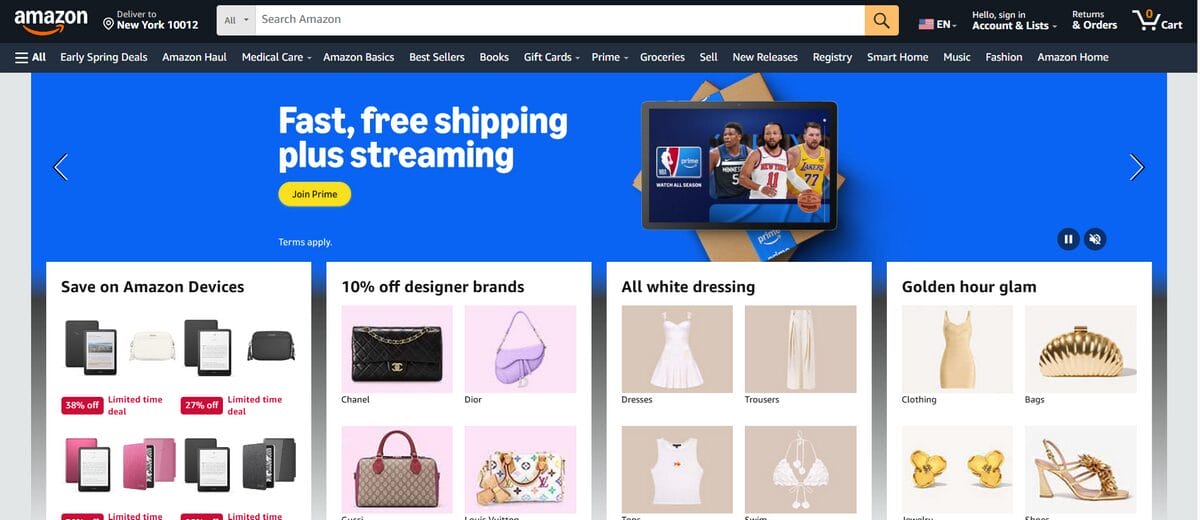
Shopify vs Amazon comparison has less to do with features and far more to do with ownership. Amazon gives sellers immediate access to a massive built-in audience. Customers are already there, already searching, and already ready to buy. The tradeoff is control: Amazon owns the marketplace, the customer relationship, and much of the visibility behind your sales.
Shopify flips that dynamic. You control the storefront, branding, pricing, customer data, and long-term audience relationship, but generating traffic becomes your responsibility through ads, SEO, content, or social media.
For dropshipping specifically, Shopify also allows far more operational flexibility. Amazon’s supplier and fulfillment policies are significantly stricter, while Shopify gives merchants much more freedom in how the store is structured.
That’s why many sellers eventually combine both: Amazon for reach, Shopify for brand-building and stronger margins. But as a starting point, the decision typically comes down to one question: do you want to sell inside someone else’s ecosystem, or build one that’s fully your own?
💡 Pro Tip: Already thinking about running both? This guide walks you through connecting Shopify to Amazon: one setup, two channels.
Comparison Table
| Platform | Shopify | WooCommerce | Wix | Amazon |
|---|---|---|---|---|
| Type | Hosted eCommerce platform | Self-hosted WordPress plugin | Hosted website builder | Online marketplace |
| Setup difficulty | Easy | Technical | Very easy | Easy |
| Pricing | From $29/mo annually | Hosting + plugins (variable) | From $17/mo | $39.99/mo (Professional plan) |
| Design flexibility | High | Full (with dev skills) | Very high | None |
| App ecosystem | Over 13,000 | Over 50,000 + WordPress plugins | Over 300 | Limited |
| Inventory management | Strong | Strong (with plugins) | Basic | Managed by Amazon |
| Scalability | High | Medium | Medium | High |
| Best For | Dropshipping & growing brands | Tech-savvy WordPress users | Small stores and portfolios | Fast access to existing buyers |
How Much Does Shopify Cost?
Shopify’s pricing looks simple at first glance: a monthly subscription that scales with the size and complexity of your operation. The tricky part is that the subscription is only one piece of the actual cost. Here’s how it all breaks down:
Shopify Pricing Plans
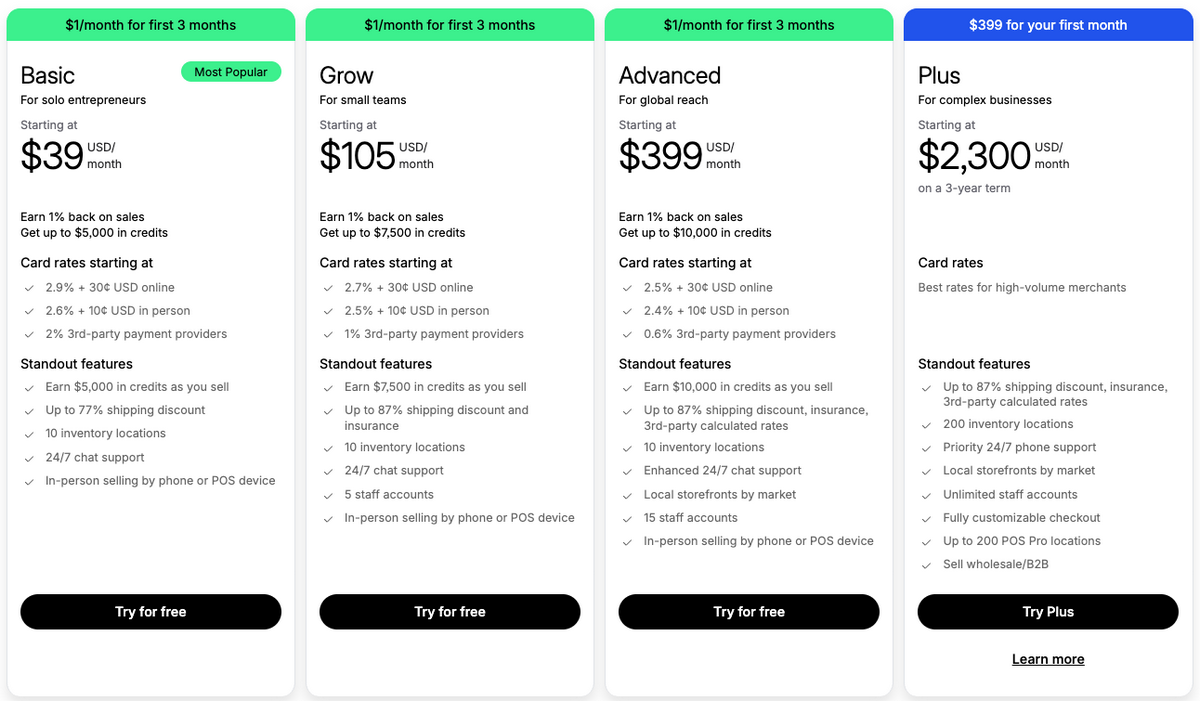
Shopify currently offers four core plans, all billed monthly with discounts available for annual subscriptions. Most users start small and upgrade only once order volume justifies it.
- Basic — $29/mo annually ($39/mo monthly): The standard starting point for new stores. Includes the storefront, unlimited products, Shopify Payments, basic analytics, and up to 2 staff accounts.
- Grow — $79/mo annually ($105/mo monthly): Adds lower transaction fees, more staff accounts, and better shipping discounts. Usually, the upgrade point is once the store starts generating consistent sales.
- Advanced — $299/mo annually ($399/mo monthly): Built for larger operations needing advanced reporting, international selling tools, and more complex shipping setups.
- Plus — from $2,300/mo: Enterprise-tier infrastructure with customizable checkout, advanced B2B functionality, and priority support. Important to know exists, not important for most beginners.
Shopify also offers a 3-day free trial, followed by $1/month for the first 3 months. A low-risk way to build and test before the full subscription kicks in.
The numbers above are current (June, 2026), but Shopify adjusts its pricing and plan structure periodically. Always verify on Shopify’s official page before making a decision. It takes 30 seconds and saves you from planning around outdated figures.
Additional Costs to Consider
The subscription covers the platform itself. Running an actual store introduces a few additional costs that tend to appear gradually as the business grows.
- Domain name: Shopify includes a free subdomain, but most stores eventually buy a custom domain for branding and credibility. Usually around $10–$20/year.
- Themes: Free themes are surprisingly solid for most beginners. Premium themes typically cost between $100–$400 as a one-time purchase if you want more design flexibility.
- Apps: Many Shopify apps use freemium pricing, which feels inexpensive individually but adds up over time. Most stores eventually build a small stack of operational tools around the core platform.
- Transaction fees: Using Shopify Payments removes extra platform transaction fees. Plus, third-party gateways add an additional percentage on top.
This is where many people miscalculate the business. The platform subscription is rarely the expensive part. Customer acquisition is.
Is Shopify Worth the Cost?
For most people starting an online store, Shopify’s pricing makes sense relative to what it simplifies. Even the Basic plan includes very strong functionality, analytics, payment processing, and access to one of the largest app ecosystems in eCommerce. Rebuilding that stack independently would cost far more, not just financially, but in time and technical complexity too.
The real question is whether the store generates enough revenue to make the subscription cost negligible. And once consistent sales start coming in, that tends to happen pretty quickly. At that stage, the monthly fee becomes one of the smallest numbers attached to the business. If it never reaches that point, the issue usually isn’t Shopify itself. It’s a sign that the model, product selection, or marketing strategy needed more validation before scaling further.
Pros and Cons of Shopify
Shopify’s strengths are real, and so are its limitations. The important thing isn’t finding a platform with zero downsides. It’s understanding which compromises actually matter for the kind of store you’re trying to build. Here’s an honest look at both sides, so you know what you’re signing up for:
👍 Advantages
- Low barrier to entry: Shopify removes most of the technical friction that normally comes with launching an online store. No hosting setup, no server management, no coding required to get something functional live.
- Everything in one place: Storefront, payments, analytics, inventory, and marketing tools, all live inside the same ecosystem.
- Strong checkout experience: Shopify’s checkout is widely considered one of the best-converting in eCommerce. Features like Shop Pay reduce friction even further by letting returning customers check out in just a couple of taps.
- Scales without rebuilding: A beginner can launch on the same infrastructure used by enterprise-level brands processing millions in revenue. The platform grows with the business instead of forcing an early migration later.
- Massive app ecosystem: With 13,000+ integrations available, Shopify can expand into almost any workflow or business model.
👎 Disadvantages
- Monthly recurring costs: Shopify charges a subscription fee no matter how much revenue the store generates.
- Third-party transaction fees: Using payment gateways outside Shopify Payments can add extra transaction percentages on top of standard processing fees.
- Heavy reliance on apps: Shopify’s ecosystem is powerful, but advanced functionality often depends on external apps. Costs can stack up quickly, and too many apps can impact storefront speed if managed poorly.
- Customization ceilings: The visual editor handles most standard storefronts well, but highly customized experiences usually require developer support or third-party page builders.
How to Start a Shopify Dropshipping Business
By this point, the pattern is evident: Shopify handles the storefront side extremely well, but dropshipping still depends on a few moving pieces that the platform doesn’t fully automate. That’s where AutoDS fits into the picture.
While Shopify gives you the foundation, AutoDS connects the supplier side of the business: product sourcing, inventory syncing, dynamic pricing, and fulfillment automation. At low order volume, handling those tasks manually is possible. Once sales start picking up, they quickly become the kind of repetitive work that slows everything else down.
Connecting both platforms early changes that equation. Instead of spending hours updating stock, forwarding orders, or manually adjusting prices, the store can keep running while your attention stays on the parts that actually drive growth.
The steps below walk through exactly how to build a Shopify dropshipping store with AutoDS from scratch.
Connect AutoDS and Shopify
The first step is connecting both platforms so they can exchange product, inventory, and order data automatically. If you don’t have an AutoDS account yet, the platform offers a $1 trial — an easy, low-risk way to explore the system before committing to a larger investment upfront.
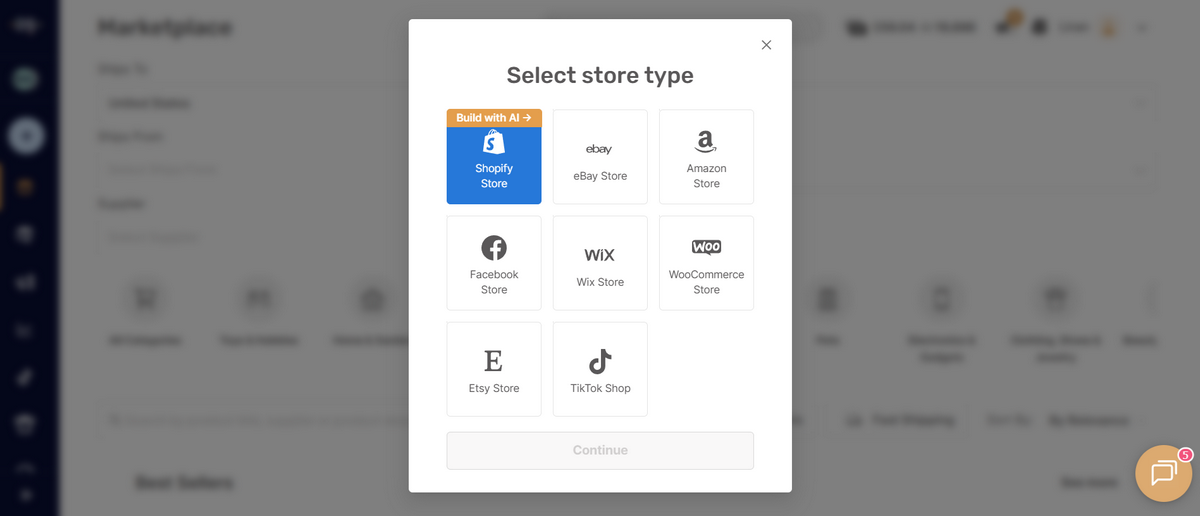
Once you’re signed up, head into your AutoDS dashboard, select Shopify as your selling channel, and follow the setup flow. The integration authorizes AutoDS to sync with your store and manage operational tasks directly from the platform. The whole process only takes a sec and doesn’t require any coding or technical configuration.
Choose a Niche
With the integration in place, the next decision is what to sell. This shapes everything that follows: a strong niche makes every downstream decision easier — product selection, ad creative, audience targeting, even customer retention. And the best niches usually come from data.
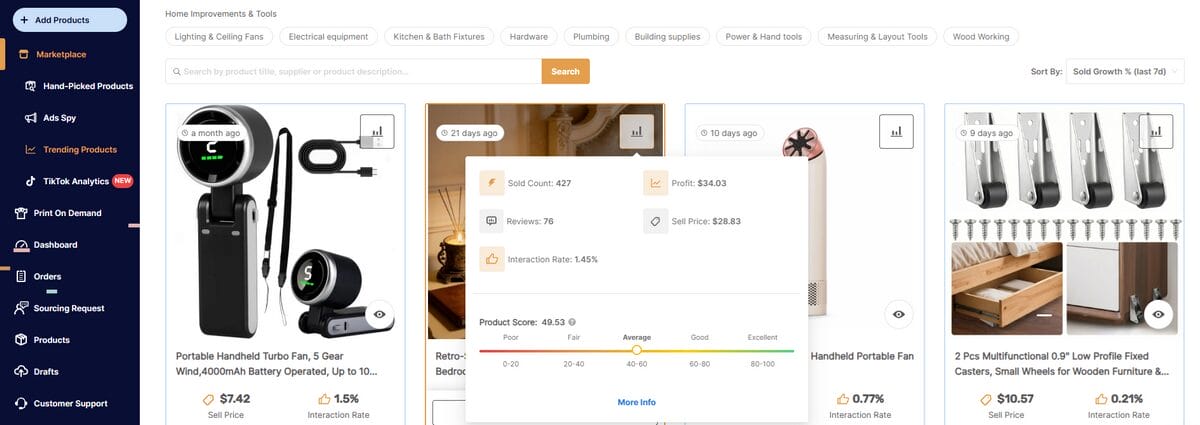
AutoDS’s product research tools are built for exactly this stage. Features like the Trending Products section and the Hand-Picked Products Hub surface categories already showing traction, demand signals, and realistic margin potential.
Instead of guessing what might work, you’re starting from products and categories already moving in the market.
Find Products
Once the niche is clear, the focus shifts toward identifying products that actually make sense to test. The criteria stay relatively consistent: healthy demand, reliable shipping, and enough margin to support paid traffic profitably.
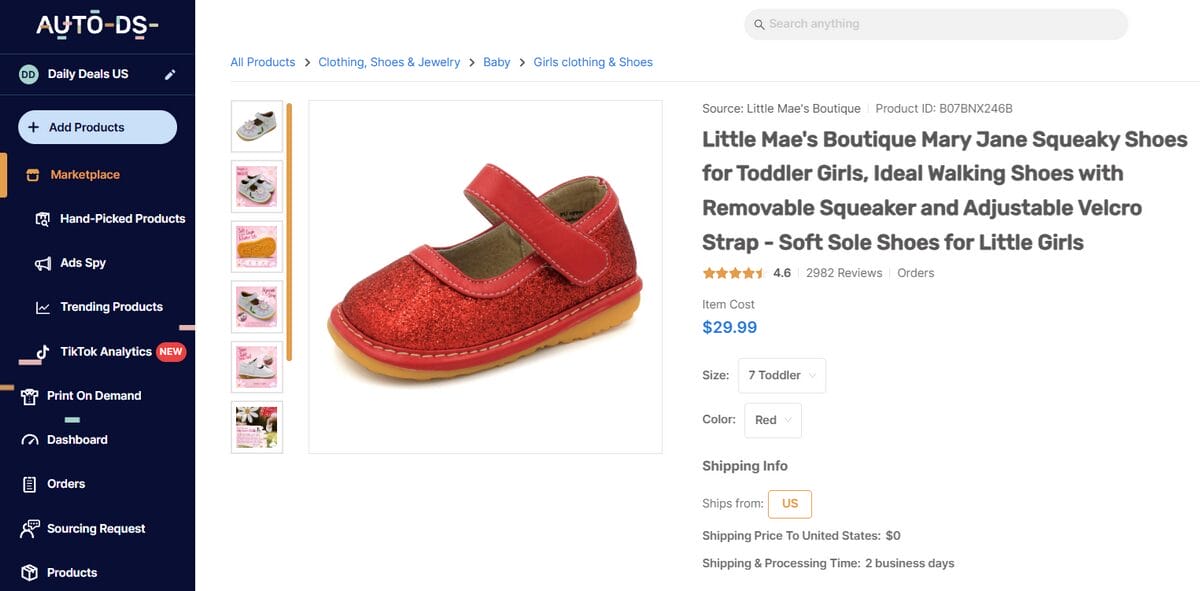
Inside AutoDS, the Marketplace gives access to millions of supplier products searchable by category, shipping region, price range, and supplier type. Meanwhile, the Ads Spy tools let you study competitor ads across TikTok, Facebook, and Instagram to see which products are actively gaining traction and how sellers are positioning them creatively.
Connect Suppliers
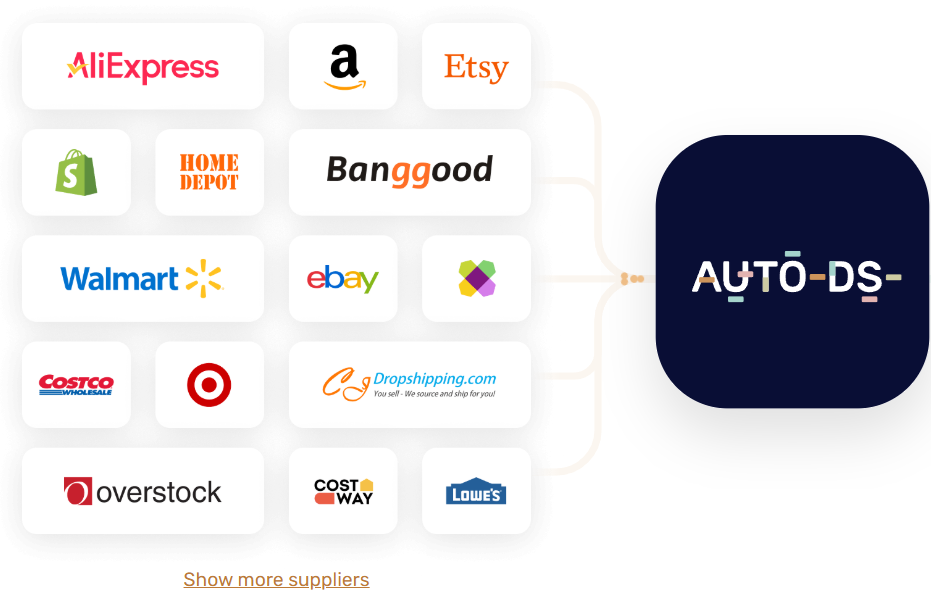
A product is only as good as the supplier behind it. Shipping times, stock reliability, and return policies all live on the supplier side, and they’re what the customer experiences, even if they never see the supplier’s name.
AutoDS connects to over 30 verified suppliers and a wide network of private sources across multiple categories and regions, all accessible directly from the platform. Local and regional suppliers — those with warehouses closer to your target market — generally deliver faster and more predictably, which is key as order volume grows and customer expectations rise.
You can manage multiple suppliers simultaneously from the same dashboard, which becomes increasingly useful as the catalog expands.
Import Products
Once suppliers are connected, products can be imported directly into Shopify through AutoDS. The single-product importer method is usually the cleanest way to start, as it allows each listing to be reviewed individually before publishing.

The process itself is fairly straightforward:
- Copy the item URL or product ID from the supplier platform.
- Open AutoDS and go to Add Products → Single Product and paste the URL or ID into the importer.
- Review the imported title, images, variants, description, and pricing.
- Publish the product.
Once imported, AutoDS continues to automatically manage the operational side. Supplier stock changes sync into Shopify in real time, pricing updates adjust dynamically, and inventory stays aligned without constant manual monitoring.
💡 Pro Tip: Before publishing products, use AutoDS’s AI title and description generator to improve product copy quickly. Small improvements on the product page can have a surprisingly large impact on conversion rates once traffic starts arriving.
Launch and Market Your Store
With products live, the store is ready for traffic. This is where Shopify’s native marketing tools come into play. A few channels worth prioritizing early:
- Paid social: TikTok and Meta ads are the fastest way to generate initial traffic and test which products actually convert. Start with a small daily budget, run multiple creatives, and let the data tell you where to double down.
- Organic content: Short-form video on TikTok and Instagram Reels can drive significant traffic without ad spend, especially for visually demonstrable products. A single well-performing video can generate more orders than a week of paid ads.
- Email: Shopify’s abandoned cart recovery and Shopify Email handle the basics. As the customer list grows, segmentation and targeted campaigns become increasingly valuable.
- SEO: The blog built into Shopify is a long-term play, but one worth starting early. Content that ranks organically compounds over time in a way paid traffic never does.
The operational side runs automatically through AutoDS in the background. Which means the time and attention that would otherwise go into managing those processes can go into better products, better creativity, better positioning.
Common Shopify Mistakes Beginners Make
Most Shopify dropshipping stores fail because of a handful of predictable mistakes that show up early, even before the business ever builds real momentum. The upside is that once you recognize the patterns, most of them become surprisingly avoidable.
⛔ Choosing Too Many Products
The logic sounds reasonable at first: more products should create more opportunities to sell. Usually, the opposite happens. The catalog loses focus, the branding gets messy, and customers stop understanding what the store is actually trying to offer. A niche shop with 15 strong listings almost always feels more credible than a catalog stuffed with 200 unrelated products.
Start smaller than your instincts tell you to. Pick a tight group of items that clearly belong together and learn how people respond before expanding. It’s much easier to improve ads, messaging, and positioning when the store has a clear identity instead of feeling like a random online aisle.
⛔ Ignoring Store Design
Customers form an opinion about a store fast. Sometimes within seconds. Cluttered layouts, inconsistent branding, weak product images, or confusing navigation quietly chip away at trust before a customer even reaches checkout. And in eCommerce, trust affects conversion just as much as pricing does.
You don’t need an award-winning design to fix this. Use a clean theme, simplify the homepage, keep branding consistent, and make product pages easy to scan quickly. If a visitor lands on the site and immediately understands what you sell and why it feels trustworthy, you’re already ahead of most beginner stores.
⛔ Poor Product Selection
This is where a lot of new entrepreneurs burn through time and ad budget unnecessarily. Choosing items based on personal taste, low sourcing costs, or random TikTok virality usually leads to short-lived wins at best. Strong products need more than surface-level hype. T
Before adding a product, pressure-test it a little. Search it on TikTok. Check Amazon reviews. Look at how competitors position it and whether customers are actually engaging. A product that survives a few layers of research usually has far more potential than one that just looked exciting for 30 seconds on social media.
⛔ Not Understanding Customer Acquisition
A Shopify store without traffic is basically a very organized corner of the internet. One of the most common inexperienced assumptions is that customers will somehow discover the store after launch. They won’t. Traffic has to be generated intentionally.
So, before launching, decide where your first visitors are actually coming from. Maybe that’s short-form TikTok content. Maybe it’s Meta ads with a small testing budget. Maybe it’s SEO content around your niche. The stores that gain traction pick one channel early, learn it deeply, and build from there, rather than trying to be everywhere at once.
Frequently Asked Questions
How does Shopify work for beginners?
Shopify works for beginners by handling the technical infrastructure needed to run an online store. It manages hosting, checkout, and inventory tools so sellers can focus on products and marketing. The setup process is beginner-friendly and does not require coding skills.
What exactly does Shopify do?
Shopify is an eCommerce platform that helps businesses create, manage, and operate online stores. It combines storefront design, product management, payment processing, inventory tracking, and order handling into a single system. This allows merchants to run their brand without managing the technical backend separately.
Can I use Shopify without holding inventory?
Yes, you can use Shopify without holding inventory through dropshipping. With tools like AutoDS, suppliers handle storage, packaging, and shipping while you manage the storefront and marketing. Products are shipped directly from the source to the customer.
How much money do I need to start a Shopify store?
Starting a Shopify store typically requires about $100–$200 for the initial setup and testing. This usually covers the Shopify subscription, a domain name, and a marketing budget. Costs can increase depending on the apps, themes, or advertising strategy you choose.
Does Shopify handle shipping and fulfillment?
Shopify handles the order management side of the process, including payments and customer notifications. Physical shipping and fulfillment depend on your business model and suppliers. In dropshipping, fulfillment is managed by suppliers, while automation tools help connect orders to the shipping workflow.
What is the difference between Shopify and Amazon?
The main difference between Shopify and Amazon is ownership and control. Shopify lets you build your own branded store and manage the customer experience directly, while Amazon provides access to a large marketplace audience but controls much of the customer relationship. Put it simply: Shopify offers more branding flexibility, while Amazon offers built-in traffic.
Is Shopify worth it for a small business?
Shopify is worth it for many small businesses because it offers a scalable and beginner-friendly way to sell online. The platform includes the core tools needed to manage products, payments, and orders without major technical complexity. For stores generating consistent sales, the subscription cost is usually relatively small compared to the revenue potential.
How long does it take to launch a Shopify store?
Launching a Shopify store can take anywhere from a few hours to several days, depending on the level of customization. A basic store setup is relatively fast, while branding, product research, and optimization take longer. AI-powered store builders can shorten the process significantly by automating much of the setup.
Can I start a Shopify dropshipping business with no experience?
Yes, you can start a Shopify dropshipping business with no previous experience. Shopify simplifies the technical side of eCommerce, while automation tools help manage operational tasks like imports and fulfillment. The main learning curve usually comes from marketing and research strategies.
Do I need a business license to use Shopify?
You do not need a business license to open a Shopify account, but local regulations may still apply depending on your location. Many beginners start as sole proprietors before formally registering a business later on. As sales grow, proper registration becomes increasingly important for tax compliance and long-term operations.
Find Your Footing on Shopify And Scale It With AutoDS
Starting a Shopify store is the easy part. Building one that keeps running smoothly once orders, products, and customers start piling up… that’s where things get interesting.
What turns a Shopify storefront into a real dropshipping business is the system behind it: reliable suppliers, automated fulfillment, and product research that helps you spot winning opportunities. That’s exactly where AutoDS fits in, connecting all those moving pieces so the store can scale without becoming harder to manage every month.
You already have the roadmap. Now it’s about putting it into motion. 🚀 AutoDS offers a $1 trial with full platform access and Shopify integration included, so the gap between learning how this works and launching your first store stays surprisingly small.
Ready for the next step? Follow up with these walkthroughs to put everything into practice:
- What Is Shopify?
- How Does Shopify Work?
- Shopify Explained In 5 Simple Steps
- Shopify Features Explained
- How Shopify Works For Dropshipping
- Shopify VS Other eCommerce Platforms
- How Much Does Shopify Cost?
- Pros And Cons Of Shopify
- How To Start A Shopify Dropshipping Business
- Common Mistakes Beginners Make
- FAQ
- Conclusion







