


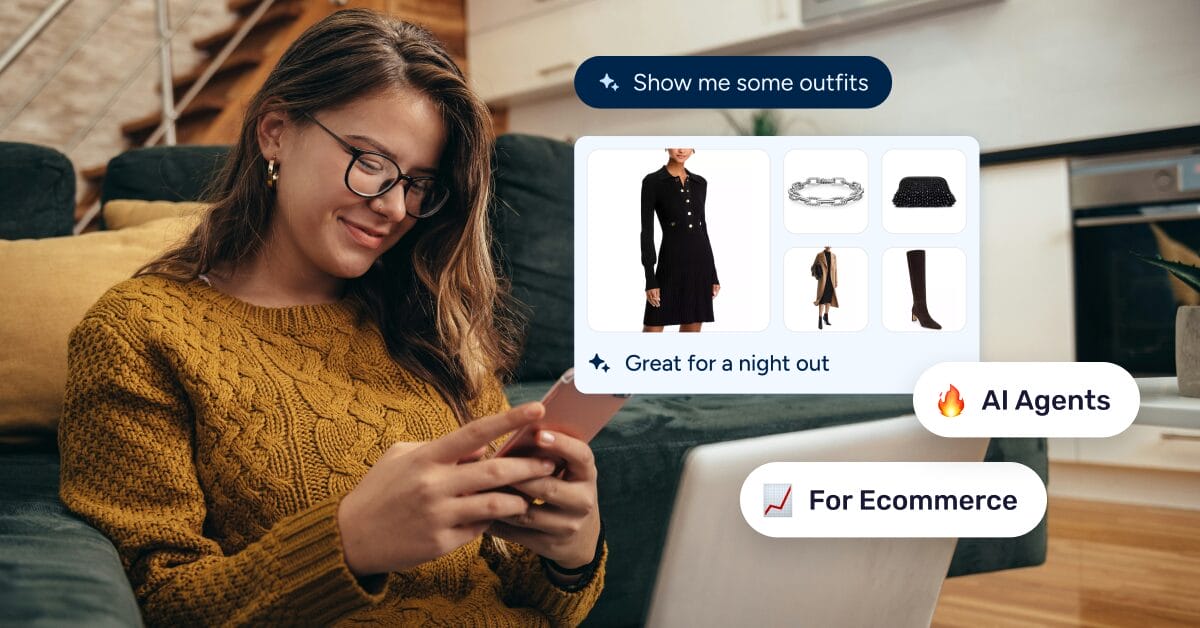
I used to think “AI agent” was just a fancier word for a chatbot with a better marketing team. Then I watched one actually do something on its own — research three trending products, draft the titles, and flag a supplier price hike, all from a single sentence typed into a chat window. That’s when it clicked: this isn’t about answering questions anymore, it’s about getting work done.
By the time you finish reading, you’ll know what an ecommerce AI agent can realistically handle today, how a protocol called MCP makes the connection possible, and how to plug it into your own store without touching a line of code.
AI agents for ecommerce act on real store tasks, unlike a chatbot that only answers questions.
Today, they reliably handle product research, listing cleanup, price and stock updates, and reporting.
MCP is the open connection standard that lets an agent read and act inside your store within limits you set.
AutoDS connects to Claude through MCP, so you can run tasks across eBay, Shopify, and WooCommerce from one conversation.
Start with one store and one task before you automate more.
What Is an AI Agent for Ecommerce?
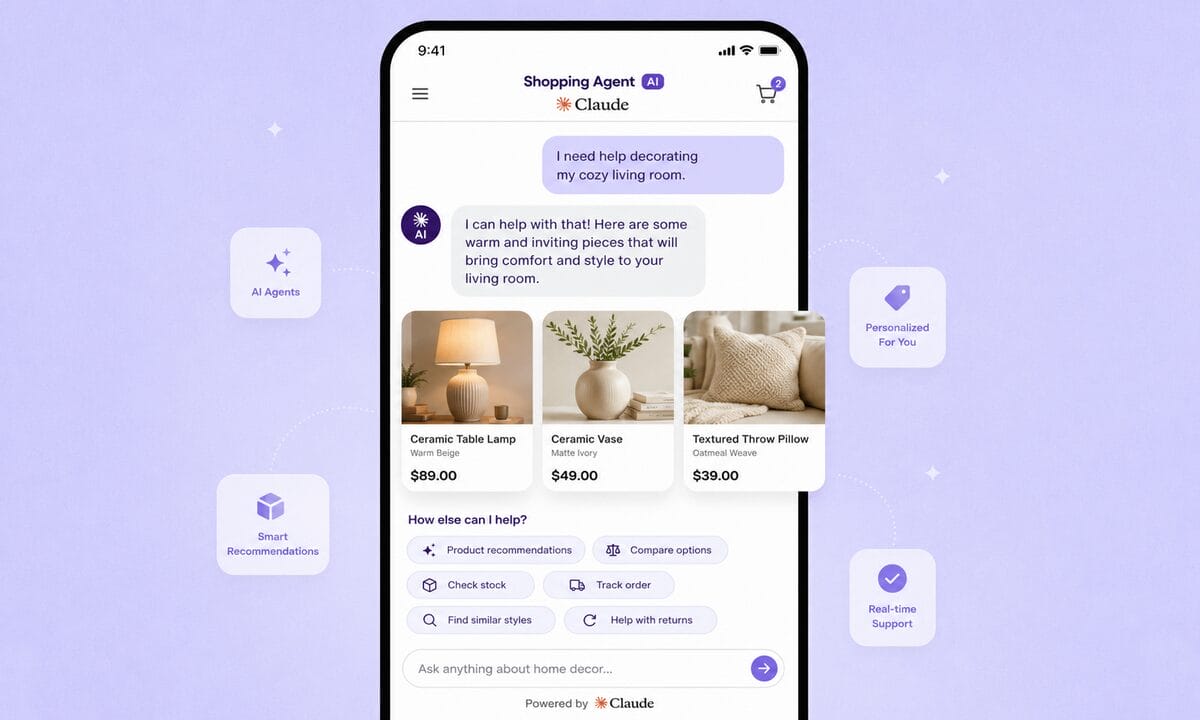
So what exactly is an ecommerce AI agent? It’s software that takes a goal and completes multi-step store tasks on your behalf, within limits you set. You describe an outcome, and the agent breaks it into steps, then acts on your store data to reach it. That’s the line that separates an agent from the chatbot you probably already have.
In my experience, the fastest way to tell them apart is to watch what happens after you type a request. A chatbot replies with words, sometimes a lot of them. An AI shopping agent or a seller-side agent takes an action instead, like updating a price, editing a listing, or pulling a sales report. It can chain those steps together, so the difference really comes down to doing rather than describing.
This is already changing buyer behavior, too. An IBM and NRF study found that 45% of consumers turn to AI for help during their buying journeys. If shoppers lean on AI to decide, it makes sense for you to use it to run the store behind the sale.
A simple way to picture the spectrum helps here:
- A chatbot answers your question and stops.
- An assistant suggests what you could do next.
- An agent acts on the task and reports back.
The short version: an ecommerce AI agent is the layer that turns a request into completed store work.
What Can AI Agents Actually Do for Your Store Today?
Once you see an agent as something that acts, the next question is obvious: how much can you actually hand off? Today, AI agents run specific store tasks reliably, but they don’t replace your judgment on strategy, brand, or which suppliers to trust. Knowing that boundary is what keeps expectations honest.
Product research is the most mature job. An agent can surface trending items and demand signals using tools like AutoDS Finder and the Ads Spy tools for TikTok, Facebook, and Instagram. That means less time hunting and more time deciding, plus the coffee break you’ve earned. I’d start here, because it’s low risk and the output is easy to check.
Listing work is the next win. The AutoDS AI title and description generator drafts and cleans product copy across many items at once. That’s the kind of repetitive task that quietly stalls a growing catalog. Presentation drives attention, too, and BCG reports that shoppers who start their purchase journey through AI agents and chatbots spend 32% more time on the site. Clear, consistent listings give that attention somewhere to land.
💡 Pro Tip: When you clean up listings, run them in batches by category. It’s far easier to spot one bad title across 20 similar products than across your whole catalog.
Pricing and reporting round out today’s realistic list. AutoDS price and stock monitoring watches suppliers for changes, and automatic price optimization adjusts your prices against the rules you set. The dashboards pull profit and trend summaries on request. Fulfilled by AutoDS, Auto-Order, and automatic price optimization sit on AutoDS’s paid plans, so confirm your plan before relying on them.
The missing piece has always been a safe way for the agent to connect to your store. That’s exactly what MCP solves.
In plain terms, agents own the repetitive execution, and you keep the strategy.
How MCP Connects AI Agents to Your Store
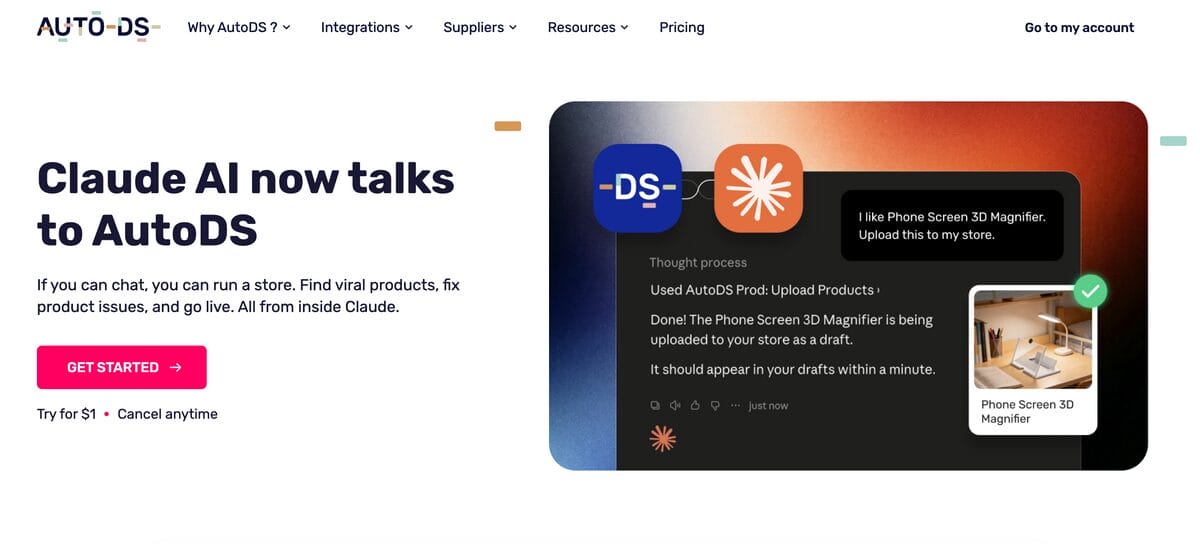
That connection has a name. The Model Context Protocol, or MCP, is an open standard introduced by Anthropic. It lets an AI agent like Claude connect securely to outside systems, including your store’s data and actions. AutoDS already uses it to link your stores to Claude, and you can see how on the AutoDS Claude MCP page.
Think of MCP as a universal adapter, minus the drawer full of the ones that never quite fit. Instead of custom-coding a separate integration for every tool, the agent speaks one protocol, and each platform exposes the store actions it’s allowed to take. That’s what turns “chat about my store” into “act on my store.” The agent can read listings, prices, and orders, then make approved changes.
The guardrails are the important part. You set the permissions, and the agent can only do what the connected platform chooses to expose, so it isn’t fully autonomous by default. I’d treat that boundary as a feature you control, because it keeps a fast-moving agent inside rules you set. With the bridge in place, a concrete example makes the whole idea click.
AutoDS & Claude: A Shopify AI Agent Example
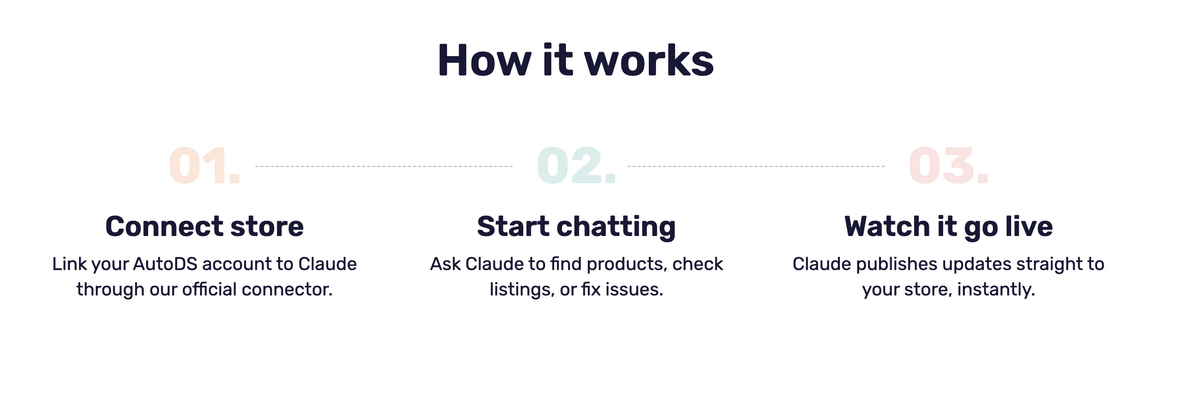
This is where it gets concrete. AutoDS connects to Claude through an MCP connector, so you can run your store by chatting with Claude. From a single conversation, you can manage listings, pricing, and orders. The connector links your eBay, Shopify, and WooCommerce stores to Claude, so tasks get handled across channels in one chat instead of tab by tab.
💡 Pro Tip: Connect eBay, Shopify, and WooCommerce before your first prompt, so a single request updates every channel instead of you hopping between tabs.
Here’s what a real prompt looks like. You might type: “Find three trending pet products, draft optimized titles for each, and flag any supplier price changes from this week.” Claude interprets the goal and uses MCP to reach into AutoDS. The platform then runs the research, drafts the copy, and returns the pricing flags for your review.
As an AI agent for Shopify sellers specifically, this setup covers research, listings, and pricing without leaving the chat. It works the same way for your other connected channels. If you already run automation that only covers one channel, this is the gap that an agent plus MCP closes. Access to the connector and its automation depends on your AutoDS plan, so check what your tier includes.
One habit I’d keep: I’d start with a read-only request before I let it change anything, just to confirm the agent reads your data correctly. The takeaway is that a Shopify AI agent stops being a concept once one prompt runs across your real stores.
Want this setup for your stores? Start your $1 trial and connect your store to Claude with AutoDS.
How to Get Started With AI Agents for Your Store
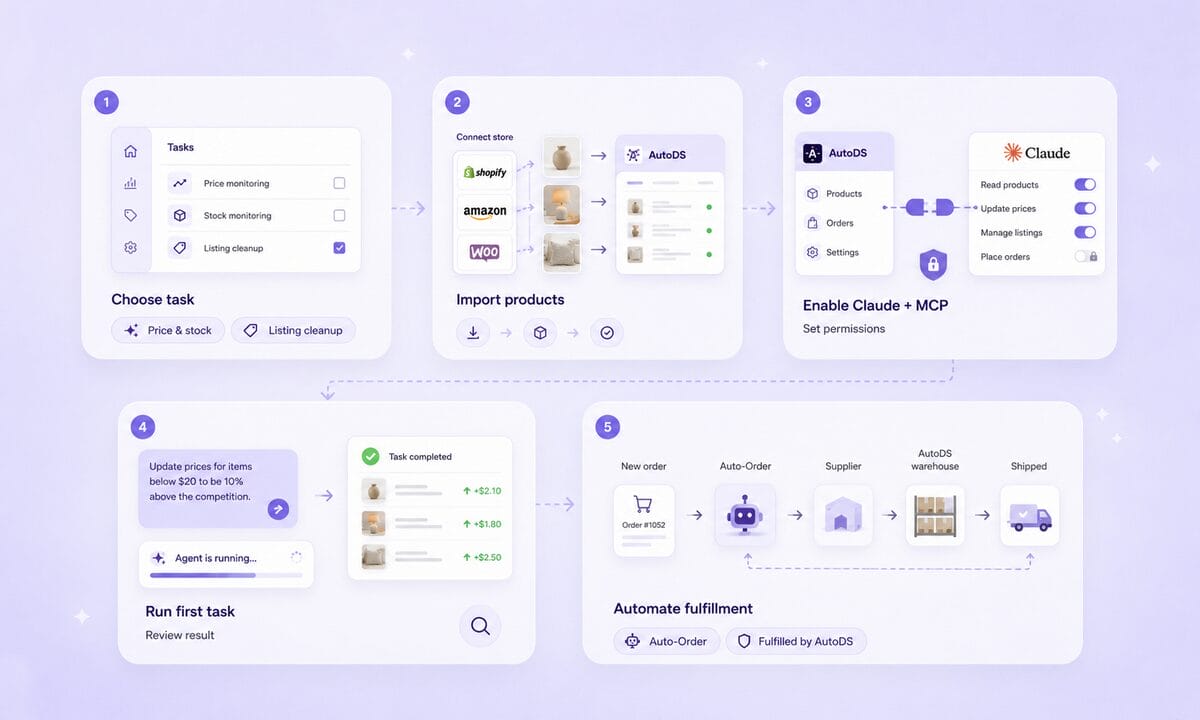
Getting started is less about technology and more about picking the right first task. The safe path is to hand off one job, confirm it works, and expand from there. Here’s the order I’d follow.
First, decide the task to hand off. For most intermediate sellers, that’s price and stock monitoring or listing cleanup, because both are repetitive and easy to verify. This step frames the problem before any tool enters the picture.
Second, connect AutoDS to your store or marketplace and import your products, which gives the ecommerce AI agent something real to work with. Third, enable the AutoDS and Claude MCP connector and set your permissions, so the agent’s reach matches your comfort level. AutoDS walks you through the connection during setup, so you don’t need to touch a line of code.
Fourth, run a first task from a single prompt and review the result before you trust it with more. I always run one task end-to-end before adding a second, since that’s how you catch a misread early. Fifth, as trust builds, add automated fulfillment through Fulfilled by AutoDS and Auto-Order, keeping in mind those who sit on paid plans. Starting small is how an AI agent for Shopify or any channel earns its place in your workflow.
💡 Pro Tip: Keep a short log of what you’ve handed off and checked. As you add tasks, you’ll know at a glance what’s already earned your trust.
Frequently Asked Questions
These are the questions sellers ask most when they weigh an AI agent against the tools they already run.
What is an AI agent for ecommerce?
It’s software that takes a goal and acts on real store tasks to reach it, rather than only answering questions. That includes research, listing edits, pricing updates, and reporting. The key trait is that it completes multi-step work on your behalf, within limits you set.
What’s the difference between an AI agent & a chatbot?
A chatbot replies to your message and stops there. An agent takes actions and can chain several steps together, like pulling data, drafting a listing, and flagging a price change in one request. Both use AI, but only the agent does the work rather than describing it.
Can AI run my online store for me?
It can run specific tasks reliably, including research, listings, pricing, and fulfillment, but strategy and brand decisions still need you. With the AutoDS and Claude MCP connector, you can run those tasks across eBay, Shopify, and WooCommerce from one conversation. Think of it as handling the execution while you keep the direction.
What are the best AI agents for Shopify sellers in 2026?
The best choice depends on the job you want done, so match the tool to the task rather than chasing a single winner. If you want research, listings, pricing, and fulfillment in one place, look for an all-in-one platform that connects to an AI assistant through MCP. AutoDS with Claude is one example, and it keeps multichannel sellers out of separate, single-channel tools.
Is it safe to let an AI agent access my store?
Yes, when you set permissions and review actions before trusting them. MCP limits the agent to what the connected platform exposes, so it can’t reach beyond the access you grant. Starting with read-only requests is a simple way to build confidence before you allow changes.
In short, the risk stays manageable when you control access and start narrow.
Should You Use an AI Agent for Your Store?
If you’re running more channels than your current tool handles well, AI agents for ecommerce are worth a serious look now. They reliably take on research, listing cleanup, pricing, and reporting, and MCP is the bridge that lets them act inside your store safely. Starting with one connected task is the low-risk way to test the fit. AutoDS connects to Claude through MCP so sellers can run store tasks by chatting with an AI agent. That brings your eBay, Shopify, and WooCommerce work into one conversation, which leaves you more time for the decisions only you can make.
Ready to run your store with an AI agent? Start the $1 trial and connect your first store today.
If you want to keep going, these three guides follow the natural path from understanding AI to putting it to work.







