


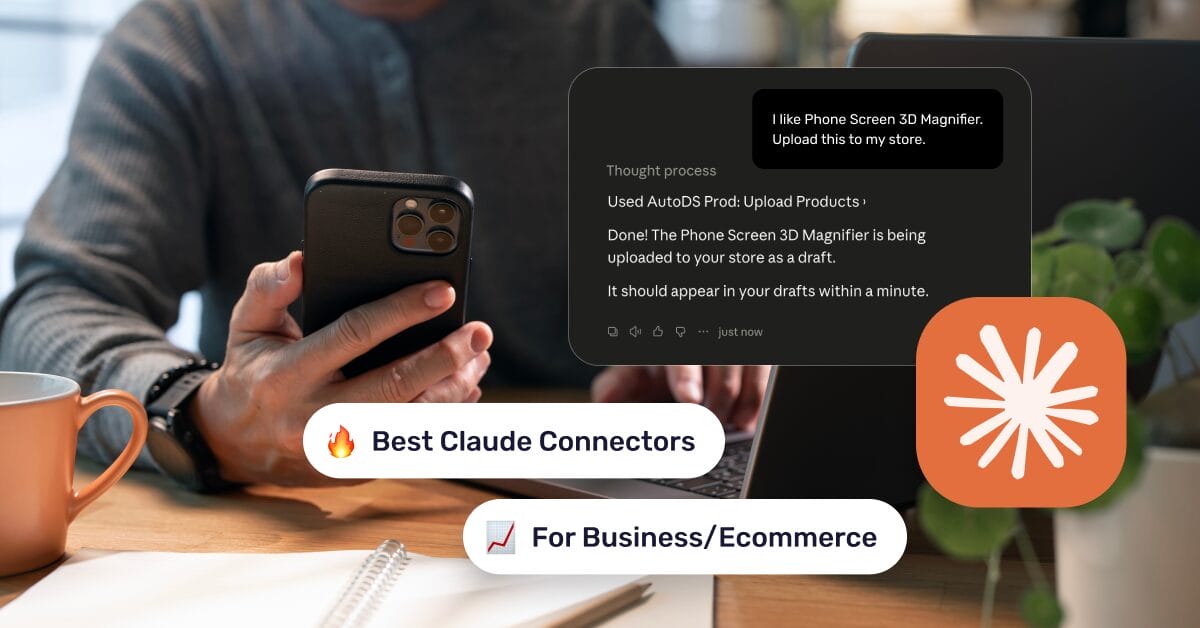
For most of its life, an AI assistant could only work with what you typed into it. Ask it about your calendar, and it had no idea what was actually on your schedule. Ask it to check an order status or look up a product in your store, and it could only make an educated guess.
That’s beginning to change.
Claude connectors let Claude securely connect to the tools you already use, from your inbox and documents to your project management software and ecommerce platform. Instead of relying solely on what you type, Claude can work with real, up-to-date information from those connected apps, and in many cases, even take action on your behalf.
In this guide, you’ll learn what Claude connectors are, how they work, the different types available, the best connectors to use in 2026, and how to set up your first one. You’ll also explore why e-commerce-specific tools, like AutoDS’s Claude connector, are becoming one of the most powerful ways for online sellers to automate everyday tasks.
Claude connectors are secure bridges between Claude and external apps, built on an open standard called the Model Context Protocol (MCP).
Most connectors fall into three categories: productivity, development, and business/ecommerce, each designed to solve different operational needs.
Setting up a connector typically takes just a few minutes and involves connecting an app, reviewing permissions, and authorizing access.
Connector availability and pricing vary. While some work with free tools, access to Claude’s connector directory generally requires a paid Claude plan, and certain connectors depend on a separate subscription.
Connectors like AutoDS’s turn Claude into a genuine store-management coworker that can search for products, audit listings, and publish directly to your store through conversation. 👇
What Are Claude Connectors? (And What Is MCP?)
A Claude connector is a secure integration that lets Claude access information from (and, in many cases, interact with) an external app or service directly within a conversation. Instead of copying and pasting information into the chat, Claude retrieves it (with your permission) from the connected tool itself.
Behind every connector is the Model Context Protocol (MCP), an open standard originally developed by Anthropic. It defines how AI assistants securely communicate with outside tools and data sources. If MCP is the underlying technology that makes these connections possible, a connector is the ready-to-use integration that brings a specific app—like Gmail, Notion, or Shopify—into Claude.
A simple way to picture it: imagine Claude as a brilliant assistant standing outside a locked office. Without a connector, it can only answer questions based on what you tell it. A connector hands Claude a key to one specific room— your Notion workspace, for instance—and only with the permissions you’ve explicitly granted.
Once connected, Claude can perform tasks such as:
- Searching Google Drive for a specific document and summarizing it.
- Pulling live data from your CRM instead of relying on manual descriptions.
- Checking the status of a GitHub issue.
- Looking up a product listing in your online store and suggesting improvements.
Claude Connectors vs. Claude Skills vs. Custom Connectors
These terms are often used interchangeably, but they solve different problems:
- Skills shape how Claude completes a task by providing reusable instructions or expertise, but they don’t grant access to outside data.
- Connectors give Claude access to external apps, allowing it to retrieve information or perform actions on your behalf.
- Custom connectors are integrations created outside Anthropic’s official connector directory, typically by connecting Claude to a remote MCP server.
Now that the fundamentals are in place, let’s explore the different types of Claude connectors and where each one fits best.
Types of Claude Connectors
Anthropic’s connector directory includes dozens of integrations across different categories, but most use cases fall into three practical groups: productivity, development, and business. Which one makes the most sense depends on the kind of work you want Claude to help with.
Productivity Connectors
For most people, this is the natural place to start. Productivity connectors help Claude organize everyday work by connecting to the apps you already rely on for communication, documents, and knowledge management.
Common examples include:
- Email and calendar tools, allowing Claude to summarize email threads, draft replies, or check your schedule.
- Cloud storage and document platforms, so Claude can search, read, and reference files without requiring manual uploads.
- Knowledge bases and note-taking apps, giving Claude access to the information you’ve already documented.
If you’ve ever wished your AI assistant already knew what was in your inbox, your notes, or your documents, these are the connectors that make it possible.
Development Connectors
Development connectors are designed for engineers, technical teams, and anyone building software. Rather than switching between multiple tools, developers can ask Claude to retrieve technical information directly inside a conversation.
Typical integrations include:
- Code repositories and version control platforms to review codebases, pull requests, and issues.
- Project management and issue trackers to summarize sprint progress or check ticket status.
- Design and development tools that provide additional context for planning, reviewing, or generating code.
For development teams, these connectors reduce context switching and make technical processes faster and more collaborative.
Business & Ecommerce Connectors
Business connectors focus on the operational side of running a company, making them especially valuable for ecommerce teams and online sellers. Instead of jumping between dashboards, Claude can surface information from the tools that power your day-to-day operations.
This category commonly includes:
- CRM and customer relationship platforms.
- Payment and finance tools.
- Marketing and advertising platforms.
- Store, product, and inventory management systems.
For online businesses, this last group is where connectors become particularly powerful, avoiding manually searching for product information, checking inventory, or reviewing listings.
The Best Claude Connectors In 2026
There’s no single “best” Claude connector. The right one depends entirely on what you’re trying to get Claude to do. But across productivity, development, and business use cases, a consistent shortlist tends to come up again and again among the most-installed connectors in Anthropic’s directory.
AutoDS
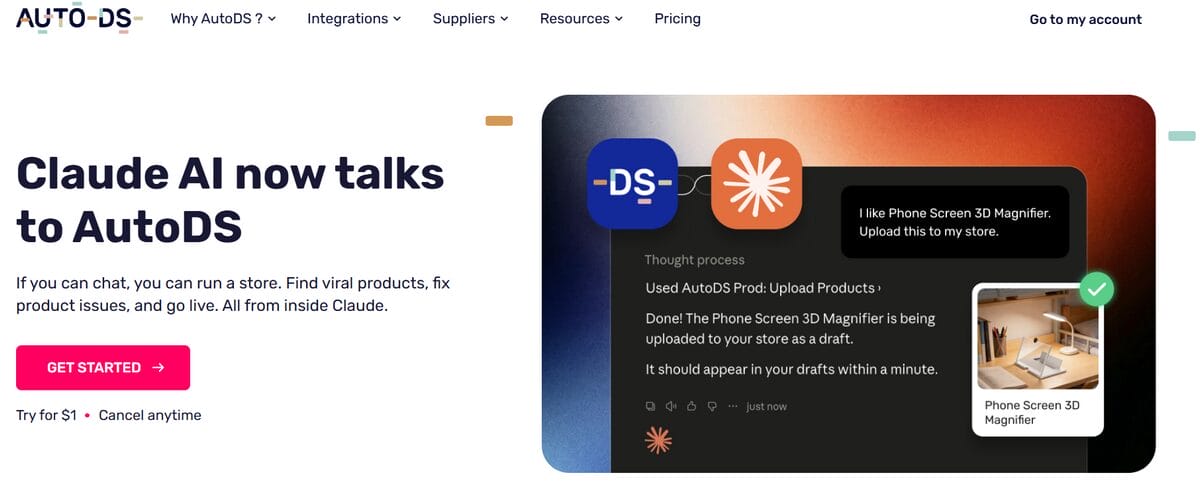
AutoDS Claud MCP connector stands out because it’s one of the few connectors built specifically for dropshipping. Plug it in, and your AI assistant gets direct access to the systems you already use to manage products, suppliers, and stores, no middleman dashboard required.
It’s a natural fit if you’re tired of clicking through five tabs to answer a question; you could just ask out loud. Instead of replacing what you already do, the connector folds those processes straight into Claude, so running your store starts to feel less like operating software and more like having a conversation.
Google Workspace
Google Workspace is often the first connector people set up because it brings together the tools they use every day. Once connected, Claude can search Google Drive, summarize documents, draft or review Gmail messages, and check your Google Calendar, all without switching between different apps.
It’s especially useful for catching up on long email threads, finding information buried in old documents, or preparing for your day by reviewing upcoming meetings. If most of your work already happens inside Google’s ecosystem, this connector is one of the easiest ways to make Claude part of your daily routine.
Notion
If your documentation lives in Notion, this connector turns Claude into a much more informed assistant. Instead of copying pages into a conversation, Claude can search your workspace, summarize documentation, and reference information directly from your knowledge base.
It’s particularly valuable for teams that use Notion to manage SOPs, product documentation, or internal processes, ensuring Claude works from the same source of truth as the rest of the organization.
Slack
Slack conversations move fast, and important decisions often disappear beneath hundreds of newer messages. This connector lets Claude search and summarize conversations directly from your workspace; useful for catching up on a thread you missed, pulling together a summary of a project channel, or double-checking what was actually agreed upon in a discussion last week.
It’s particularly valuable for teams that treat Slack as a working memory of sorts, since it turns that memory into something Claude can actually search rather than something a person has to scroll through.
GitHub
For developers, GitHub is often the single most important connector available. It gives Claude direct access to repositories, issues, and pull requests, meaning you can ask it to summarize what changed in a recent commit, check the status of an open issue, or get context on a piece of code without manually pasting files into the conversation.
This is one of the connectors most responsible for Claude’s popularity among engineering teams, since it turns a general-purpose assistant into one that understands the actual codebase it’s being asked about.
Figma
Figma bridges the gap between design and development. By connecting design files directly to Claude, teams can reference layouts, components, and specifications without manually describing them.
This makes it easier to translate designs into code, verify implementation details, and reduce the back-and-forth between designers and developers throughout the product development process.
Atlassian (Jira & Confluence)
For teams managing projects through Jira tickets or Confluence documentation, this connector lets Claude check ticket status, summarize sprint progress, or reference existing documentation without switching tabs.
It’s a strong fit for product and engineering teams already standardized on Atlassian’s tools, since it turns routine status checks — “what’s still open for this sprint,” “what does this ticket actually ask for” — into something you can ask conversationally instead of digging through a board.
Stripe
Stripe’s connector gives Claude visibility into real payment and revenue data, which is useful for anyone who wants quick answers about business performance without opening a dashboard. You can ask about recent transactions, revenue trends, or specific payment details, and Claude can reference the actual data behind the answer instead of relying on numbers you type in manually.
This is especially handy for founders and finance-adjacent roles who want a fast pulse-check on the business without a full reporting workflow.
Claude Connectors Comparison
| Connector | Category | Best For | Free Or Paid |
|---|---|---|---|
| AutoDS | Business/Ecommerce | Managing a dropshipping store: products, listings, reports | Free connector; requires an AutoDS plan |
| Google Workspace | Productivity | Searching files, checking your inbox, and managing your calendar in one connector | Free connector; requires a Google account |
| Notion | Productivity | Searching and updating a shared workspace | Free connector; Notion plan may apply |
| Slack | Productivity/Comms | Searching and summarizing team conversations | Free connector; Slack plan may apply |
| GitHub | Development | Referencing repos, issues, and pull requests | Free connector |
| Figma | Development | Pulling design context into code | Free connector |
| Atlassian (Jira/Confluence) | Development | Tracking tickets and project docs | Depends on Atlassian plan |
| Stripe | Business/Finance | Reviewing payments and revenue data | Depends on Stripe account |
Connectors for Online Sellers
General productivity and business connectors are incredibly useful, but they aren’t designed around the day-to-day reality of running an online business. That implies a different set of challenges: researching products, optimizing listings, and keeping stores up to date.
That’s where ecommerce-specific connectors come in. Instead of connecting Claude to a generic business app, they connect it directly to the systems that power your online store, making everyday store management faster and far more conversational.
A great example is AutoDS’s Claude connector for dropshippers. Rather than switching between dashboards, searching through menus, or manually updating listings, you can simply describe what you want Claude to do. The connector gives Claude secure access to your AutoDS workspace, allowing it to retrieve information and complete operational tasks without leaving the conversation.
Once connected, Claude can help you:
- Discover winning products across supported suppliers.
- Generate store reports and performance summaries from your connected data.
- Audit, optimize, and publish product listings directly to your Shopify or marketplace stores.
The result is a simpler workflow. Instead of spending time navigating software, you spend more time making decisions while Claude performs supported actions directly from the conversation.
🔍 Research Tip: Here’s a simple way to combine both tools. For example, use AutoDS’s Ads Spy Tool to identify trending products and winning ad creatives, then ask Claude to review, optimize, and publish the best opportunities through the AutoDS connector.
How to Add a Connector in Claude
Adding a connector to Claude only takes a few minutes. While the exact setup may vary depending on the connector, the overall process is always the same: choose the integration, authenticate your account, review the requested permissions, and start using it inside your conversations.
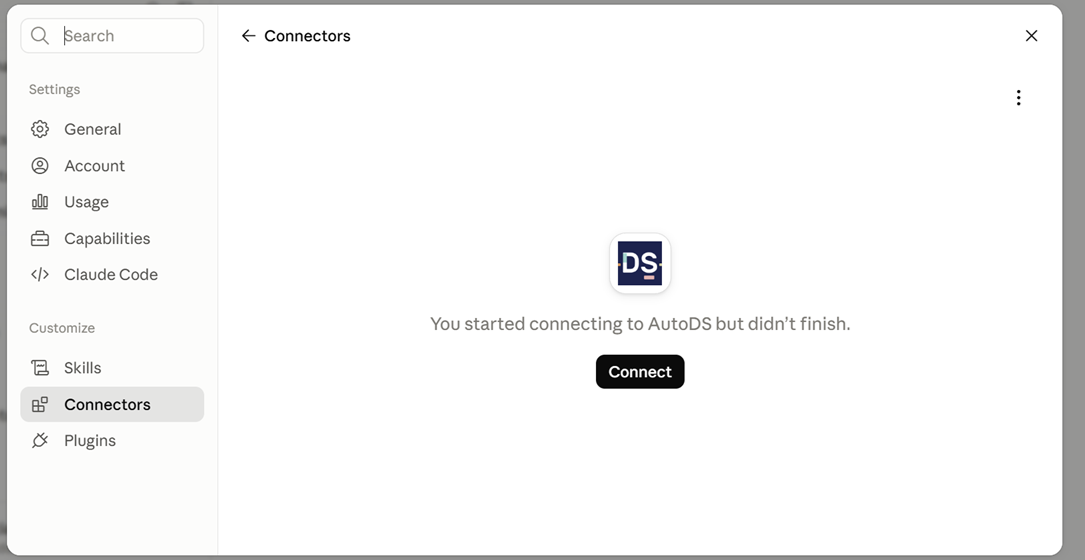
Here’s what that looks like using AutoDS’s Claude connector as an example:
- Open Claude. Go to claude.ai or launch the Claude desktop app, then open Customize from the main menu.
- Open the Connectors panel. Select Connectors, look for AutoDS and press Connect.
- Sign in to your AutoDS account. Claude will redirect you to the AutoDS login page. Sign in with your AutoDS credentials. If you don’t have an account yet, you can register with the $1 trial.
- Approve the connection. After authentication, Claude automatically adds AutoDS to your Connectors list, confirming that the integration is ready to use.
Once connected, you can interact with your AutoDS account directly through Claude—asking it to research products, review listings, generate reports, or help manage your store without leaving the conversation.
🆕 Beginner’s Tip: The first time you connect any app to Claude, take a moment to review the permissions it requests. Connectors only access the data you authorize, so it’s always worth understanding exactly what information you’re sharing before approving the connection.
Are Claude Connectors Safe? (Data & Permissions)
Claude connectors are designed around permission-based access, meaning Claude can only see and do what you’ve explicitly authorized. Connecting an app doesn’t give it unrestricted admission to your account, and you stay in control of those permissions at all times.
Here are a few key things to keep in mind:
- Permissions are granular: Before connecting an app, Claude clearly shows what information or actions it’s requesting access to, allowing you to approve only the requested scope.
- Access isn’t permanent: You can disconnect a connector or revoke its permissions at any time from Claude’s connector settings.
- Official connectors provide an extra layer of confidence: Connectors available through Anthropic’s official directory go through a review process before they’re published, making them a safer choice than connecting to an unfamiliar third-party MCP server.
As with any application that accesses your data, it’s worth taking a few seconds to review the requested permissions before clicking Approve. It’s the same habit you’d follow when installing a new app on your phone: understand what it’s asking for, and only grant the access you’re comfortable sharing.
Frequently Asked Questions
What are Claude connectors?
Claude connectors are secure integrations that let Claude access information from, and in some cases interact with, external apps and services. They are built on the Model Context Protocol (MCP), which provides a standardized way for AI assistants to communicate with connected tools.
Are Claude connectors free?
It depends on the connector. While some Claude connectors require a paid Claude plan or a separate subscription to the connected service, the AutoDS MCP connector works with both the free and paid versions of Claude. You’ll simply need an active AutoDS account on any plan.
Is there a Claude connector for ecommerce platforms?
Yes, Claude connectors are available for ecommerce workflows, although support varies by platform and provider. For example, AutoDS offers a Claude connector designed for dropshipping businesses, allowing sellers to manage multiple connected sales channels within Claude rather than working with a single storefront.
Can Claude connectors perform actions, or only read data?
It depends on the connector. Some connectors are read-only, while others allow Claude to perform actions such as updating records, publishing content, or managing products, depending on the permissions you’ve granted.
Which Claude connector is best for dropshipping?
For dropshippers, AutoDS’s Claude connector is designed specifically for ecommerce operations, helping manage products, listings, inventory, reports, and multiple connected sales channels directly from Claude.
Turn Claude Into a Smart Business Partner
Connectors change the game for how an AI assistant actually works. Forget typing everything into a chat box and hoping Claude has enough context to help. Now it can reach into the tools you’re already using, pull real data in real time, and start handling tasks instead of just talking about them. It stops being a chatbot you consult and starts being a coworker.
For dropshipping businesses, that shift is even more valuable. Juggling products, listings, inventory, and day-to-day store operations gets a lot lighter when Claude can work directly with your tools. That’s where purpose-built integrations like AutoDS’s Claude connector shine, acting as a real hand with the parts of the job that used to eat up your whole afternoon.
🧠 Curious what that looks like in your own workflow? Try AutoDS for $1 and and watch the Claude connector research products, polish up listings, and keep your store running—all without you ever leaving the conversation.
Think this was interesting? There’s a lot more beneath the surface. Take a look at these related guides:







