


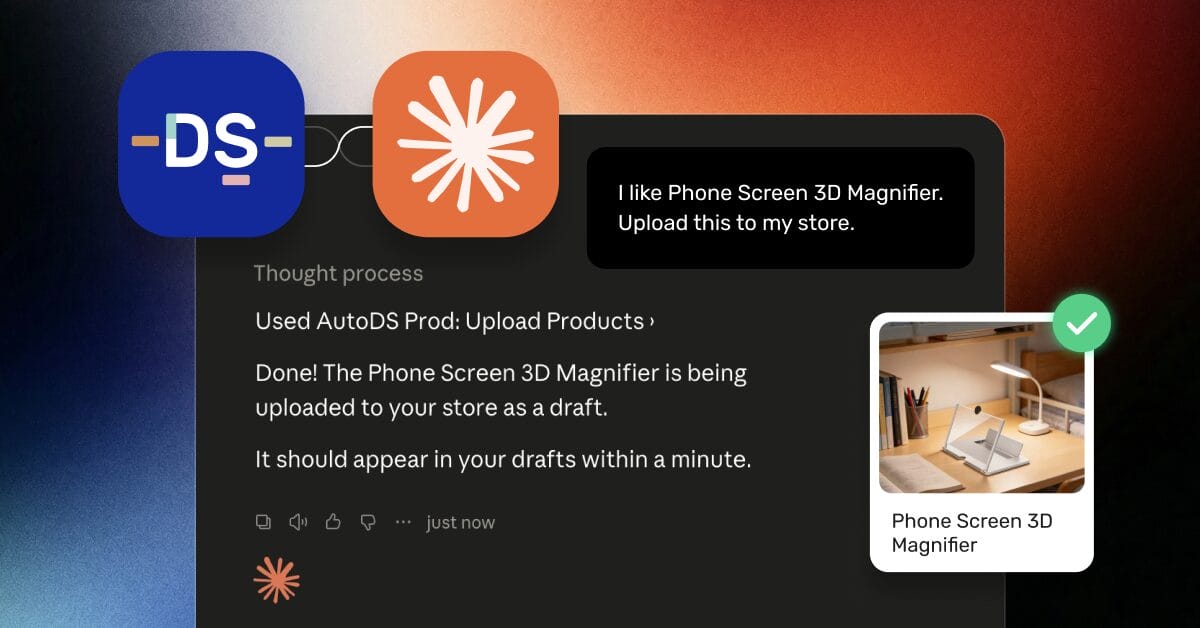
An eBay MCP (Model Context Protocol), Shopify MCP, or WooCommerce MCP can let an AI assistant like Claude interact directly with your store. Instead of clicking through menus and dashboards, you can manage products, inventory, pricing, and other tasks using plain-language instructions. The limitation is that each MCP typically works with one platform at a time. For multichannel sellers, that still leaves store management split across separate tools and workflows.
AutoDS solves this problem, letting you connect all your stores to Claude via AutoDS’s MCP connector and run every channel from a single chat, from product research to supplier management.
In this guide, I will show you how to connect eBay, Shopify, and WooCommerce to Claude via the AutoDS MCP connector, manage multiple stores from a single conversation, and use plain-language prompts to handle everyday ecommerce tasks without switching between platforms.
An eBay MCP, Shopify MCP, or WooCommerce MCP connects AI assistants like Claude to your store so you manage it in natural language.
Most MCP setups are per-platform and built for developers, with separate servers, API keys, and hosting for each channel.
The AutoDS Claude MCP connector links eBay, Shopify, and WooCommerce to one AI conversation, without writing code.
From a single chat, you can search products, create listings, reprice, and check store performance across every channel.
You can test the whole setup with the $1 trial before you commit.
The Multichannel Management Problem
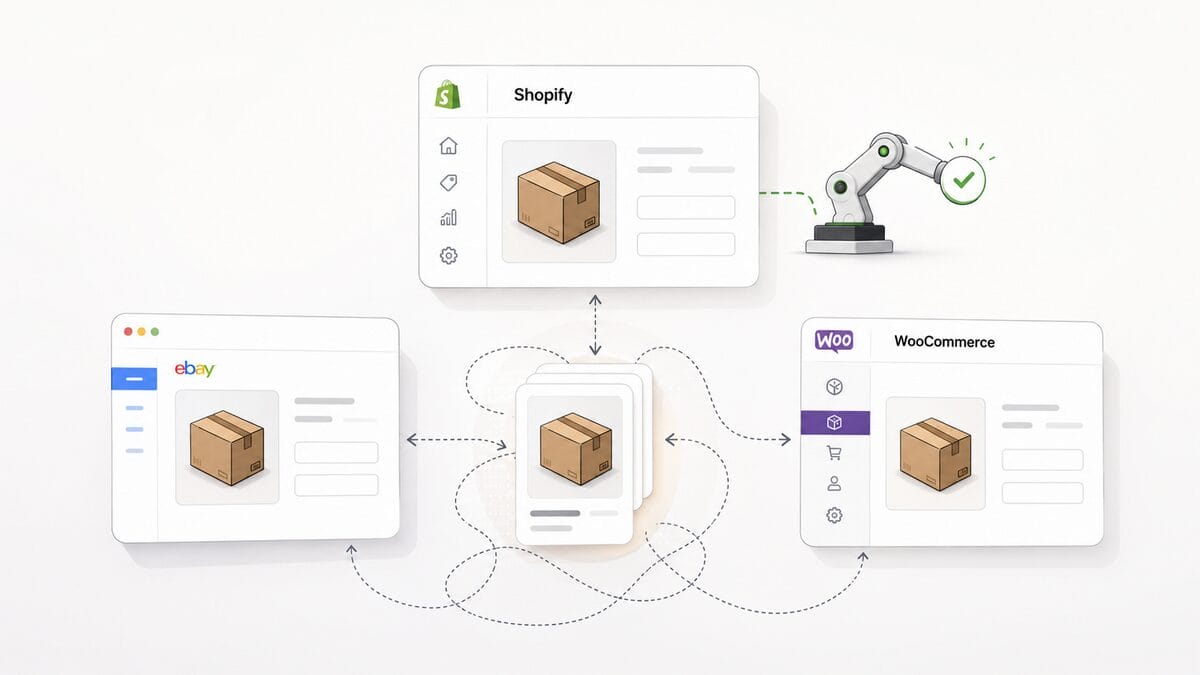
You cannot manage eBay, Shopify, and WooCommerce from a single platform with most standard tools. That is the first ceiling a growing seller hits. Each platform has its own dashboard, listing flow, and pricing and stock rules, so a single product update becomes the same task done three times. When you are already running an automation tool that only fully supports one channel, the other channels fall back to manual work you thought you had left behind.
That fragmentation has a real cost. Duplicated listing work eats hours, stock and price changes lag behind across channels, and reaction time slows down at the exact moment your volume goes up. One missed stock sync on eBay can cost you a sale and a defect on your seller record, which is not a rounding error at $2K to $25K a month.
Why One More Dashboard Isn’t the Answer
Adding another dashboard makes the problem worse, not better, because every new tool adds surface area you have to watch. You did not outgrow your current setup because you had too few tabs. You outgrew it because coordinating across tabs is the work that never scales. What an intermediate seller actually needs is consolidation, a single place to issue an instruction and have it apply everywhere it should.
The takeaway is simple: the fix is fewer control points, not more, and that is where MCP changes the math.
What MCP Unlocks for Multichannel Sellers
MCP lets an AI assistant securely act on external tools and APIs, including your store platforms, rather than just answering questions. Anthropic introduced the Model Context Protocol on November 25, 2024, as an open standard, and it has spread quickly since. The timing tracks with buyer behavior: 58% of consumers have replaced traditional search engines with AI tools, up from 25% in 2023, according to a January 2025 Capgemini report.
In practice, that turns dashboard clicks into commands. Instead of opening eBay to relist slow movers, then opening Shopify to add a product, you tell the assistant what you want, and it does the work. The standard is already widely supported, with more than 10,000 active public MCP servers as of December 2025, and store platforms are part of that ecosystem.
There is a catch for multichannel sellers, though. Wiring this up yourself means running a separate MCP server for each platform, each with its own keys, hosting, and rate limits to manage.
eBay MCP, Shopify MCP & WooCommerce MCP: Three Servers or One Connector?
Does Shopify MCP work with other marketplaces? No, not on its own. A standalone Shopify MCP is scoped to Shopify, an eBay MCP is scoped to eBay, and a WooCommerce MCP is scoped to WooCommerce, because each server talks to one platform’s API. Do it the developer way, and you are maintaining three separate servers to cover three channels.
The alternative is one connector that already integrates all three platforms and exposes them to your AI assistant together. That is the difference between building and maintaining infrastructure and simply issuing a command, and it is the whole reason a single connector beats stitching servers together.
Managing Shopify, eBay & WooCommerce in One Claude Conversation With AutoDS
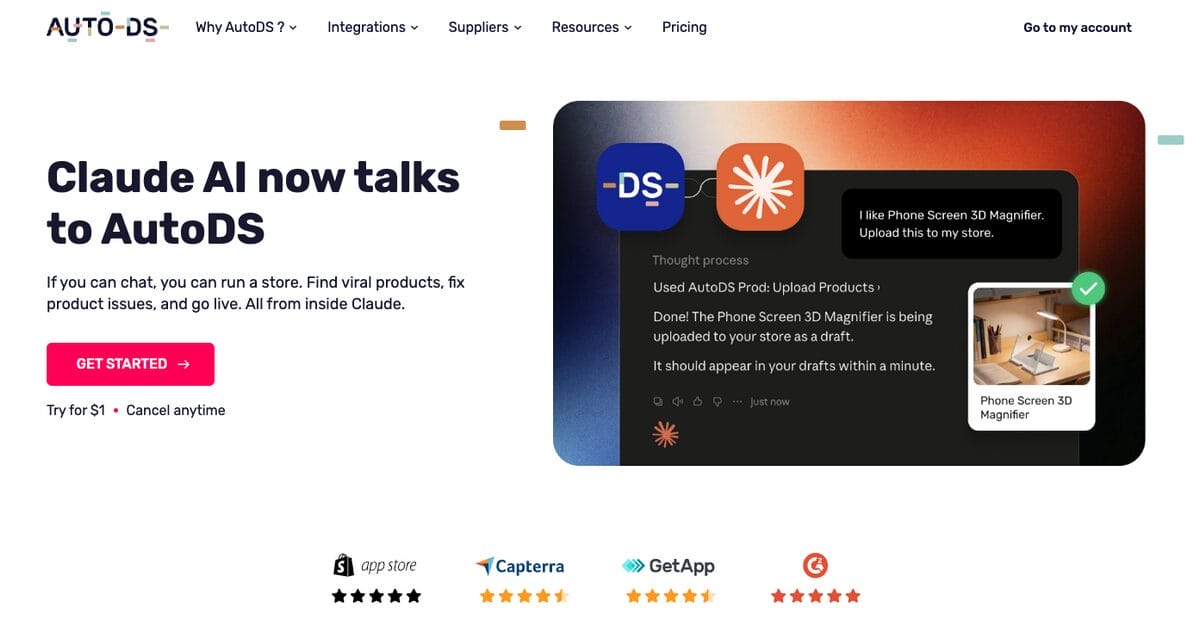
The single-connector approach is exactly how AutoDS works: one account links every store to Claude and lets you manage them from a single conversation. Because the connector runs through your AutoDS account, it can search products, import them, make bulk pricing and listing edits, pull live store performance reports, fix broken listings, and publish updates straight to the store, all from chat. There are no per-platform servers to run, no API keys to juggle, and no code to write. As the AutoDS feature page puts it, if you can chat, you can run a store.
The catalog behind it is deep, too. AutoDS gives you access to 800M+ top-selling products, so sourcing for any of your channels happens inside the same workflow.
A Sample AI Workflow Across All Three Channels
Here is what one conversation can look like in practice. In my own testing, the value shows up fastest when a single product needs to live on every channel at once, which is normally the most tedious task in a multichannel operation.
- “Find a trending kitchen gadget under $15 from a US-warehouse supplier.” AutoDS uses Product Sourcing across 25+ suppliers to return options.
- “List it on eBay, Shopify, and WooCommerce.” Store Integration publishes to all three, and Product Optimization writes the titles and descriptions.
- “Set my markup to 40% and keep stock in sync.” Price & Stock Monitoring applies the rule and watches for supplier changes.
- “Show me this week’s orders and tracking.” Automated Orders reports fulfillment and tracking status back to you.
Every step above happened in one chat, against your live stores, without opening a separate dashboard for each platform.
What You Can & Can’t Do From the Chat
The chat handles the day-to-day work well: sourcing, listing, repricing, listing fixes, order checks, and performance reports across your connected stores. It is worth being straight about the limits, though. Continuous automation, such as ongoing Price & Stock Monitoring and Automated Orders, runs on your AutoDS account, so what stays active depends on your plan, not the chat itself.
Very large bulk edits and detailed side-by-side review are still sometimes faster in the AutoDS dashboard, which remains available whenever you want it. The point is not that the dashboard disappears; it is that you no longer have to live inside three of them.
Step-By-Step: Connect Your Stores to Claude
Setting this up takes minutes, not a developer sprint, and you can see how it works before you migrate anything serious. The steps below get eBay, Shopify, and WooCommerce to talk to Claude through a single connector. I recommend running it in parallel with your current tool at first, so nothing in your live stores is at risk during the switch.
Step 1: Connect Your Stores to AutoDS
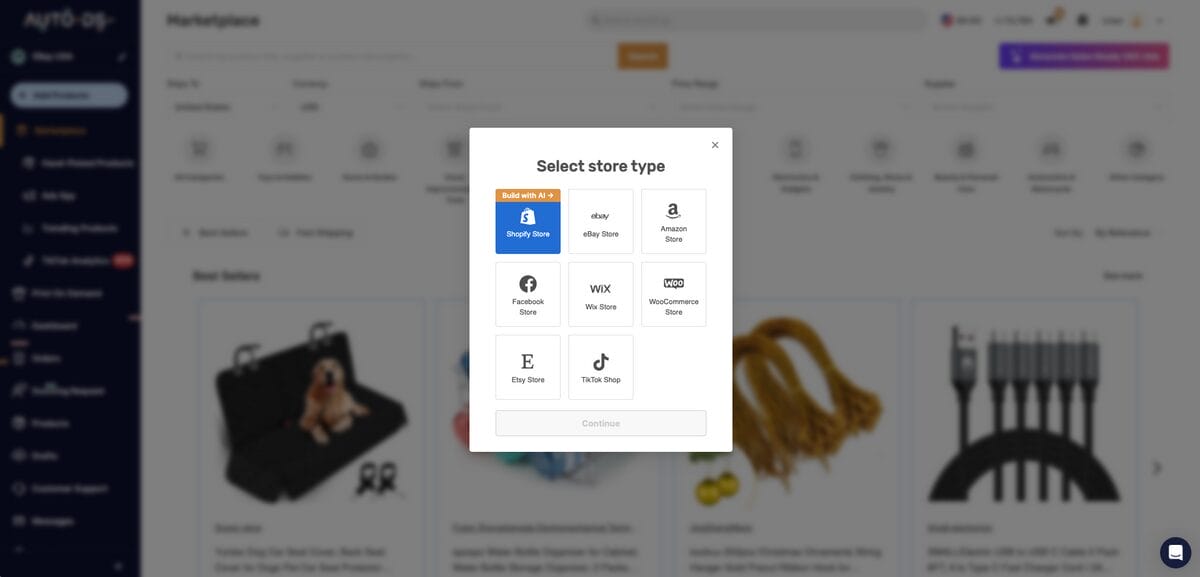
Log in to AutoDS and connect your eBay, Shopify, and WooCommerce stores. Just go to Add Store in the top-left corner (or click your current store, then click Add Store), and select each platform.
Each store connects via a guided authorization flow, so you grant access once, and AutoDS keeps the connection live thereafter. Once they’re all connected, you can manage all three from the same dashboard.
If you do not have an account yet, you can start the $1 AutoDS trial and link your first store in a couple of minutes.
Step 2: Enable the AutoDS Claude MCP Connector
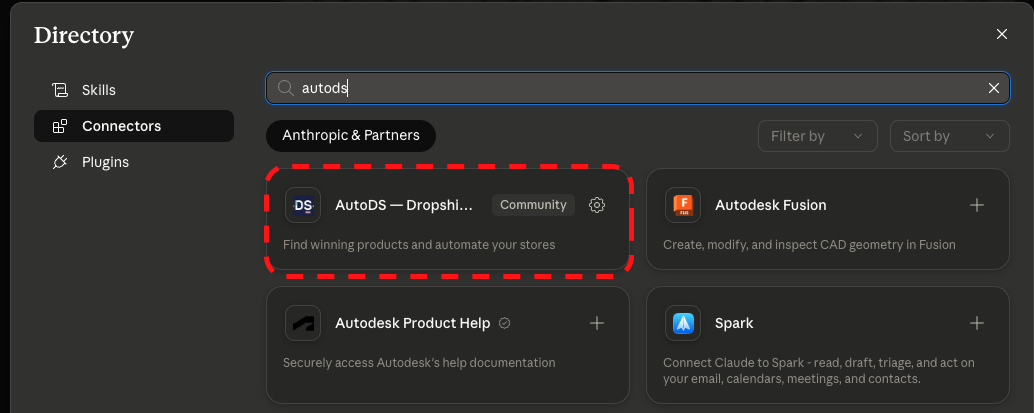
Enable the AutoDS Claude MCP connector. To do this, follow these steps:
- Head to Claude and log in to your account.
- Go to Settings > Connectors.
- Search for AutoDS and approve the permissions it requests.
Once it is authorized, Claude can act on the exact stores you connected in Step 1, which is the bridge that lets a single conversation reach every channel at once.
Step 3: Run Your First Multichannel Command
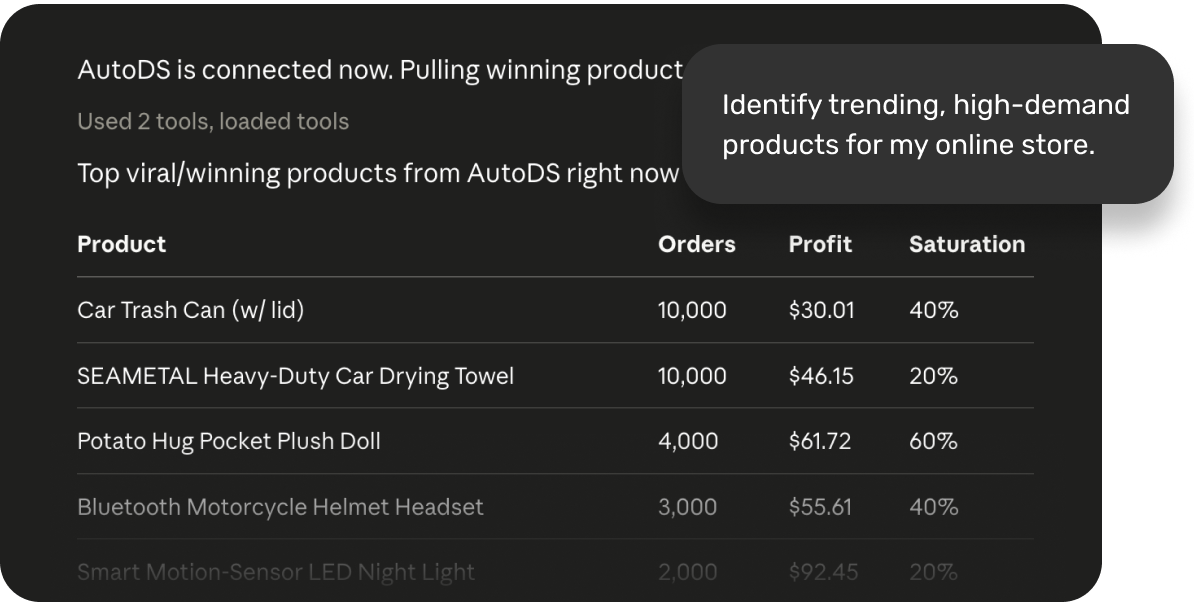
Run your first multichannel command in Claude, such as listing one product to all three channels at once. Try something concrete like “list this product on eBay, Shopify, and WooCommerce, set a 40% markup, and keep stock in sync,” then watch it publish to each store. Confirm the listings look right, and once you trust the flow, scale up to bulk actions across your whole catalog.
Once that first command runs cleanly, you have replaced three separate workflows with one, and you can retire the workarounds you built to hold the old setup together.
Step 4: Set Automation Rules on AutoDS
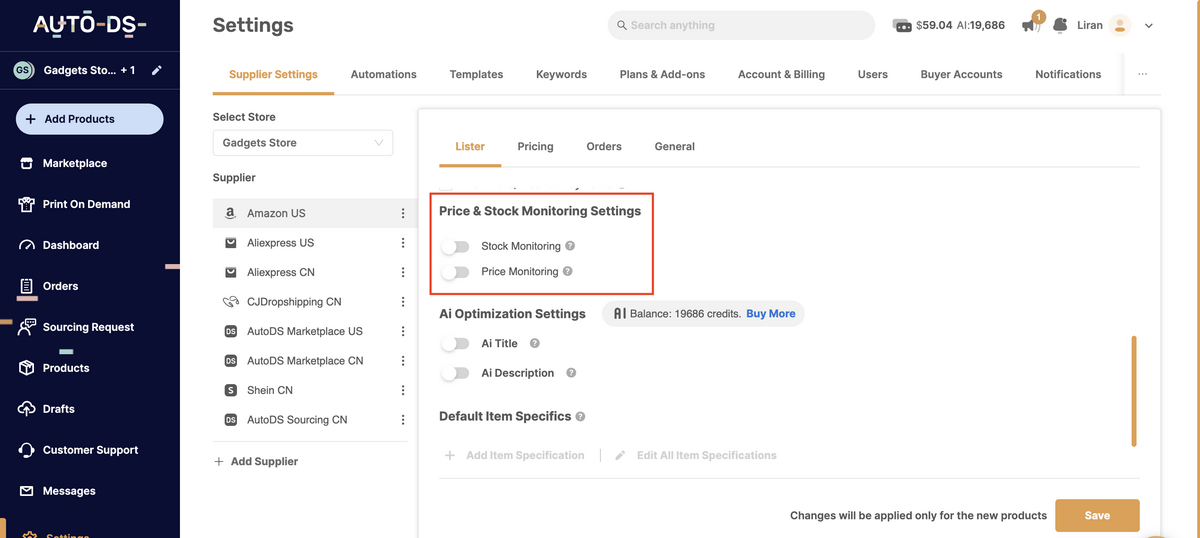
Finally, don’t forget to set your core automation workflows in AutoDS before you go live with your products and store. From Settings, turn on price and stock monitoring so supplier changes are caught automatically, define your pricing rules and markup so listings reprice on their own, and enable automated fulfillment so orders are placed and tracking is updated without your involvement. Setting these rules once means they apply consistently across eBay, Shopify, and WooCommerce, so you are not managing pricing, stock, or orders by hand on three platforms.
Frequently Asked Questions
What Is an eBay MCP?
An eBay MCP is a connection that lets an AI assistant act on eBay through the Model Context Protocol, the open standard Anthropic released in late 2024. It exposes eBay’s selling functions to the AI so you can manage listings, pricing, and orders in natural language. In short, it turns “click through the eBay dashboard” into “tell the assistant what you want.”
Does Shopify MCP Work With Other Marketplaces?
A standalone Shopify MCP is scoped to Shopify, so on its own, it does not reach eBay, WooCommerce, or any other channel. To span multiple platforms, you need a connector that already integrates them, which is what the AutoDS Claude MCP connector does. It links Shopify, eBay, and WooCommerce to one AI conversation, so a single instruction can apply across all of them.
How Do I Sync WooCommerce With an AI Assistant?
Connect your WooCommerce store to AutoDS, enable the Claude MCP connector, and then issue your commands in chat. AutoDS handles the WooCommerce sync in the background, including listings, pricing, and stock levels. You do not build a WooCommerce MCP server yourself or manage its keys and hosting.
Can I Manage eBay & Shopify From One Place With AI?
Yes. AutoDS links eBay and Shopify, as well as WooCommerce and other supported platforms, to a single AI conversation. You issue one command, and it applies to whichever channels you specify, without writing any code.
Is Automating My Stores This Way Safe & Allowed?
Marketplaces permit automation as long as it operates within their policies, so the risk is in how automation is configured, not in automation itself. Safety comes from a compliant setup and reliable monitoring rather than raw, unmanaged API scripts. Running your actions through an established platform keeps them inside those guardrails.
One AI Chat for Every Store With AutoDS Claude MCP Connector
The path an eBay MCP promises is real: MCP lets an AI assistant act on your stores, so you manage them in plain language instead of clicking through dashboards. The developer route means running a separate server for eBay, Shopify, and WooCommerce, each with its own keys and upkeep, which is more infrastructure than most sellers want to own.
AutoDS connects eBay, Shopify, and WooCommerce to Claude better than juggling separate MCP servers, because one connector spans every channel from a single conversation. If you are an intermediate seller trying to consolidate a multichannel operation, that is the switch worth making.
Stop juggling dashboards. Run eBay, Shopify, and WooCommerce from one AI chat with AutoDS. Try it now with the AutoDS $1 trial.
Want to go deeper? These related guides pair well with what you just learned:







