


Selling on eBay can look almost suspiciously simple: find something to sell, create a listing, wait for a buyer, ship the order, get paid. And technically, that’s the loop. The interesting part is everything you need to get right inside it.
What should you sell? Auction or fixed price? How much will eBay take from the sale? Who pays for shipping? How do you get a listing in front of buyers when you’re starting with little or no seller history? Learning how to sell on eBay means understanding how all of those decisions work together, not just knowing where the “List it” button is.
That’s what I’ll unpack here. From choosing what to sell and building your first listing to pricing, fees, payments, shipping, visibility, and getting your first sales, this guide covers the full eBay selling model so you know what happens before, during, and after someone clicks Buy.
Selling on eBay works for several seller profiles, from occasional resellers to niche specialists and established ecommerce businesses.
eBay visibility depends on more than keywords, with relevance, listing completeness, price, shipping terms, and seller performance all playing a role.
Starting an eBay operation begins with a verified seller account, configured payouts, clear selling policies, and a product ready to list.
Profitability on eBay comes down to what remains after the sale, once marketplace fees, fulfillment expenses, and other selling costs are accounted for.
Seller performance is built across the entire transaction, from accurate product representation to on-time fulfillment and post-sale support.
eBay allows wholesale-supplier dropshipping, with tools like AutoDS helping manage inventory changes, fulfillment, and tracking as operations scale.
What Is eBay and How Does Selling on eBay Work?
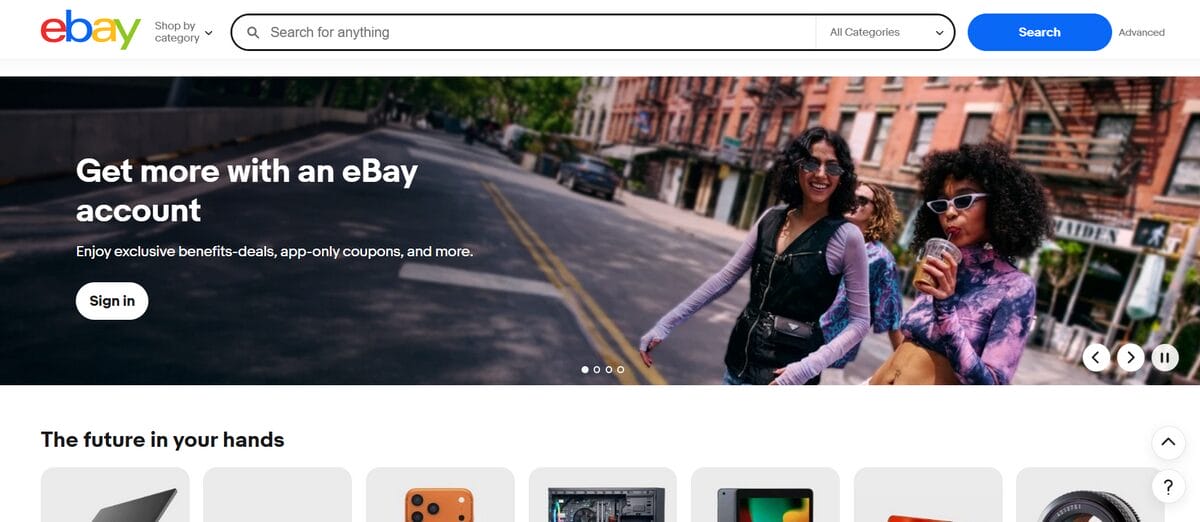
eBay is one of the longest-running marketplaces online, where individuals and businesses list new or used products directly to buyers. The scale alone is staggering: as of Q2 2026, eBay reported 136 million active buyers worldwide.
That size alone leaves room for wildly different kinds of sellers. Individuals can sell a single used item from home, while professional sellers and businesses can run entire catalogs on the same marketplace. Either way, instead of building a website from scratch and chasing down an audience, you’re putting products in front of people already there to buy.
From there, the selling loop itself is pretty straightforward: list an item, choose how you want to sell it, make the sale, ship the order, and receive your payout. You can set a fixed price through Buy It Now or run an auction, where buyers bid until the listing ends. eBay provides the marketplace and transaction infrastructure; you’re responsible for accurately representing what you’re selling and fulfilling the order.
And as those listings turn into an actual selling operation, Seller Hub becomes your control center. It’s where you manage listings and orders, monitor payments and performance, research products and prices, and access advertising tools. All from one place.
Who Should Sell on eBay?
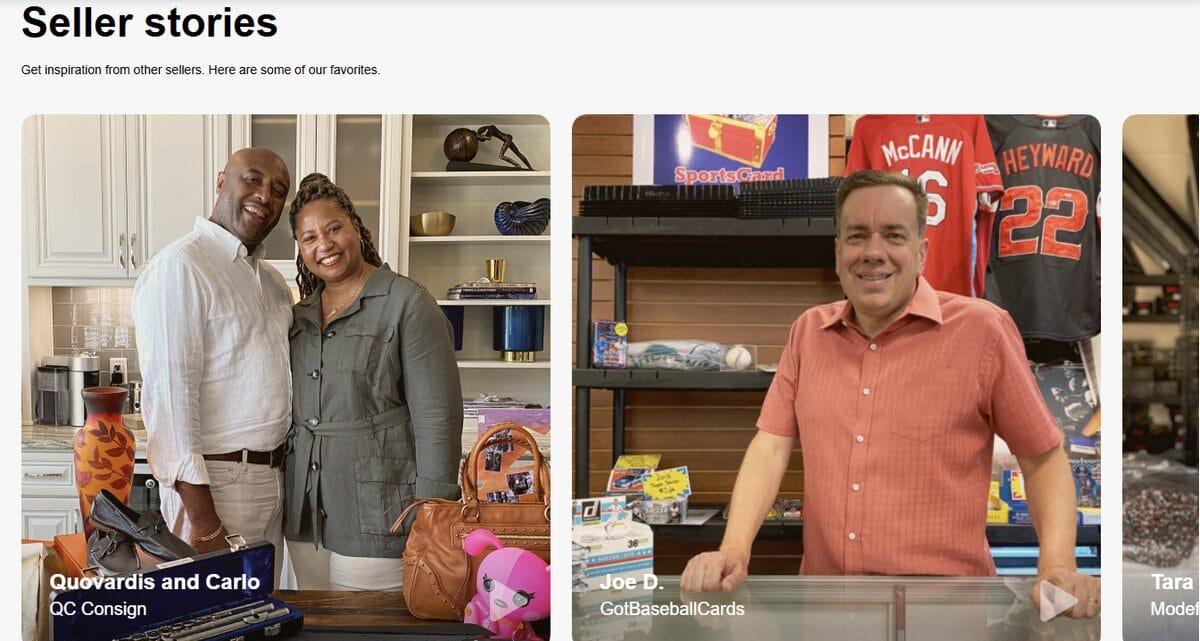
There’s no single blueprint for an eBay seller. You don’t necessarily need a full catalog, a registered brand, or any grand plan to build an ecommerce business. Sometimes a closet that needs clearing out is reason enough. And sometimes that first sale turns into something much bigger than you expected.
So where do you fit? These are some of the profiles eBay makes the most sense for:
Key Use Cases
- The household seller: Someone selling unused clothes, electronics, games, furniture, or other items from home for extra cash. This is eBay at its simplest.
- The casual side-hustler: An individual flipping thrift finds or locally sourced products and turning occasional sales into more consistent extra income.
- The specialist reseller: A seller focused on vintage goods, collectibles, niche parts, or hard-to-find products that benefit from eBay’s large buyer base.
- The small business owner: An established seller using eBay as an additional sales channel to reach marketplace shoppers beyond their existing store.
When eBay Is NOT Ideal
That range doesn’t make eBay the right home for every product or business. There are a few situations where I’d look especially closely before committing:
- Your brand experience matters as much as the product. Selling on eBay means operating inside its storefront, checkout, policies, and buyer experience. Not yours. If full control over branding and the customer journey is central to your model, your own site might serve you better as the primary home.
- Your margins can’t comfortably absorb marketplace costs. eBay charges final value fees on every sale, with the exact amount shifting by category, price, seller setup, and other factors. Optional upgrades and advertising can add costs too, so a product that only works on paper before fees and shipping isn’t a particularly good candidate.
- What you sell comes with heavy restrictions. eBay bans certain products outright and places conditions on others, on top of intellectual-property rules that prohibit counterfeits and anything infringing third-party rights. If your category lives in regulated territory, check the relevant policy before building a strategy around it.
That last point raises an important question: with millions of products on the marketplace, where does eBay actually draw the line? Let’s look at what you can sell, what tends to work well, and what comes with restrictions.
What Can You Sell on eBay?
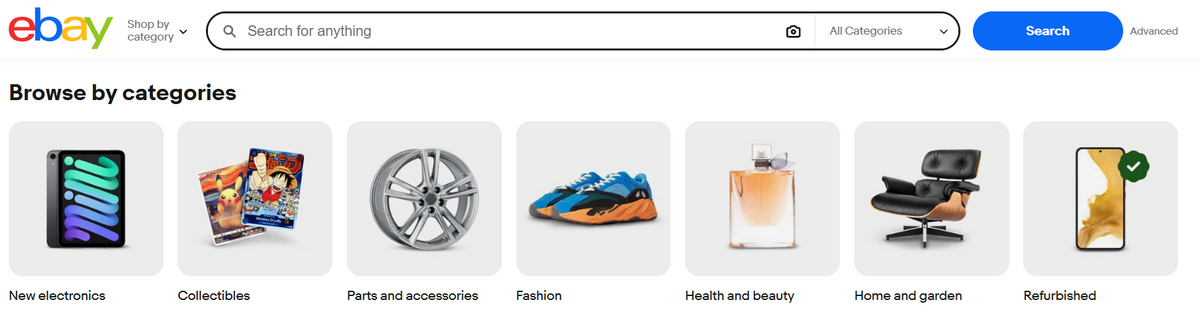
Turns out eBay covers a lot more than used stuff from around the house. The marketplace spans everyday consumer goods all the way to categories built around tight-knit enthusiast communities.
Some particularly active areas include:
- Home & Garden: Furniture, tools, appliances, décor, and everyday home essentials.
- Automotive parts: Replacement parts, accessories, tools, and components for buyers searching for very specific vehicle needs.
- Electronics: New, used, and eligible refurbished devices, accessories, and components.
- Collectibles: Trading cards, watches, memorabilia, coins, toys, and other products where rarity and condition can matter as much as the item itself.
Just because a product exists, though, doesn’t mean you’re free to list it. eBay’s prohibited and restricted item policies touch on everything from product safety and hazardous materials to intellectual property and category-specific requirements.
- Counterfeits and unauthorized replicas aren’t allowed. Think fake designer bags, imitation luxury watches, or electronics carrying a brand logo they have no right to use. If it’s made to pass as the real thing, it doesn’t belong on eBay.
- Some products come with additional requirements. Depending on what you’re selling, you may need to meet eligibility, location, age-verification, safety, or other conditions before the listing goes live.
- Recalled or unsafe products are off the table. eBay bans anything recalled by a manufacturer or government agency, along with items that fail applicable safety requirements.
Handmade, Resale, and Branded Products
This is where eBay gets broader than its old online garage sale reputation suggests. New, used, handmade, collectible, and branded products can all have a place on the marketplace, provided the item and listing comply with the relevant policies.
- Resale and flipping: Pre-owned goods remain a natural fit for eBay. That could mean reselling a vintage jacket found at a thrift store, a used camera sourced locally, or a collectible bought below its typical market price.
- Handmade products: Makers can sell their own work too, from handcrafted jewelry and custom furniture to personalized accessories. In eligible categories, eBay’s condition system will even let you list handmade items as new.
- Branded products: Genuine branded goods are welcome. Nike sneakers, an Apple laptop, a Sony camera, whatever it is. What matters is authenticity: no counterfeits, no unauthorized replicas, and clear, original photos so buyers see exactly what they’re getting.
Requirements to Sell on eBay
Before your first listing goes live, you’ll need to clear a few technical and legal hurdles. eBay runs as a fully verified, transparent model that has to comply with global financial regulations.
Identity Verification and Financial Setup
When you register, eBay verifies your identity, payout details, and (if it applies) your business information. Everything you submit needs to match up across your account and supporting documents; otherwise, payouts can stall while eBay asks for more proof.
eBay now runs on its own Managed Payments system, so you’re no longer routing funds through a third-party PayPal link. eBay pays out directly to your bank account instead.
To get set up, you’ll need to provide:
- Government-issued ID: A clear photo of your passport or driver’s license.
- Social Security Number (SSN) or ITIN: Required for US sellers (or the equivalent Tax ID elsewhere).
- Bank account verification: Link a checking account. eBay typically confirms it through micro-deposits or a direct login via services like Plaid.
- Active phone number: Used for two-factor authentication (2FA) to keep your account secure.
Geographic Limitations and eBay International Shipping
eBay operates globally, but your registration has to match where you actually live. That said, selling on eBay doesn’t mean selling only to buyers next door. Eligible sellers can use eBay International Shipping (eIS) to reach a much wider set of markets without handling the international leg themselves.
Here’s how it works: you ship the order to eBay’s domestic hub, and eBay takes it from there: customs paperwork, international returns, the whole logistics chain. Availability and eligible destinations depend on your program and account standing. Among the requirements, you generally need to:
- Maintain Above Standard or Top Rated seller performance.
- Qualify for seller protections.
- Keep your service metrics at Low or Average.
- Stay compliant with eBay’s rules and policies.
Tax and Compliance Basics
Selling online can create tax and reporting obligations, and those depend on where you live, where your buyers are, and how much you sell. There’s no single eBay tax threshold that applies to every seller worldwide.
In the US, for example, eBay may issue sellers a Form 1099-K when applicable federal or state reporting thresholds are met. Those thresholds can change, so checking eBay’s current tax guidance (or speaking with a tax professional) is safer than building your plans around an old dollar figure.
Sales tax is a separate issue. Where marketplace-facilitator laws require it, eBay calculates, collects, and remits applicable sales tax on the seller’s behalf. That doesn’t mean eBay takes care of every tax obligation a seller might have, though. You can still carry your own income, business, or jurisdiction-specific responsibilities on top of it.
How to Start Selling on eBay
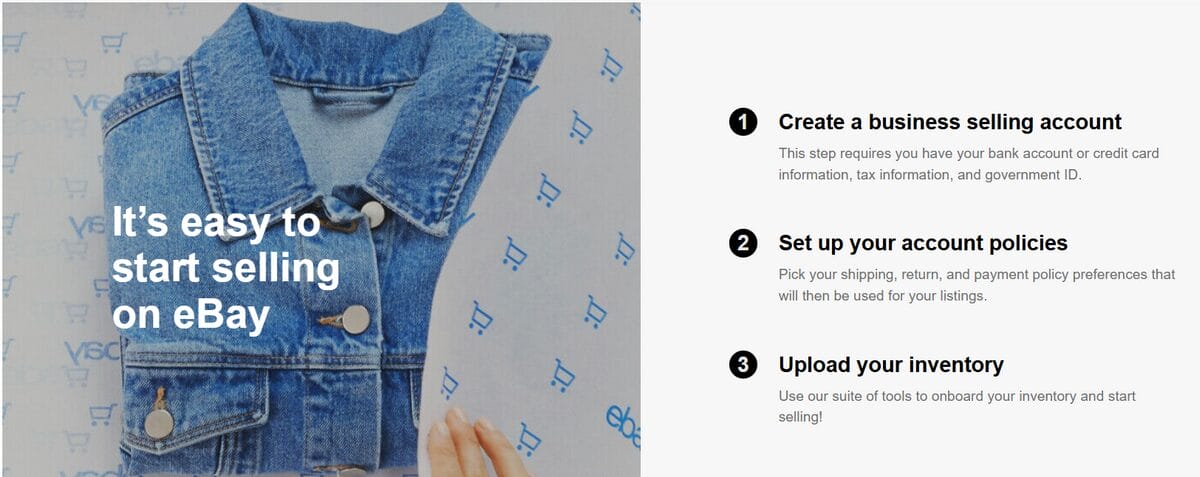
Once the basic requirements are checked off, getting from a regular account to your first listing doesn’t take much. Most of the real work comes down to three things:
- Create and set up your seller account. Start by registering an account and providing the information eBay requests to verify you as a seller. You can register as an individual or a business, depending on how you operate. Complete your profile by adding a professional bio and a clear profile picture to build immediate trust.
- Configure payments and payouts. Connect the checking account where you want your earnings to land, and make sure the details match what’s on file with your eBay account. From Seller Hub, you can track available funds and choose between daily, weekly, biweekly, or monthly payouts. Choose the schedule around your cash flow: daily payouts can make sense if you’re regularly reinvesting in inventory, while a longer schedule can make bookkeeping easier if you don’t need immediate access to every sale.
- Set your selling policies. Before listing, decide how you’ll handle shipping, returns, and payments. eBay Business Policies let you save these preferences as reusable templates instead of rebuilding them for every single listing. A shipping policy, for instance, can lock in handling time and delivery service; a return policy tells buyers whether returns are accepted, for how long, and who eats the return shipping cost.
With the account side sorted, you’re ready for the part buyers will actually see.
Setting Up Your First Product Listing

Learning how to list items on eBay is where your eBay business actually starts to take shape. This is what buyers find in search, weigh against the competition, scrutinize for condition, and ultimately use to decide whether your item is worth their money.
Behind that discovery is Cassini, eBay’s internal search engine, while Best Match determines the default order buyers see in their search results. There’s no secret formula to crack here, but there are plenty of good practices that can improve the visibility shaped by both. Relevance, price, listing quality and completeness, your seller history, shipping terms, all of it can shift where you land.
So keep the goal simple: make it easy for eBay to understand what you’re selling, and just as easy for the buyer to decide whether they want it.
Product Title and Description Best Practices
Your eBay listing title is one of your main discovery tools, and eBay hands you 80 characters to make it count. Start with the primary keywords buyers are most likely to search for, then use the remaining space for the features and details that help narrow down the product: Product Type + Key Feature + Color/Size/Variant.
For example:
- Weak: New Headphones Great Sound
- Better: Wireless Headphones Noise Canceling Black
Skip the filler: “WOW!”, “LOOK!”, vague adjectives that tell eBay almost nothing about the product itself. The more accurately the platform can identify the product, the better it can match the listing to relevant searches.
Your description picks up whatever doesn’t fit those structured fields: exact condition, measurements, what’s included, and anything else a buyer needs to know before ordering. Keep the formatting simple and scannable—short paragraphs, bullets—and if AI drafts the first pass, verify every detail yourself before publishing.
Pricing Strategy Basics
Before typing a number into the price field, look at what comparable products are actually selling for on eBay. From there, the selling format depends largely on the product:
- Fixed Price (Buy It Now) works well when the item’s market value is reasonably established, or you already know the price you’re willing to accept.
- Auction can make more sense for unique or hard-to-find products, or when the market value is difficult to pin down and competing buyers may determine it for you.
💰 Financial Tip: Put psychological pricing to work: $39.99 feels more attractive than $40. Just don’t let those last two digits call the shots. Check comparable sales, factor in fees and shipping, and protect your margin first.
Images and Media Guidelines
eBay currently allows up to 24 photos per listing, and this is one spot where it’s worth actually using the space you’re given. Show the item from multiple angles, add close-ups on the details that matter, and don’t shy away from photographing scratches, wear, labels, and serial numbers. Basically, anything a buyer would want to inspect before buying.
For the main image, show the whole item clearly against a clean, neutral background. What you want to avoid are borders, text, logos, and watermarks.
You can also add one product video to capture what still photos can’t: a device powering on, a mechanical part in motion, the real condition of a used item up close. eBay recommends keeping it to around a minute or less.
📢 Marketing Tip: Don’t waste that minute on a fancy intro. A simple 16-30 second walkthrough is plenty to show how the item looks, works, and wears in real life.
Platform-Specific Listing Rules
Before publishing, run one last accuracy check. Category, item specifics, condition, description, photos, item location, and shipping terms should all point to the same product and the same transaction. Even a polished listing can run into trouble if one piece contradicts another.
Pay particular attention to condition. Available labels vary by category, but whatever you pick has to match what actually shows up at the buyer’s door. For a used item, that means showing and describing real wear instead of letting the buyer discover it on their own after delivery.
And keep the whole transaction on eBay. Publishing personal contact info (an email address, phone number, social handle, external website) inside a listing is generally off-limits.
How Payments, Fees, and Payouts Work
Once a buyer pays, eBay handles the transaction, deducts applicable selling costs, and sends the remaining funds to your linked payout method. You don’t need to arrange payment with the buyer yourself.
From there, your money moves through two main stages:
- Processing: After the buyer’s payment is confirmed, your sales proceeds appear as processing funds. They typically become available within 1–2 days, unless eBay places the transaction on hold.
- Available for payout: Once the funds clear, eBay sends them according to your selected schedule: daily, weekly, biweekly, or monthly. Weekly or longer schedules also let you request available funds on demand.
For many new or below-standard accounts, eBay may implement a “Delivery Date + 3” hold, meaning funds only become available 3 days after tracking confirms the item has been delivered.
What Does eBay Take From a Sale?
The number to watch is your final value fee. For most categories, sellers without a Store or with a Starter Store currently pay around 13.6% of the total sale amount, plus a per-order fee. Rates vary by category and Store subscription, though, and optional features such as promoted listings can add extra costs.
So, as a rough starting point, budget around 14% for eBay’s core selling fee, then calculate your actual rate before pricing the item.
When something goes wrong after payment, there are a few more rules worth knowing:
- Refunds: When you issue an eligible refund through eBay, you may receive credits for some or all of the applicable selling fees. Exactly what’s credited depends on the situation.
- Payment disputes: If a buyer disputes a charge through their bank, card provider, or another payment institution, you generally have 5 calendar days to accept or challenge it. If you challenge it, eBay will ask for supporting evidence.
- Seller protection: Eligible transactions can be protected against certain payment disputes. For an Item Not Received or unrecognized-transaction dispute, for example, eBay may require evidence of successful delivery to the address provided at checkout.
💰 Financial Tip: Use the AutoDS eBay Fee Calculator to get an exact breakdown of your potential profit before you even list the item. It’s the fastest way to ensure every sale actually puts money in your pocket, not just moves numbers around.
How Shipping and Fulfillment Work on eBay
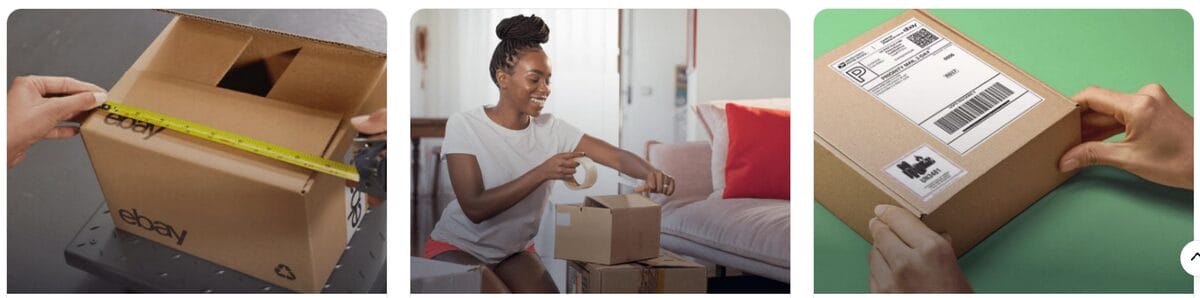
Once the sale happens, your job shifts from convincing someone to buy to actually getting what they bought into their hands, on time and in the shape you promised. On eBay, that means picking the right shipping service, hitting your stated handling time, and leaving a tracking trail that holds up.
The good news: you don’t have to manage any of this outside the platform. eBay has standardized its logistics to reward speed and transparency, with several shipping tools built right into the selling workflow:
- eBay Labels: Buy USPS, FedEx, or UPS labels directly through eBay at negotiated rates, often below retail. Tracking uploads to the order automatically; one less thing to remember.
- eBay International Shipping (eIS): For eligible sellers and orders, you ship to eBay’s domestic hub, and eBay handles the international leg from there.
- QR Code Shipping: No printer? Generate a QR code for supported services and bring it to a participating carrier location, where they print the label for you.
Tracking Requirements and Seller Protection
Tracking is no longer optional if you want to be a Top Rated Seller. In 2027, eBay requires tracking to be uploaded and validated by the carrier within your stated handling time for 95% of your transactions.
You will need to:
- Get an acceptance scan. For Item Not Received protection, eBay wants tracking from an integrated carrier showing an acceptance scan, proof that the package actually entered the carrier’s network.
- Use signature confirmation when required. For orders totaling $750 or more, shipping and tax included, signature confirmation is part of eBay’s proof-of-delivery requirements for seller protection.
- Ship to the checkout address. If a buyer messages asking you to send the package somewhere else, tread carefully. Shipping anywhere other than the checkout address can cost you Money Back Guarantee seller protection entirely.
And when shipping goes sideways, that tracking trail matters even more:
- Late deliveries: Carrier delays don’t necessarily count against you if tracking shows you handed the package off within your stated handling time. eBay’s newer Ship with eBay experience, for instance, shields eligible sellers’ performance metrics from carrier-caused delays as long as the package was scanned on time.
- Item Not Received claims: If a buyer reports a no-show and tracking isn’t uploaded yet, you’ve got 3 business days to respond and provide it. Requests can close automatically once valid tracking confirms delivery to the buyer’s ZIP code.
- Handling time: Faster isn’t automatically better if you can’t actually keep the promise. Pick the shortest handling time you can consistently hit. That’s the bar eBay uses to measure your shipping performance.
How to Get More Sales on eBay
Getting your first listing live is one thing. Getting someone to actually find it, click on it, and buy it is another.
Once your listing is competing for visibility through Cassini and Best Match, the next question is more practical: what can you do to give it a better chance of being discovered and chosen?
Today, the secrets to success lie in:
- Complete your item specifics. Brand, model, size, color, material, and other relevant attributes help eBay match your products to buyer searches and filters. Don’t leave important fields blank or fill them with inaccurate information just to reach more searches.
- Keep your listings competitive. Check comparable sold items, revisit your prices when necessary, and make sure your photos, descriptions, shipping terms, and return policies give buyers enough reasons to choose you.
- Keep your inventory and listings up to date. Add new products when you have something worth selling, remove unavailable inventory, and revisit listings that aren’t performing. Consistent maintenance matters more than publishing something every day just to appear active.
Once the fundamentals are in place, eBay offers several ways to bring more attention to your listings and encourage purchases:
- Promoted Listings (general strategy): Increase your products’ exposure through advertising, with fees based on qualifying sales attributed to your ads. It’s a way to test paid visibility without paying for every individual click.
- Promoted Listings (priority strategy): Use cost-per-click (CPC) advertising to compete for additional placements. Because you’re paying for clicks rather than guaranteed sales, this approach calls for closer budget and performance monitoring.
- Volume discounts and coupons: Give buyers a reason to purchase more or complete an order. For example, a Buy 2, save 10% offer can make sense when you’re selling complementary items or have enough margin to support the discount.
Common Mistakes New Sellers Make
Most beginner mistakes on eBay aren’t dramatic. They’re small decisions that quietly chip away at your margin, disappoint a buyer, or make selling harder than it needs to be. The good news? Once you know where to look, most are easy enough to sidestep.
Here’s what to watch for:
Pricing without doing the math
Seeing three competitors asking $100 doesn’t mean your item is worth $100. Check comparable sold listings (not just active ones) to see what buyers have actually paid.
Then work backward from there. Factor in eBay’s final value fee, shipping, packaging, advertising if you’re running it, and whatever you originally paid for the item. Skip that math, and a sale that looks profitable at checkout can leave you with surprisingly little in the end.
Treating eBay policies as fine print
Some shortcuts just aren’t worth it. Using copyrighted product photos without permission, selling counterfeit or unauthorized replicas, publishing personal contact info in a listing—any of these can violate eBay’s policies. Depending on the violation and the circumstances, eBay can remove your content, restrict your activity, or suspend the account entirely.
When in doubt, check the policy before you list, not after eBay flags the product. That matters even more when you’re selling branded goods in restricted categories.
Losing track of inventory and shipping
You don’t need a complicated fulfillment setup to run into trouble. Listing an item you no longer have, promising a handling time you can’t meet, forgetting to upload tracking, or shipping to the wrong address can all turn a straightforward sale into a customer-service problem.
Inventory deserves special attention as your catalog grows. Sell something and then cancel because it’s out of stock, and eBay can log that as a transaction defect against your seller performance.
One rule simplifies most of this: don’t promise inventory or shipping speed you can’t reliably back up.
Selling what nobody is looking for
Sometimes everything about the listing is technically right (the photos, title, price, shipping), and the product still sits there. That’s not an optimization problem. That’s product-market fit.
Rather than wading into saturated categories with generic products, hunt for pockets where demand gets specific. iPhone cases put you up against an ocean of competitors; replacement parts for a particular vintage coffee maker hand you a much narrower buyer pool and a far clearer sense of what they’re searching for.
Lean on sold listings and eBay’s Product Research data to confirm people are actually buying before you sink money into inventory. A niche only works if there’s someone waiting on the other side of it.
🆕 Beginner’s Tip: If there’s one thing experienced sellers know, it’s this: timing is everything. This eBay seasonal selling calendar shows you what to sell each month and when to start sourcing.
Can You Dropship on eBay?
Yes, you can dropship on eBay, but not every version of the model is allowed. eBay allows fulfilling orders through a wholesale supplier; what it doesn’t allow is listing an item and then buying it from another retailer or marketplace to ship straight to the buyer.
Either way, you’re still the seller as far as eBay’s concerned. That means delivery, buyer satisfaction, returns, and policy compliance all land on you, even when someone else physically ships the package.
Which is exactly why supplier choice and fulfillment matter so much in eBay dropshipping. As your catalog and order volume grow, tools like AutoDS can slot into that workflow by automating the repetitive back-and-forth between you and your supplier:
- Monitor stock and prices: Keep listings aligned with supplier availability and pricing changes, so you’re not selling something unavailable or watching your margin evaporate after a supplier bumps their price.
- Process orders: Automate parts of the fulfillment chain once a customer buys, cutting down the manual legwork of moving orders from eBay to your supplier.
- Update tracking: Sync tracking back to eBay as orders ship, keeping buyers in the loop and your records current.
Together, these automations make running a larger dropshipping operation on eBay more efficient, while cutting down the manual errors that put margins, fulfillment performance, and policy compliance at risk.
Frequently Asked Questions
Is it free to sell on eBay?
You can start selling on eBay without paying a monthly subscription, but selling isn’t completely free. On eBay, sellers currently get up to 250 zero-insertion-fee listings per month, while final value fees apply when an item sells, along with any applicable optional fees.
Can I sell internationally from day one?
No, you may not be able to sell internationally on eBay from day one. For direct international selling, eBay currently requires an account in good standing, at least 10 seller feedback points, and a first successful sale more than 90 days ago, among other eligibility requirements.
Do I need a legal business to start?
No, you don’t need to set up a legal business to start selling on eBay. You can register as an individual seller, while a business account is more appropriate if you’re operating commercially as a registered business.
How long does it take to get paid?
Getting paid on eBay typically starts with sales proceeds becoming available within 1–2 days after payment is confirmed, unless eBay places a hold on the transaction. Your bank payout then follows the daily, weekly, biweekly, or monthly schedule you’ve selected.
What are “Item Specifics” and why are they so important?
eBay Item Specifics are structured product details such as brand, model, size, color, material, or style. They’re important because they help eBay understand your item and surface your listing in relevant searches and buyer filters.
Do I need to pay taxes on what I sell on eBay?
Whether you need to pay taxes on eBay sales depends on where you live, what you sell, and your sales activity. eBay collects and remits certain marketplace taxes where required, but you may still have separate income or business tax obligations as a seller.
What’s the difference between an auction and a fixed-price listing?
The difference between an eBay auction and a fixed-price listing is how the selling price is determined. Auctions let buyers bid until the listing ends, while Fixed Price (Buy It Now) listings set the price upfront. Auctions can suit rare or difficult-to-price items, while fixed pricing often works better for products with an established market value.
How do I handle a return or a difficult buyer?
To handle an eBay return or a difficult buyer, keep the transaction and communication within eBay and start from the order details. Follow your stated return policy and eBay’s buyer-protection rules, document relevant shipping and item information, and ask eBay to step in if you can’t resolve an eligible case directly.
Can I sell on eBay without any prior experience?
Absolutely! You can start with a single item and learn the process as you go. Pricing accurately, describing the item honestly, shipping when promised, and communicating clearly matter far more at the beginning than having ecommerce experience.
Start Your eBay Selling Journey!
Selling on eBay really comes down to getting a handful of small decisions right at the same time: pricing, listing quality, fees, shipping, policies, buyer expectations. Once those basics click into place as a system, navigating the marketplace (and actually improving your results) gets a lot more intuitive.
And you don’t need to master all of it before you start. Pick one product, check what similar items actually sell for, build a listing you’d trust if you were the buyer, and fulfill the order exactly as promised. Your first few sales will teach you more than endless preparation ever could.
From there, you decide what eBay becomes for you: a bit of extra cash, a new channel for a business you already run, or something worth scaling into a much bigger operation.
💼 And if dropshipping is one of those paths, you can try AutoDS for $1 and start automating the repetitive work behind your store as you grow.
Don’t stop here! Check out these next articles to keep learning about eBay:
- What Is eBay & How Selling On eBay Works
- Who Should Sell On eBay?
- What Can You Sell On eBay?
- Requirements To Sell On eBay
- How To Start Selling On eBay
- Setting Up Your First Product Listing
- How Payments, Fees, And Payouts Work
- How Shipping And Fulfillment Work
- How To Get More Sales On eBay
- Common Mistakes New Sellers Make
- Can You Dropship On eBay?
- FAQ
- Conclusion







