


The best Shopify theme for dropshipping makes your products easy to browse and buying feel simple, especially on a phone. If you’re just getting started, I’d try a free theme with a few real products before spending money on a paid one.
To help you choose, I’ll compare seven free and paid options, explain where each fits, and show you what to check before launch.
Start with your catalog: choose layouts that make your products easy to understand and buy.
Free themes can cover the essentials. Pay for specific features your store needs.
Compare themes using the same products, images, and apps.
Test beyond the homepage: check mobile navigation, variants, cart, and checkout.
AutoDS offers a prebuilt starting point, with products and a customizable theme to review before launch.
Best Shopify Themes for Dropshipping in 2027
A store with five products needs a different layout from one with twenty collections. Use this comparison to narrow your options by the way you sell: detailed product explanations, frequent promotions, or strong photography.
| Theme | Free or paid | Price (USD) | Best for | Suggested catalog size |
|---|---|---|---|---|
| Horizon | Free | 0 | Flexible layouts and product-focused browsing | Small to large |
| Dawn | Free | $0 | A straightforward, image-led storefront | Small to medium |
| Refresh | Free | $0 | Highlighting ingredients, materials, and product benefits | Small to medium |
| Sense | Free | $0 | Beauty and lifestyle products that need explanation | Small to medium |
| Impulse | Paid | $500 | Multiple collections and frequent promotions | Medium to large |
| Prestige | Paid | $400 | Premium branding and editorial presentation | Small to large |
| Motion | Paid | $420 | Product demonstrations, video, and animation | Small to medium |
Prices checked November 1, 2026, on the Shopify Theme Store; recheck before purchasing. Catalog sizes are my suggested starting points, not technical product limits. Theme prices exclude your Shopify subscription and optional apps.
Horizon
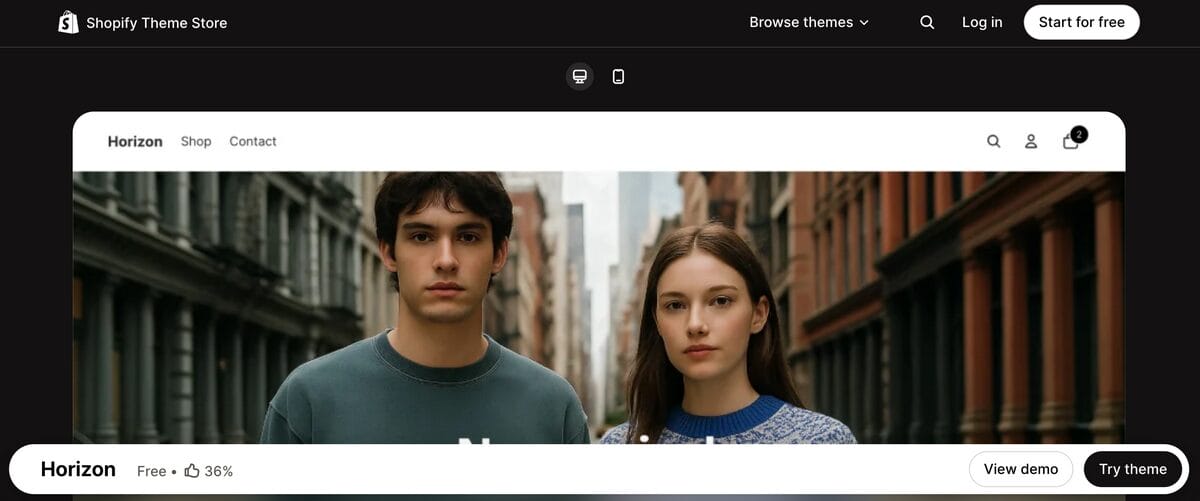
Horizon is free and gives you plenty of freedom to arrange your pages. Its nested theme blocks let you group content within sections, while large product cards and quick view help shoppers browse. It’s a good fit if you want to experiment with layouts without paying for a premium theme.
Dawn
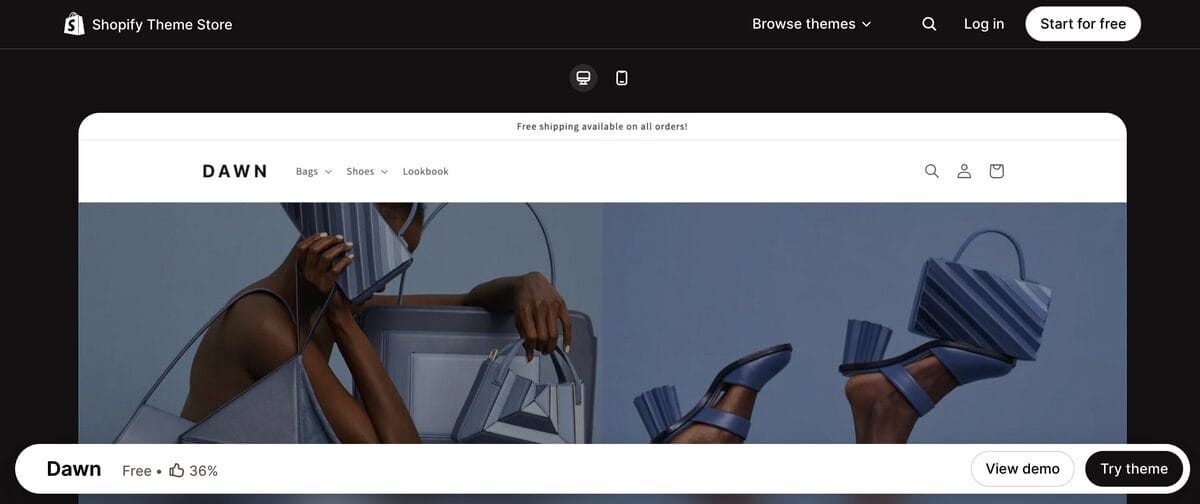
Dawn keeps the attention on your product photos. This free theme includes large product media, image zoom, video, and size-chart options, making it a sensible choice for apparel, accessories, or home goods. If your catalog is straightforward, you may already have everything you need.
Refresh
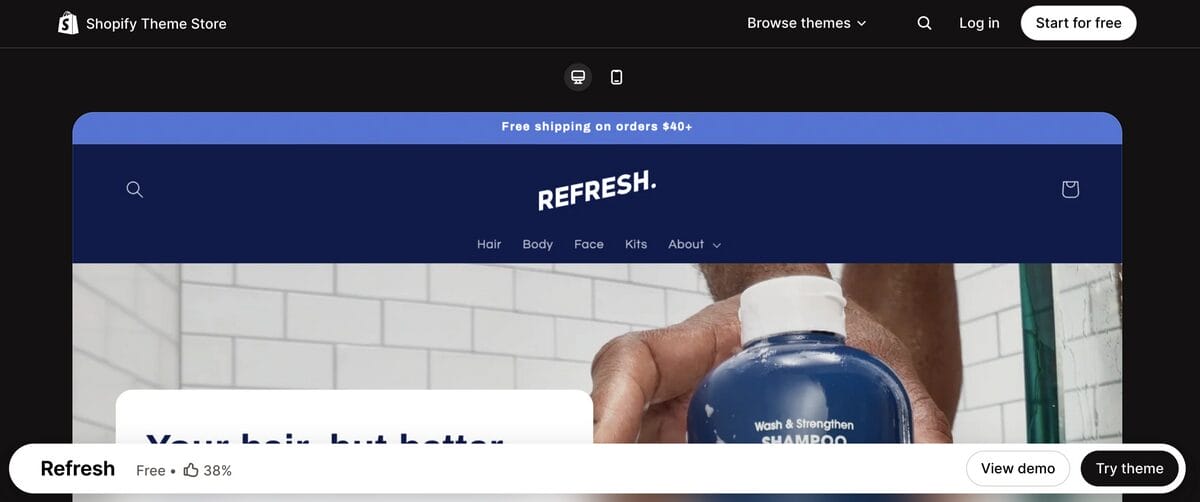
Refresh gives product details room to breathe. Its flexible sections suit ingredients, materials, usage instructions, and customer testimonials. This free theme works well for personal-care or household products when shoppers need to understand what’s inside, how it works, or why it suits them.
Sense
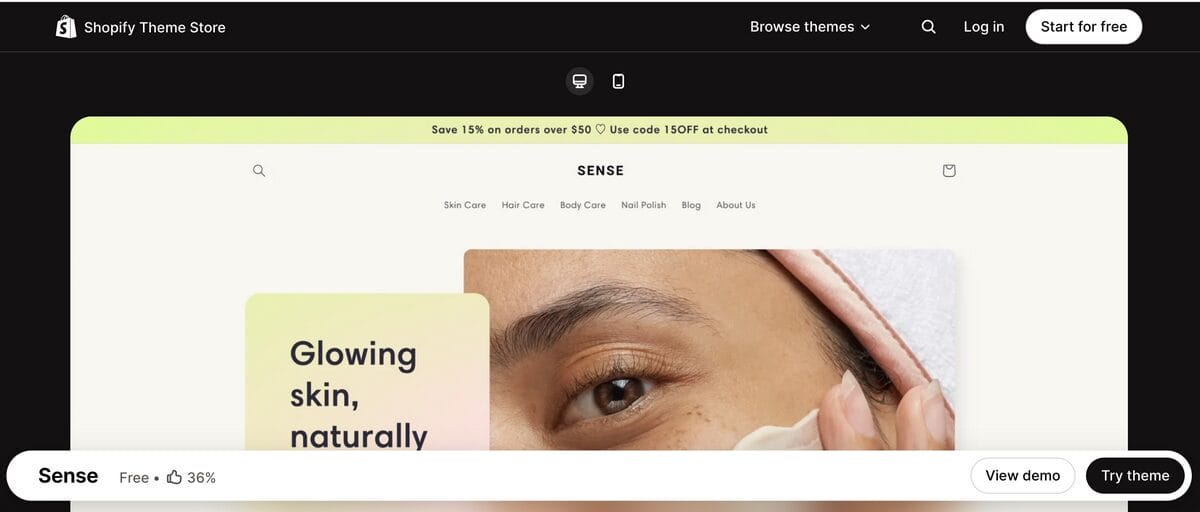
Sense brings a softer look to beauty and lifestyle stores, with curved elements and gentle color gradients. The free theme also has room for videos, testimonials, and detailed descriptions. Choose it when that visual style fits your products, and use those sections to answer the questions customers usually ask.
Impulse
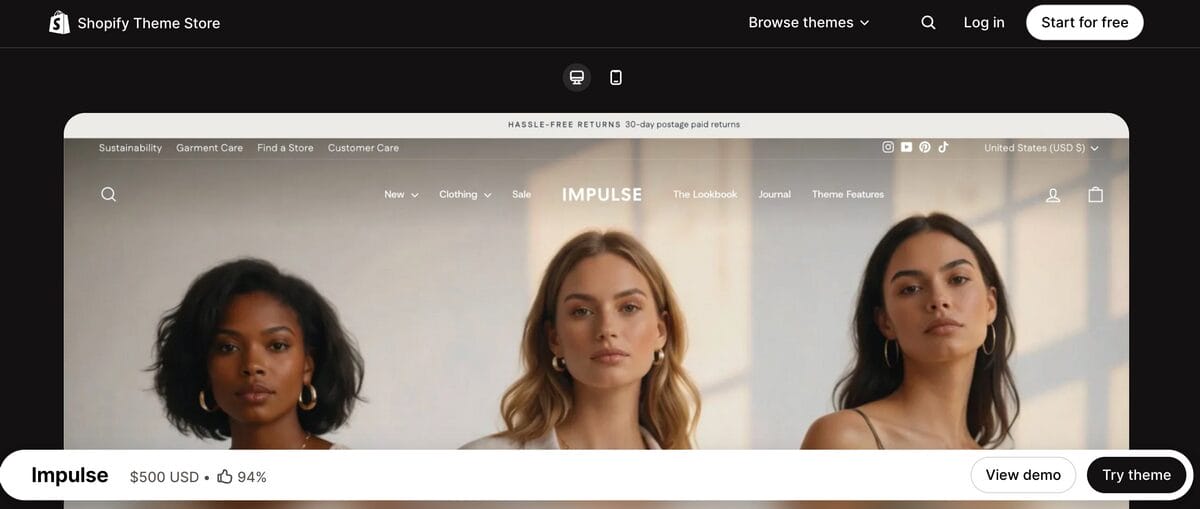
Impulse costs $500 USD and is most useful when promotions are a regular part of your store. Promo tiles and banners let you highlight offers, while collection navigation and filters help shoppers move through a larger range. These features are especially useful when you run different offers across several collections.
Prestige
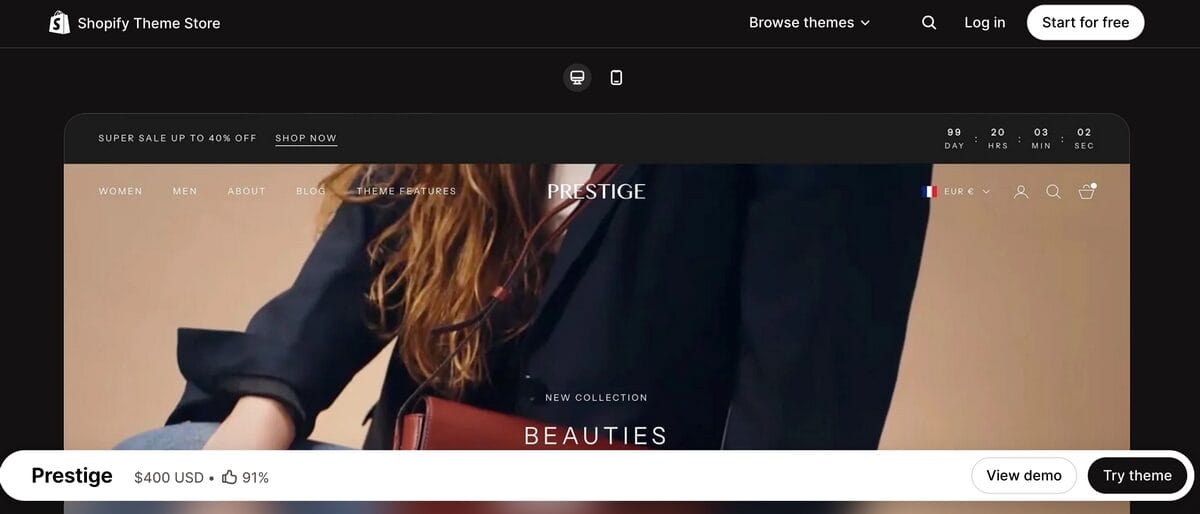
Prestige costs $400 USD and gives fashion, jewelry, and accessories stores an editorial look. Its configurable sections let you combine product photography with your brand story. I’d put it on the shortlist if you already have strong images; the demo’s polished look depends on the content you bring to it.
Motion
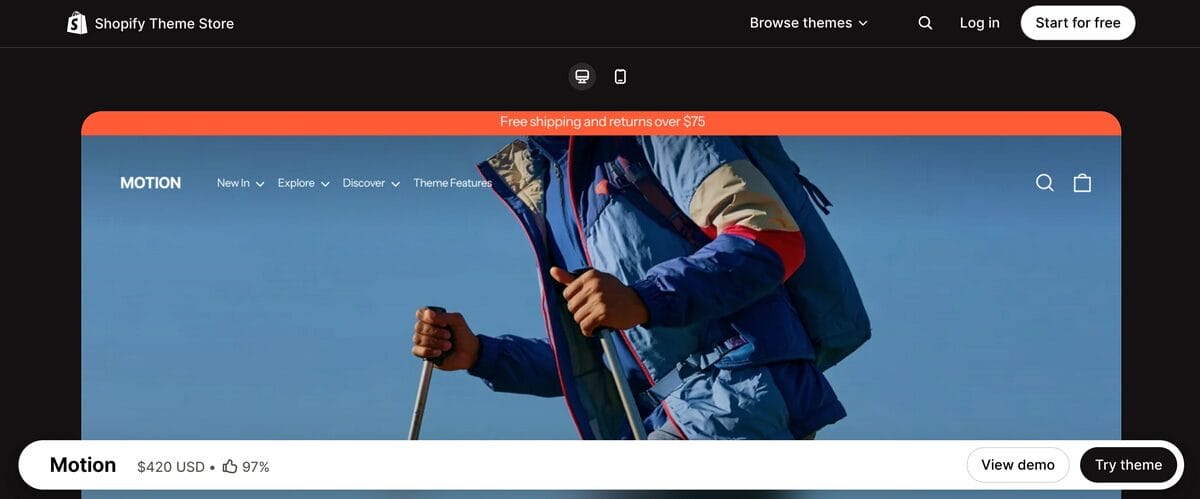
Motion costs $420 USD and puts video and animation at the center of the design. Think fitness gear demonstrated in use, clothing shown in motion, or a gadget with a satisfying before-and-after. Quick buy also lets shoppers select options from collection pages. Keep media files lean so the demonstrations don’t slow browsing down.
💡 Pro Tip: Compare the same products across themes. Use identical images, descriptions, and variants in each preview so you can judge the layout without being distracted by the demo store’s photography.
AutoDS AI Store Builder: Skip the Theme Hunt
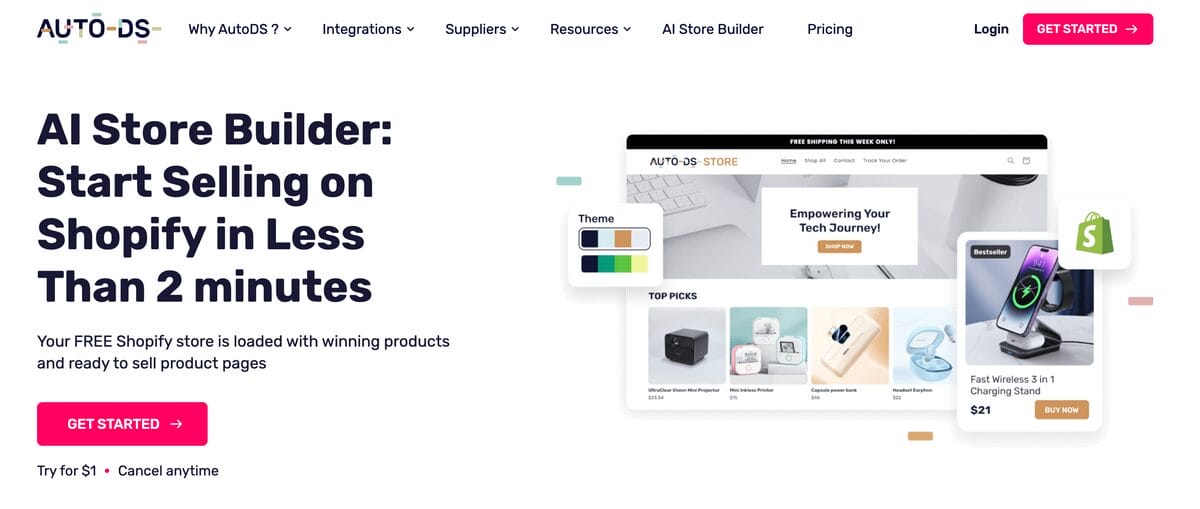
If you’d rather start with a store already assembled, the AutoDS AI Store Builder comes with a free premium Shopify theme, products, and product pages you can customize.
The current offer includes:
- A customizable theme you can adapt to your branding.
- Ten preloaded products for your initial catalog.
- Prebuilt product pages you can review and edit.
- A free .store domain for the first year; renewal charges apply afterward.
Before going live, check the preloaded products, margins, delivery estimates, and store policies. You’ll also need to configure payments and shipping. The builder saves setup work, but those business decisions still need your attention.
How Your Shopify Theme Shapes the Shopping Experience
A shopper shouldn’t have to hunt for the size selector or wonder where the delivery details are. Your theme decides how easily they can find that information and move toward checkout. Clear layouts and consistent design help your store feel credible, especially when someone is buying from you for the first time.
That ease of use needs to hold up on a phone. Small buttons, overlapping pop-ups, and images that take too long to appear can interrupt a purchase. Your theme plays a part, but so do the media files, apps, and customizations you add.
Key Features to Look For in a Shopify Theme
When comparing themes, I focus on five things. Each check below gives you something concrete to try before making a decision.
- Mobile responsiveness: Text, menus, and product options should remain easy to use on smaller screens. Open the preview on your phone and test the menu, image gallery, variant selector, and add-to-cart button without zooming in.
- Fast loading speed: Check a public product-page URL with Google PageSpeed Insights, using the mobile report. For a private preview, open it in Chrome and use Lighthouse in DevTools. Include your intended images and apps so the result reflects the store you’re building.
- Customization options: You should be able to adjust essential layouts, colors, and fonts without needing a developer for every change. Try moving a section, editing a product template, and adding delivery information in the theme editor before committing.
- Product-focused design: Give shoppers room to understand what they’re buying, including dimensions, materials, variants, and relevant sizing details. Preview your most complicated product and check whether its information stays readable and its purchase options are easy to find.
- Integration-friendly: Your importer and storefront apps need to work with the setup you actually plan to use. Import a test product through AutoDS, verify its images, prices, and variants, then apply your intended product-page template and check the result on desktop and mobile.
🆕 Beginner’s Tip: Separate importing from page design. A successful import confirms that product data reached Shopify. You still need to check how your theme and any product-page template display that data.
Free vs. Paid Shopify Themes
I recommend starting free while you validate your store. Shopify’s free theme collection lists 23 options as of November 1, 2026, including Horizon, Dawn, Refresh, and Sense. That gives you room to compare layouts without spending your product-testing budget on design.
| Factor | Free themes | Paid themes |
|---|---|---|
| Cost | $0 for the theme; Shopify subscription and optional apps cost extra | Varies by theme: Prestige is $400, Motion $420, and Impulse $500 USD at the time of checking |
| Customization | Editable colors, fonts, sections, and templates; flexibility varies by theme | Often offer more specialized sections and layout controls; check the individual theme |
| Features | Many include filtering, product videos, recommendations, and size charts | Can add merchandising tools such as promotional tiles, quick views, and advanced storytelling layouts |
| Best for | New stores, niche testing, and sellers whose needs are covered by the included features | Established stores with specific design or merchandising requirements |
The paid prices above were verified on the Shopify Theme Store on November 1, 2026. Compare the actual feature lists: free themes already include tools that some sellers assume require an upgrade.
💰 Financial Tip: Once sales are consistent, consider whether a paid theme provides something you genuinely need, such as better collection merchandising or promotional sections. A higher price alone doesn’t guarantee better conversions.
How to Test and Optimize Your Shopify Theme
Before you publish, follow the same route a customer would take: find a product, choose an option, and place an order. This checklist helps catch problems that a quick homepage preview can miss.
- Add the theme to Shopify. Keep it unpublished while you configure it. If you’re replacing an existing theme, duplicate your current theme first as a backup.
- Import a few representative products. Use the AutoDS importer, then check titles, images, prices, and variants. Include a product with multiple options to test more than the simplest layout.
- Preview the essential pages. Check your homepage, collections, product pages, and cart. Confirm that menus work and shoppers can find delivery details, returns information, and contact options.
- Check on an actual phone. Select variants, browse images, and add products to the cart. Make sure pop-ups don’t cover important controls, and text stays readable.
- Review loading performance. Test public pages with PageSpeed Insights, or use Chrome’s Lighthouse tool for a private preview. Fix the issues flagged in the report, then retest the affected pages.
- Place a test order. After choosing a paid Shopify plan, use a test payment gateway or Shopify Payments’ test mode to check checkout, shipping, and notifications. Prevent automatic supplier fulfillment, and turn payment test mode off before accepting real orders.
- Track performance after launch. Monitor conversion rate, add-to-cart activity, and checkout completion. Compare similar traffic sources and devices before attributing a change to your theme.
For the broader setup, follow the Shopify dropshipping tutorial.
Tips for Choosing the Right Theme for Your Niche
Think about the last question a shopper would ask before clicking Buy. Will this fit? Does it work with my device? How much space does it need? Choose a layout that makes the answer easy to find.
| Niche | What to look for in a theme | Example theme |
|---|---|---|
| Fashion and accessories | Size charts, color swatches, clear collection navigation, and large product images | Dawn for a simple launch; Impulse for promotion-heavy collections |
| Beauty and personal care | Space for ingredients, usage instructions, product videos, and genuine testimonials | Sense or Refresh |
| Home and lifestyle | Room photography, visible dimensions and materials, and coordinated collections | Dawn |
| Fitness accessories | Demonstration videos, product specifications, and easy variant selection | Motion |
| Tech gadgets | Clear compatibility information, product videos, and scannable specifications | Refresh or Motion |
| Jewelry and premium accessories | Detailed close-ups, materials information, and consistent editorial layouts | Prestige |
| General stores | Flexible sections, useful filters, and navigation that separates product categories | Horizon or Impulse |
Check what content you have ready, too. A video-led design is easier to justify when you already have useful demonstrations. If all you have are a few supplier photos, better images may deserve the budget first.
The AutoDS AI Store Builder is another starting point if you prefer a prebuilt setup; review its layout against the same niche-specific needs before launch.
Frequently Asked Questions
What is the best Shopify theme for dropshipping?
For a simple store, start by comparing Dawn and Horizon. Sense and Refresh suit products that need more explanation, while Impulse is useful for frequent promotions, Prestige for an editorial look, and Motion for video. The best fit depends on what you sell and how customers browse.
Do I need a paid Shopify theme to succeed in dropshipping?
No. Free themes can handle a store’s core browsing and buying needs. Consider paying when a specific feature would improve your workflow or shopping experience, and the cost fits your budget. Consistent sales can make that decision easier, but they aren’t a requirement.
Which Shopify theme loads the fastest?
There’s no single fastest theme for every store. Images, apps, video, and custom code all change the result. Compare themes using the same content and test more than the homepage; a fast demo doesn’t tell you how your own product pages will perform.
Can I change my Shopify theme later?
Yes. Your products and collections remain in Shopify, but theme-specific layouts, settings, custom code, and app placements may need to be recreated or configured. Preview the replacement before publishing, and check your navigation, product templates, cart, and mobile experience.
Do Shopify themes work with AutoDS?
AutoDS imports products into Shopify; the theme determines how shoppers see them. Compatibility with AI product-page templates is a separate check. AutoDS currently identifies Dawn and Horizon as compatible options for that feature. With any setup, verify the imported product’s variants, media, and add-to-cart behavior before launch.
What is the easiest Shopify theme for beginners?
Dawn is a good first option for a simple, photo-led store. Horizon offers more freedom to arrange content. Try editing a product page in both: the easier choice is the one you can comfortably update yourself.
How do I know whether my theme converts well?
Check where shoppers drop off between viewing a product, adding it to the cart, and completing checkout. Investigate the page or step with the biggest issue, and change one major element at a time. Compare similar traffic sources and devices; changes in demand, pricing, or delivery terms can also affect the result.
Choose Your Theme and Start Building
Choose two or three themes, load your products, and give yourself a deadline to decide. The best Shopify theme for dropshipping is one you can confidently launch and keep improving. You don’t need a full Taylor Swift–style rebrand every time you discover a new font.
If you want help getting that first version together, you can try AutoDS for $1 and use its AI Store Builder as your starting point. Make it your own, check the buying process, and fix anything that could leave a customer guessing.
For your next steps, I recommend these three guides: