


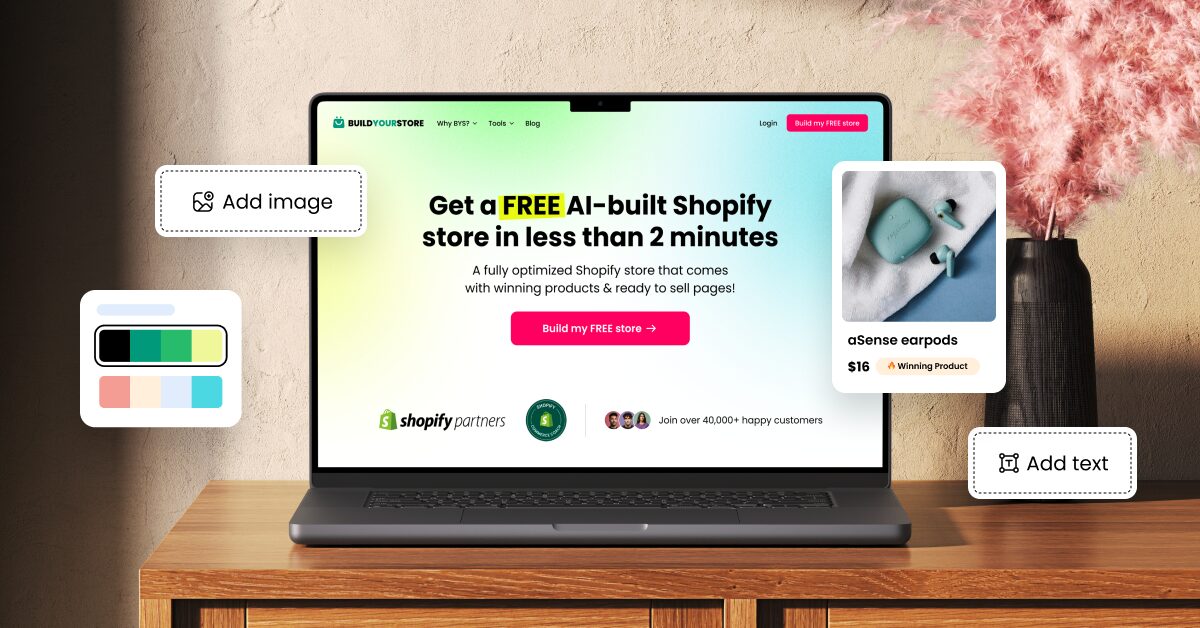
An AI Shopify Store Builder uses artificial intelligence to generate the core pieces of an online store from just a few inputs. If you’re new to selling, that means skipping one of the biggest early roadblocks: turning an idea into a storefront without having to build every page from scratch.
In practice, it can reduce what would normally be a long, technical setup to just a handful of steps:
- Pick a niche
- Create or connect a Shopify account
- Let AI generate the storefront
- Review products and pages
- Set shipping and policies
- Launch the store
Simple, right? Now comes the more interesting part: understanding how these tools actually work, what they cost, and how far they can take you. In this guide, I’ll use the AutoDS AI Shopify Store Builder as a practical reference to unpack its key capabilities, then compare it with other options and look at what it takes to turn an AI-generated storefront into one that can actually sell and scale.
👀 Full disclosure: there are plenty of fish in this particular AI pond, and AutoDS makes one of the builders covered here. I’ll put it side by side with the other options using the same criteria, so the strengths, limits, and differences between them stay easy to spot.
AI Shopify Store Builders turn a few inputs into a workable storefront, reducing much of the design and technical setup that usually slows down a new seller.
The biggest advantage is speed to testing: less time building pages means more time validating products, pricing, traffic, and positioning.
AutoDS combines store generation with a broader dropshipping workflow, including preloaded products, monitoring, sourcing, and supported order automation.
Different AI tools solve different problems: full-store generators suit faster setups, while page builders offer deeper control when only specific pages need work.
The real cost goes beyond the builder itself, with Shopify, automation add-ons, supplier expenses, and optional advertising all entering the first-month budget.
Why AI Store Builders Are Gaining Ground In 2027
The logic is pretty straightforward: AI store builders shrink the distance between “I have an idea” and “I have a store.” At a time when speed has become an increasingly valuable competitive asset, skipping the technical grind of assembling layouts, copy, product pages, and branding piece by piece is hard to ignore, especially for new sellers. Even more so when you turn just a short description into a workable first version in minutes.
And AI is hardly a novelty in ecommerce anymore. Back in 2025, Adobe found that retailers were already using generative AI for tasks closely tied to store creation, including product descriptions (45%) and content production workflows (39%). Since then, platforms have kept pushing in the same direction: Shopify now lets merchants create and edit storefronts with Sidekick, while Wix and Squarespace offer their own prompt-based site builders.
For anyone getting into Shopify dropshipping, that changes the starting point. Design and technical setup no longer have to be the bottleneck they once were, bringing three immediate advantages:
- Less time spent on launch.
- A faster path to testing.
- No need to hire designers or developers.
That’s why these tools are gaining ground heading into 2027: they free up attention for the decisions that actually shape the business.
How AutoDS AI Shopify Store Builder Works
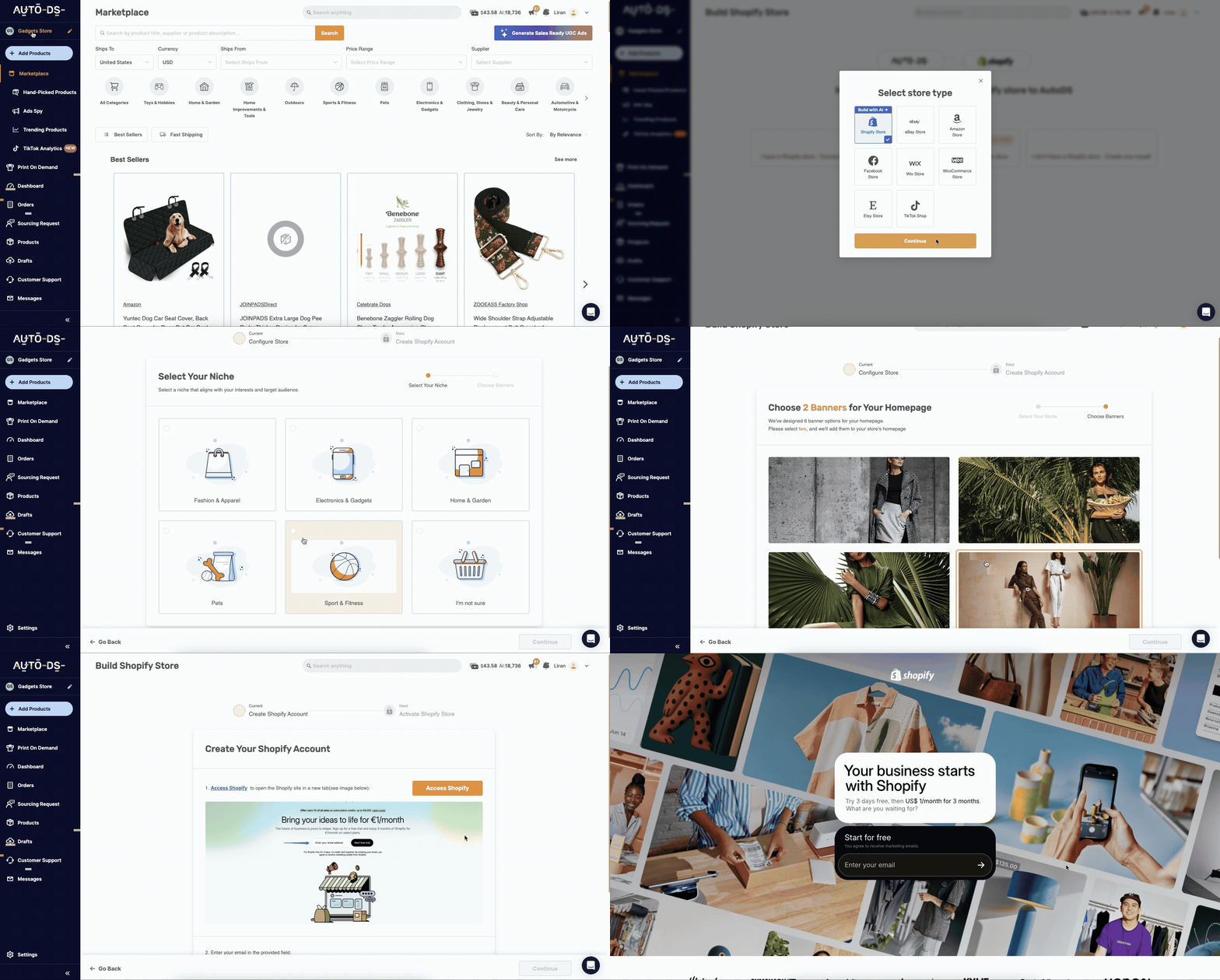
So, what does that shorter setup actually look like? AutoDS already has a tool built specifically for this part of the journey: its AI Shopify Store Builder. You start inside AutoDS, make a few creative choices, and let the tool prepare the first version of the store.
I’ll break down the current flow step by step, including what happens outside AutoDS, so you know exactly where to click, when you need to step in, and how long each stage actually takes.
1. Sign Up For AutoDS
First things first: you’ll need an AutoDS account. Head to the AutoDS login page, choose the plan that fits your needs, and complete the registration with your preferred payment method.
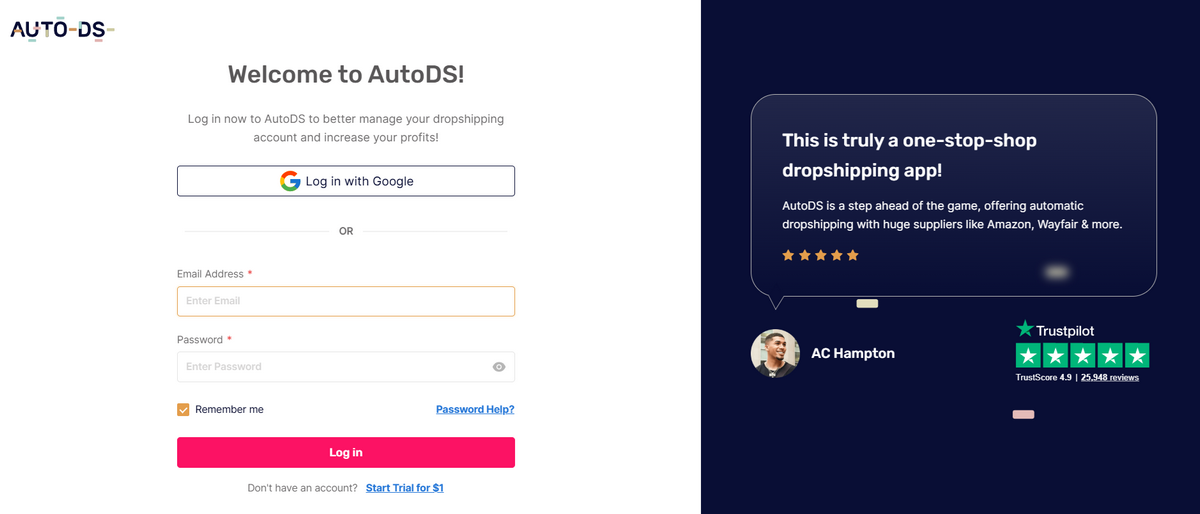
You can start with a trial for $1 before the regular subscription price kicks in. The AI Store Builder is included in the platform, so there’s no separate builder purchase to make before getting started.
Once you land on the AutoDS dashboard, you’re ready for the fun part.
⏱️ My time: 45 seconds
2. Start A New AI Pre-Built Shopify Store
Once you’re inside AutoDS, head to Add Store, then + Add Store.
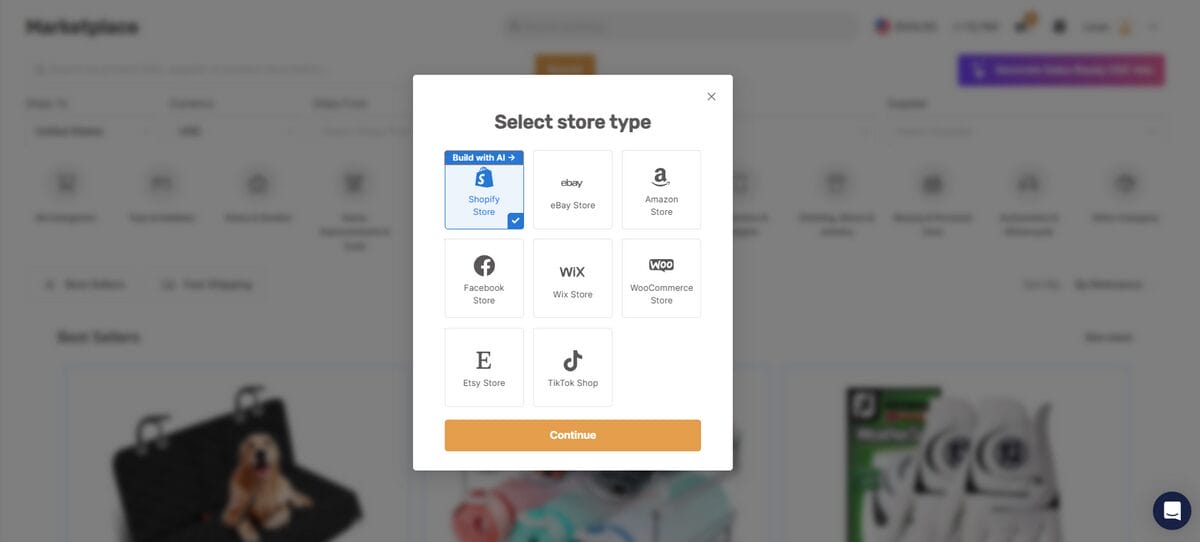
From there, select Shopify Store and click Continue. On the next screen, choose AI Pre-built Shopify Store, the option labeled “Use AI to generate a pre-built Shopify store.”
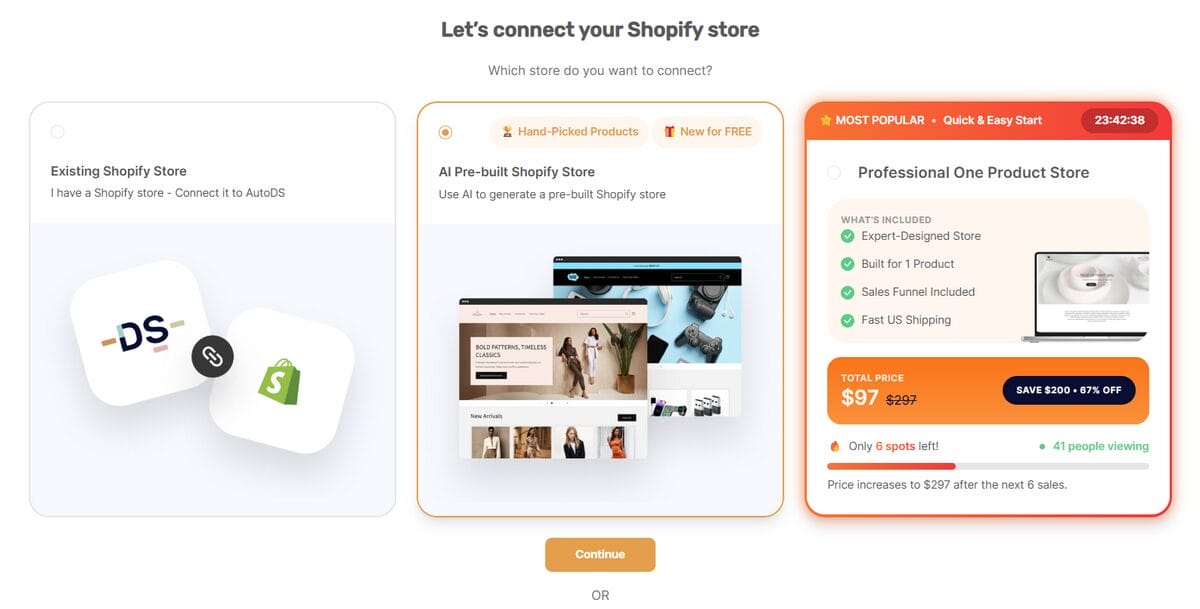
That’s it. Now the builder has its blank canvas. Next, you get to tell it what kind of store to create.
⏱️ My time: 15 seconds
3. Choose Your Niche And Banners
Now it’s time to give the builder some direction. AutoDS currently offers five dropshipping niches to choose from:
- Fashion & Apparel
- Electronics & Gadgets
- Home & Garden
- Pets
- Sport & Fitness
Not sure yet? Choose “I’m not sure” and keep moving. The point here is to give AI enough context to shape the first version of the store. You can always refine the direction later.
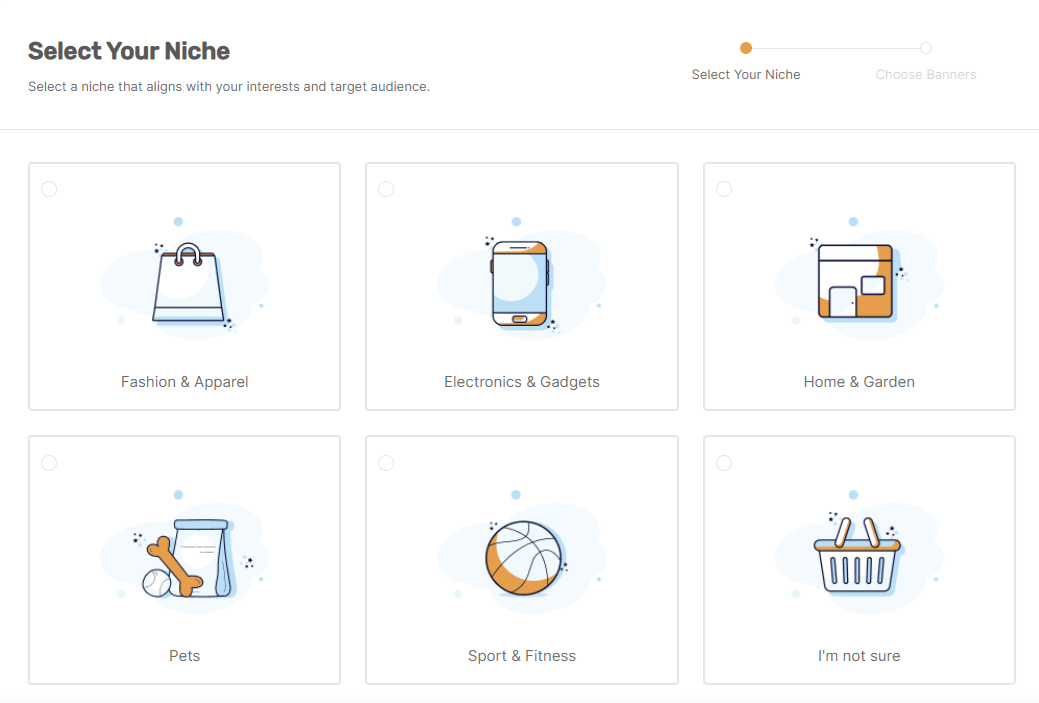
Next, AutoDS generates six homepage banner options based on that niche and asks you to pick two.

Once those are selected, AutoDS has two of the main ingredients it needs to start shaping the store: what you want to sell and how you want the homepage to look at first glance.
⏱️ My time: 15 seconds
4. Claim Your Store And Activate Shopify
By now, AutoDS has enough information to prepare the first version of the store. Click Claim My Store, and you’ll be taken to Shopify in the same tab to either log in or create a new account.
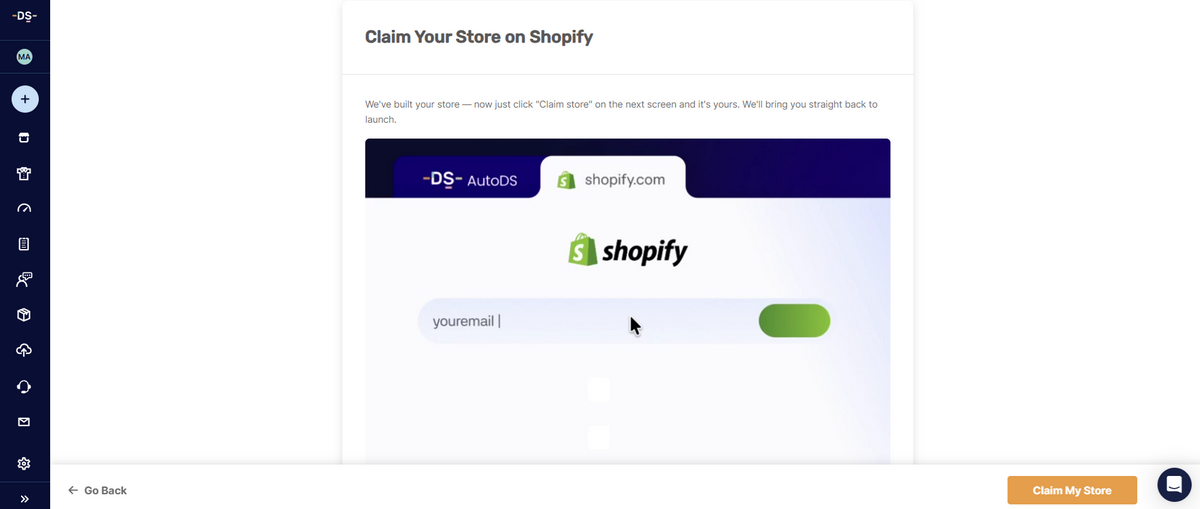
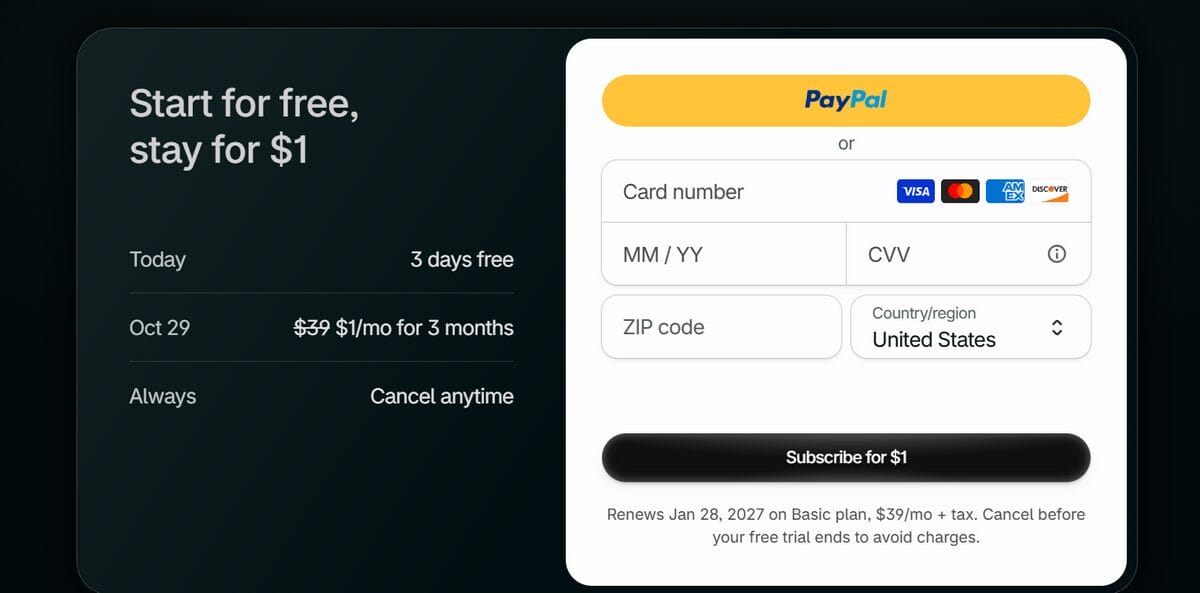
If you’re starting from scratch, Shopify will guide you through account creation and plan activation. As of October 2026, Shopify offers 3 days free, followed by $1/month for the next 3 months before regular pricing begins. The promotion can change by market or over time, so I’d always check the current terms before signing up.
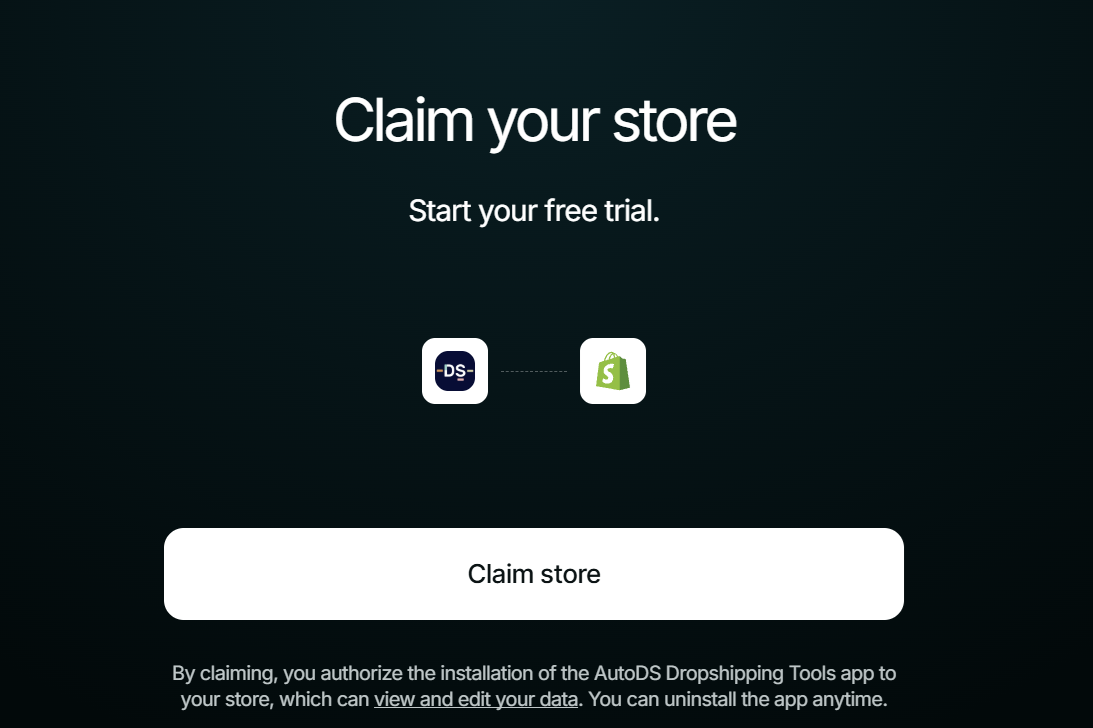
You may also be asked to add your business address and payment details before the store is fully activated. Once that’s done, AutoDS can reconnect you to the setup flow automatically.
That’s the handoff complete. The store now exists inside Shopify; next, AutoDS gets to fill in the part you actually came here for.
⏱️ My time: 2 minutes
5. Let AI Build And Stock Your Store
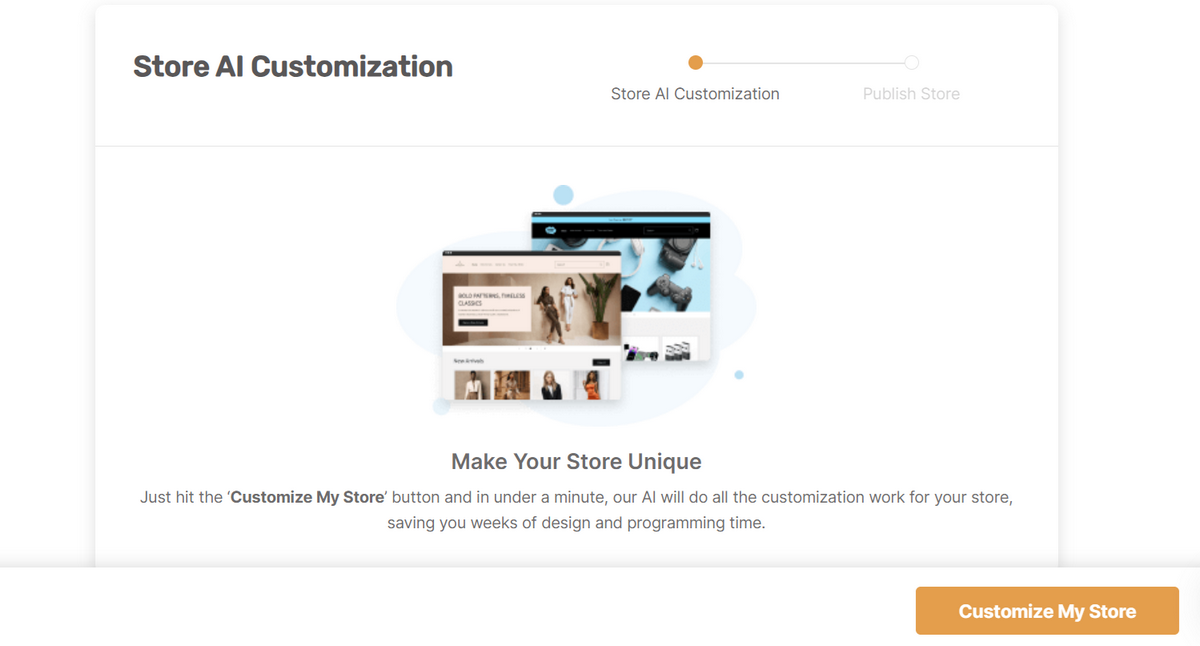
Back in AutoDS, you’ll land on the Store AI Customization screen. This is the moment the setup turns into an actual storefront: click Customize My Store and let the builder apply the niche, banners, and store structure you chose earlier.
Once the customization is complete, AutoDS takes you straight to Publish Your Store.
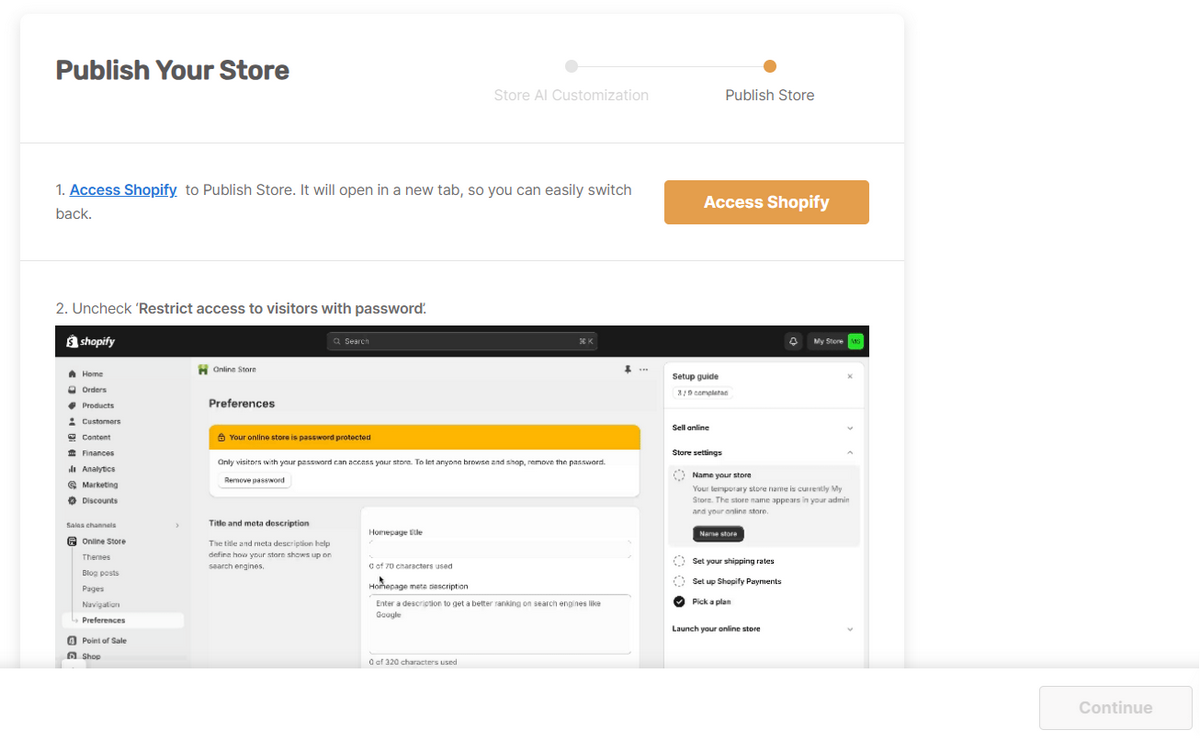
This part requires one quick trip back to Shopify:
- Go to the storefront password settings and uncheck Restrict access to visitors with password.
- In Shopify’s Social sharing image and SEO settings, replace the default homepage title with your actual store name and add a short meta description for search engines.
- Add a social sharing image if you already have one ready.
- Click Save, return to AutoDS, and click Continue.
The password step matters because AutoDS requires the storefront to be publicly accessible before it can complete setup. If you’re not ready for customers yet, you can always turn password protection back on afterward and keep editing privately.
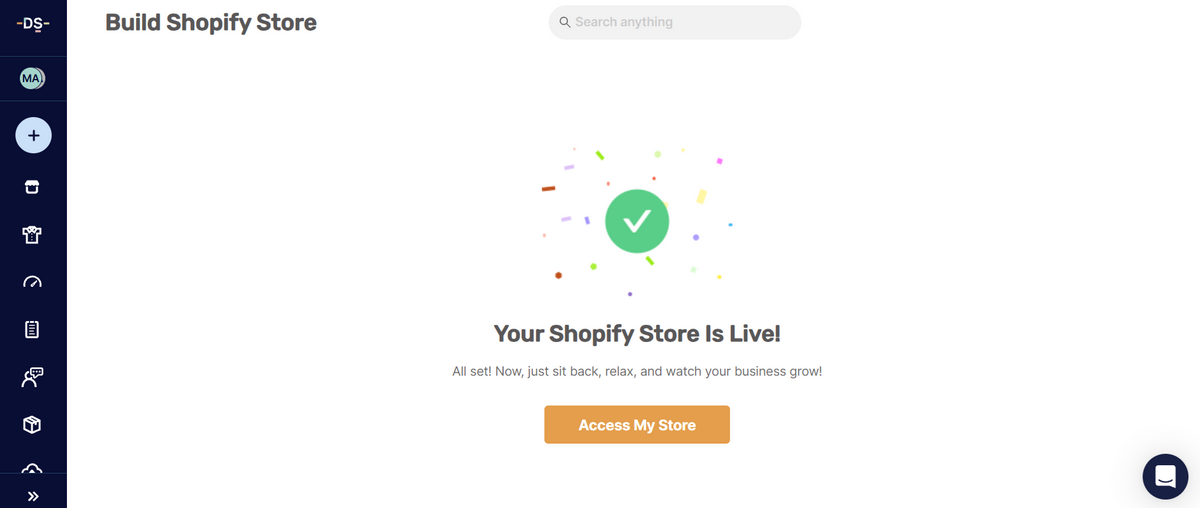
At this point, the heavy lifting is done: the AI-built store exists inside Shopify and is technically live. Next, I’ll take a closer look at what AutoDS actually put inside it.
⏱️ My time: 1 minute.
6. Review What AutoDS Built
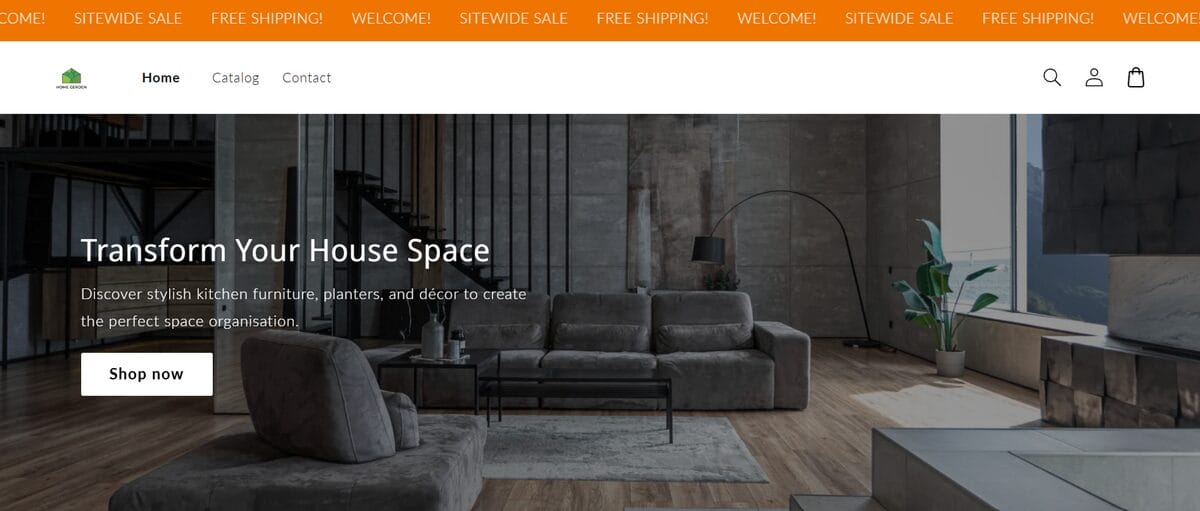
Now comes the first real quality check. Open the store, enter the password, and go through the storefront as if you were a customer seeing it for the first time.
AutoDS currently adds 10 products based on the niche you selected, and each one comes fully uploaded with its title, description, images, and pricing already in place.
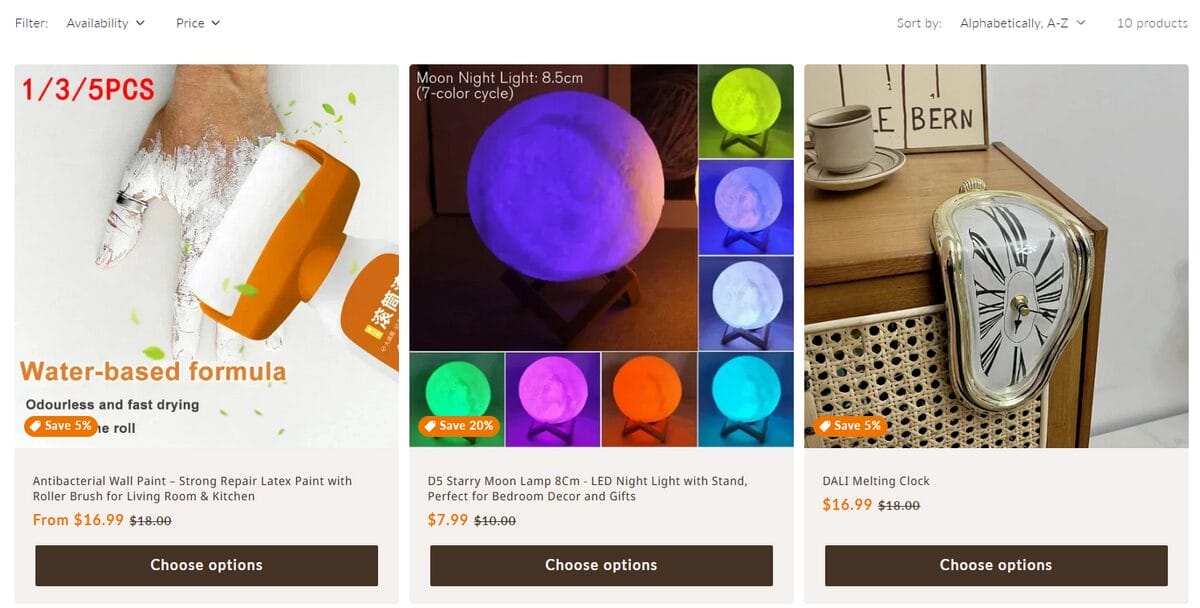
I wouldn’t treat anything as untouchable, though. Check every item listed, whether the copy feels specific enough, and whether the visuals and pricing make sense together.
I’d also give the rest of the storefront a quick pass:
- Homepage and banners — Do they match the direction you had in mind?
- Product pages — Are titles, descriptions, images, and prices worth keeping?
- Navigation — Can you move through the store without getting lost?
- Branding — Do the colors, fonts, and overall look feel coherent?
- Policies and SEO basics — Are the placeholders gone and the essentials filled in?
The good news is that none of this is locked. AutoDS lets you replace the preloaded products, while Shopify gives you control over the store’s layout, colors, fonts, banners, and other branding details.
⏱️ My time: 2– 10 minutes
7. Set Up The Automation Behind The Store
Okay, the storefront may be ready, but this extra step can make a big difference from here on out: deciding what AutoDS should handle automatically once products and orders start moving.
Head to Settings → Supplier Settings. AutoDS organizes these controls by supplier, so the exact rules can change depending on where each product comes from. The main tabs to review are:
- Lister — Turn Price Monitoring and Stock Monitoring on, and set defaults for future product imports.
- Pricing — Define profit margins, fees, and how supplier costs feed into your selling prices.
- Orders — Choose how orders from that supplier should be handled and configure supported fulfillment and tracking options.
- General — Check details such as the destination country, stock thresholds, and maximum shipping days.
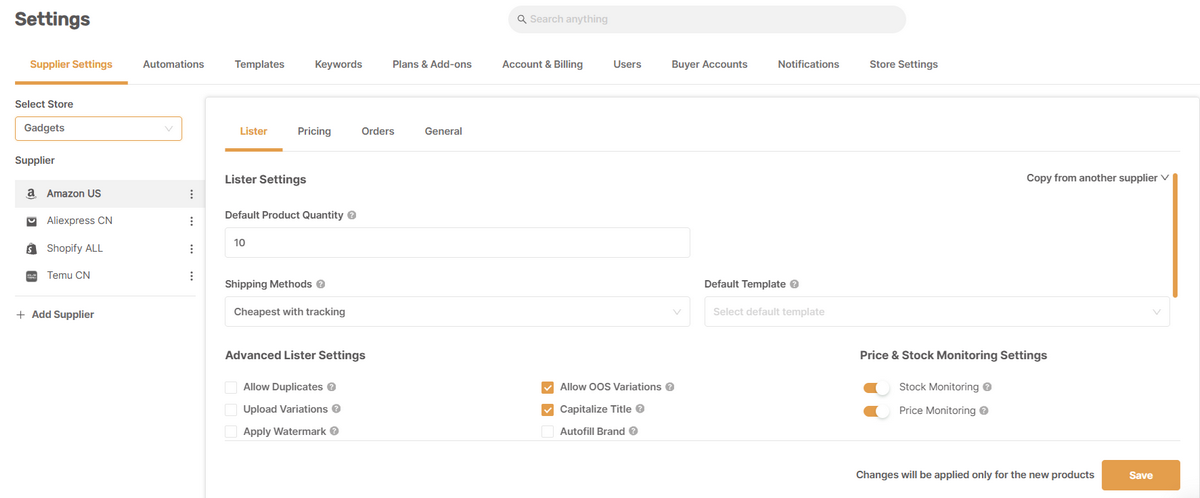
If you also want to automate order fulfillment, open the Orders tab for the supplier you’re configuring and choose how those orders should be handled, including Automatic Orders or Fulfilled by AutoDS where supported. Just make sure the Orders Processor add-on is active first, since it powers automated order processing and tracking.
Think of this step as setting the rules for what happens after the AI-built storefront starts doing its job. The design may get customers through the door; these settings help keep prices, inventory, and orders from turning into manual upkeep behind the scenes.
⏱️ My time: 30 seconds
8. Claim Your .store Domain
One last piece before wrapping up: give the store an address that actually belongs to the brand.
AutoDS currently includes a .store domain free for the first year with the AI-built Shopify store. To claim it, go to Settings → Store Settings, select the Shopify store you just created, and click Claim FREE .store domain NOW!
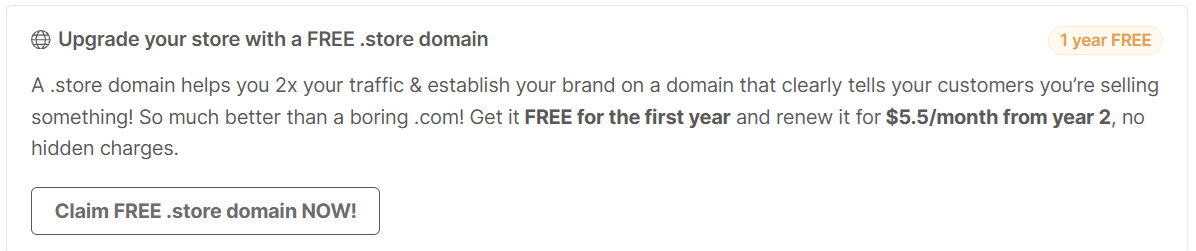
Enter the domain name you want and check whether it’s available. If your first choice is taken, AutoDS will suggest alternatives. You’ll then complete the registration details and follow the on-screen instructions to connect the new domain to Shopify.
There is one cost worth keeping in mind: the domain is free for year one, then renews at $5.50 per month from the second year onward under the current terms.
Replacing the temporary Shopify URL with a branded domain helps it start feeling like your store.
⏱️ My time: 30 seconds.
How Long Did It Actually Take?
So, how fast is an AI-built Shopify store in real life? In my test, there are really two useful numbers to look at:
- ⏱️ Core AI Store Builder setup: 4 minutes 15 seconds
- ⏱️ Full setup: about 7–15 minutes — tested October 2026
That first number covers everything up to getting the AI-built store published. The remaining time comes from the parts that still deserve a human pass: reviewing what AI created, setting up automation, and claiming the domain.
Even then, compare either timeline with building the same foundation page by page from a blank Shopify theme, and the shortcut becomes pretty obvious.
Key Features Of AutoDS AI Store Builder
After going through the build myself, the easiest way to understand the AutoDS AI Shopify Store Builder is to separate what it creates for you from what the platform can automate afterward.
| Area | What's included |
|---|---|
| Storefront | A new Shopify store built around your selected niche, with customizable design and optimized product pages |
| Product catalog | 10 trending products selected for the niche and already uploaded |
| Product content | Titles, descriptions, images, and pricing |
| Product management | AutoDS tools for importing products & monitoring supplier price and stock changes |
| Order automation | Automated ordering, fulfillment, and tracking |
| Domain | A .store domain included free for the first year, with a paid renewal afterward |
So, the builder gives you a head start with the operational layer already nearby. You still decide what stays, what changes, and how much automation makes sense once the store starts moving.
AutoDS VS Other AI Shopify Store Builders
There’s no shortage of tools promising to turn a few inputs into a Shopify store in minutes. That’s also why comparisons get messy. Search for an AI Shopify Store Builder, and you’ll find platforms that generate complete stores, AI features already built into Shopify, and apps focused mainly on creating or improving individual pages.
They can all speed up the build, but they’re not solving exactly the same problem. So, before comparing AutoDS with each group, here’s the full field in one place.
| Tool | Type of tool | Build scope | Post-launch automation | Price / trial | Shopify App Store rating (October, 2026) | Best for |
|---|---|---|---|---|---|---|
| AutoDS AI Shopify Store Builder | Full-store builder | Niche store + 10 products | Yes: sourcing, monitoring, orders | $0.99 trial; plans from $26.90/mo | 4.6 (1,347) | All-in-one dropshipping workflow |
| BuildYourStore | Full-store builder | Free niche store + 10 products | Via AutoDS | Free; One Product Store $97 | N/A | Free, guided and quick dropshipping store launch |
| Forge | Full store builder | Prompt-based store + PDPs, ads, visuals | Storefront/CRO only | $29.99/mo; 7-day trial | 5.0 (64) | Creative control and testing |
| Dropmagic | Product-based store builder | Store built around one product | External integrations only | Free preview; Pro $79/mo | 4.9 (55) | Product-led customization |
| Storebuild.ai | Full store builder | 10 products + 10 videos | Via Zendrop | Free build | N/A | Fast free foundation |
| Shopify AI + Sidekick / Canvas | Shopify-native AI | Store design, themes, content, admin | Shopify-native only | Included with Shopify | N/A | Native creative flexibility |
| PageFly | AI page builder | Pages, sections, testing | No | Free; from $24/mo | 4.9 (5,917) | CRO and page design |
| Shogun | Page + section builder | Pages and reusable sections | No | $39/mo; 10-day trial | 4.8 (1,971) | Visual customization |
| PagePilot | AI product-page builder | PDPs, images, upsells | No | Free; Lite $39/mo | 4.9 (213) | Fast PDP creation |
AutoDS VS Full AI Store Generators
This is the closest apples-to-apples category, but even here the tools take noticeably different routes. Let’s take a look:
BuildYourStore
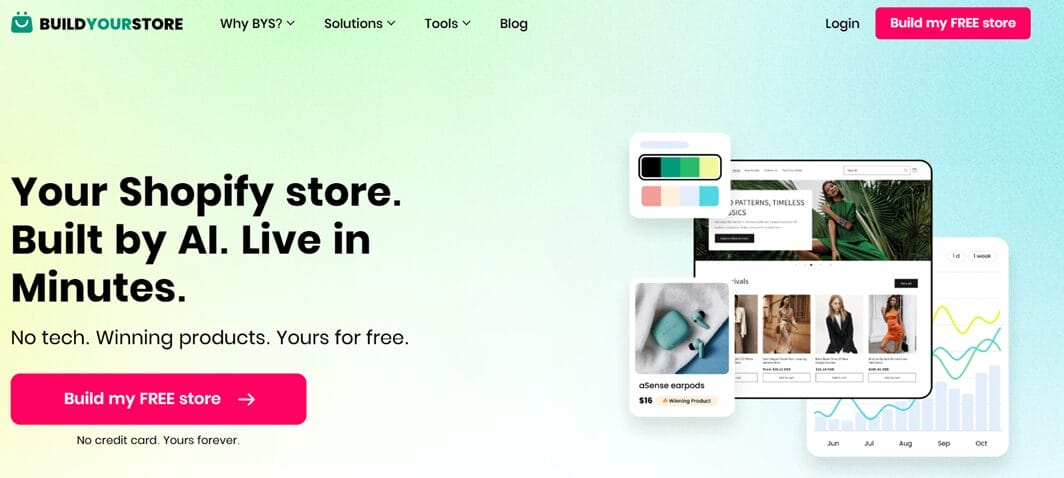
BuildYourStore is probably the closest relative to the AutoDS builder. It currently gives sellers two ways to start:
- Free Beginner Store — a Shopify store designed to go live in minutes, with 10 preloaded products, a customizable theme, sales badges, and a free .store domain.
- Professional One Product Store — a more guided one-product setup with an expert-designed storefront, currently offered for a $97 one-time payment.
Shopify still requires its own subscription, but the basic store build itself can be free.
The resemblance to AutoDS isn’t accidental. BYS is an associated platform, and it connects directly with AutoDS for product management, sourcing, and fulfillment. The main difference is the entry point: BuildYourStore starts with the storefront and brings the operational layer in afterward, while the AutoDS AI Store Builder begins inside the broader AutoDS ecosystem.
Forge
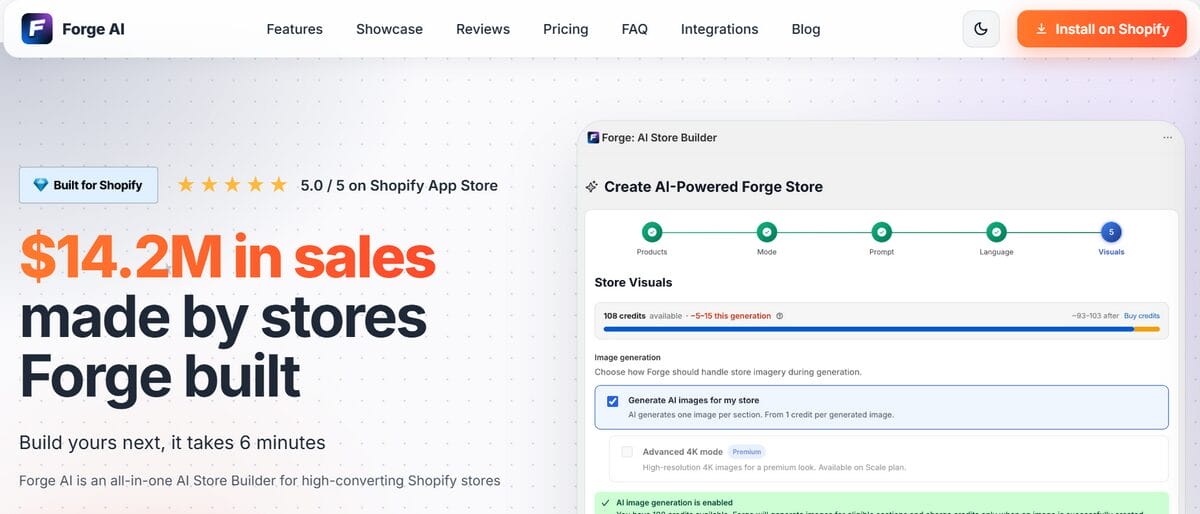
Forge Builder AI takes a much more storefront-focused approach. According to its official website, the platform can generate a complete Shopify store in around six minutes, starting from a prompt. Its current Builder plan starts at $29.99/month after a 7-day free trial and includes:
- Prompt-based store generation.
- 20 AI-generated pages, including PDPs, listicles, and advertorials.
- AI product images, banners, and a logo generator.
Forge is especially strong when the priority is how the storefront sells, with deeper tools for page creation, visual assets, and merchandising. That prompt-driven approach also gives more room to steer the store, but it can also require more hands-on direction and iteration.
AutoDS starts from a narrower use case: dropshipping from day one. Its builder sits alongside product importing and supported order automation, making it less about shaping every detail and more about getting the store connected to the operation behind it.
Dropmagic
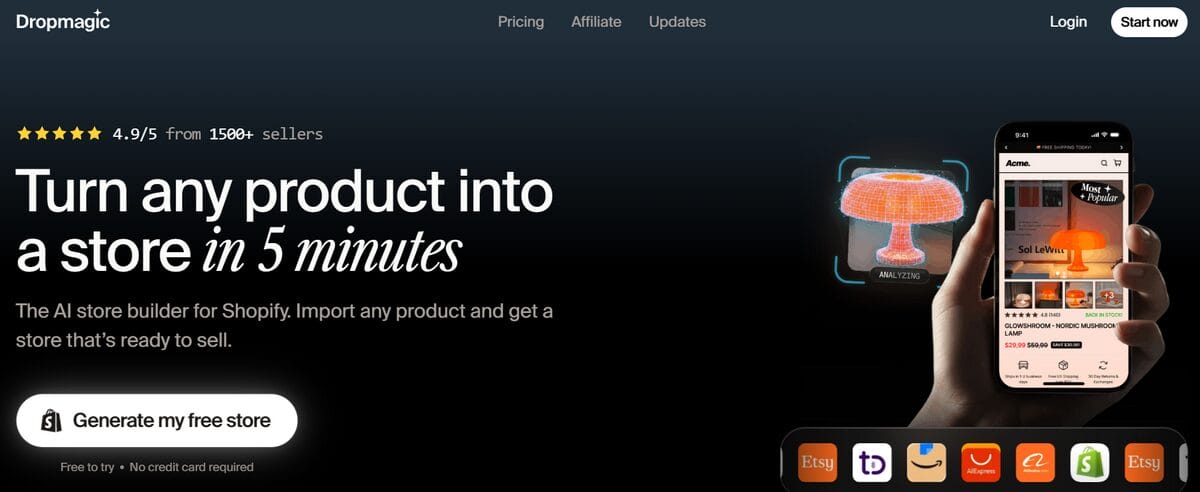
Dropmagic takes a product-first approach. The idea is simple: paste a product link from AliExpress, Amazon, or Shopify, and the platform builds a Shopify store around it.
Its current setup includes:
- A free plan to build and preview one store; unlimited publishing requires the $79/month Pro plan.
- A reusable AI brand kit for colors, fonts, and tone.
- On Pro, 100+ customizable sections, AI-generated copy and product imagery.
For dropshipping, its Shopify app can work alongside tools such as AutoDS, DSers, Spocket, and Zendrop, but those operational layers remain separate.
Compared with AutoDS, Dropmagic is better suited to sellers who already have a specific product and want deeper storefront customization. AutoDS starts earlier, with niche selection and preloaded products, while Dropmagic reserves much of its strongest design functionality for the paid plan.
Storebuild.ai
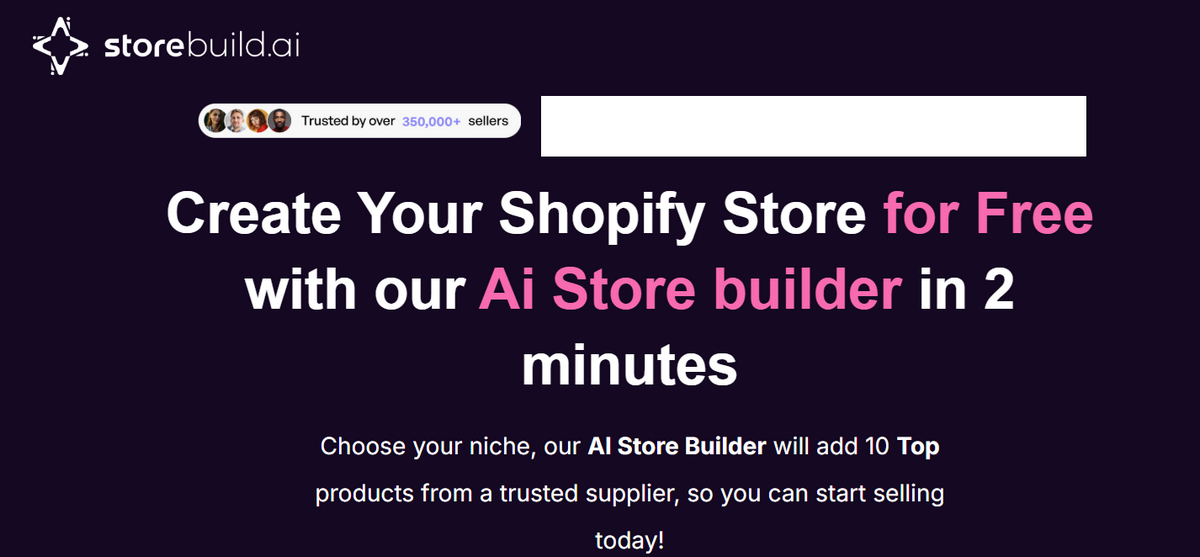
Storebuild.ai follows a niche-first model that feels much closer to AutoDS. It can generate a Shopify store quickly, with:
- 10 niche-based products connected to a supplier.
- 10 ready-to-use product videos for marketing.
- A customizable Shopify theme.
- Supplier and fulfillment access through the Zendrop ecosystem.
The AI-built store itself is free, although Shopify still requires a subscription. Unlike AutoDS and BuildYourStore, Storebuild.ai doesn’t currently include a free store domain, and its generated storefront tends to be a more basic starting point that may require additional branding and customization afterward. At the time of this review, its Shopify App Store listing is also not currently available.
AutoDS VS Shopify’s Own AI Tools
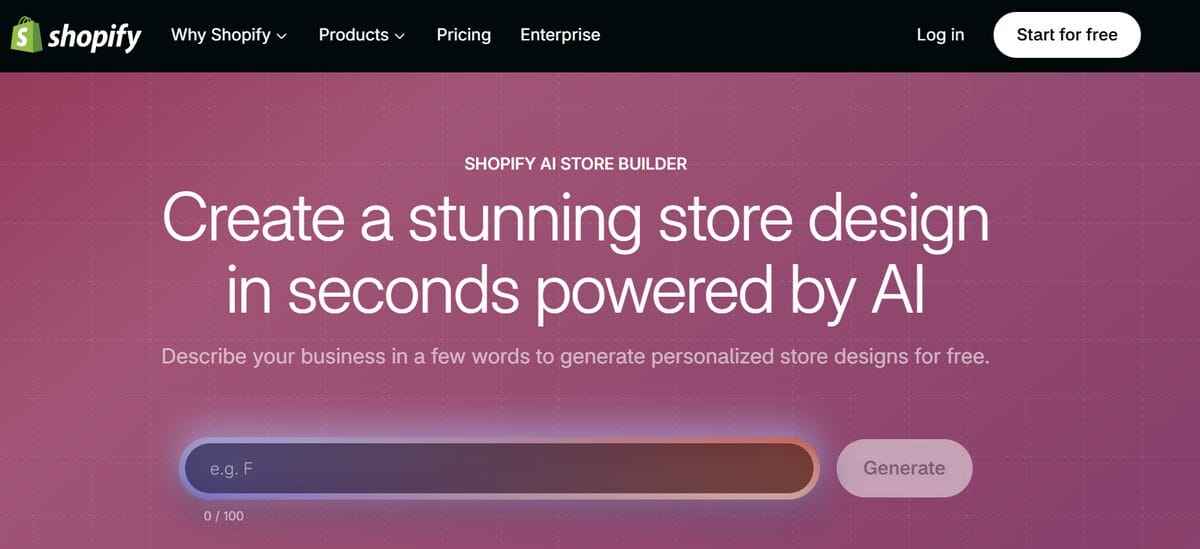
Shopify itself now covers a surprising amount of the building process with its own AI. Instead of one standalone builder, it spreads those capabilities across a few native tools:
- AI Store Builder — generates a personalized store theme from a short description of the business.
- Sidekick — Shopify’s AI assistant, included with Shopify plans. It can generate content and images, edit theme elements, create custom blocks, work with store data, and automate repetitive tasks.
- Canvas — a visual workspace where Sidekick can create or redesign entire themes conversationally.
That makes Shopify’s native AI especially appealing for sellers who want more creative freedom without leaving the Shopify admin. Unlike AutoDS or more hands-off store builders, though, Shopify follows a more assisted workflow: the user still provides much of the direction, makes the design decisions, and refines the result along the way.
That means more control, but also more hands-on work.
AutoDS VS AI Page And Section Builders
Page and section builders enter at a different stage. Instead of generating the whole dropshipping setup, they focus on giving an existing Shopify store more design flexibility, stronger product pages, or deeper CRO tools.
PageFly
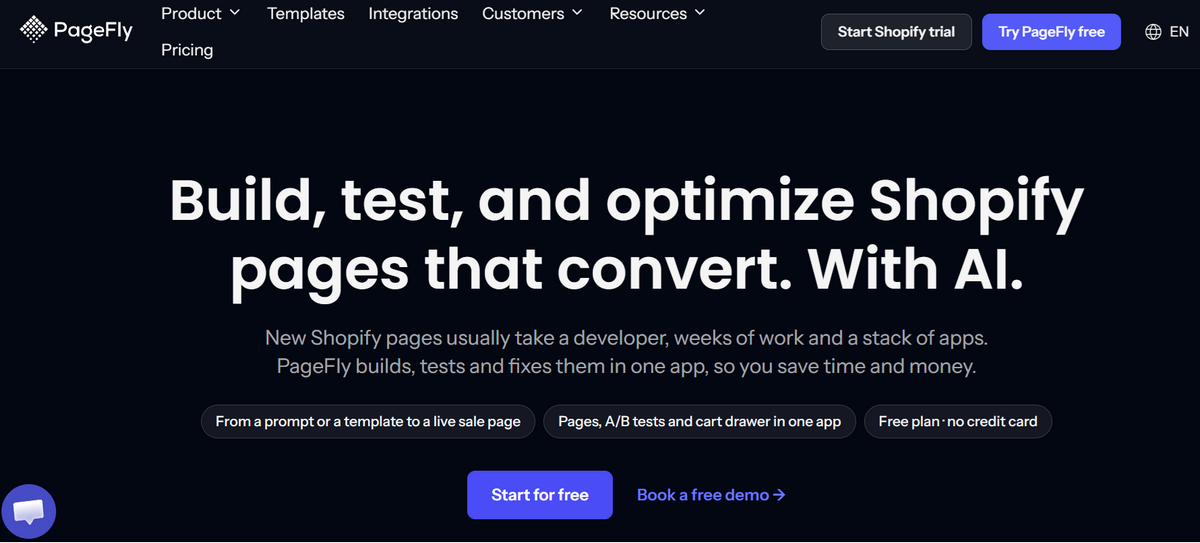
PageFly combines AI page generation with detailed visual editing and CRO tools. Its FlyMate AI can turn a prompt into a landing, product, or FAQ page, while the broader platform adds 320+ templates, analytics, A/B testing, heatmaps, and page audits depending on the plan.
PageFly is a strong option when the store already exists and the priority is testing and refining how individual pages perform. AutoDS covers a wider starting workflow; PageFly goes much deeper once the conversation becomes layout, experimentation, and CRO.
Shogun
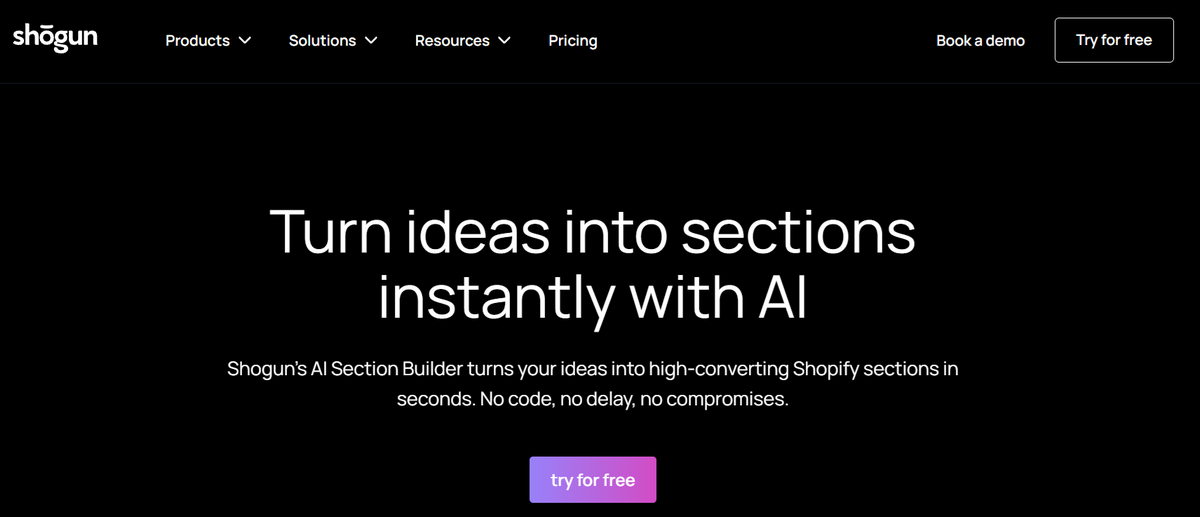
Shogun is built around more hands-on storefront customization. Its Page Builder handles landing pages, PDPs, campaign pages, reusable content, and custom elements, while its AI Section Builder can turn prompts into responsive Shopify sections that work inside the native theme editor.
That makes Shogun a better fit for brands that already have their store foundation and want more granular control over campaigns and storefront design. AutoDS, by contrast, is more useful earlier in the journey, when products, sourcing, and fulfillment still need to be connected.
PagePilot
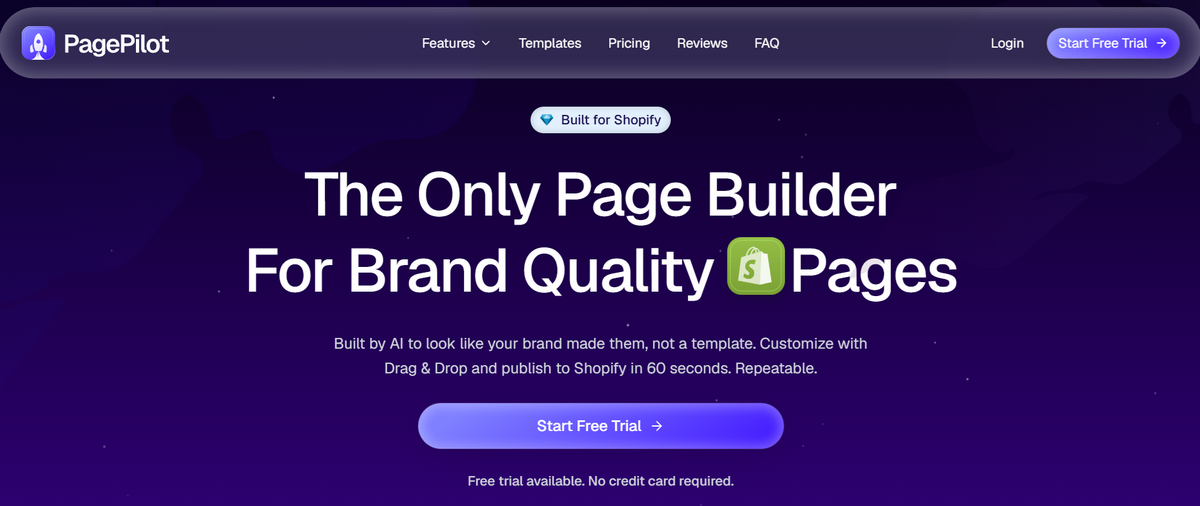
PagePilot is the most dropshipping-oriented of the three, but it stays focused on product pages. Paste a product link from sources such as AliExpress, Amazon, Etsy, TikTok Shop, or Temu, and it can generate the copy, layout, AI imagery, cart upsells, and bundles without replacing the existing theme.
PagePilot makes sense when the store and product are already chosen and the PDP (product detail page) needs the upgrade.
So, these tools aren’t really substitutes for AutoDS in the same way a full AI store generator is. They’re specialists: AutoDS helps establish the store and its dropshipping operation, while PageFly, Shogun, and PagePilot give sellers more depth once they want to improve specific parts of the storefront.
💡 Pro Tip: If you want to improve individual product pages without adding another builder to the stack, AutoDS also offers a Shopify Product Page AI Template. It can generate a page tailored to the product, niche, and brand, with one-click Shopify integration and built-in sections that reduce the need for extra apps.
How To Make Money With AI Shopify Stores
An AI-built store can get you to the starting line faster. But once the storefront exists, making money still comes down to the decisions behind your business strategy.
First, decide how focused you want the business to be:
- A general store gives you room to test across categories.
- A niche store builds around one market or audience.
- A one-product store puts the entire experience behind a single offer.
Whichever route you take, the product still has to earn its place. That means looking for real demand, workable sourcing costs, and enough margin to market it profitably.
🔍 Research Tip: Product selection deserves its own deep dive. This guide to the best features for finding winning products covers the research tools and signals you can use to narrow down what’s actually worth testing.
Know Your Real Margin
Once you have something worth selling, the next question is whether the economics hold up. The basic dropshipping equation is simple: selling price − costs = profit. The catch is that the supplier price is only one piece of the cost structure.
Example: Say you source a product for $2 and sell it for $5. That leaves a $3 gross spread. After shipping, transaction fees, advertising, subscriptions, and potential refunds, the actual profit might be closer to $1. The figures are purely illustrative, but the principle matters: revenue and profit are two very different numbers.
Then comes the part that actually tells you whether the idea has legs: testing. This is where AI can help without pretending to be a money printer. A faster store build gets you to that stage sooner, but sales still depend on traffic, product-market fit, and enough data to decide what deserves another round.
Before anything can scale, products need to be tested, shoppers need to reach the store, conversion data needs to accumulate, and weaker offers need to be improved or replaced. That’s the real advantage of AI here: it shortens the feedback loop. You spend less time assembling the storefront and more time finding out what the market actually responds to.
What It Really Costs
Building the store with AI is only part of the bill. To get a Shopify dropshipping store from generated to operational, you’re usually paying for the ecommerce platform, the builder or dropshipping software, and any optional tools or traffic you add on top.
Here’s what that looks like with the AutoDS setup we just walked through:
| Expense | What it covers | Current cost | Required? |
|---|---|---|---|
| Shopify | Hosting, checkout, store admin, and ecommerce infrastructure | 3 days free, then $1/month for 3 months; Basic is $39/mo monthly or $29/mo billed yearly afterward | Yes |
| AutoDS + AI Store Builder | AI store creation plus product and order management tools | 3-day trial for $0.99; Import plan starts at $26.90/mo on monthly billing | Yes (for this workflow) |
| Store domain | Branded store URL | $0 for year one; $5.50/mo from year two | Optional |
| Apps / add-ons | Extra functionality beyond the base setup | $0 required to build the store; AutoDS Orders Processor is $9.90/mo if order automation is enabled | Optional |
| Paid ads | Traffic for testing products and offers | Whatever budget you set | Optional |
🆕 Beginner’s Tip: Check the latest prices before budgeting. These were the rates available when I tested the setup in October 2026, but Shopify promotions, AutoDS plans, domain terms, and applicable taxes can change. A quick check before signing up keeps an old promo from becoming a surprise expense.
For a simple first month using monthly billing and no paid ads, an illustrative budget looks like this:
- $0.99 AutoDS trial + $26.90 AutoDS plan + $1 Shopify = $28.89
Add the Orders Processor, and that moves to roughly $38.79 before taxes, transaction fees, supplier costs, or advertising. If you decide to put an illustrative $100–$300 into initial ad testing, the same month would land around $138.79–$338.79 with order automation enabled.
That ad spend is only an example. Organic traffic can bring that line down to $0, while a larger testing strategy can push it much higher. The domain also adds nothing during year one under the current offer, though it becomes a recurring $5.50/month expense from year two.
The takeaway is simple: “AI-built” doesn’t mean “free to run”. What the builder can reduce, however, is a cost that’s easier to overlook: the hours of technical setup you’d otherwise spend yourself or potentially pay a developer to handle for you.
Common Mistakes To Avoid & Tips To Scale Faster With AI
The easiest AI mistake is also the most tempting one: assuming “generated” means “finished”. Scaling what the builder produces without checking the details only makes mistakes travel faster.
So, before sending real traffic to any AI-built store, I’d run through this checklist:
- Policies: Make sure refund, privacy, terms, and especially shipping pages reflect how the store will actually operate.
👉 This shipping policy guide covers what customers need to know.
- Shipping: Check zones, rates, delivery estimates, and supplier processing times against what you promise on the storefront.
👉 The Shopify shipping setup guide walks through the entire configuration.
- Products: Verify titles, variants, images, pricing, supplier availability, and estimated shipping times before keeping a generated listing.
👉 If you’re expanding the initial catalog, this Shopify product-adding guide covers the available workflows.
- Branding: Replace anything that still feels generic: store name, logo, banners, copy, colors, and placeholder content.
- Mobile experience: Browse the homepage, product pages, cart, and checkout on a phone. A desktop-perfect store can still fall apart on the smaller screen.
- Speed: Check whether large images, videos, or extra apps are slowing down the pages customers actually need to use.
Once that foundation holds up, then keep using AI to move faster. AutoDS’s current AI product title & description generator can refine listing copy, with controls for tone and creativity.
And if you want to push the workflow further, AutoDS now also connects with Claude through MCP. The integration can use natural-language requests to audit listings, generate reports, and search or publish products through AutoDS, useful when managing the store starts involving more clicking than thinking.
That’s the scaling principle I’d keep: automate what repeats, inspect what matters, and only multiply what survives testing.
Frequently Asked Questions
What is an AI Shopify store builder?
An AI Shopify store builder uses artificial intelligence to create part or all of a Shopify storefront based on a few inputs. Depending on the tool, that can include the theme, homepage, product pages, copy, images, branding, or even preloaded products. You usually still need to review the result and configure the operational details before selling.
What is the best AI Shopify store builder?
The best fit depends on what you need after the store is built. AutoDS makes more sense for dropshippers who also want sourcing and automation, while Shopify’s own AI tools keep the experience native to Shopify. If the priority is detailed page design rather than a full store, a dedicated page builder may be the better choice.
Can AI build a Shopify store?
Yes. AI can now build a Shopify store, including designs, layouts, content, and product pages. Shopify itself offers AI-powered store generation, while third-party tools can go further by adding products or dropshipping-specific workflows. The generated store should still be reviewed before launch.
Is there a free AI Shopify store builder?
Yes, there are free AI Shopify store builders, although “free” usually refers to the building tool rather than running the store itself. Shopify offers AI-powered store generation, AutoDS includes its AI Store Builder without a separate builder fee, and BuildYourStore lets you generate an AI-built Shopify store for free. In every case, keeping the store live still involves a Shopify subscription.
How long does it take to build a Shopify store with AI?
Building a Shopify store with AI can take under five minutes for the initial setup. A more complete process usually takes longer—often around 7–15 minutes or more—once account creation, Shopify activation, product review, branding, shipping, policies, automation, and other post-build checks are included. The exact timing depends on the tool and how much customization the store needs.
How much does it cost to build a Shopify store with AI?
The cost of building a Shopify store with AI depends on the platform and the subscriptions around it. The builder itself may not carry a separate fee: with AutoDS, for example, it’s included in the subscription. In the workflow tested here, the illustrative first month comes to roughly $28.89 using the $0.99 AutoDS trial, the $26.90 monthly Import plan, and Shopify’s current $1 introductory month. Ads, supplier costs, taxes, and optional automation come on top of that.
Do I need experience to use an AI store builder?
No, you don’t need coding or design experience to use most AI store builders. The tools are designed to handle much of the technical starting work, but ecommerce judgment still matters: product selection, pricing, shipping, branding, and checking AI-generated content remain your responsibility.
Is Shopify’s AI store builder good enough for dropshipping?
Shopify’s AI store builder gives you a strong store-design starting point for dropshipping, especially if you want to stay entirely inside Shopify. Its AI tools can generate storefront designs and assist with content and theme work, but they don’t provide supplier sourcing, a preloaded catalog, or supplier-side fulfillment automation that dedicated dropshipping platforms offer.
Build Your Shopify Store With AI Today!
An AI Shopify Store Builder gives you something valuable right away: momentum. Instead of getting stuck on setup, you can move faster into the strategic decisions that define your place in the market: what to sell, what to test, and what deserves improvement next.
That’s where the real advantage kicks in. AI can build the first version, but the store gets interesting when you make it yours. Add automation to the mix, and that head start can carry into the day-to-day operation. That’s where AutoDS brings something extra: the same ecosystem that builds the storefront can keep supporting products, pricing, stock, and orders as you test what works.
So, use the shortcut, watch the numbers, and let every test sharpen the next move.
🚀 Ready to get moving? Try AutoDS for $1, build your AI-powered Shopify store, and turn that first idea into something you can start testing today.
And if you want to keep learning, here are a few reads you might find useful:







