The best platforms for selling online fall into two main groups. Marketplaces like Amazon, eBay, and Etsy give you access to existing shoppers. Store builders like Shopify, Wix, and WooCommerce give you more ownership and control. As a beginner, the trade-off is pretty clear: do you want built-in reach, or do you want to run a store you fully own?
I’ll help you make the call. In this article, I’ll compare the leading marketplaces and best ecommerce platforms for 2027, looking at how each works, what it actually costs to sell there, and what you gain (or give up) in return. By the end, you’ll have a clearer sense of which selling setup fits your goals and when adding another channel is worth the extra complexity.
Dropshipping fits into the picture too. I’ll flag where it’s allowed, where the rules get tighter, and when automation starts saving more time than it adds complexity.
👉 If you’re specifically comparing dropshipping software and automation tools rather than places to sell, head to this guide to the best dropshipping platforms.
Online selling platforms fall into two groups: marketplaces and store builders. Marketplaces bring built-in reach; stores offer more ownership and control.
Marketplaces can speed up discovery. Amazon, eBay, Etsy, and TikTok Shop bring existing audiences, but also fees and platform rules.
Store builders give you more freedom. Shopify, BigCommerce, Wix, and WooCommerce offer more control, while traffic becomes your responsibility.
Costs change with sales volume. Subscriptions weigh more at low volume; percentage-based fees become heavier as revenue grows.
Dropshipping rules vary by platform. Store builders are generally more flexible, while marketplaces impose tighter sourcing and fulfillment rules.
A multichannel strategy can combine reach and ownership. Marketplaces help test demand; your own store gives the brand more room to grow.
Automation matters as complexity grows. AutoDS can centralize products, pricing, stock, and supported order workflows across channels.
The Best Platforms For Selling Online Compared
Before getting into each option, it helps to put the main differences on the same page. The comparison below covers the numbers and differences that matter most upfront: starting costs, selling fees, ideal use cases, and dropshipping fit.
I’ve grouped the platforms by selling model, so you’re comparing like with like:
👀 Quick note: Prices and fees were checked in October 2026. They change frequently, so treat these figures as a current snapshot and verify the latest terms before committing to a platform.
Borrowed Audience: Marketplaces & Social Commerce
| Platform | Type | Starting Cost | Selling / payment fees | Best for | Dropshipping rules |
|---|---|---|---|---|---|
| Amazon | Marketplace | $0.99/item or $39.99/mo | Referral fee varies by category | High-intent mass demand | Restricted |
| eBay | Marketplace | 250 free listings/mo | 2.5%–15.3% + order fee | Low-commitment product testing | Wholesale suppliers allowed |
| Etsy | Marketplace | $0.20/listing* | 6.5% + payment processing | Handmade, custom & creative goods | Mostly not allowed |
| TikTok Shop | Social marketplace | $0 setup fee | Typically 6% referral fee | Discovery-led, impulse-friendly products | Restricted |
| Facebook & Instagram Shops | Social commerce | $0 from Meta | Own-store payment fees apply | Social discovery for an existing store | Via connected store |
*Etsy may also charge a one-time shop setup fee when opening a store.
Owned Storefront: Store Builders
| Platform | Type | Starting cost | Selling / payment fees | Best for | Dropshipping |
|---|---|---|---|---|---|
| Shopify | Hosted store builder | From $29/mo annually | From 2.9% + $0.30; +2% with third-party provider on Basic | Easy all-around ecommerce | Allowed |
| BigCommerce | Hosted store builder | From $29/mo annually | Processor fees; 0% BigCommerce fee with embedded providers | Growing or complex catalogs | Allowed |
| Wix | Hosted store builder | From $29/mo annually | From 2.9% + $0.30 in the US | Design-first, smaller stores | Allowed |
| WooCommerce | Self-hosted | Free core; hosting extra | Payment processor fees | Maximum flexibility & control | Allowed |
Marketplace Or Your Own Store? Reach Without Ownership vs Ownership Without Traffic
The comparison above points to one underlying choice. You can frame it through fees, traffic, branding, or customer data, but they all lead back to the same exchange: marketplaces make it easier to reach buyers; your own store gives you more of the business to own.
And that single difference changes almost everything else:
| Aspect | Marketplace | Your Own Store |
|---|---|---|
| Built-in demand | High — shoppers are already browsing | Low — you generate the traffic |
| Brand control | Limited by marketplace rules | Much greater freedom |
| Customer relationship | Platform-controlled or restricted | Direct access and greater ownership |
| Cost structure | Listing, referral, or selling fees | Subscription, processing, and app costs |
| Setup | Faster to get selling | More to build and configure |
| Platform dependency | High — policies can affect the whole business | Lower — more of the operation is under your control |
| Margin potential | Ongoing marketplace fees take a cut | More room to optimize as sales grow |
The marketplace proposition is easy to see. You’re borrowing demand that already exists. eBay, Amazon, and TikTok Shop already have shoppers browsing, searching, and buying, which can make them powerful places to test market response or get a new product moving quickly.
But borrowed reach comes with house rules. Fees, listing requirements, account policies, and limits on the customer relationship all belong to the platform, not to you.
An independent store flips that arrangement. There’s no ready-made audience waiting at the door, but the storefront, brand experience, customer relationship, and much more of the data sit on your side. Traffic becomes a problem you have to solve, yet every visitor you earn contributes to something you’re actually building.
Then comes one more fork: hosted or self-hosted? Shopify, BigCommerce, and Wix take care of hosting, security, updates, and much of the technical upkeep. WooCommerce hands you more freedom over infrastructure and customization, but also more responsibility for keeping the machinery running.
So the real distinction goes deeper than marketplace versus website. Marketplaces trade ownership for faster access to customers; independent stores trade built-in traffic for greater control over what you build.
Best Marketplaces To Sell Online
If your priority is getting products in front of active buyers quickly, marketplaces are the obvious place to start. The audience is already there, the path to listing is relatively short, and you can learn fast whether a product gets traction.
The trade-off is familiar by now: less freedom over branding and customer access, plus fees and policies that shape how you sell.
So, which marketplaces are actually worth considering? Let’s break down the strongest options and what each one is best suited for.
Amazon
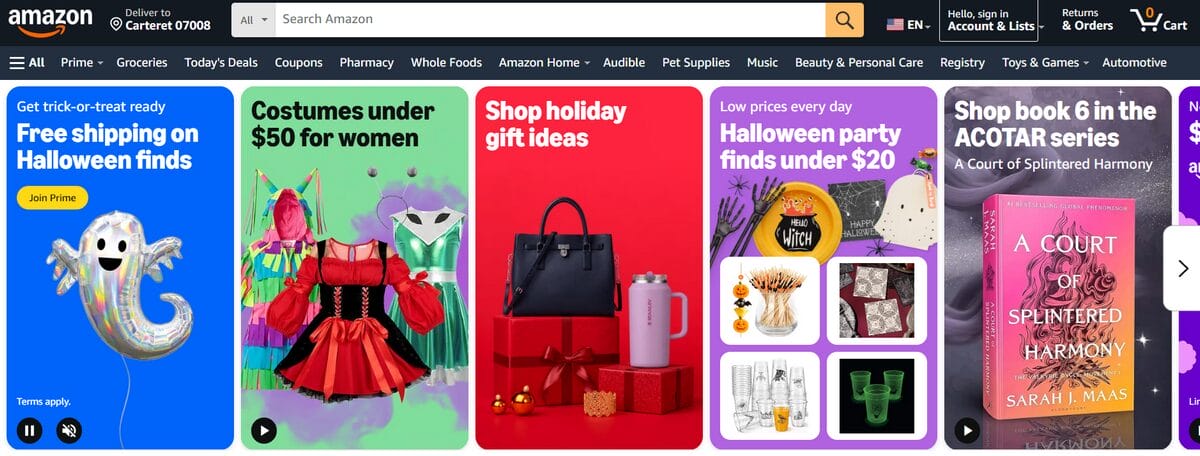
Amazon is the heavyweight of the marketplace side and probably its clearest example. You get access to an enormous pool of shoppers already looking to buy, which can help a product gain traction quickly. The flip side comes with the territory: fierce competition, tighter rules, and much less freedom over the experience surrounding the sale.
- Best for: Sellers who prioritize maximum buyer reach and have enough margin to compete comfortably.
- Pricing and fees (October 2026): The Individual plan costs $0.99 per item sold, while Professional costs $39.99/month. Referral fees depend on the category; many common categories fall around 8%–15%, although some sit outside that range. FBA (Fulfillment by Amazon) adds separate fulfillment and storage costs when used.
- Reach vs. control: Few channels can match Amazon for purchase-ready traffic. In exchange, the marketplace sets the rules for listings, account performance, and much of the customer experience.
- Dropshipping rules: Allowed only if you remain the seller of record, your supplier doesn’t appear on packaging or customer-facing documents, and you handle returns.
- Main limitation: Competition and selling fees can squeeze margins fast, while policy mistakes carry more weight when one marketplace accounts for a large share of sales.
- Choose it if: Reach, sales volume, and access to high-intent shoppers matter most.
- Skip it if: Building a highly distinctive brand experience or protecting an already-thin margin is the priority.
🆕 Beginner’s Tip: If dropshipping on Amazon is part of the plan, review the rules carefully before choosing a supplier. This Amazon dropshipping guide walks through the setup, policies, and common pitfalls.
eBay
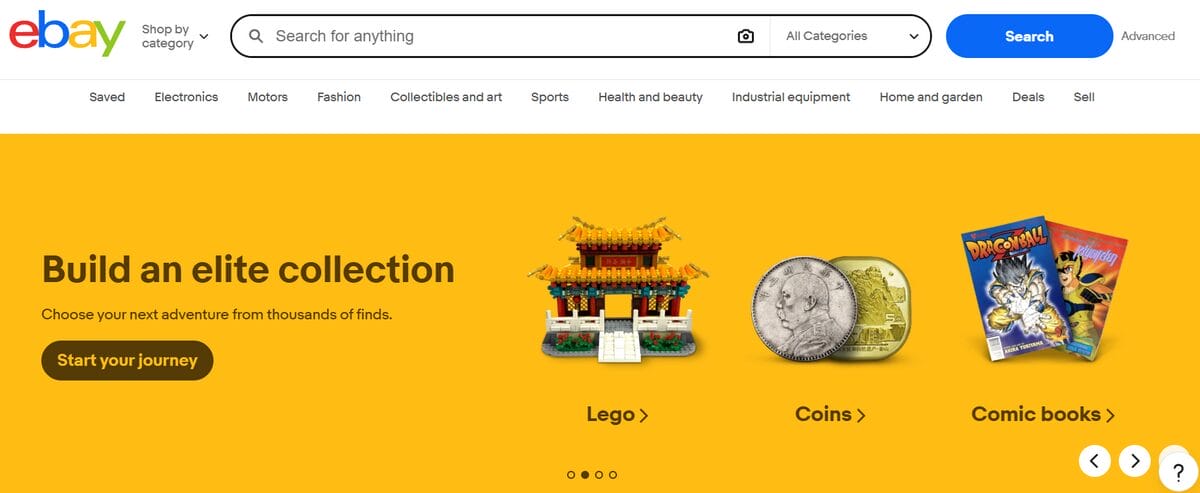
eBay sits in a more flexible middle ground: established audience, low barrier to entry, and plenty of room to experiment. That combination makes it especially practical for testing products, categories, and price points before committing more budget or infrastructure elsewhere.
- Best for: Sellers who want to test a broad product mix without locking into a monthly subscription upfront.
- Pricing and fees (October 2026): eBay includes 250 zero-insertion-fee listings per month, then charges $0.35 per additional listing. Final value fees vary by category, from roughly 2.5% to 15.3%; most categories sit at 13.6%, plus $0.30 per order up to $10 or $0.40 above that. The percentage is calculated on the total sale amount, including applicable shipping and taxes.
- Reach vs. control: You inherit eBay’s buyer base and relatively quick setup, but your listings still live inside its marketplace rules and fee structure.
- Dropshipping rules: Wholesale-supplier dropshipping is allowed, provided you own the inventory or have an agreement with the supplier before listing. Buying from another retailer or marketplace only after the sale is not allowed under the eBay dropshipping policy.
- Main limitation: Seller performance carries real weight. Poor fulfillment, defects, or unresolved buyer issues can put more pressure on an account as sales grow.
- Choose it if: You want a relatively low-friction way to test products.
- Skip it if: Supplier reliability is uncertain or marketplace fees leave too little margin to work with.
Etsy
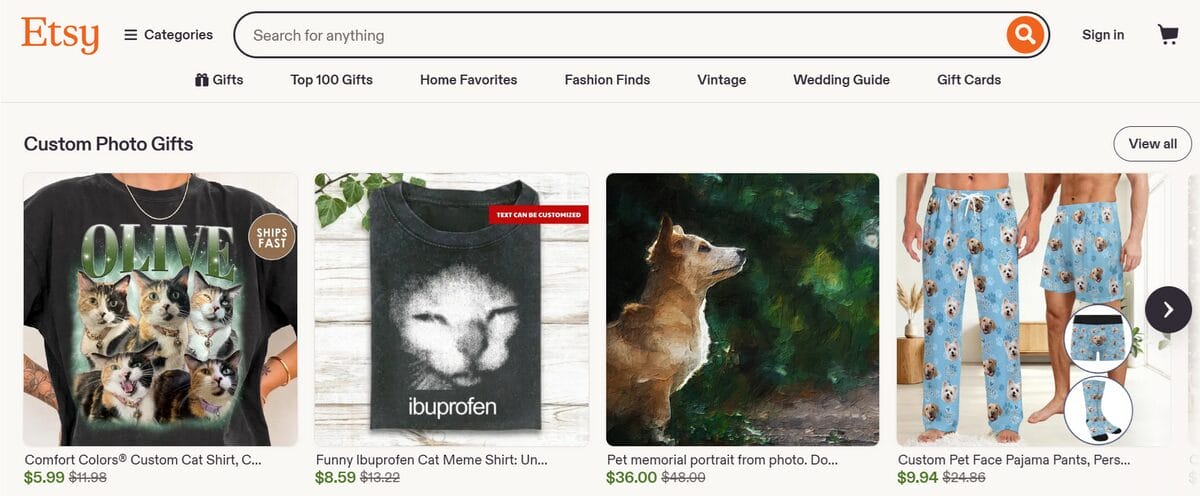
Etsy plays a very different game. Shoppers arrive looking for handmade, personalized, vintage, or creatively distinctive goods, so originality matters far more here than catalog size. For the right seller, that focus is an advantage; for generic resale inventory, it’s a mismatch from the start.
- Best for: Original, handmade, vintage, personalized, and craft-focused products.
- Pricing and fees (October 2026): Etsy charges $0.20 per listing and a 6.5% transaction fee, plus Etsy Payments processing fees that vary by country. A one-time shop setup fee may also apply, while currency conversion, Offsite Ads, and other services can add further costs.
- Reach vs. control: You gain access to a niche audience actively searching for distinctive goods, but product eligibility and storefront customization are much narrower than with an independent store.
- Dropshipping rules: Etsy dropshipping is mostly off-limits for generic ready-made products. Craft and party supplies are a limited exception, while production partners and print-on-demand are allowed when the item uses your original design or buyer personalization.
- Main limitation: Standard wholesale inventory simply doesn’t fit Etsy’s creative marketplace model.
- Choose it if: Originality, customization, and creativity are part of the product’s value.
- Skip it if: The plan is to resell generic supplier inventory.
💡 Pro Tip: Torn between Etsy’s built-in niche audience and Shopify’s branding freedom? This Shopify vs. Etsy dropshipping comparison breaks down where each one makes more sense.
Social Commerce: TikTok Shop And Facebook & Instagram Shops
Social commerce changes the starting point of the sale. Instead of waiting for shoppers to search, products meet them while they’re already watching, scrolling, and discovering. That’s what makes social media for ecommerce so powerful: attention can turn into product discovery before the shopper ever opens a marketplace or search bar.
TikTok Shop
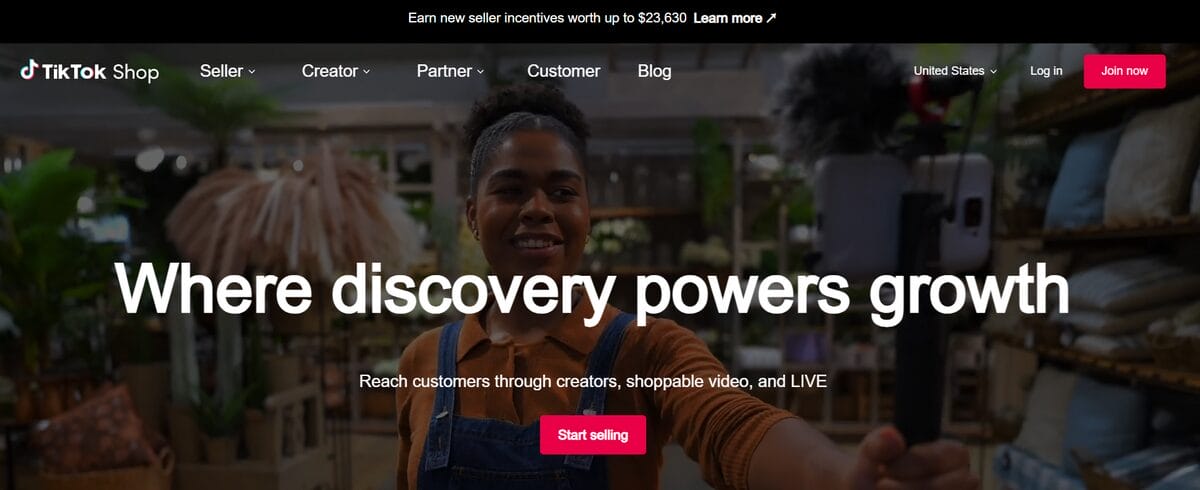
TikTok Shop is the more marketplace-like option: discovery and checkout can happen without leaving it.
- Best for: Visual, trend-driven, or impulse-friendly products that benefit from creator content and social discovery.
- Pricing and fees (October 2026): There’s no setup fee for US sellers. Most categories carry a 6% referral fee, while some categories currently sit at 5%.
- Reach vs. control: TikTok can put products directly into a high-engagement feed and shorten the path from discovery to checkout. In return, sellers operate within its eligibility, listing, and fulfillment rules.
- Dropshipping fit: Possible, but more restricted than on an independent store.
- Main limitation: TikTok Shop is highly region-dependent. Access, policies, and fulfillment requirements can differ substantially from one country to another.
Facebook & Instagram Shops
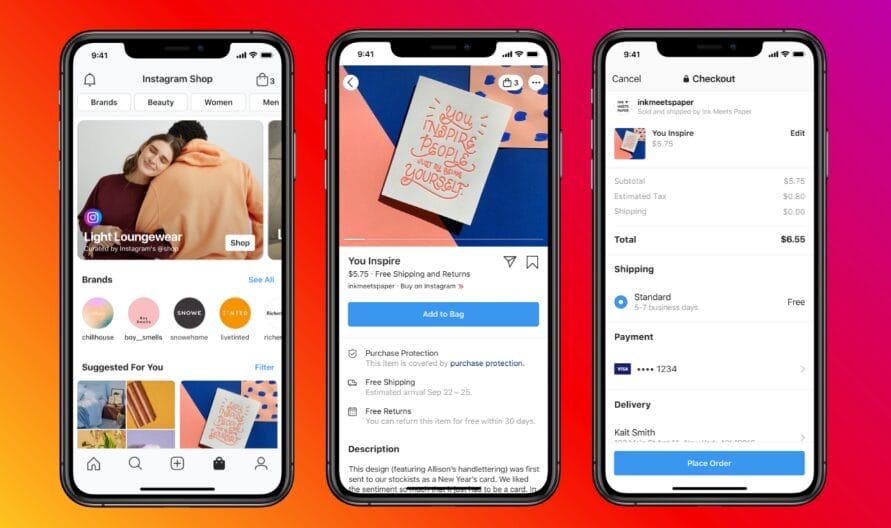
Meta now plays a different role. Facebook and Instagram can introduce the product, but your own store closes the sale. Since August 26, 2025, shoppers are redirected to the seller’s website to complete checkout rather than paying directly inside Meta.
- Best for: Existing online stores that want to turn Facebook and Instagram content into another product-discovery channel.
- Pricing and fees: Meta doesn’t charge a native checkout fee for these redirected purchases; the seller’s own ecommerce and payment-processing costs apply.
- Reach vs. control: Meta supplies the social discovery layer, while checkout, customer data, and the transaction remain tied more closely to your own storefront.
- Dropshipping fit: Works through the connected ecommerce store, subject to that store’s setup and Meta’s product eligibility requirements.
- Main limitation: Unlike TikTok Shop, Meta Shops no longer provides an end-to-end native checkout journey.
The practical split is simple: choose TikTok Shop when you want social discovery and checkout to live close together. Use Facebook and Instagram Shops when you already own the storefront and want social content to send more shoppers toward it.
Best Ecommerce Platforms For Building Your Own Store
Instead of borrowing someone else’s audience, ecommerce platforms give you the infrastructure to build a storefront of your own. Branding, customer experience, pricing, and much more of the data move closer to your side of the business, but so does the responsibility for bringing people in.
That extra ownership comes with a new set of choices: ease of use, customization, technical upkeep, scalability, and cost.
Here are the leading options, and where each one earns its place:
Shopify
Shopify is the closest thing here to a default recommendation for a first independent store. It packages most of the technical groundwork into one system, so more of your attention can go toward products, branding, and getting customers in, rather than maintaining the infrastructure behind the scenes.
- Best for: Beginners and growing brands that want a polished, hosted store without taking on much technical maintenance.
- Pricing and fees (October 2026): Basic costs $39/month or $29/month billed annually. With Shopify Payments, standard online card rates on Basic start at 2.9% + $0.30. Using a third-party payment provider adds a 2% Shopify transaction fee on that plan, on top of the provider’s own processing charges.
- Ownership vs. traffic: You control the storefront, branding, and customer experience much more closely than on a marketplace. What Shopify doesn’t supply is the audience.
- Dropshipping fit: Strong. Shopify has an extensive ecosystem of sourcing, print-on-demand, fulfillment, and automation apps, making it one of the easiest store builders to adapt to a dropshipping workflow.
- Main limitation: Convenience has layers of cost. The subscription is only the base; apps and payment fees can raise the monthly bill as the store becomes more sophisticated.
- Choose it if: You want a strong balance of usability, ecommerce depth, and room to grow.
- Skip it if: You want maximum control over hosting, code, and the underlying infrastructure.
BigCommerce
BigCommerce starts in familiar territory (a hosted store builder), but it leans more heavily toward growing businesses, larger or more complex catalogs, multichannel selling, and operations that may outgrow a basic storefront.
- Best for: Growing brands with larger catalogs, multichannel operations, or more complex commerce needs.
- Pricing and fees (October 2026): Core costs $39/month or $29/month billed annually and includes a 15-day free trial. BigCommerce charges no additional order fee when using an Embedded Payment Provider; card processing starts at 2.89% + $0.29. Open Payment Providers add a BigCommerce fee of 2% on Core, 1% on Growth, and 0.6% on Scale.
- Ownership vs. traffic: You run your own customer-facing store and can connect additional sales channels, but acquisition remains your responsibility.
- Dropshipping fit: Good. BigCommerce’s app marketplace includes integrations such as Printful, Spocket, DSers, Inventory Source, and other sourcing and fulfillment tools.
- Main limitation: Its pricing structure follows the size of the operation. Core covers up to $30K in trailing-12-month GMV, with automatic progression to higher plans as sales grow.
- Choose it if: More products, storefronts, or channels are already part of the growth plan.
- Skip it if: You’re building a straightforward first store and want the lightest learning curve possible.
Wix
Wix comes at ecommerce from a design-first background. That makes it especially approachable for sellers who care about how the site looks and feels, but don’t want to touch code or manage hosting themselves.
- Best for: Small stores and beginners who value design flexibility and a low technical barrier.
- Pricing and fees (October 2026): The Core plan, the lowest tier that accepts payments, starts at $29/month billed annually in the US. Wix doesn’t add a separate ecommerce transaction fee, but payment processing still applies: Wix Payments charges 2.9% + $0.30 for standard US card transactions. Pricing varies by region.
- Ownership vs. traffic: You control the branded site and customer-facing experience, but attracting shoppers is still entirely up to you.
- Dropshipping fit: Solid for smaller setups. Wix supports Modalyst directly and also integrates with tools such as Spocket and other dropshipping apps.
- Main limitation: Wix is easy to shape visually, but its ecommerce toolkit becomes less specialized than Shopify or BigCommerce as operations grow more complex.
- Choose it if: Design freedom, simplicity, and quick setup matter most.
- Skip it if: Advanced ecommerce infrastructure or deeper operational complexity is already part of the plan.
WooCommerce
WooCommerce is the outlier here because it’s self-hosted. The core plugin is free and open source, but instead of paying one company to handle the infrastructure, you assemble the stack yourself on WordPress.
- Best for: Sellers who want maximum flexibility and are comfortable taking more technical ownership.
- Pricing and fees (October 2026): WooCommerce itself has no monthly platform fee or revenue share. Woo estimates hosting at roughly $25–$350/month for most stores, while paid extensions commonly run $29–$299/year each. WooPayments charges 2.9% + $0.30 for standard US card transactions.
- Ownership vs. traffic: You get the deepest control of the four over hosting, code, extensions, data, and customization. Customer acquisition, however, remains entirely your responsibility.
- Dropshipping fit: Strong, as long as you add the right extensions or integrations. WooCommerce even offers a dedicated dropshipping extension in its marketplace.
- Main limitation: Freedom comes with upkeep. Hosting, security, updates, backups, compatibility, and site performance ultimately sit on your side of the operation.
- Choose it if: You want the widest room to customize and don’t mind managing more of the stack yourself.
- Skip it if: You’d rather pay for a platform that keeps the technical machinery out of sight.
What A $50 Sale Really Costs On Each Platform
Fees are where the differences between these platforms stop being theoretical. The same $50 sale can carry a very different toll depending on where it happens, how the payment is processed, and whether a monthly plan is sitting behind the transaction.
So, which ecommerce platform has the lowest fees? Well, putting the same order through each fee structure makes the trade-offs much easier to see:
🧐 Illustrative scenario: US seller, $50 order, 50 sales per month, standard product category, domestic card payment, and the entry plan or standard seller setup where applicable. No ads, shipping, fulfillment, taxes, apps, product costs, or optional services are included. Monthly costs are divided across those 50 orders. This is a fee comparison, not a profit calculator.
| Platform | How the $50 sale is charged | Approx. cost |
|---|---|---|
| Amazon | $39.99 Pro ÷ 50 = $0.80 + 15% referral fee = $7.50 | $8.30 |
| eBay | 13.6% final value fee = $6.80 + $0.40 order fee | $7.20 |
| Etsy | $0.20 listing + 6.5% transaction = $3.25 + 3% + $0.25 processing = $1.75 | $5.20 |
| TikTok Shop | 6% referral fee = $3.00 | $3.00 |
| Shopify Basic | $29/mo ÷ 50 = $0.58 + 2.9% + $0.30 processing = $1.75 | $2.33 |
| BigCommerce Core | $29/mo ÷ 50 = $0.58 + 2.89% + $0.29 processing = $1.74 | ≈$2.32 |
| Wix Core | $29/mo ÷ 50 = $0.58 + 2.9% + $0.30 processing = $1.75 | $2.33 |
| WooCommerce | $25/mo hosting ÷ 50 = $0.50 + 2.9% + $0.30 WooPayments processing = $1.75 | From ≈$2.25 |
The first pattern is hard to miss: marketplaces tend to take more directly from each transaction. That’s part of what you’re paying for: the audience, search behavior, and buying infrastructure already gathered in one place. Store builders shift more of the cost into a recurring base, leaving a smaller platform-and-payment bite on each individual order.
WooCommerce technically comes out lowest among the independent-store examples here, but take that “from” seriously. I used WooCommerce’s own low-end hosting estimate of $25/month. Premium extensions, stronger hosting, maintenance, and developer help can move the real cost well beyond this snapshot.
Then there’s volume, the variable that can flip the comparison. At five orders a month, a $29 subscription adds $5.80 to every sale before processing. At 500 orders, it adds less than six cents. Marketplace percentage fees move in the opposite way: the more revenue passes through, the more dollars they keep collecting.
So I wouldn’t ask, “Which platform is always cheapest?” A better question is: which fee structure gets cheaper as the kind of business you’re building grows?
Which Platforms Allow Dropshipping?
This is where “dropshipping allowed” needs a little nuance. With store builders, dropshipping is mostly a fulfillment model you configure yourself. Marketplaces tend to treat it as a policy question, with tighter rules around sourcing, seller identity, packaging, and shipping.
Here’s the shortcut before you choose a channel:
Amazon
Restricted. You can dropship only if you remain the seller of record, no third-party supplier appears on customer-facing packaging or paperwork, and you take responsibility for returns.
👉 Check the official Amazon dropshipping policy here.
eBay
Restricted. For eBay dropshipping, fulfillment directly from a wholesale supplier is allowed. Listing a product first and then buying it from another retailer or marketplace to ship to the buyer is not.
👉 Check the official eBay dropshipping policy here.
Etsy
Restricted. Standard ready-made Etsy dropshipping is prohibited, with a limited exception for qualifying craft and party supplies. Production partners and POD can work when you provide the original design or the buyer personalizes the item.
👉 Check Etsy’s dropshipping and reselling policy here.
TikTok Shop
Restricted. Third-party fulfillment can be used, but sellers remain responsible for meeting TikTok Shop’s inventory, packaging, shipping, and local fulfillment requirements. In the US, sellers using a third-party fulfillment provider must retain ownership of the inventory.
👉 Check the TikTok Shop fulfillment guidelines here.
Shopify
Allowed. Shopify dropshipping is supported, but you still operate as the retailer: product safety, legal compliance, refunds, shipping disclosures, and customer obligations remain your responsibility.
👉 Check Shopify’s dropshipping requirements here.
Wix
Allowed. Wix supports dropshipping directly through multiple integrations. Supplier selection, shipping rules, product quality, and customer service still sit with the store owner.
👉 Explore the Wix dropshipping page here.
WooCommerce
Allowed. WooCommerce supports dropshipping and supplier fulfillment through extensions and integrations, including its own dedicated extension. Because the store is self-hosted, the setup and operational responsibility remain largely in your hands.
👉 Explore the WooCommerce dropshipping documentation here.
How To Choose The Right Platform: A Decision Framework
By now, the shortlist should be getting smaller. So rather than adding one more pros-and-cons list, I’d make the decision this way: start with what you need the platform to do for you first.
If you need sales fast and have no audience…
Start with a marketplace, provided your product and fulfillment setup fit its policies.
Amazon, eBay, Etsy, and TikTok Shop already have shoppers browsing with purchase intent, so they can give a new product a faster path to visibility than a standalone store starting from zero. The cost of that shortcut is familiar by now: selling fees, stricter rules, and less ownership over the customer relationship.
If you want to build a brand and own the customer…
Go with a store builder.
Shopify, BigCommerce, Wix, and WooCommerce give you far more say over how the store looks, how customers buy, what data you keep, and how the brand develops over time. The trade-off is simple: you own more of the asset, but you also have to create the audience around it.
If you’re on a tight budget…
Don’t let a “free” label make the decision for you. Look at what happens after the first sale.
Marketplaces often cost little to join but keep taking a percentage as revenue grows. Hosted stores introduce a monthly subscription, yet usually leave more of each individual transaction intact. WooCommerce can lower the platform bill further, although hosting, extensions, maintenance, and technical help can quickly narrow that advantage.
Use the $50 sale comparison above to see which cost structure fits your expected sales volume.
If you’re not technical…
Pick a hosted store builder.
Shopify, Wix, and BigCommerce take hosting, security, updates, and much of the backend maintenance off your plate. There’s still plenty to learn about ecommerce, but keeping the infrastructure alive doesn’t have to be one of those lessons.
If you want full control and don’t mind some tech…
WooCommerce is the clearest fit.
It gives you the most freedom over hosting, code, extensions, costs, and customization. The price of that freedom is ownership of the maintenance too: security, compatibility, updates, backups, and performance all become part of the operation.
If product type is driving the decision…
Sometimes the product answers the question faster than the platform does:
- Commodity or high-demand products: Amazon, eBay, or TikTok Shop can put them in front of active buyers quickly.
- Branded or niche products: Shopify, BigCommerce, or Wix give the identity more room to breathe.
- Handmade, personalized, or creative products: Etsy is the natural match when the product fits its marketplace rules.
- Highly customized or technically complex stores: WooCommerce gives you the widest room to shape the setup around the business.
The Default Choice For A Complete Beginner
If you’re starting from zero, I’d pick Shopify for a first owned store, or eBay if the immediate goal is to test products against an existing audience. The reasons are simple:
- Shopify gives you the smoothest route into building something you control.
- eBay gives you a lower-friction way to learn what sells before putting more money into traffic, branding, and infrastructure.
Can You Sell On Multiple Platforms At Once?
Yes! Once the basics are working, selling across multiple channels can be the smartest next move. A marketplace can help with visibility and product discovery, while your own store gives the brand, margins, and customer relationship somewhere to grow over time.
The challenge is keeping the moving parts aligned. The same product listed in several places means inventory, pricing, orders, and channel-specific fees all need to stay in sync. Otherwise, one sale can create an out-of-stock problem somewhere else before you even notice.
There are two common ways to manage that setup. Some store builders let you connect additional sales channels directly, while multichannel automation tools can centralize listings, stock updates, pricing, and order workflows across platforms.
That second approach becomes much more valuable as the operation gets harder to manage manually, which is exactly where AutoDS enters the picture.
How AutoDS Can Help You On Your Dropshipping Journey
Once you know where you want to sell, if you’re dropshipping, the bigger question becomes how much of the day-to-day workload you want to handle manually. That’s where all-in-one dropshipping platforms like AutoDS can change the equation.
More than replacing your selling channels, AutoDS sits on top of them to streamline product imports, sync pricing and stock, update tracking, and automate supported order fulfillment from one dashboard. The tool integrates with major selling channels like Shopify, eBay, Amazon, Etsy, Wix, WooCommerce, TikTok Shop, and Facebook, so you can connect the store or marketplace that fits your strategy while keeping much of the backend work under the same roof.
Once your store is connected, you can simplify:
- Product importing: You can bring products from supported suppliers into your store without rebuilding each listing from scratch. Titles, descriptions, images, variations, and other details can also be adjusted before publishing.
- Price and stock monitoring: AutoDS tracks changes in supplier pricing and availability and reflects them in your connected listings, helping reduce the risk of out-of-stock sales and unexpected hits to your profit margins.
- Order automation: Incoming orders are centralized, while supported fulfillment features reduce how much hands-on work is required to process each purchase with the supplier.
- Automatic tracking updates: Once shipping details become available, tracking information can be synced with supported orders and sent back to your sales channel.
The biggest advantage is the combination of centralization and flexibility. You can manage much of the behind-the-scenes work from one place while still having the freedom to expand across different marketplaces and storefronts. With key processes connected and streamlined, it becomes easier to keep your business organized, test new channels, and scale without adding unnecessary complexity.
💼 Ready to turn a multichannel strategy into a system instead of a juggling act? Try AutoDS for $1, connect your selling channels, and let automation do the hard work.
Frequently Asked Questions
What’s the best platform to sell products online for beginners?
The best platform to sell products online for beginners is Shopify if the goal is to build an independent store, while eBay is a strong option for testing products against an existing audience. Shopify offers a smoother path to brand ownership; eBay lowers the barrier to getting products in front of buyers quickly.
Should I sell on a marketplace like Etsy or Amazon, or build my own store?
You should sell on a marketplace like Etsy or Amazon if faster access to existing shoppers matters most. Build your own store if branding, customer data, and long-term ownership are the priority. Many sellers eventually combine both through a multichannel strategy.
What’s the difference between Shopify and a marketplace like Amazon?
The main difference between Shopify and a marketplace like Amazon is ownership. Shopify gives you the infrastructure to run your own branded store, while Amazon gives you access to its marketplace and built-in buyer base. With Shopify, traffic is your responsibility; with Amazon, fees and marketplace rules shape the sale.
Which ecommerce platform has the lowest fees?
The ecommerce platform with the lowest fees depends on sales volume and setup costs. In our $50-sale example, WooCommerce had the lowest illustrative cost, with Shopify, BigCommerce, and Wix close behind. Monthly subscriptions weigh more at low volume, while percentage-based marketplace fees become more significant as revenue grows.
Can I sell on multiple platforms at once?
Yes, you can sell on multiple platforms at once, and doing so can combine marketplace visibility with the ownership of an independent store. The main challenge is keeping inventory, pricing, listings, and orders synchronized as the number of channels grows.
What platform works best for dropshipping specifically?
The platform that works best for dropshipping is Shopify for most beginners because it combines a relatively simple setup with a strong ecosystem of supplier and automation integrations. eBay is useful for marketplace-based testing, while WooCommerce offers more flexibility for sellers comfortable managing additional technical complexity.
Pick The Platform That Fits Your Next Move!
Choosing where to sell online ultimately comes down to what you’re willing to trade for what you need most. Marketplaces can lend you reach. Your own store gives you more to own. Hosted builders remove technical friction, while WooCommerce hands more of the machinery back to you.
The strongest choice is the one that fits the business you’re building today. Start where the audience, costs, and level of control make sense, pay attention to what sells, and let real results guide the next move. As the operation grows, another channel may become useful for a completely different reason: better margins, stronger branding, or simply less dependence on one source of sales.
Think of the first platform as your starting position. The goal is to build from there with more data, more clarity, and better reasons for every channel you add.
Want to keep sharpening your ecommerce strategy? These guides are a strong place to continue:
- A Quick Overview Of The Best Platforms
- Marketplace Or Your Own Store?
- Best Marketplaces To Sell Online
- Best Ecommerce Platforms
- What A $50 Sale Costs On Each Platform
- Which Platforms Allow Dropshipping?
- How To Choose The Right Platform
- Can You Sell On Multiple Platforms?
- How AutoDS Helps Sellers & Dropshippers
- FAQ
- Conclusion